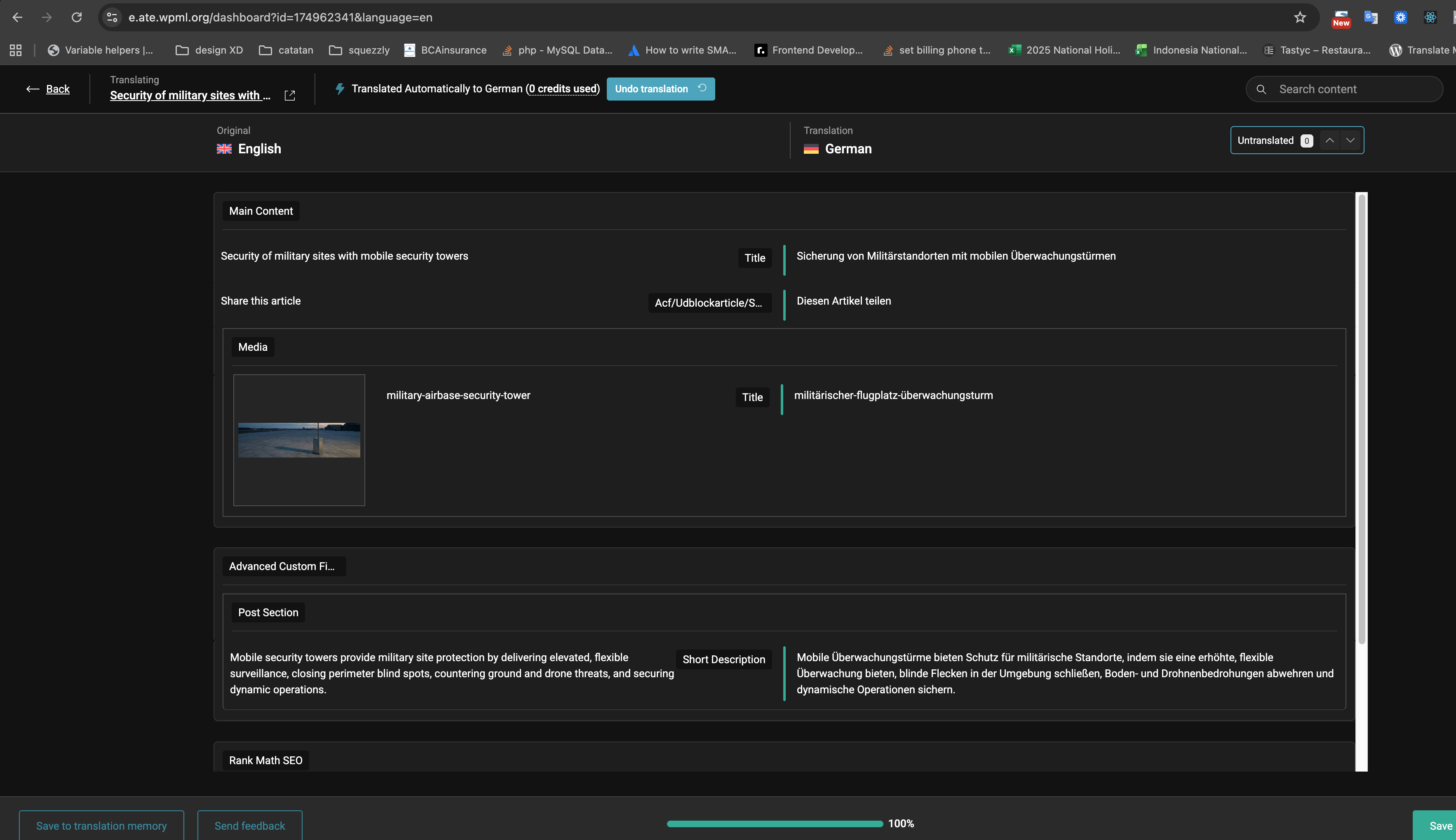
We are experiencing an issue where the WPML automatic translation tool does not translate the ARTICLE block in our posts. Only two elements of the post are translated, while the main content in the ARTICLE block remains untranslated.
Example post: Mobile security towers strengthen the security of military sites
We have already set the ACF field in the block to "translate" as per your documentation:
Custom Fields Translation Preferences for ACF and WPML - WPML
We also tried the WPML sync by code as described here:
WPML Automatic translation ignores a WYSIWYG Editor ACF field when translating - WPML
Despite these steps, the fields are still not being translated.
The issue used to work fine until recently, possibly after a WordPress or WPML update.
Steps to reproduce:
Attempt to translate the post using WPML automatic translation.
Observe that only some elements are translated, but the ARTICLE block is not.
Additional Info:
We have checked for caching issues (Varnish cache) and cleared it, but the problem persists.
This issue has occurred before and was previously resolved, but we do not have documentation on the fix.
Could you please investigate this issue further?
Thank you!
Languages: English (English )Spanish (Español )Italian (Italiano )
Timezone: Europe/Madrid (GMT+01:00)
Hi there!
Because that name belongs to WordPress to the post content.
To handle this safely, you have a few options:
1) Translate the content manually (outside of the WPML Translation Editor)
2) Create a new ACF field with a different name (for example, custom_content) and copy the existing values from the content field into the new one
3) Rename the field at database level by updating the meta_key value
This preserves all existing data, but it must be done carefully and ideally on a staging site first