[Resolved] Advanced Translation Editor stuck after migration
This thread is resolved. Here is a description of the problem and solution.
Problem: After migrating the site from a local environment, the Advanced Translation Editor (ATE) is stuck. The 'Save and complete' action does not finish, and translation jobs remain in progress. The ATE account appears to still be linked to the old local/staging site ID. Solution: We recommend trying the following steps: 1. Clear all caches, including browser, plugin, and server-level caches if applicable. 2. Increase the PHP memory limit to at least 256M or 512M. 3. Update your PHP version to a recent supported version, such as 8.1 or 8.2.
If these steps do not resolve the issue, the solution might be outdated or not applicable to your specific case. We highly recommend checking related known issues at https://wpml.org/known-issues/, verifying the version of the permanent fix, and confirming that you have installed the latest versions of themes and plugins. If the problem persists, please open a new support ticket at WPML support forum for further assistance.
This is the technical support forum for WPML - the multilingual WordPress plugin.
Everyone can read, but only WPML clients can post here. WPML team is replying on the forum 6 days per week, 22 hours per day.
I followed the unregister/register steps again, but the issue remains.
In the Advanced Translation Editor:
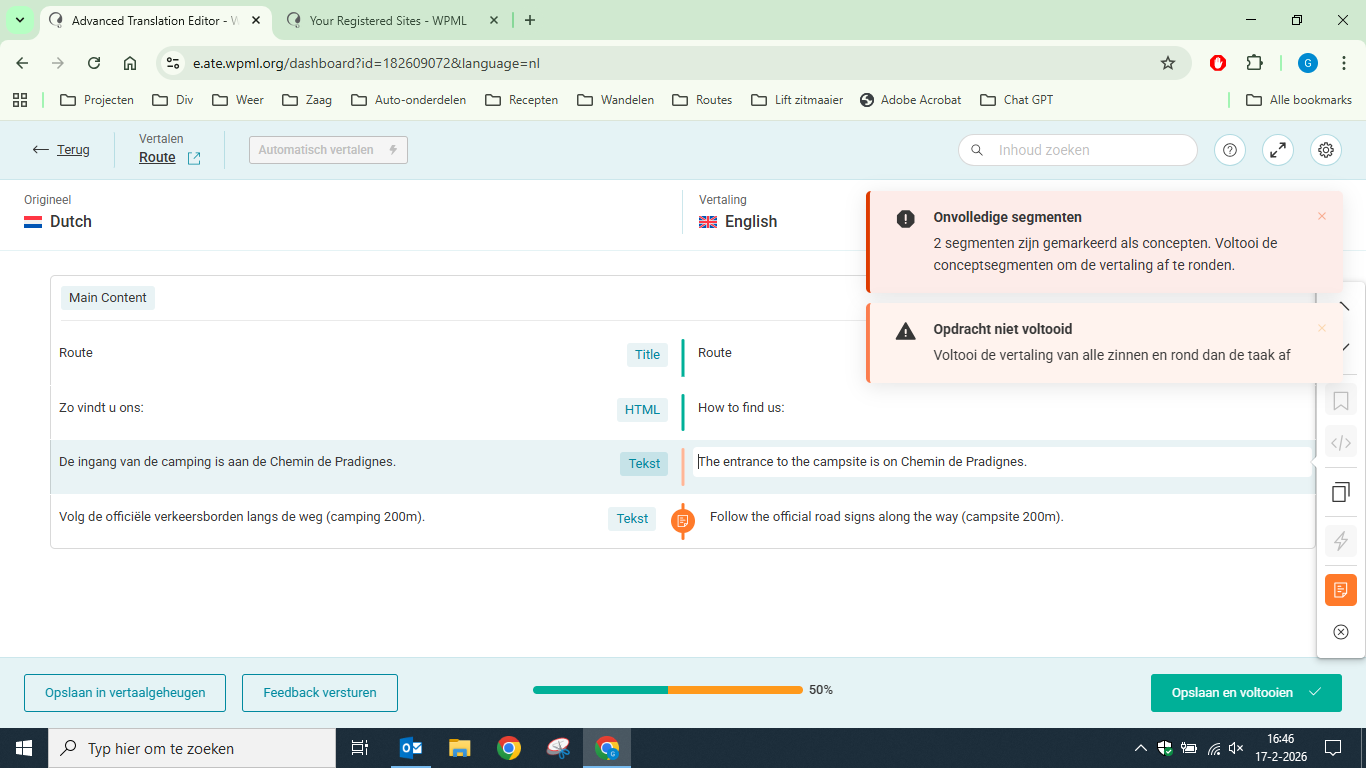
- Segments are marked as “concept”
- I cannot edit or confirm the segments (no pencil or check icons available)
- “Save and complete” stays blocked
- This started after migration from the local site
- Live site translations work normally
This looks like a broken or locked ATE translation job linked to the old site ID.
Could you please reset the ATE jobs or the ATE account connection server-side?
I have attached a screenshot showing the locked segments.
I need to request temporary access (wp-admin and FTP) to your site—preferably to a test site where the problem has been replicated if possible—in order to be of better help. When you log in to leave your next reply, you will find the needed fields below the comment area. The information you will enter is private, meaning only you and I can see and access it.
I’ve looked into this on my side, but I’m not able to reproduce the issue.
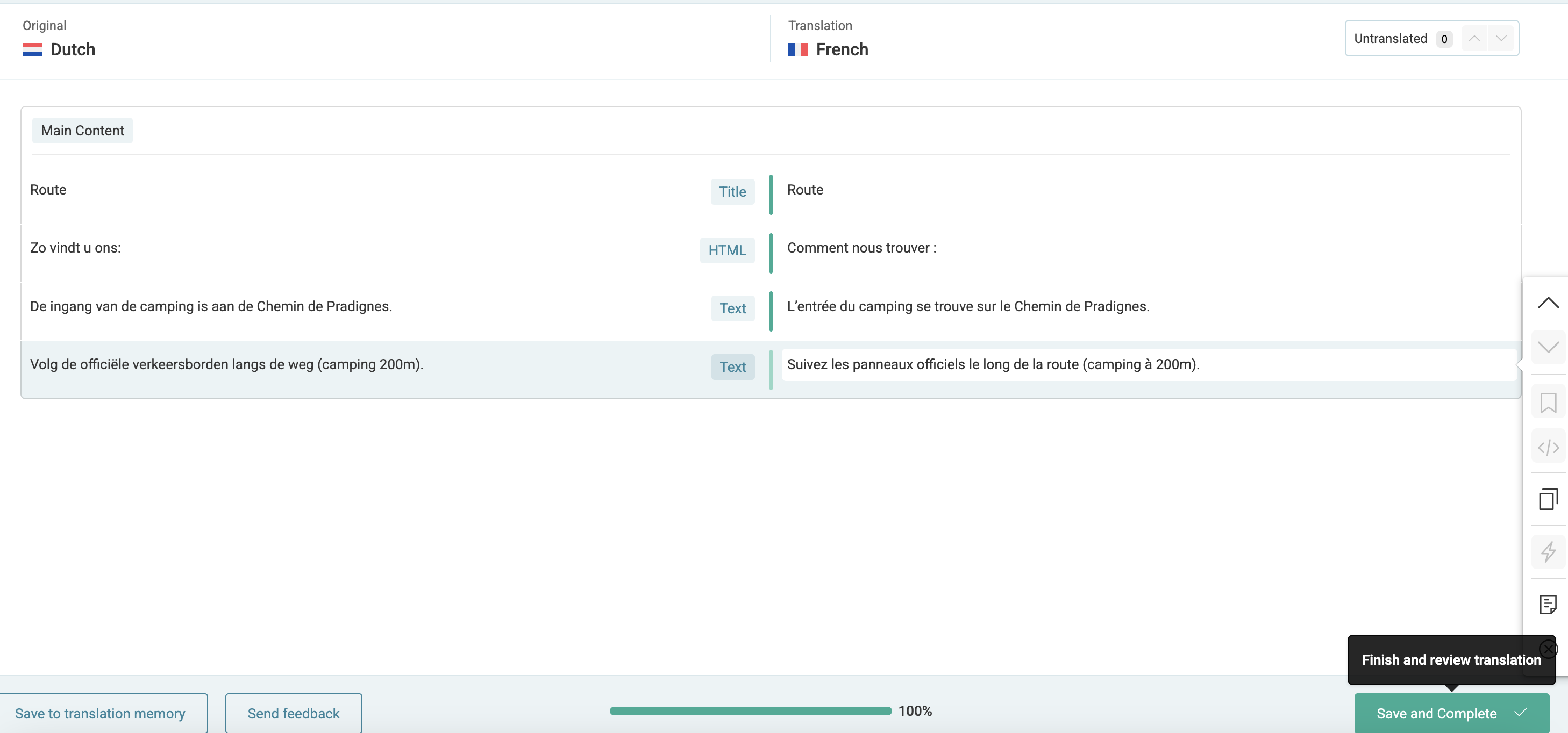
I opened the same page, launched the Advanced Translation Editor, saved the segments, and completed the translation without any problems. Everything appears to be working correctly in my tests.
I also want to mention that I was able to edit the segments, and if you move to another one, the previous one gets autosaved.
Could you please clarify what step I might be missing?
In the meantime, I recommend trying the following:
• Clear all caches (browser, plugin, and server-level cache if applicable).
• Increase the PHP memory limit (for example to 256M or 512M).
• Update your PHP version to a recent supported version (e.g. 8.1 or 8.2).
I’ve attached screenshots for your reference showing the steps I followed and the successful result.
Thank you very much for your help and for taking the time to investigate this issue.
It turned out that the PHP memory limit was the cause of the problem. After increasing the memory limit, the Advanced Translation Editor started working correctly again. This was something I had completely overlooked, so your guidance was very helpful.
Unfortunately, I cannot increase the PHP version for the current live website because it would stop working. That is why we are now building a new website in a separate environment.
I really appreciate your support and quick assistance.