Welcome to WPML support. I see that you already have WPML String Translation installed. May I ask you to give more detailed information on what you want to translate? And what is the issue you get?
If you give me the link to the page in question and the section that you want to translate and maybe some screenshots, that will help me to understand the problem you are experiencing and I will do my best to help.
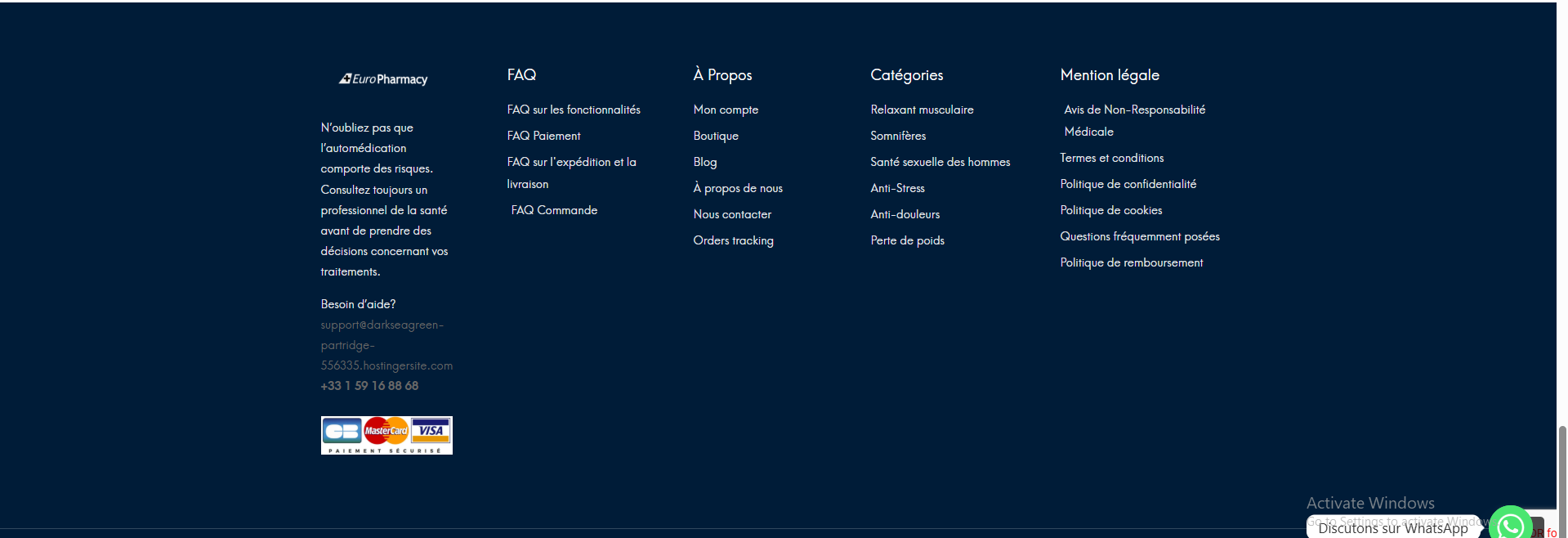
I am facing an issue with translations. I have attached two screenshots. In the screenshots, you can see the content that I want to translate.
Additionally, I would like to translate the emails sent to users after they purchase a product. When a customer places an order, they receive a confirmation email, and I want to translate that email as well.
Could you please let me know how I can translate both the content shown in the screenshots and the customer emails?
For the footer, there are a few things that you need to do:
1- The footer is created by Elementor templates. To translate them:
- Go to WP Dashboard > Templates
- Find the Template you used for the footer
- Translate it.
2- Does the Elemix theme have an option to select the footer?
If yes, please search for the Post ID of the footer template in WPML String Translation and translate the ID.
The top section in the screenshot you gave has the same method but this time for the header. Again there is an elementor template that needs to be translated.
If the issue persists, I'd appreciate it if you could give me the URL/User/Pass of your WordPress dashboard after you make sure that you have a backup of your website.
It is absolutely important that you give us a guarantee that you have a backup so if something happens you will have a point of restore.
Make sure you set the next reply as private.
I will do my best to show how to do the translation for those items.
The Translation Dashboard not showing content seems to be another issue that is not related to the original question. I will try to answer the question here, and if needed, I will create a separate ticket.
But for now, the previous reply contained login information, but not for the WordPress Dashboard.
So I am confused how to use those info. Please set the next reply as private and provide login information for the WordPress Dashboard so I can check why the translation dashboard is empty.
Thanks.
The topic ‘[Closed] I am unable to translate using String Translation.’ is closed to new replies.