This thread is resolved. Here is a description of the problem and solution.
Problem: You are experiencing issues with WPML where it does not recognize the local translator, treats all translation jobs as if they are assigned to a non-existent translator, and blocks the translation of variable products, pages, portfolio items, and the entire website. This problem is due to the database user associated with your WordPress installation lacking sufficient privileges, specifically the inability to execute ALTER TABLE queries which are necessary for WPML to update its tables during translation-related operations. Solution: Ensure that the database user has the appropriate permissions, including write and alter privileges such as ALTER, CREATE, INSERT, UPDATE, and DELETE. If the user only has read-only access, this would explain the issue you're encountering. For more information on database security and permissions, you can review the official WordPress documentation here: WordPress Database Security.
If this solution does not resolve your issue or seems irrelevant due to being outdated or not applicable to your case, we highly recommend checking related known issues at https://wpml.org/known-issues/, verifying the version of the permanent fix, and confirming that you have installed the latest versions of themes and plugins. If problems persist, please open a new support ticket.
This is the technical support forum for WPML - the multilingual WordPress plugin.
Everyone can read, but only WPML clients can post here. WPML team is replying on the forum 6 days per week, 22 hours per day.
I have been facing a critical issue with WPML for several days, and I have tried multiple solutions with no improvement.
---
## **Issue Details:**
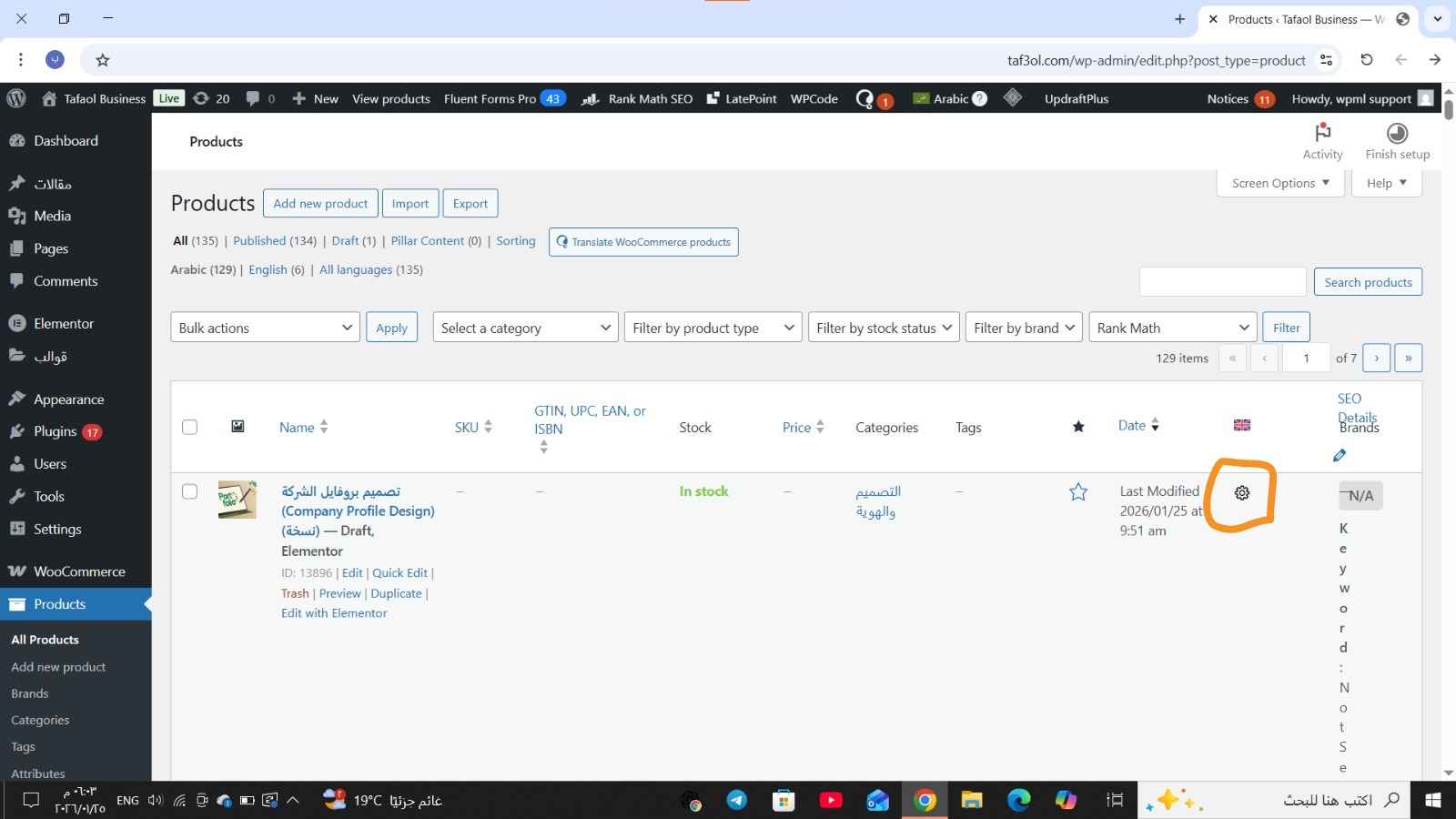
* When trying to translate any page or product, the gear icon appears instead of the pencil or plus icon.
WPML behaves as if the translation is **assigned to a local translator**, even though I am the site admin and added as a translator inside WPML.
* In the Translation Management panel, no languages appear under "In Progress" or under any translator.
It looks like WPML is not recognizing translators or not detecting languages correctly.
* I cannot cancel translation assignments, reset them, or reassign translations because no languages appear in any dropdown lists.
* **Variable Products cannot be translated at all.**
When opening a variable product for translation, attributes and variations do not appear in the translation editor, and the translated product is not created in the secondary language.
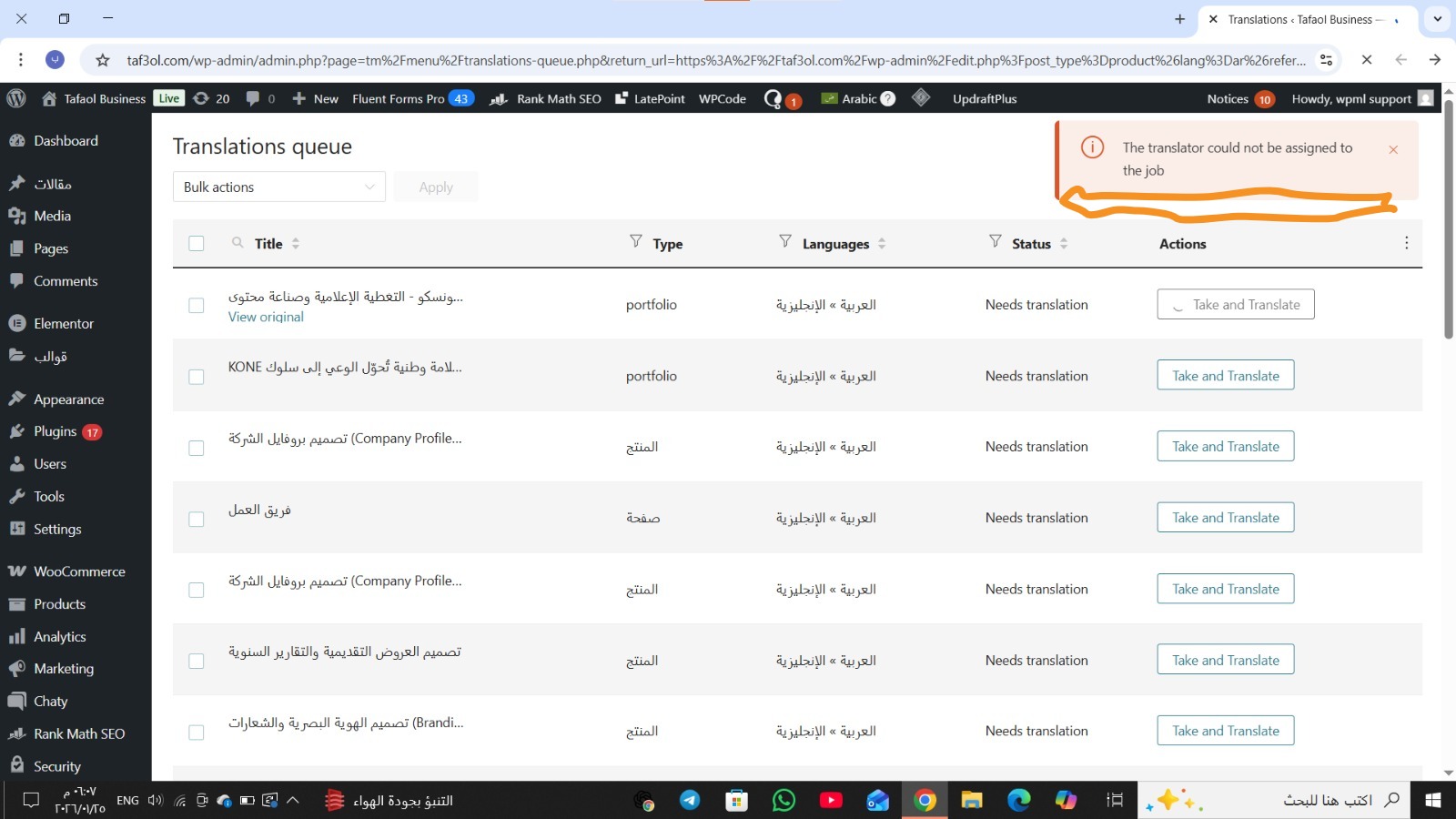
* For some pages, products, and portfolio items, the pencil icon appears, but when clicking on it, WPML shows the message:
**"Failed to assign the translator job."**
---
## **Steps I have already tried:**
* Cleared the WPML cache.
* Removed ghost entries.
* Cancelled stuck translation jobs.
* Fixed translation job data.
* Set language information.
* Checked translator accounts and roles.
* Enabled translation for products, attributes, and variations.
* Updated all WPML plugins to the latest versions.
---
## **Main Problem:**
* WPML does **not recognize the local translator** at all.
* It treats all translation jobs as if they are assigned to a translator who doesn't exist.
* As a result, translation of **variable products, pages, portfolio items, and the entire website** is completely blocked.
This issue is preventing us from translating any content on the website, and we urgently need support.
🔐Important (regarding access):
[removed]
Please help us resolve this as soon as possible.
Thank you.
I’ve removed the access credentials you previously shared, as the support forum is public. For security reasons, I strongly recommend changing those credentials.
To investigate this further and provide effective assistance, I’ll need temporary access to your site (WP-Admin and FTP)—ideally to a staging or test site where the issue can be reproduced, if possible.
When you post your next reply, you’ll find secure fields below the comment area where you can safely enter the access details. This information is private and will be visible only to you and our support team.
I’ve checked your site and investigated the issue further. It appears that the problem is related to database permissions. The database user currently associated with your WordPress installation does not have sufficient privileges to modify the database schema.
Specifically, the user does not have permission to execute ALTER TABLE queries, which WPML needs in order to update its tables during translation-related operations.
You’ll need to ensure that the database user has the appropriate permissions, in particular write and alter privileges (such as ALTER, CREATE, INSERT, UPDATE, and DELETE). If the user only has read-only access, this would explain the issue you’re encountering.