Thanks for testing. Since the issue happens only with this new product, it seems specific to its setup rather than a general WPML or Product Bundles issue.
Could you please:
1. Compare the new product settings with a bundled product that works correctly.
2. Check for any unusual variations, attributes, or custom fields that might prevent the bundle from being copied.
If the issue persists, it might be easiest to recreate the product with the same settings and bundle, which usually fixes glitches like this.
not only it's weird that it does not copy bundled product to a translation, but when I manually add a bundled product, then hit publish, it disappears.
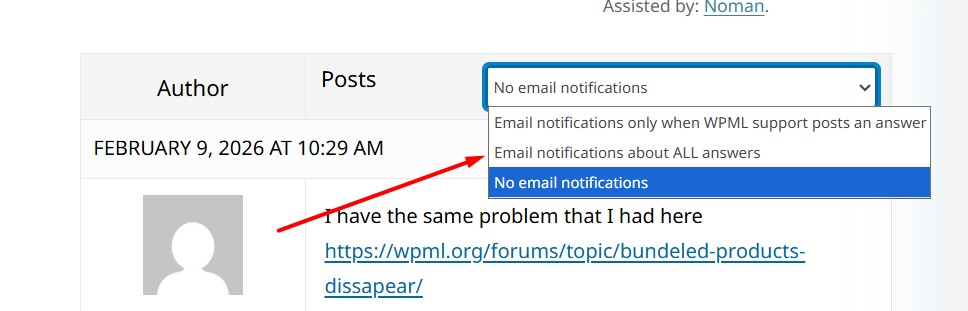
also, how can I enable email notifictions for your replies?
Thanks for confirming. Since the settings are the same and the bundle still disappears even when added manually, this points to a product specific data issue or a conflict affecting that item.
To investigate further, could you please try the following steps to isolate the cause of the issue:
1. Take a backup of your site first for safety reasons.
2. Deactivate all plugins except WooCommerce, Product Bundles, WPML, and its add-ons.
3. Switch to the default WP theme like 2025.
4. If the issue is gone, start reactivating the other plugins one by one to find which one might be causing a conflict.
Regarding email notifications, on the forum page please make sure you are logged in and choose “Email notifications about ALL answers”, as shown in the attached screenshot.
If you still don’t receive emails, please also check your spam folder.
Kindly let me know the results,
Thank you for your cooperation and patience