[Resolved] Split: slug not available for translation
This thread is resolved. Here is a description of the problem and solution.
Problem: The client was unable to see the URL slug for translation in the WPML translator and also had issues with translating a newly added photo. Solution: 1. For the URL slug issue, we suggested the client to make a small change to the page title and save it, then click to re-translate. This should make the slug appear for translation. If the slug still does not appear, it might be hidden in the Advanced Translation Editor (ATE). In this case, click the cog icon in the top-right corner while translating and ensure that links are enabled for translation. 2. Regarding the photo translation, we recommended opening a new support ticket specifically for that issue, as it might require detailed attention.
If this solution does not resolve your issue or seems outdated, we recommend checking the related known issues, verifying the version of the permanent fix, and confirming that you have installed the latest versions of themes and plugins. If the problem persists, please open a new support ticket.
This is the technical support forum for WPML - the multilingual WordPress plugin.
Everyone can read, but only WPML clients can post here. WPML team is replying on the forum 6 days per week, 22 hours per day.
Ok, thank you.
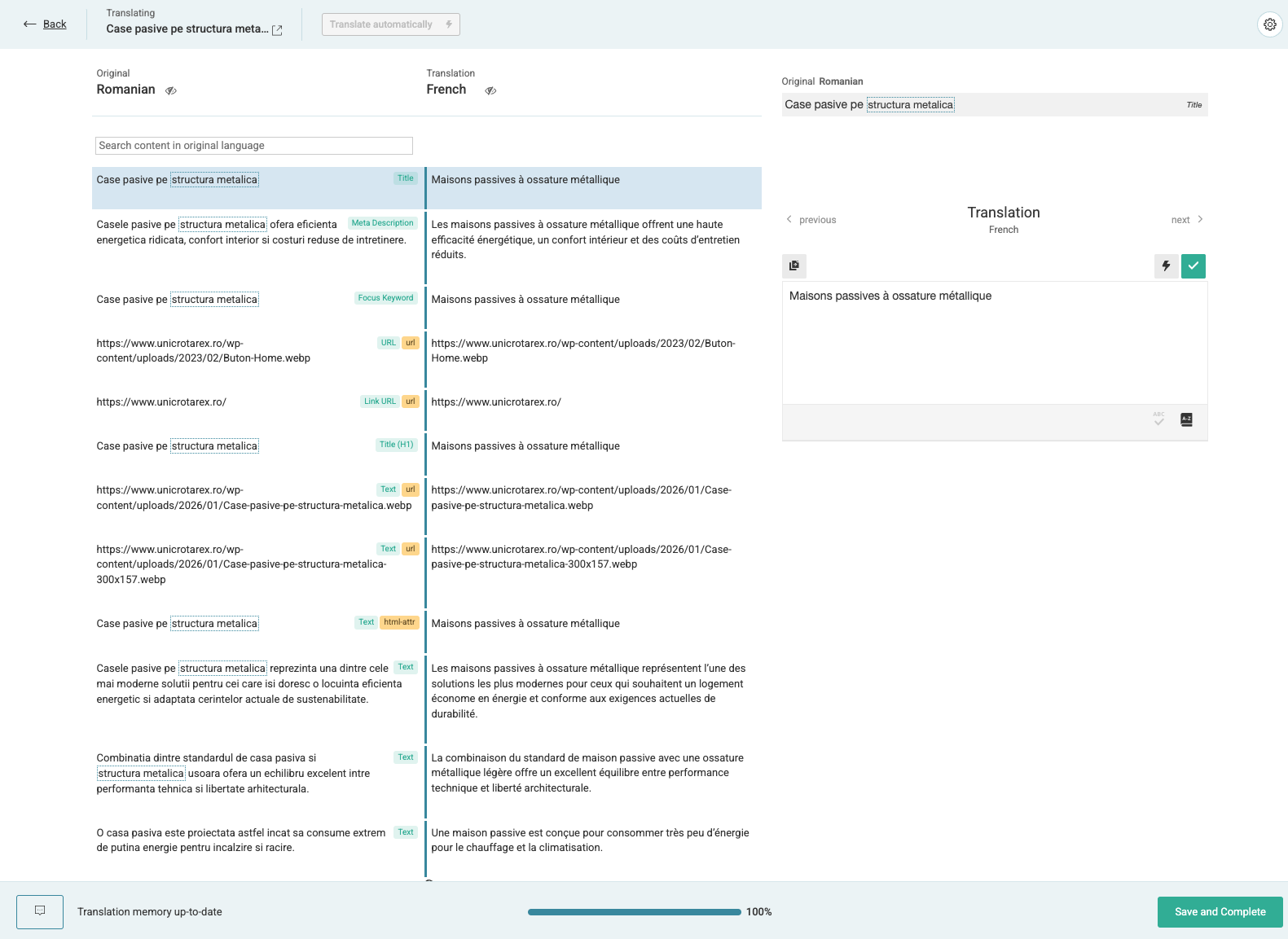
One more question: i have checked the settings for translating the URL, usually i see it in the wpml translator, now i don't. I did not make any changes to the settings, how to fix?
I attach screenshots.
Thanks!
I’m trying to review the other issue mentioned in this new ticket, but it appears that the login details previously shared are no longer working.
To proceed, could you please:
1) Share the admin access details again in the private fields so I can take a look.
2) Provide the URL of the page shown in your screenshot, so I can attempt to re-translate it and check whether the slug is available for translation.
3) Please also confirm what URL are you expecting to be shown for translation, is it the page slug or some other link you entered in your page content?
I’ve enabled the notifications now. Please also make sure that the email address associated with your WPML account is correct.
Regarding the slug, it’s possible that you’re checking an old translation job. Could you please go to that page, change the page title, and save it? Then, in the sidebar, click the arrows icon and choose Translate again. After that, the slug should display correctly.
It’s possible that URLs are set to be hidden in the ATE editor. Please try clicking the cog icon in the top-right corner while translating and make sure that links are enabled for translation. You can also use the search option in the editor to try and locate them.
If that doesn’t help, could you please try using the admin user account you shared with me? That way, we can confirm whether the issue is user-related or caused by something else.