[Resolved] I can't translate the product taxonomy metadata
This thread is resolved. Here is a description of the problem and solution.
Problem: The client is working on a site under development and is facing issues with translating product taxonomy metadata using WPML. Despite multiple attempts, the term meta is not translating. Solution: We recommend proceeding by switching the language to the secondary entries (English and French) and updating the meta content there. Once this is done, the score will be generated separately for each language.
If this solution does not resolve your issue, or if it seems outdated or irrelevant to your case, we highly recommend checking related known issues at https://wpml.org/known-issues/, verifying the version of the permanent fix, and confirming that you have installed the latest versions of themes and plugins. Additionally, you can open a new support ticket for further assistance at WPML support forum.
This is the technical support forum for WPML - the multilingual WordPress plugin.
Everyone can read, but only WPML clients can post here. WPML team is replying on the forum 6 days per week, 22 hours per day.
Hi,
I want to translate the Yoast SEO fields and use the same category image from the original category in the translation.
I've tried translating them automatically several times but it doesn't work.
I've tried creating a dummy post, adding it to the category and sending it for translation but it didn't work either.
Could you help me?
To debug this issue further, I would need to check your site settings once, for this I would need temporary access (wp-admin and ftp) to your site.
So could you please provide me with those details, you will find the needed fields for this below the comment area when you log in to leave your next reply. hidden link
Hello.
This is a link: hidden link
I’ve attached images related to this.
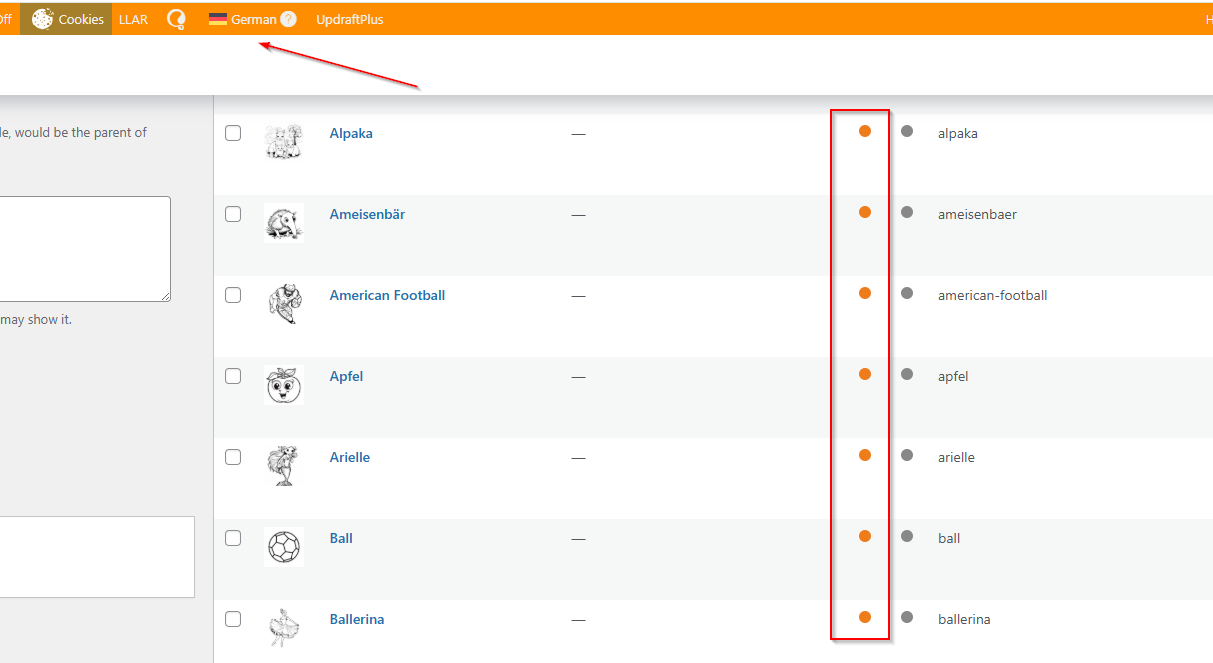
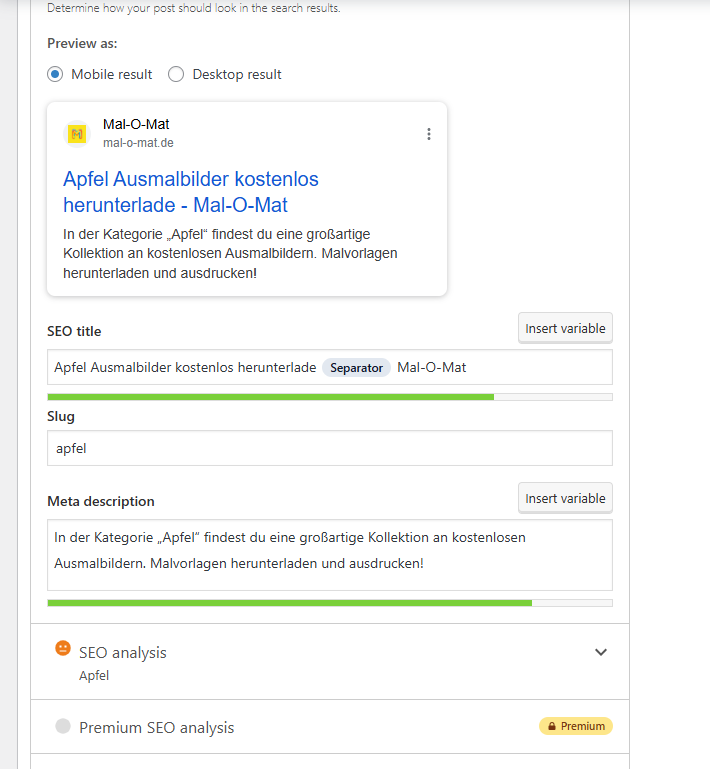
In the categories list, you can see the SEO score: it’s yellow for German but red for the other languages, because those languages don’t have their SEO fields fully completed. I need to translate these SEO fields so that all languages have the same SEO score.
Hello,
I’m sorry, but I’m having trouble understanding your reply.
The Yoast SEO metadata already exists for German — which is the base language. What I need is to translate the Yoast SEO fields (and achieve the same SEO score) into English and Spanish.
I already know how to switch between translations — that’s not the issue.
Could you please help me with this?
Languages: English (English )Spanish (Español )German (Deutsch )
Timezone: Europe/Madrid (GMT+02:00)
Hi,
my colleague Shekhar is unavailable today, so I’ll be handling your ticket.
Shekhar intended to test switching the languages and adding the content, which I’ve now done for English in the entry “Apple”: hidden link
For example, I added the title and meta description, but the indicator still shows red. The first red dot actually refers to the Focus Keyword. When I also add “Apple” there, the indicator changes to orange (though no further optimization has been applied yet).
You can now proYou can now proceed by switching the language to the secondary entries (English and French) and updating the meta content there. Once this is done, the score will be generated separately for each language.
Hi,
I see — I’ve tried your suggestions.
However, I can’t edit every category manually. I’d like to translate automatically these fields from the base language instead.
Is that possible?
Languages: English (English )Spanish (Español )German (Deutsch )
Timezone: Europe/Madrid (GMT+02:00)
Hi,
Product categories can be translated independently through WPML’s Taxonomy Translation. However, the Yoast SEO metadata attached to categories (like SEO title and meta description) isn’t handled there. You need to open the translated category in the target language and enter the SEO data manually.
When you translate a product, WPML will automatically link it to the translated version of its categories.