This is the same topic since previous one was CLOSED! and I cannot add addional information to that one.
I don't think, that closing incidents so quick is a proper way to solve issues and forcing client to create a new one is not a professional approach
I Have a bunch of blog postst that i'm not going to translate.
Since it's a lot of them, they are still shown on the list.
It requires to scroll few pages to check what's the next is to translate. This takes a lot of time and it's anoying.
How to remove those entries from "to translate" list...
An option "I don't want to translate them" is required.
Kind Regards
This is a response to the AI "help" i received
Unfortunatelly i don;'t see that option
Under the section 'Translate this Document', select the option 'Do not translate this post'.
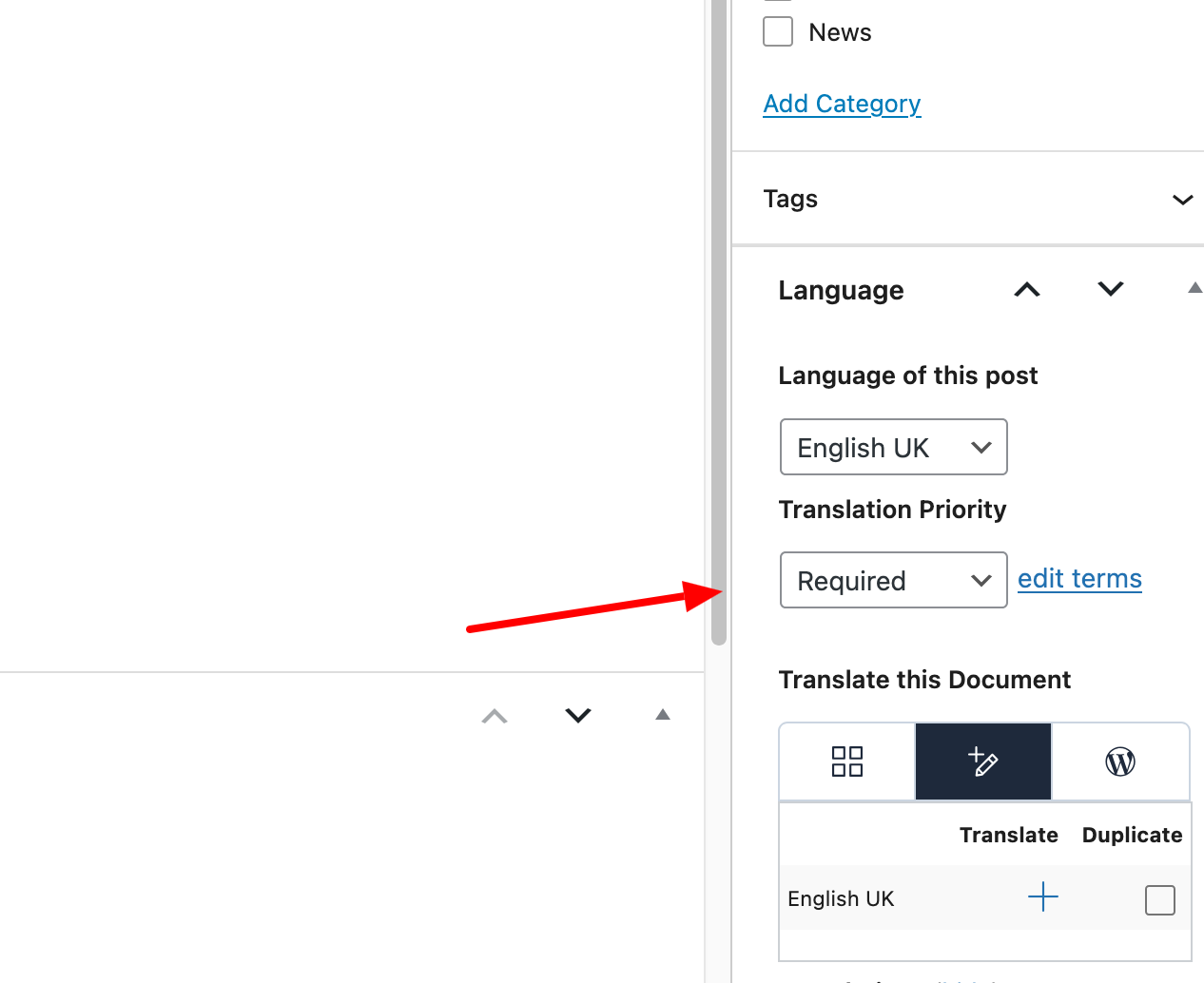
In that section i can see translation panel/ wpml editor/ WordPress editor - no option - do not translate.
"Priorytet Tłumaczenia
I’m afraid there is currently no option to exclude specific posts directly from the WPML → Translation Dashboard.
That said, you can achieve a similar result by using the available filters. For example, you could:
• Create a dedicated tag or category (for example, “to translate”) and assign it only to the posts you want to translate, then filter the dashboard by that taxonomy.
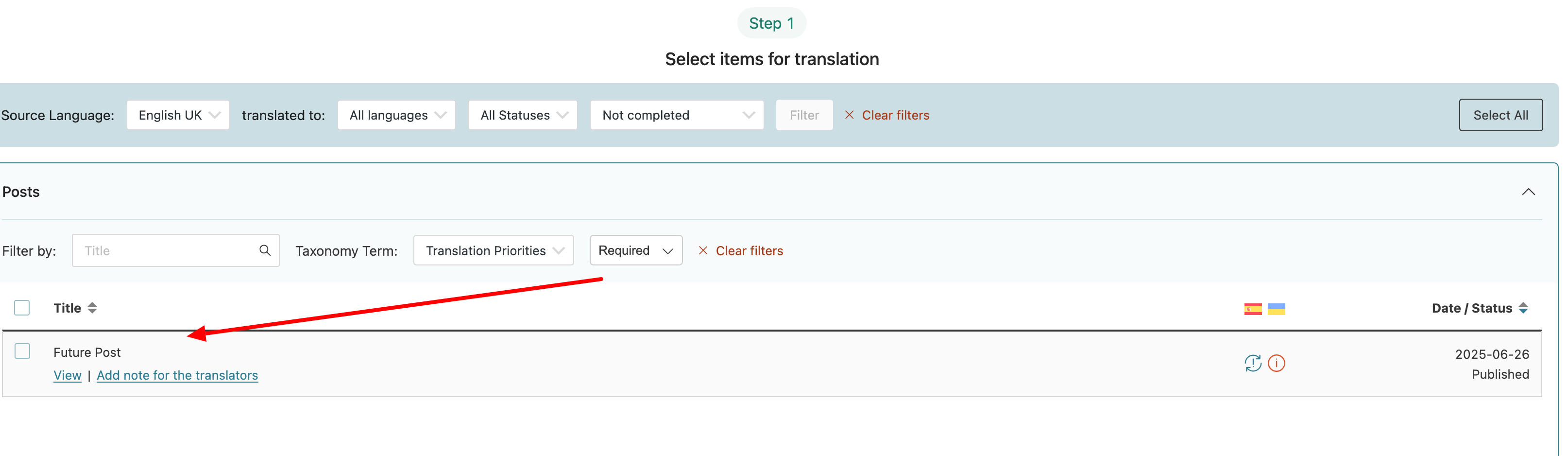
• Use translation priority and assign it only to the posts that should be translated, then filter the list by priority.
This way, the Translation Dashboard will show only the posts you actually need to work on.
Are there any plans for that basic functionality to set up?
Using categories as filters is not best practice approach and with 2k+ posts it's not very flexible and definitely a time consuming task
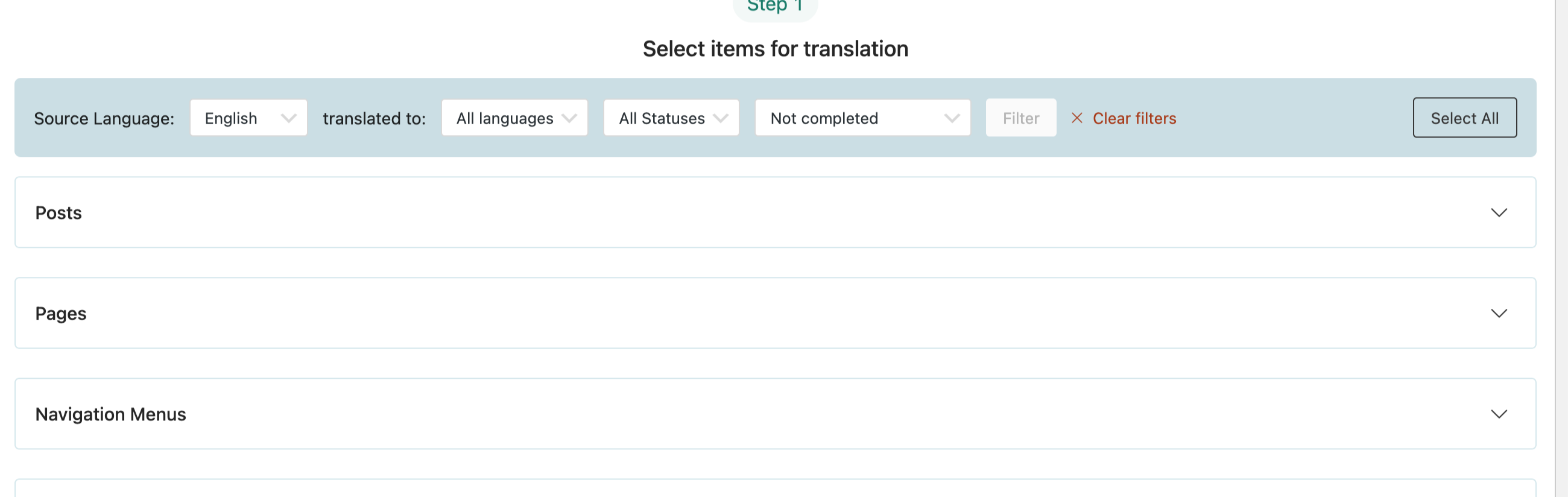
If I understand correctly, you would like to remove the entire Posts section from the Translation Dashboard list. Unfortunately, this is not possible. The section itself cannot be removed, as it is part of the core structure of the Translation Dashboard.
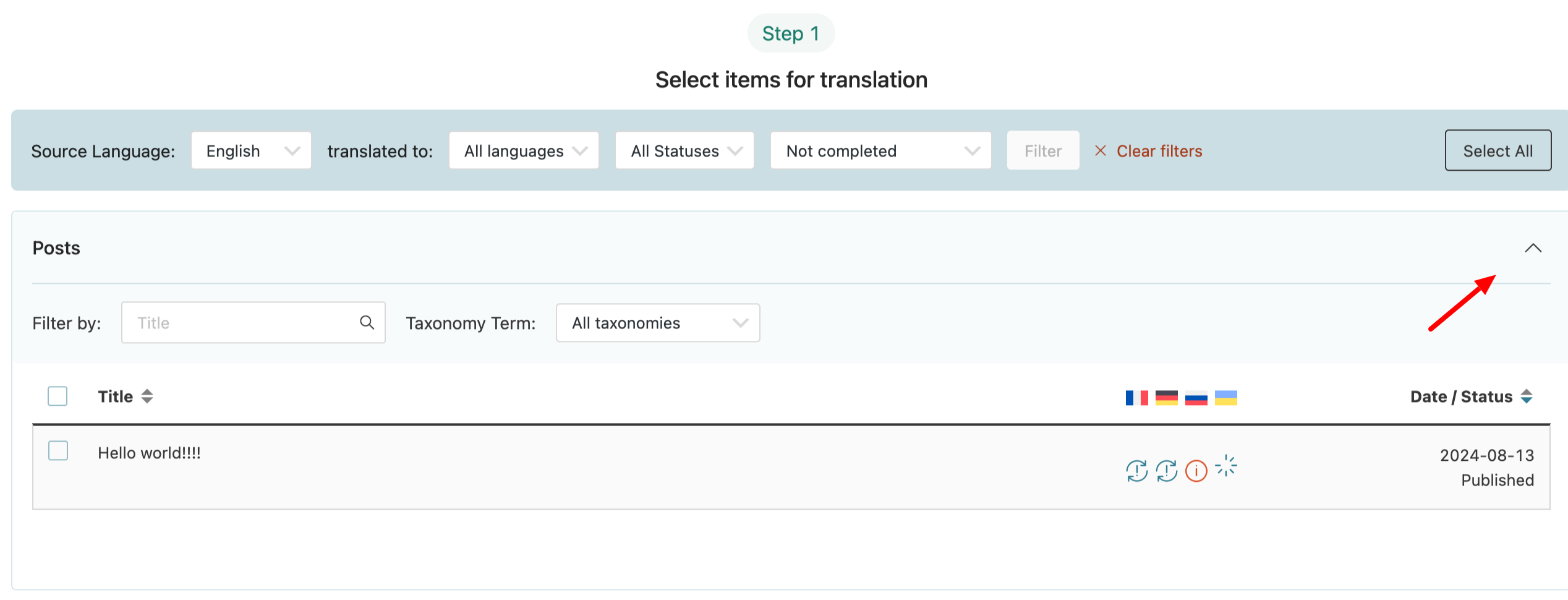
However, you can collapse the Posts section, and it will remain collapsed even after navigating away from and returning to the Translation Dashboard. I’ve attached screenshots for your reference.
If your goal is to display only specific blog posts under the Posts section, the only available method is to use filters. For example, you can assign a Translation Priority to specific posts and filter by it, as shown in the screenshots in my previous message.
If this is not exactly what you meant, please clarify a bit more so I can better understand.
No i don't want to remove all posts. I have no idea where did You take it from.
I do need to be able to set up, that a post is not going to be translated so it will be removed from the list just like the one that was translated. It should not be shown on the list to translate (since i do not want to translate it) and it should not be in the translation panel... At some point i will have like 300 posts that i do not want to be translated and those will be always at the top... Thats a big problem and simple sollution - another status in your aplication - do not translate.
if you will add filters - do not transalte then yes, that will be a solution. When can I expect that ?
You can still achieve this using the existing filters in WPML.
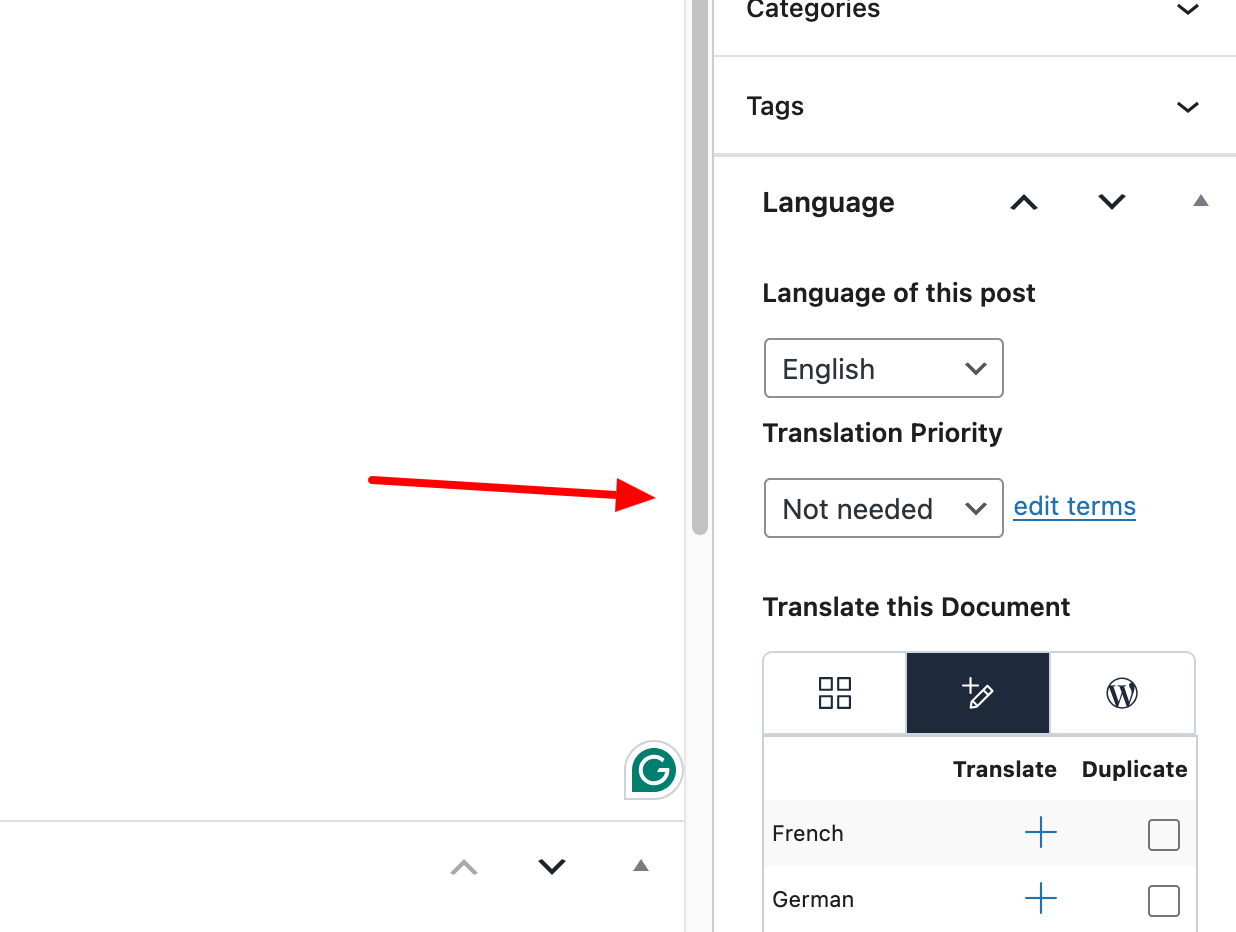
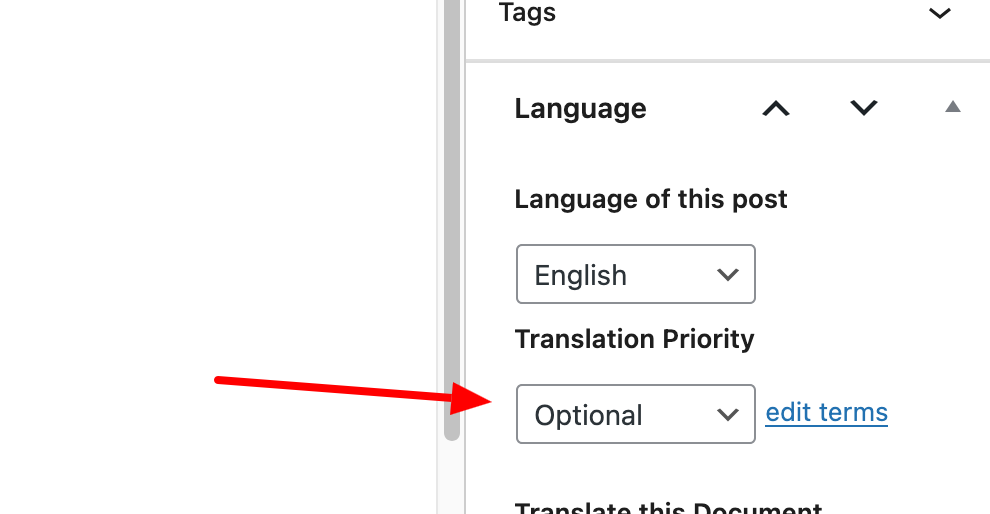
By default, when you create a post, its Translation Priority is set to Optional. If there are posts you do not want to translate, you can change their Translation Priority to Not needed (or use another custom term if that better fits your workflow).
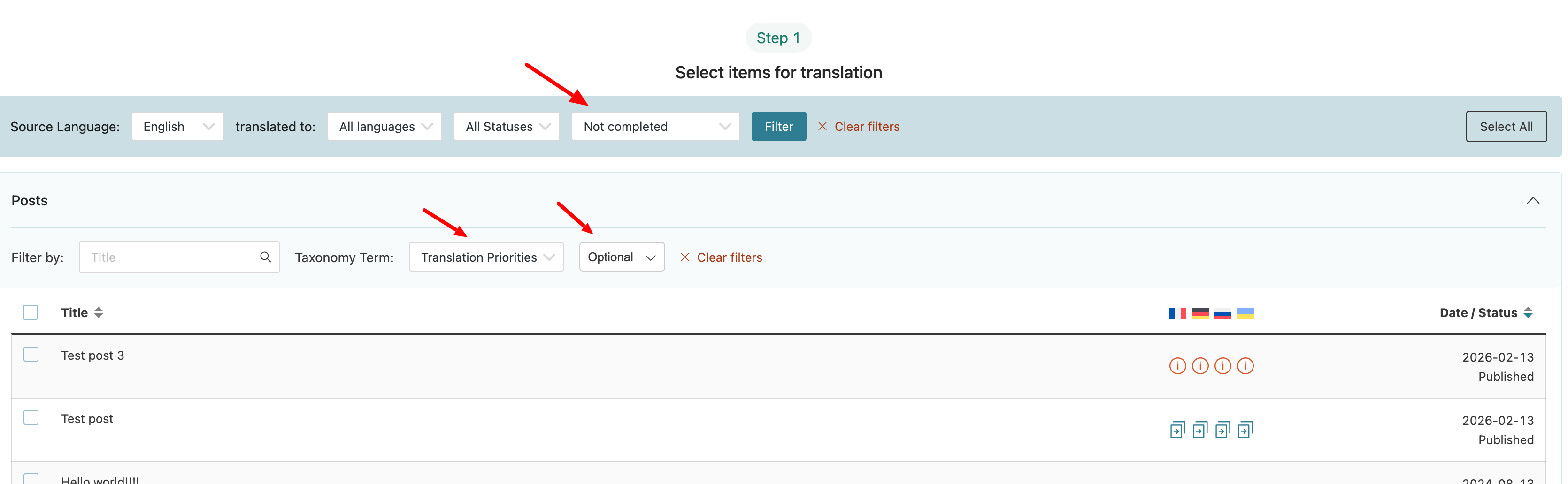
Then, go to WPML → Translation Dashboard and apply the following filters:
• Translation status → Not completed
• Translation priority → Optional
This will display only the posts that:
• Are not yet translated (or not completed), and
• Are marked as Optional — meaning they are the ones you actually intend to translate.
This way, you can effectively filter out the content that shouldn’t be translated and focus only on the relevant posts.
it helps a bit.. but then not all posts are shown as "optional" only the those that have this set up (~20 postst in my case)
It's still going through 2k posts not doable. I need a vie that will show every post that is not translated without the one that I have set up to "do not translate"
You have two possible approaches here:
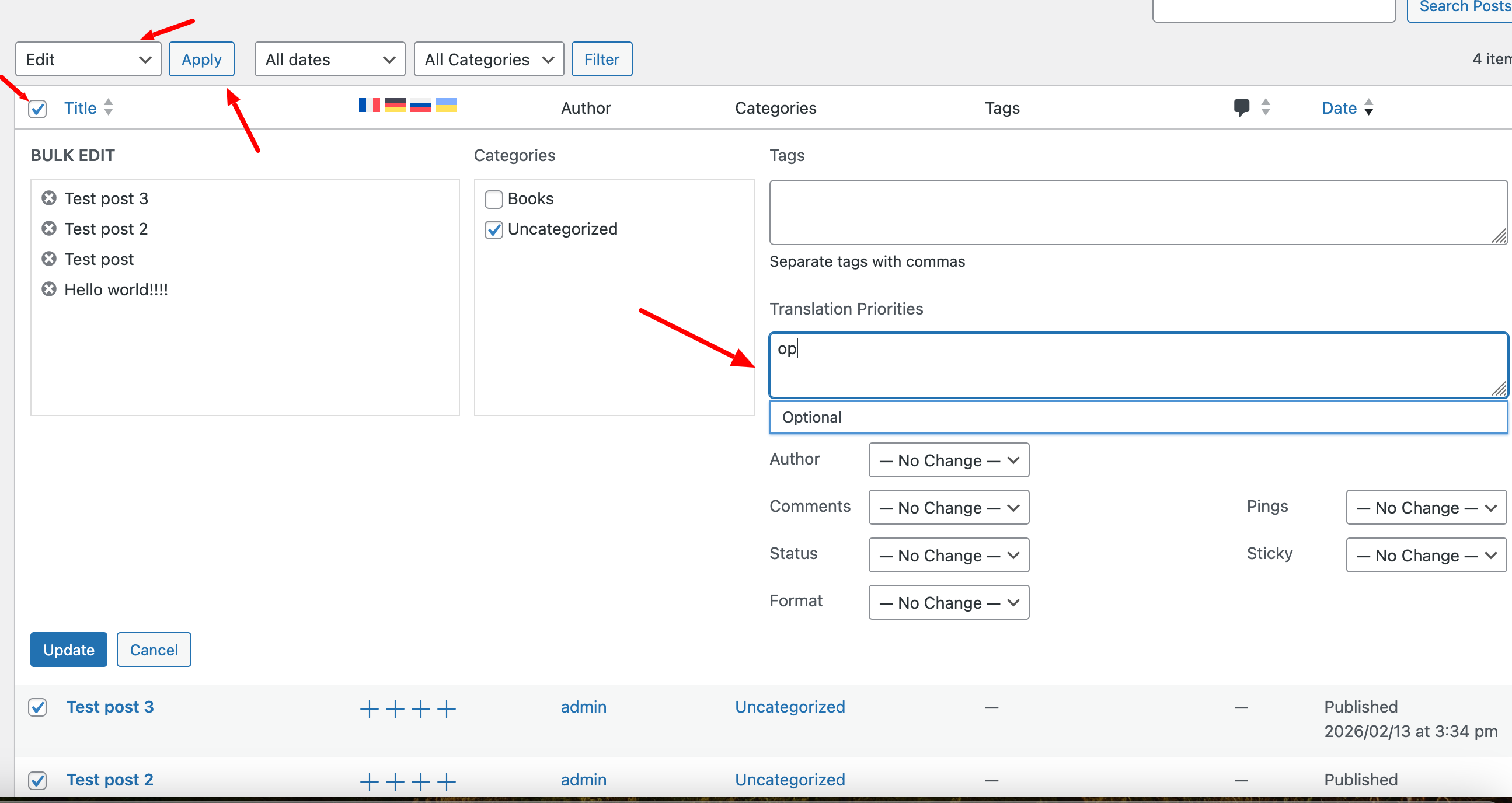
1. Set the Translation Priority to Optional for the rest of your posts (this can be done in bulk).
2. Avoid filtering by Translation Priority and instead rely on other filters available in the Translation Dashboard.
At the moment, there isn’t another way to achieve this behavior.
How can I set up the bulk for priority - I do not see the bulk option to priority.
Also with 2k posts it's still a big issue.
Can you plan to add "do not translate" status - it would solve all of those issues.