Skip to content Skip to sidebar

This is the technical support forum for WPML - the multilingual WordPress plugin.

Everyone can read, but only WPML clients can post here. WPML team is replying on the forum 6 days per week, 22 hours per day.

Sun Mon Tue Wed Thu Fri Sat
- 9:00 – 13:00 9:00 – 13:00 9:00 – 13:00 9:00 – 13:00 9:00 – 13:00 -
- 14:00 – 18:00 14:00 – 18:00 14:00 – 18:00 14:00 – 18:00 14:00 – 18:00 -

Supporter timezone: Europe/Kyiv (GMT+02:00)

Tagged: 

This topic contains 3 replies, has 0 voices.

Last updated by Andrey 20 hours, 32 minutes ago.

Assisted by: Andrey.

Author Posts
February 17, 2026 at 8:49 am #17828251

olafsO

Also another thing - despite I am modifying colours, changes do not appear on the site. For example - the link to Active Language should be darker.

February 17, 2026 at 9:45 am #17828505

Andrey
WPML Supporter since 06/2013

Languages: English (English ) Russian (Русский )

Timezone: Europe/Kyiv (GMT+02:00)

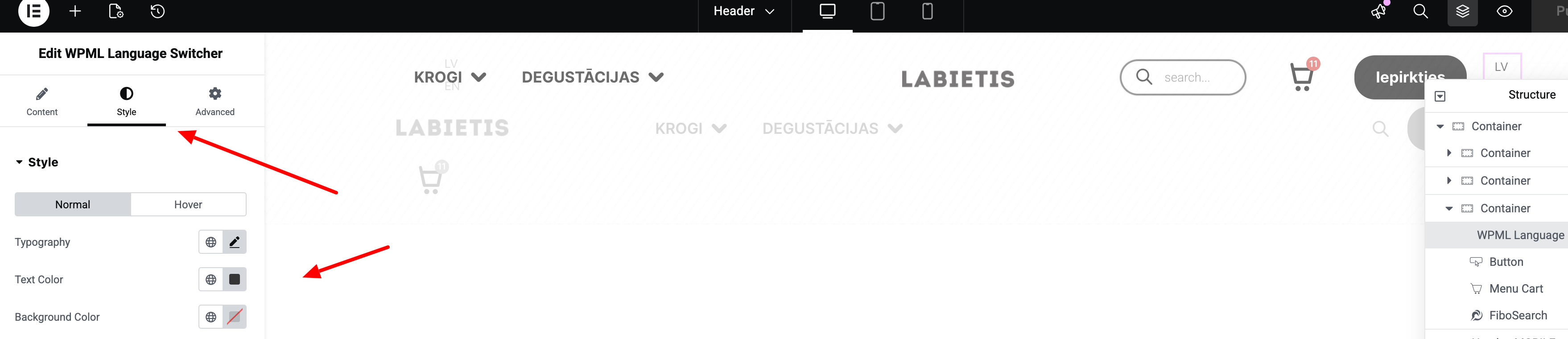
Since your language switcher was added in the Elementor template, the changes you make in WPML → Languages will not have any effect. You will need to edit the Elementor template where the language was added and style it from there.

I am attaching the screenshot for you to review.

Screenshot-2026-02-17-at-11-44-58.png
February 17, 2026 at 2:18 pm #17829482

olafsO

Yep. Unfortunately there is no "Active" option, just Normal and Hover, which ain't cool.

Any workarounds?

February 17, 2026 at 4:14 pm #17829820

Andrey
WPML Supporter since 06/2013

Languages: English (English ) Russian (Русский )

Timezone: Europe/Kyiv (GMT+02:00)

Only using custom CSS. For example:

.wpml-elementor-ls .wpml-ls li.wpml-ls-current-language {
    background-color: #848484;
}

You can add in WPML → Languages → Language switcher options → Additional CSS.