
This is the technical support forum for WPML - the multilingual WordPress plugin.
Everyone can read, but only WPML clients can post here. WPML team is replying on the forum 6 days per week, 22 hours per day.
Tagged: Exception
This topic contains 26 replies, has 0 voices.
Last updated by ryanR-5 2 days, 6 hours ago.
Assisted by: Bobby.
| Author | Posts |
|---|---|
| February 20, 2026 at 4:23 pm #17839023 | |
 ryanR-5 |
I have menu links that are custom links. I translated those menu items manually in String translation and they aren't showing as translated when viewing the page in that langauage. |
| February 20, 2026 at 8:14 pm #17839424 | |
 Bobby WPML Supporter since 04/2015 Languages: English (English ) Timezone: America/Los_Angeles (GMT-08:00) |
Hi there, Please go to Appearance->Menus and locate the menu. While in that screen click on the translation of your menu and manually adjust the custom links and save. (do not use the sync feature for this at this momment) Let me know your results, please. |
| February 23, 2026 at 1:01 pm #17843117 | |
|
ryanR-5 |
Do I need to create the custom links? It appears I need to create the menu for the secondary language. If so, I have one custom link which is Parent link, the sub menu links are all correct. Is the screenshot I have the correct process?  |
| February 23, 2026 at 1:03 pm #17843133 | |
|
ryanR-5 |
I have another screenshot showing what I see. I only have two custom links that act as parent links. 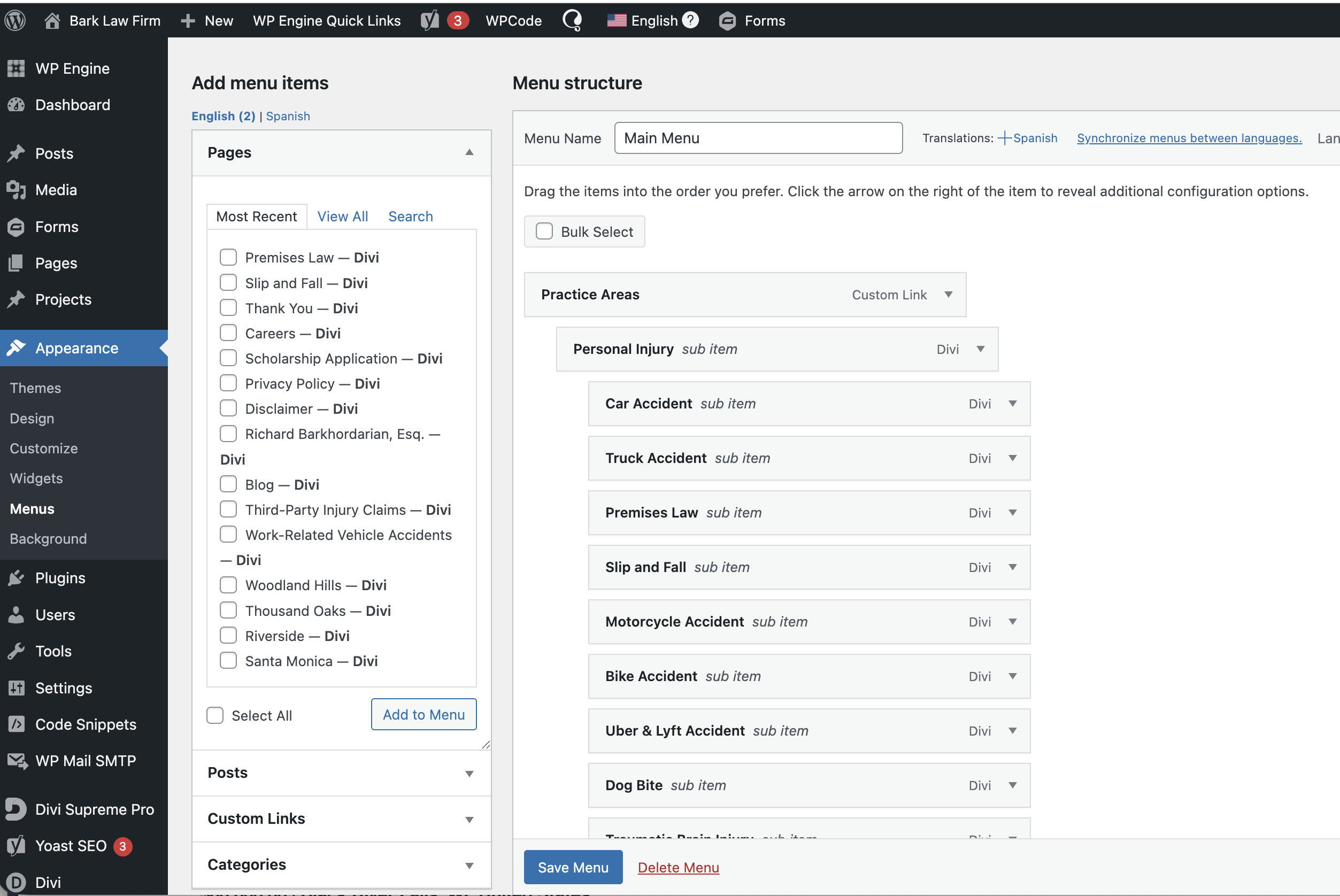 |
| February 23, 2026 at 5:55 pm #17844076 | |
|
Bobby WPML Supporter since 04/2015 Languages: English (English ) Timezone: America/Los_Angeles (GMT-08:00) |
Hi there, Translating the menu this way is considered "manual", therefore yes you would need to create it for the secondary language. What you could do is "Synchronize menus" Then once that is finished, you can edit the menu in the secondary language and manually edit in your custom links. Custom links - because they are custom do not behave in the same way as a menu item for a page such as "Home" would behave. That page has an ID in the database tied to it, which is then tied to the translation, therefore it behaves different. Let me know your results, please. |
| February 23, 2026 at 6:33 pm #17844115 | |
|
ryanR-5 |
Do I check every box in the Sync menu area? Everything looks correct.  |
| February 24, 2026 at 6:22 pm #17848454 | |
|
Bobby WPML Supporter since 04/2015 Languages: English (English ) Timezone: America/Los_Angeles (GMT-08:00) |
Yes, as long as the description fits the desired results. However, I would just do it and then we can adjust manually if anything is off. The menu in my experience translates slightly different compared to pages/posts but once you get it, the possibility of adjustment is quite easy Let me know your results, please. |
| February 24, 2026 at 8:48 pm #17848897 | |
|
ryanR-5 |
I synched the menus and it says it applied the changes. I don't see the translated menu when I select the secondary language. |
| February 24, 2026 at 8:51 pm #17848899 | |
|
Bobby WPML Supporter since 04/2015 Languages: English (English ) Timezone: America/Los_Angeles (GMT-08:00) |
I would like to request temporary access (wp-admin and FTP) to your site to test the issue. **Before we proceed It is necessary to take FULL BACKUP of your database and your website. Providing us with access, you agree that a backup has been taken ** I often use the Duplicator plugin for this purpose: http://wordpress.org/plugins/duplicator/ NOTE: If access to the live site is not possible and the staging site does not exist please provide me with a duplicator package created with the duplicator plugin. Thank you, |
| February 26, 2026 at 1:11 pm #17856609 | |
|
ryanR-5 |
Is there any update on this after providing credentials? |
| February 26, 2026 at 5:51 pm #17857772 | |
|
Bobby WPML Supporter since 04/2015 Languages: English (English ) Timezone: America/Los_Angeles (GMT-08:00) |
Thank you for the access details! The issue with the menu should be resolved now. 1. As you can see in my screencast below the issue was reproduced even though I followed all the proper steps hidden link 2. To resolve I went to WPML->Support->Troubleshooting->Run the major Troubleshooting actions with the exception of resets. Also, run the clear caching for the whole site. hidden link All that is left at this moment is to edit your menu in the secondary language and make sure you select the menu config for hidden items in Desktop or Mobile. Let me know your results, please. |
| February 26, 2026 at 6:37 pm #17857860 | |
|
ryanR-5 |
I was able to get the top menu with the call or text portion translated, however, the secondary language shows up below the main header and not on the top right like the English version shows. Also, the two languages to select from on the bottom of the page, when clicking Spanish, it links to the about us page and has to be clicked again before showing the translated page. |
| February 26, 2026 at 6:43 pm #17857871 | |
|
Bobby WPML Supporter since 04/2015 Languages: English (English ) Timezone: America/Los_Angeles (GMT-08:00) |
Looks like there is a 301 redirect activated and added by WP Engine. If possible please remove this redirect. >>> hidden link > -------------------------------------------- Status: 301 Moved Permanently >>> /about-us/ > -------------------------------------------- |
| February 26, 2026 at 6:45 pm #17857875 | |
|
ryanR-5 |
Also, is there a way to change the location of the language selectors and have it set as a dropdown instead? I don't see that in the settings. |
| February 26, 2026 at 7:03 pm #17857888 | |
|
Bobby WPML Supporter since 04/2015 Languages: English (English ) Timezone: America/Los_Angeles (GMT-08:00) |
Yes, you should be able to do this via WPML->Languages->Menu Language switcher. Were you able to remove the redirect? |






