
This is the technical support forum for WPML - the multilingual WordPress plugin.
Everyone can read, but only WPML clients can post here. WPML team is replying on the forum 6 days per week, 22 hours per day.
| Sun | Mon | Tue | Wed | Thu | Fri | Sat |
|---|---|---|---|---|---|---|
| - | 9:00 – 14:00 | 9:00 – 14:00 | 9:00 – 14:00 | 9:00 – 14:00 | 9:00 – 14:00 | - |
| - | 15:00 – 18:00 | 15:00 – 18:00 | 15:00 – 18:00 | 15:00 – 18:00 | 15:00 – 18:00 | - |
Supporter timezone: Asia/Dhaka (GMT+06:00)
This topic contains 14 replies, has 0 voices.
Last updated by Prosenjit Barman 1 month, 2 weeks ago.
Assisted by: Prosenjit Barman.
| Author | Posts |
|---|---|
| February 14, 2026 at 9:33 am #17822336 | |
 lisa-marieK-3 |
Hey we have the following Prolbem, if i want to do the menus-sync it doesnt work it give alsways a timeout if we also have a PHP and Ningx Timeout at 600 seconds. |
| February 16, 2026 at 11:11 am #17825419 | |
 Prosenjit Barman WPML Supporter since 03/2023 Languages: English (English ) Timezone: Asia/Dhaka (GMT+06:00) |
Hi there! Thanks for reaching out to WPML Support. I’m Prosenjit from the WPML Development Team, and I’ll be happy to assist you with this. Normally, the menu sync process shouldn’t take that long. However, if another heavy PHP process runs at the same time (or if there’s a plugin/theme conflict), it could result in a timeout error. Could you please confirm approximately how many menu items were being synced when you started the menu sync? Also, have you tried creating a brand new menu and syncing that one instead? If the issue happens even with a newly created menu, could you please do the following so we can investigate further: - Open your browser’s Developer Tools (in Chrome you can press F12) It would also be very helpful if you keep the Network tab open during the sync and check if any request/script fails. This information can help us identify exactly what’s causing the timeout. One more suggestion: if your menu contains many custom links, it’s recommended to instead add links using the sidebar sections (Pages / Posts / Categories, etc.), save the menu, and then run the sync again. Please let me know what you find, and I’ll be happy to guide you further. Best regards, |
| February 17, 2026 at 6:26 am #17827666 | |
|
lisa-marieK-3 |
Hey Prosenjit, I testet it and also we have an timeout which is 600 Seconds after that we got the following admin.php?page=sitepress-multilingual-cms/menu/menu-sync/menus-sync.php:1 GET hidden link 524 |
| February 18, 2026 at 4:05 am #17830673 | |
|
Prosenjit Barman WPML Supporter since 03/2023 Languages: English (English ) Timezone: Asia/Dhaka (GMT+06:00) |
Hi! Thank you for checking and sharing the update! By any chance, is Cloudflare enabled on your site? If yes, and you have any Firewall rules or custom security rules configured, could you please temporarily disable them and test again? If possible, please disable Cloudflare entirely for a short time, wait a few minutes, and then check once more. I’m asking because in your last response, the GET request shows a 524 status code, which usually points to Cloudflare timing out. So we just need to confirm whether Cloudflare (or a rule inside it) is preventing the request from completing properly. Please try this and let me know how it goes. If the issue still persists after disabling Cloudflare, we’ll need a closer inspection to identify the root cause. In that case, could you please share access to your site in your next reply so I can investigate further? If you can replicate the issue on a staging or development site, sharing access to that would be ideal. Otherwise, you can share the production site access, and we’ll be careful not to make any risky changes. I’ve enabled the private reply box for you, so you can securely share the access details. You should see the fields to enter the access information in your next response. Just to clarify, the access information will only be visible to WPML supporters and me. Looking forward to your update. Best regards, |
| February 20, 2026 at 4:51 am #17837460 | |
|
Prosenjit Barman WPML Supporter since 03/2023 Languages: English (English ) Timezone: Asia/Dhaka (GMT+06:00) |
Hi there! Thank you for the update. Since the developer also identified this as a Cloudflare-related error, may I ask if you’ve already tried temporarily disabling Cloudflare (or any active firewall/security rules) to see if the issue persists? If not, could you please try that and let me know the result? I was able to log in using the credentials you shared, but it appears the account only has Subscriber/User privileges. Because of this, I can only access the profile section and cannot properly investigate the issue. To proceed with a thorough investigation, could you please upgrade the shared account to the Administrator level? That will allow me to check the relevant settings and help you identify the root cause more effectively. Looking forward to your response. I’m always here to help. Best regards, |
| February 20, 2026 at 6:05 am #17837481 | |
|
lisa-marieK-3 |
Hey i disabled it temporarily, andUser was updated to Admin |
| February 20, 2026 at 12:25 pm #17838291 | |
|
lisa-marieK-3 |
Hey i disabled it it and the same error please investigate from you site |
| February 23, 2026 at 5:57 am #17841627 | |
|
Prosenjit Barman WPML Supporter since 03/2023 Languages: English (English ) Timezone: Asia/Dhaka (GMT+06:00) |
Hi There! Hope you're doing well! Sorry for the delayed response over the weekend. Thank you for granting Admin access. After reviewing the environment, I tried to access the Menu Sync page and immediately encountered a 504 Gateway Timeout error — triggered without performing any actions, simply by loading the page. A 504 error of this nature typically indicates that the PHP process is taking too long to respond, causing Nginx to time out before receiving a reply from the server. Based on my initial environment checks, my best assessment is that the Menu Sync page may be executing a high volume of database queries — potentially thousands — to verify menu integrity across your 7 languages. Since your database is hosted on a remote RDS instance, the cumulative network latency between the application server and the database could be pushing the request beyond Nginx's timeout threshold. That said, this remains a hypothesis at this stage and not a confirmed diagnosis. To identify the root cause accurately, I'll need access to the Nginx and server error logs. Since the error originates at the server level, these logs are likely to contain detailed information that will guide the next steps of my investigation. Could you please reach out to your server or hosting administrator and request the Nginx and server error logs covering the past 24 hours? Once you have those, kindly share them in your next reply. This should give us the clarity needed to move the investigation forward in the right direction. Thank you for your patience and cooperation — I truly appreciate it. Looking forward to your response. Best regards, |
| February 25, 2026 at 6:40 am #17849445 | |
|
lisa-marieK-3 |
Hey theese are the error Logs : 2026/02/25 05:39:43 [error] 3393473#3393473: *34912163 FastCGI sent in stderr: "PHP message: PHP Warning: Undefined array key "file" in /var/www/wordpress/wp-includes/media.php on line 1774" while reading response header from upstream, client: 135.181.140.36, server: westernacher.com, request: "GET /ja/events-webinars/the-future-starts-here-a-resilient-supply-chain-is-all-you-need/ HTTP/1.1", upstream: "hidden link", host: "westernacher.com", referrer: "hidden link" |
| February 26, 2026 at 4:39 am #17853354 | |
|
Prosenjit Barman WPML Supporter since 03/2023 Languages: English (English ) Timezone: Asia/Dhaka (GMT+06:00) |
Hi There! Thank you for the update. After reviewing the logs you shared, I couldn’t find any referrer related to the WPML Menu Sync page. The timeline in the logs points to February 25, whereas I ran the Menu Sync on February 23. Could you please check the logs specifically for February 23 and see if there is any referrer to the following URL? If you find any related entry, kindly share it in your next reply. Aside from this, depending on the severity and root cause of the issue, it may require a more in-depth investigation. For that, I would need your permission to create a copy of your website and set it up in my local development environment. The debugging process may involve extensive testing and could temporarily impact site behavior or content, so I would prefer not to run these tests directly on your live/production site. With your approval, I will: - Install the Duplicator plugin Please let me know if you’re comfortable with this approach or if you have any questions. I’ll proceed once I receive your confirmation. Looking forward to your response. Best regards, |
| February 26, 2026 at 8:53 am #17855430 | |
|
lisa-marieK-3 |
Hey yes please you can do it , the only log what i got was that 2026/02/26 08:37:05 [error] 1866415#1866415: *42381913 upstream timed out (110: Connection timed out) while reading response header from upstream, client: 209.198.159.70, server: westernacher.com, request: "GET /wp-admin/admin.php?page=sitepress-multilingual-cms/menu/menu-sync/menus-sync.php HTTP/2.0", upstream: "hidden link", host: "westernacher.com" |
| February 27, 2026 at 5:13 am #17858583 | |
|
Prosenjit Barman WPML Supporter since 03/2023 Languages: English (English ) Timezone: Asia/Dhaka (GMT+06:00) |
Hi, Thank you for sharing the logs and for granting permission to create a copy of the site. The log you you shared comes from the Nginx error log, and it shows that the request to the WPML Menu Sync page timed out while Nginx was waiting for a response from PHP (PHP-FPM). In simple terms, the web server successfully forwarded the request, but PHP did not respond within the configured time limit, which usually results in a 502 Bad Gateway error. That said, this single log entry only confirms that a timeout occurred — it does not explain why PHP stopped responding. To properly identify the root cause, we’ll need a few additional logs from the same timeframe (around 26 February, 08:37:05). Could you please request and share the following logs from your hosting/server administrator? Nginx Access Log PHP-FPM Error Log Sharing this message with your hosting provider should help them locate the required logs easily. Once we have these, we’ll be able to perform a deeper analysis and better understand the cause of the timeout. In the meantime, I’ve successfully created a package for your site. I’ll set it up locally for further investigation and will keep you updated with any findings. Looking forward to your update. Best regards, |
| February 27, 2026 at 6:49 am #17858641 | |
|
lisa-marieK-3 |
Hey theese Logs i got from the php-fpm, i did a new check with menu-sync.php [27-Feb-2026 07:48:34] NOTICE: child 886491 stopped for tracing |
| March 2, 2026 at 6:06 am #17863272 | |
|
Prosenjit Barman WPML Supporter since 03/2023 Languages: English (English ) Timezone: Asia/Dhaka (GMT+06:00) |
Hi There! Thank you for sharing the logs. They confirm we’re looking in the right place. What I can clearly see now is that the request to the WPML Menu Sync page is executed by PHP (/wp-admin/admin.php?...menus-sync.php) and it is being terminated by PHP-FPM after ~300 seconds: execution timed out (300.216986 sec), terminating So the 502/timeout is happening because PHP does not finish processing the Menu Sync request within the configured PHP-FPM timeout, and the worker gets killed before it can return a response to Nginx. That said, these log entries still do not indicate what PHP was actually processing during those 300 seconds — for example, whether it was waiting on a slow database query, encountering a database lock, handling a large dataset, or being affected by a plugin or theme interaction. To investigate this further and safely identify the root cause, I have already created a copy of the site using Duplicator. I’ve also prepared a local development environment where I will import the copy and continue the investigation without impacting the live website. I’ll keep you informed as soon as I have any updates. Thank you very much for your patience and cooperation while I continue working on this. Best regards, |
| March 3, 2026 at 5:48 am #17866688 | |
|
Prosenjit Barman WPML Supporter since 03/2023 Languages: English (English ) Timezone: Asia/Dhaka (GMT+06:00) |
Hi There, I hope you’re doing well. I’ve set up the same Nginx-based development environment locally and imported the site copy there. The installation completed successfully, including all content and menu items. When I accessed the Menu Sync page in my environment, it loaded correctly without any timeout issues. The PHP timeout is also set to 300 seconds, just like on your server. Since the Menu Sync works properly in my environment under the same timeout limit, this strongly suggests that the issue is environment-specific and occurring only on your server due to some specific configuration. That said, we still need to determine what exactly is triggering the timeout in your setup. To investigate further on your production site, I began analyzing logs to identify any slow scripts or database queries that might be causing the delay. I did not deactivate any themes or plugins during this process. As part of troubleshooting, I installed a small utility plugin to clear the PHP OPcache (bytecode cache). The goal was simply to ensure that cached compiled PHP files were not affecting the logging behavior. However, after clearing the OPcache, the site unexpectedly started showing an HTTP 500 Internal Server Error, which is unusual. This plugin is commonly used just to clear OPcache and typically does not trigger server errors. I sincerely apologize for any inconvenience this may have caused. If you have FTP access, you can resolve this quickly by either: - Deleting the OPcache plugin folder from `wp-content/plugins`, or That should restore the site immediately. Additionally, your hosting provider may have more detailed server-level logs explaining the 500 error, which can help confirm the exact cause. If you prefer, you can share FTP access via the private box, and I’ll take care of it for you. Since this is a production site, continuing deep debugging there carries some risk, as we’ve just seen. Do you have a staging or development site where the Menu Sync issue can be reproduced? If so, please share access to that environment instead. I can then perform all further investigation there to ensure your live site remains unaffected. I’ve enabled the private reply option so you can securely share any access details. Once again, I truly apologize for the inconvenience during this investigation. I appreciate your patience and cooperation, and I’ll proceed very carefully from here. Best regards, 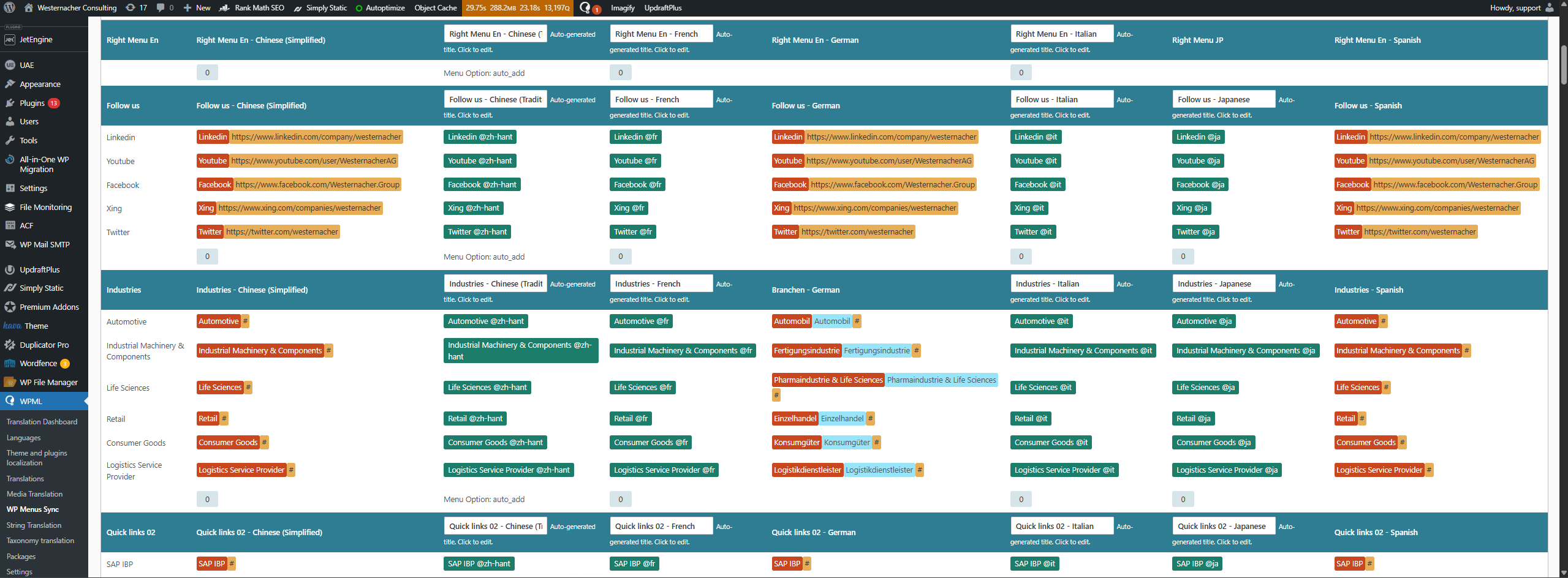 |




The topic ‘[Closed] menus-sync doesnt work’ is closed to new replies.