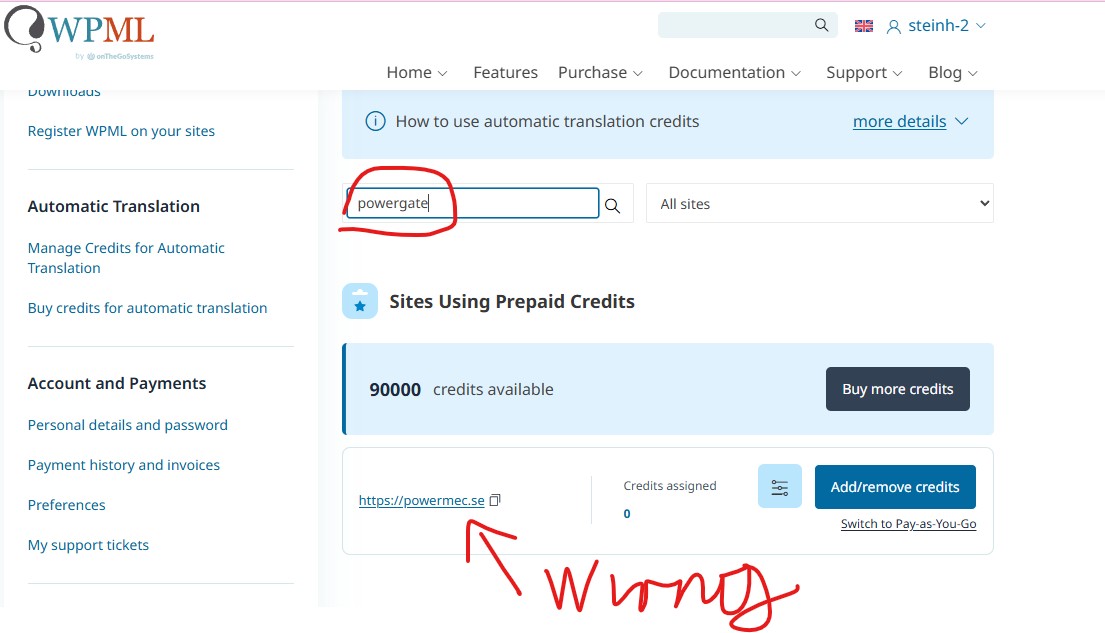
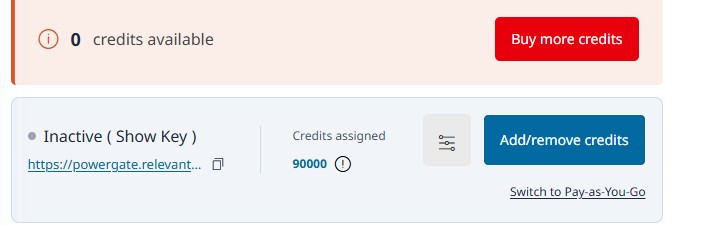
This thread is resolved. Here is a description of the problem and solution.
Problem:
The client's development site, "powergate.relevantnettside.no", is not appearing on the WPML account management page for AI credits, and they are unable to add credits.
Solution:
We recommend unregistering WPML from the production site and removing the site from the WPML.org account. Then, register the development site with a new key. Here are the steps:
1. Go to Plugins -> Add Plugin -> Commercial tab on your website.
2. Click the 'unregister' link to unregister WPML.
3. Visit https://wpml.org/account/sites/ and delete the existing site key.
4. Return to Plugins -> Add Plugin -> Commercial tab on your website.
5. Click the 'register' link to register with a new key.
If this solution does not resolve your issue or seems outdated, we highly recommend checking related known issues at https://wpml.org/known-issues/, verifying the version of the permanent fix, and confirming that you have installed the latest versions of themes and plugins. If the problem persists, please open a new support ticket at WPML support forum.
This is the technical support forum for WPML - the multilingual WordPress plugin.
Everyone can read, but only WPML clients can post here. WPML team is replying on the forum 6 days per week, 22 hours per day.