
This is the technical support forum for WPML - the multilingual WordPress plugin.
Everyone can read, but only WPML clients can post here. WPML team is replying on the forum 6 days per week, 22 hours per day.
This topic is split from https://wpml.org/forums/topic/credits-as-i-go/
Tagged: WCML
Related documentation:
This topic contains 13 replies, has 0 voices.
Last updated by Shekhar Bhandari 2 weeks ago.
Assisted by: Shekhar Bhandari.
| Author | Posts |
|---|---|
| December 18, 2025 at 4:32 am #17673148 | |
 helleF |
All of a sudden I have a huge problem with my site - both English and Danish site. The prices for the products are all of a sudden without tax. It seems like all settings are ok - 25 % Danish tax - for the English site 21 %. I have checked cache, log, deactivated most plugins except WPML and woocommerce to troubleshoot. Checked all settings in products, WPML, woocommerce. I found nothing. I do not understand - how can that happen? Do you have a technical issue WP/ WPML? - or what is happening? Please help as fast as you can - as I cannot sell the tiles for 25% less. It happened a few hours ago - at least I think so, as I was reviewing some translations. When I checked up on view - the whole page - Danish and English was without tax included in the prices. Meaning - the prices were reduced with the tax %. |
| December 18, 2025 at 4:43 am #17673152 | |
 Shekhar Bhandari WPML Supporter since 03/2015 Languages: English (English ) Timezone: Asia/Kathmandu (GMT+05:45) |
Hello 🙂 I’ve created this new ticket so we can focus on this issue separately. You currently have the setting “Yes, I will enter prices inclusive of tax” enabled under: This means the product prices you enter already include tax, and WooCommerce automatically calculates and displays the tax portion within that price. Example: I checked this product: The prices entered are €135 and 1090kr, and the front-end displays them correctly. Could you please confirm if you are seeing different prices on your end or if there are other products showing incorrect values? If so, please share the product URLs along with their current and expected prices. Looking forward to your response. Thank you. |
| December 18, 2025 at 11:05 am #17674283 | |
|
helleF |
Hi!  |
| December 18, 2025 at 2:08 pm #17674974 | |
|
Shekhar Bhandari WPML Supporter since 03/2015 Languages: English (English ) Timezone: Asia/Kathmandu (GMT+05:45) |
Hello there, I’m not sure why it appeared that way. Could you please let me know if you see anything unusual again so I can investigate? We’ll need to reproduce the issue in order to identify the exact cause. Thanks |
| December 18, 2025 at 10:07 pm #17676286 | |
|
helleF |
Hi again, "What probably happened (without anyone being able to pinpoint it exactly) This looks very much like one of these situations: Delayed database update WooCommerce / WPML ran a database update (you saw this in the WC-updater log). Sometimes it doesn’t complete on the first attempt, but finishes on the next cron run / page load. Until then, WooCommerce can “lose” the tax calculation → all prices appear without VAT. WPML cache / internal sync WPML has its own internal cache and synchronization (in addition to W3 Total Cache). When products, languages, and taxes are mixed, WPML can temporarily disconnect the tax logic. Next day: internal cache cleared → everything works again 🤷♂️ Cron job running later than expected WordPress uses a pseudo-cron (wp-cron). If there wasn’t much traffic, important jobs (tax / product sync) may have run hours later." - So I did the following to hopefully have a more stable situation in the future: Disabled the WP-cron and set up a cron-job every 5 minutes in stead - like this: hidden link What do you think. Is this an ok solution? |
| December 19, 2025 at 4:37 am #17676488 | |
|
Shekhar Bhandari WPML Supporter since 03/2015 Languages: English (English ) Timezone: Asia/Kathmandu (GMT+05:45) |
Hello, As noted earlier, it’s challenging to provide a definitive answer without a proper review. I don’t recommend changing to cron jobs and would advise keeping the default settings. Thank you |
| December 19, 2025 at 7:09 pm #17679069 | |
|
helleF |
Hi, |
| December 22, 2025 at 4:47 am #17680993 | |
|
Shekhar Bhandari WPML Supporter since 03/2015 Languages: English (English ) Timezone: Asia/Kathmandu (GMT+05:45) |
Hello there, There’s no specific reason. I recommended the default cron settings because they’re already tested, stable, and easier to maintain. Thanks |
| December 22, 2025 at 9:19 pm #17683440 | |
|
helleF |
Ok - thanks |
| December 23, 2025 at 4:35 am #17683809 | |
|
Shekhar Bhandari WPML Supporter since 03/2015 Languages: English (English ) Timezone: Asia/Kathmandu (GMT+05:45) |
Hello, If you don't have any further questions, you can mark the ticket as resolved. If there's anything else you need help with, please reach out to us. Have a wonderful day! Thanks |
| December 25, 2025 at 1:16 pm #17687769 | |
|
helleF |
Hi, |
| December 26, 2025 at 5:01 am #17688174 | |
|
Shekhar Bhandari WPML Supporter since 03/2015 Languages: English (English ) Timezone: Asia/Kathmandu (GMT+05:45) |
Yes, you can find your tickets on your profile: https://wpml.org/forums/users/hellef/ |
| December 26, 2025 at 12:25 pm #17688488 | |
|
helleF |
Hi again, |
| December 26, 2025 at 12:32 pm #17688555 | |
|
Shekhar Bhandari WPML Supporter since 03/2015 Languages: English (English ) Timezone: Asia/Kathmandu (GMT+05:45) |
Hello, - Go to Support Menu->Add a support question Let me know if this helps. Thanks 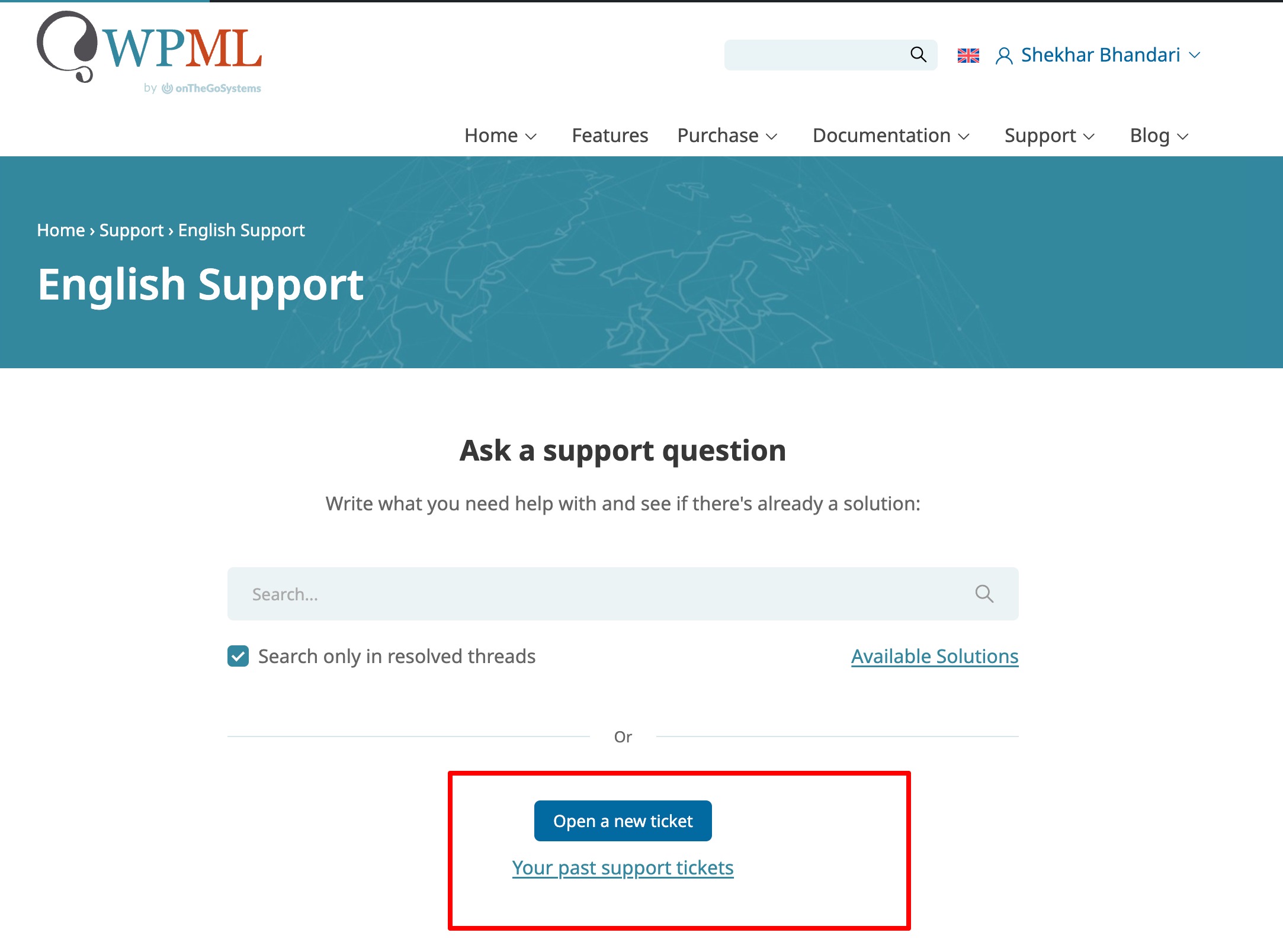 |





