Home›Support›English Support›[Resolved] Products in second language don't have default variation selected
[Resolved] Products in second language don't have default variation selected
This thread is resolved. Here is a description of the problem and solution.
Problem: You are experiencing an issue where the default variation selection for WooCommerce products translated from Italian to English using WPML is not maintained. The English versions of the products do not display a default variation, and this issue began after a recent update. Solution: We recommend updating your system based on the latest workaround provided in our errata. Please visit the following link and apply the suggested updates: https://wpml.org/errata/woocommerce-multilingual-default-attributes-not-synced-properly/. After updating, recheck the product with the issue to ensure the default variation is correctly synced.
If this solution does not resolve your issue or seems outdated, we highly recommend checking related known issues at https://wpml.org/known-issues/, verifying the version of the permanent fix, and confirming that you have installed the latest versions of themes and plugins. Should the problem persist, please do not hesitate to open a new support ticket with us for further assistance.
This is the technical support forum for WPML - the multilingual WordPress plugin.
Everyone can read, but only WPML clients can post here. WPML team is replying on the forum 6 days per week, 22 hours per day.
Background of the issue:
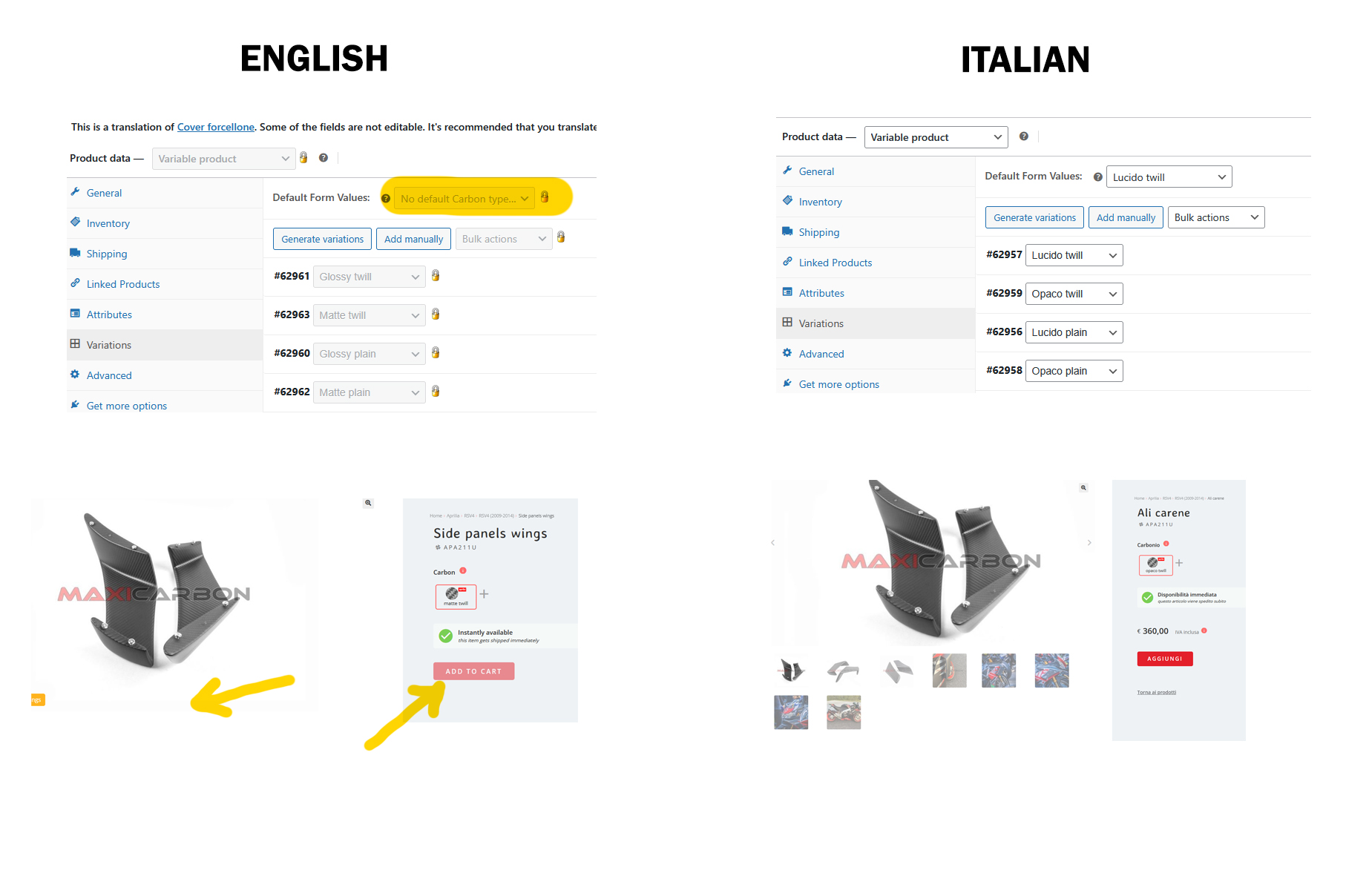
I am trying to maintain the default variation selection for WooCommerce products translated from Italian to English using WPML. The issue started a few weeks ago, possibly after an update. My products are originally in Italian and translated into English. Each product has 4 variations with a default one selected. I want the English versions to have the same default variation as the Italian products. Here is a link to a page where the issue can be seen: hidden link. I expect the English page to display like the Italian page: hidden link.
Symptoms:
English products no longer have a default variation selected. Customers must manually select a variation to see further pictures and add the product to the cart. In the backend, the Italian version shows a default variation, but the English version shows 'Default Form Values: No default' and this value is locked.
Questions:
How can I ensure that the English versions of my products have the same default variation selected as the Italian versions?
Is there a way to fix this issue without manually editing 1500+ products?
Sure please, go ahead with duplicating the website. I cannot create a staging site as the website is too big and I don't have the space for a copy on the server.
(Please let me know as soon as you're done with the duplication and I can delete the plugin, as my server reached 95% of its capacity and it's triggering some errors)
Thanks, now the space on the server came back to normal.
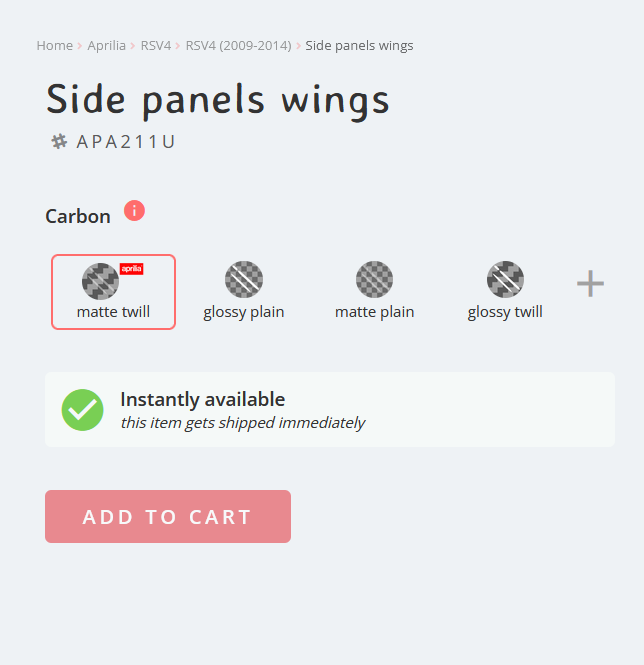
I don't see the solution applied to hidden link: when I open the page after a hard refresh there's no variation pre-selected (see in my screenshot the button "add to cart" disabled).
In the backend hidden link > Variation the "default form value" is indeed empty and locked.
Actually with the modification done the Description field of 3 non-stardard variations had been deleted; I had to put it back as just one variation needs to stay visible in the front-end. (Anyway, the issue doesn't have much to do with that, I just want the standard variation to be pre-selected).
As for other products where the issue occurs, for example: hidden link hidden link hidden link hidden link
However, before the issue used to be in all products and now in half of them or a bit less. Could it be something you've done?
Languages: English (English )Spanish (Español )Italian (Italiano )
Timezone: Europe/Madrid (GMT+01:00)
As a temporary workaround, you can deactivate the WooCommerce Multilingual plugin to be able to select the default variation.
For further investigation, I’ll need to create a copy of your site using Duplicator, but I’m currently running into errors due to insufficient space. Would it be possible for you to provide some additional space so I can proceed?
How much additional space would you need? Will the copy of the website created on my on your own server? Because if it's my server I would need to delete half of the website to free that amount of space.
Languages: English (English )Spanish (Español )Italian (Italiano )
Timezone: Europe/Madrid (GMT+01:00)
I was able to create a Duplicator package after excluding the wp_actionscheduler_actions and wp_actionscheduler_logs tables, which were approximately 3GB in size. In the meantime, I recommend optimizing these tables.
I will continue working on the copy locally and will update you as soon as I have some news.