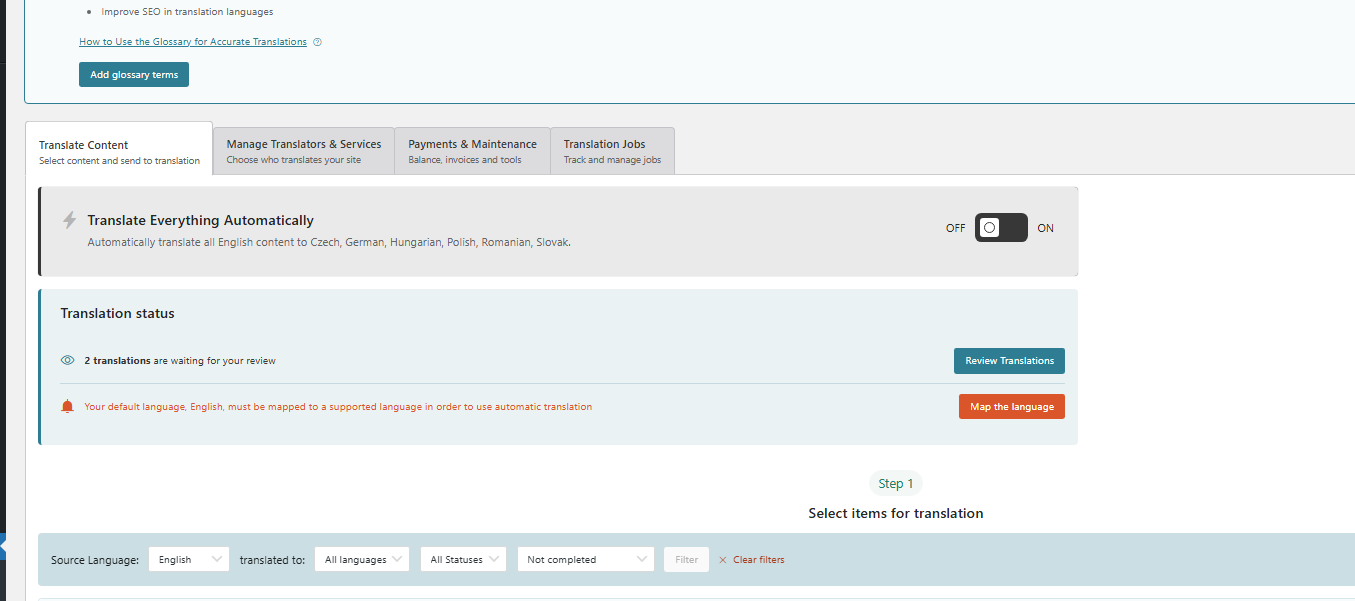
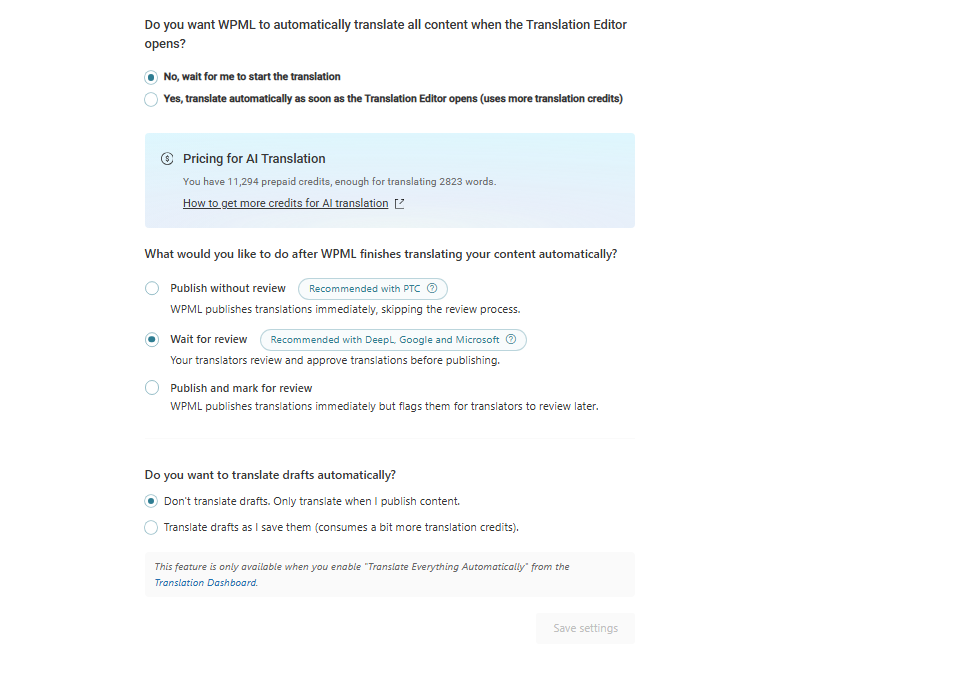
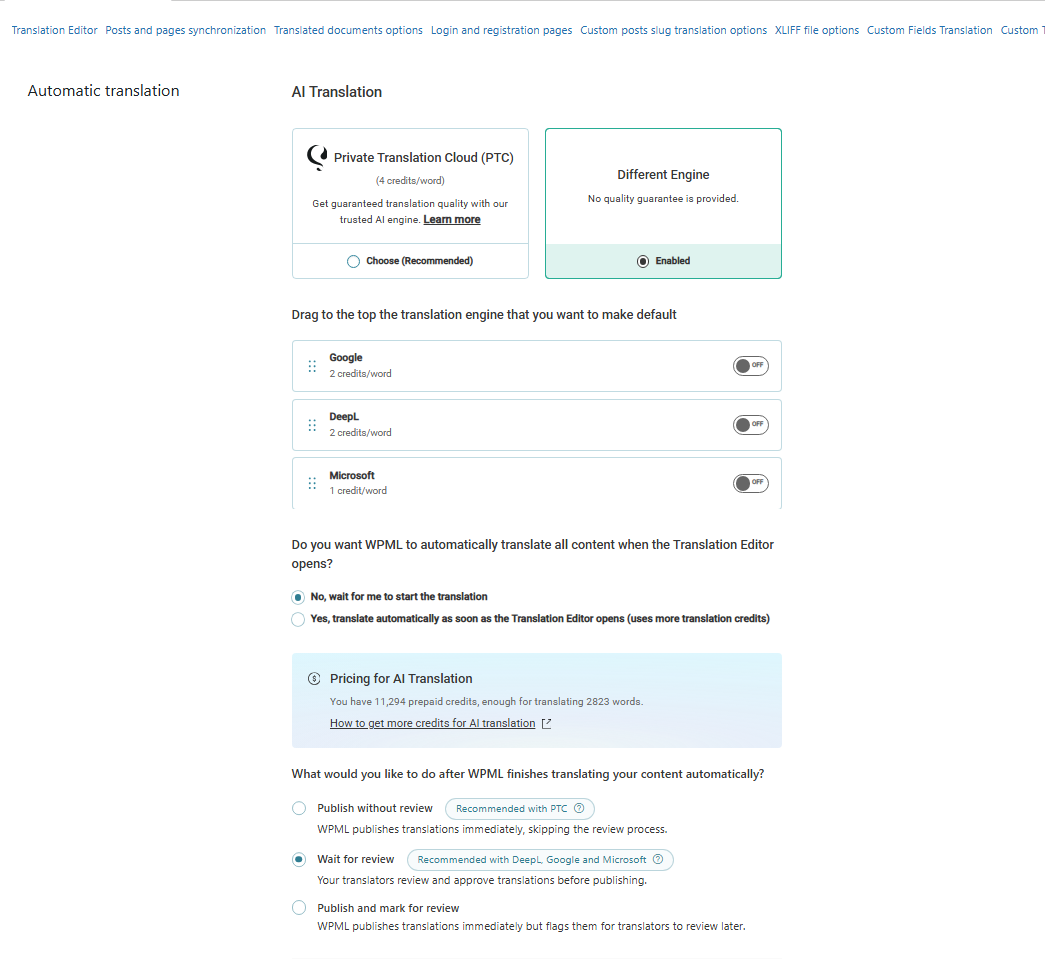
Hey, I did everything manually, so I solved the problem, although it took some time. I have another question: some translations must remain in English on other language versions, but sometimes WPML translates them automatically. Also, sometimes it changes translations that I already completed. How can I disable this? I’ve already tried everything.
Weirdly, translations get overwritten; there must be something triggering it. These questions may give us a clue:
1. When WPML “changes translations”, does it happen right after you edit/update the original language, or without touching the original?
2. Are the changes happening in pages/posts content, menus, strings (theme/plugin text), or custom fields/page builder fields?
3. Which page builder/theme is used (Elementor, Divi, Avada, Flatsome, etc.)?
4. Do multiple users have access—could someone be pressing auto-translate in ATE or sending jobs? (Who are translators/admins?)
5. Are you translating by editing translations in WordPress editor, or always via WPML Translation Editor (ATE/CTE)?
6. Can you name one specific page where it happens and describe the exact steps to reproduce (edit original → update → translation changes)?
The translations get overwritten after I edit/update the original language.
The issue seems related mainly to the WPForms form translations (strings/form fields).
The form is created with WPForms (no page builder involved for the form itself).
Only one person has access and handles translations. There are no other translators/admins triggering jobs or pressing auto-translate in ATE.
We translate using WPML Translation Editor (ATE).
It happens with WPForms forms: whenever I adjust something in the translations (labels/messages), something breaks or gets changed/overwritten again later after updates.
In general, I want to completely disable anything automatic—no auto-translation and no automatic overwriting of existing translations. We need some parts to remain in English on other languages.
What else can we check or try on your side to stop WPML from automatically changing these translations, especially for WPForms?
Can you elaborate on your flow for editing the translations?
It happens with WPForms forms: whenever I adjust something in the translations (labels/messages), something breaks or gets changed/overwritten again later after updates.
Is it possible for you to provide me with access to the site? It would be better to test at a site where the issue is replicated.
If so, please describe the steps I need to take to reproduce the issue, mentioning a specific form and page.
The information you will enter is private, which means only you and I can see and have access to it.
Maybe I'll need to replicate your site locally. For this, I'll need to temporarily install a plugin called “Duplicator” or "All in One WP Migration" on your site.
This will allow me to create a copy of your site and your content.
Once the problem is resolved, I will delete the local site.
**IMPORTANT**
- Please make a backup of the site files and database before providing us access.
- If you do not see the wp-admin/FTP fields, this means your post & website login details will be made PUBLIC. DO NOT post your website details unless you see the required wp-admin/FTP fields.
Please tell me which boxes I should check or uncheck, or which option I should select to make sure nothing is translated. If the problem happens again, we will troubleshoot it further.