[Resolved] Translations not showing on Elementor Template
This thread is resolved. Here is a description of the problem and solution.
Problem: 1. The 'Related Products' field in the Elementor Single Product Template is not displaying translations correctly, even though they appear correct in the backend. 2. An error occurs when adding a translation job from the translation dashboard for the Elementor Template. 3. In the translation queue, multiple translations are marked as 'needs translation' and 'In-Progress', but the translated content reverts to English on the translation page, though it displays correctly in the front end and WP All Import CSVs.
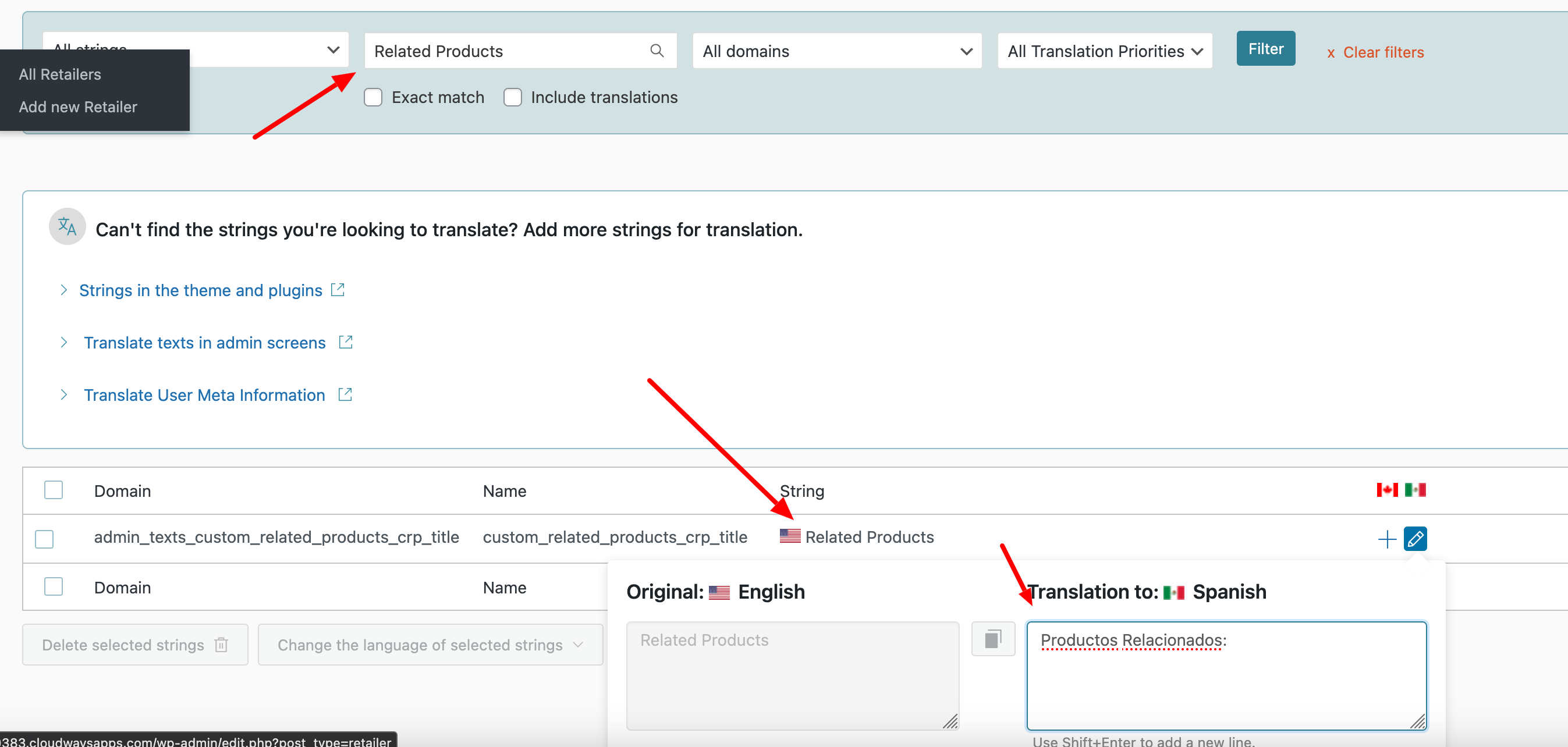
Solution: For the first issue with the 'Related Products' field not showing translations, we recommend translating the text through WPML → String Translation. Navigate to WPML → String Translation, search for the 'Related Products' text, and translate it accordingly.
If these solutions do not resolve your issues or if they seem outdated, we highly recommend checking related known issues at https://wpml.org/known-issues/, verifying the version of the permanent fix, and confirming that you have installed the latest versions of themes and plugins. If the problem persists, please open a new support ticket for further assistance at WPML support forum.
This is the technical support forum for WPML - the multilingual WordPress plugin.
Everyone can read, but only WPML clients can post here. WPML team is replying on the forum 6 days per week, 22 hours per day.
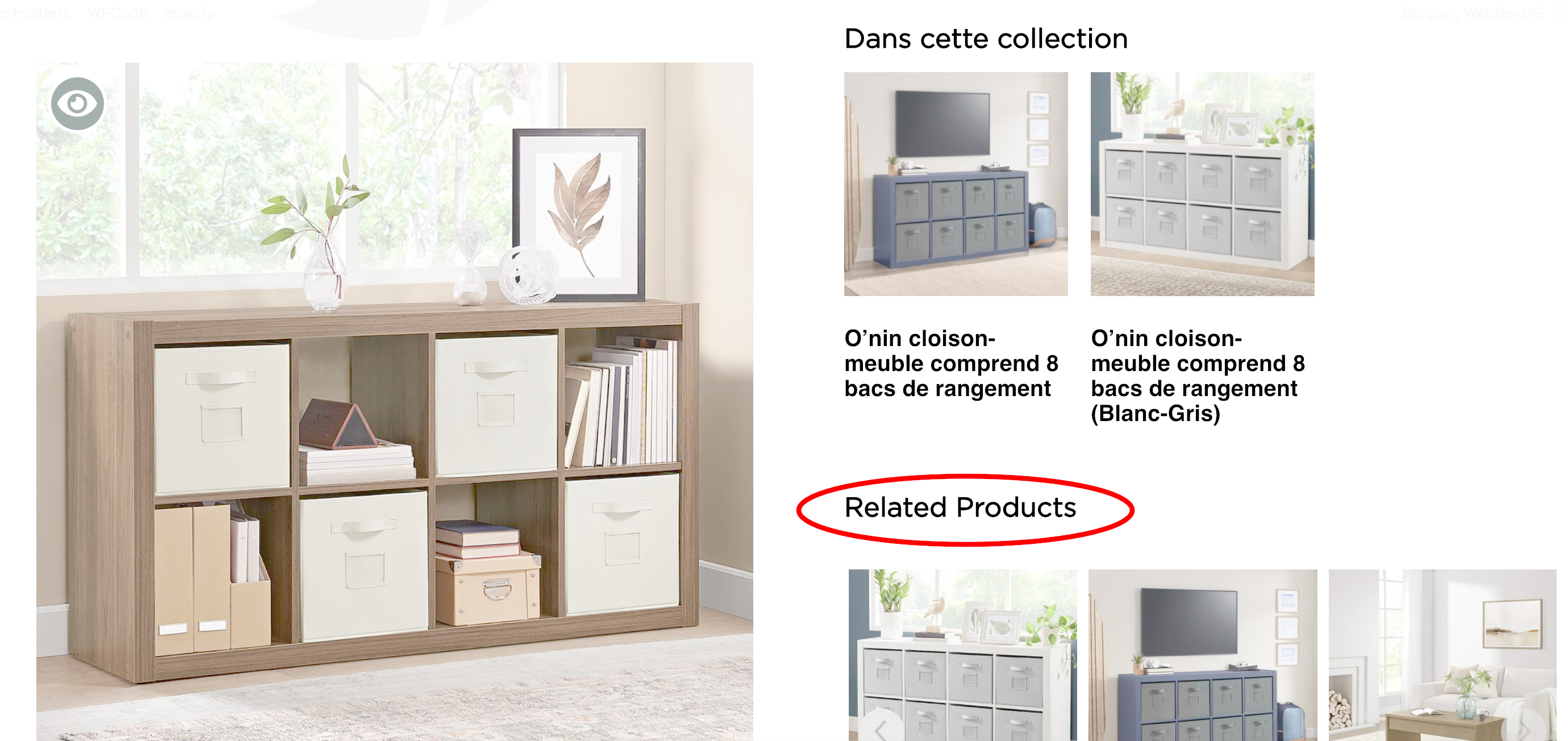
1. I have one specific field ("Related Products", see image attachment) on my Elementor Single Product Template that is not showing my translations. I double-checked the translation, and it shows correctly on the backend, but it's still pulling the English version of the content.
I updated the WPML plugins because I thought that may have been my issue. After updating, I am running into a new problem.
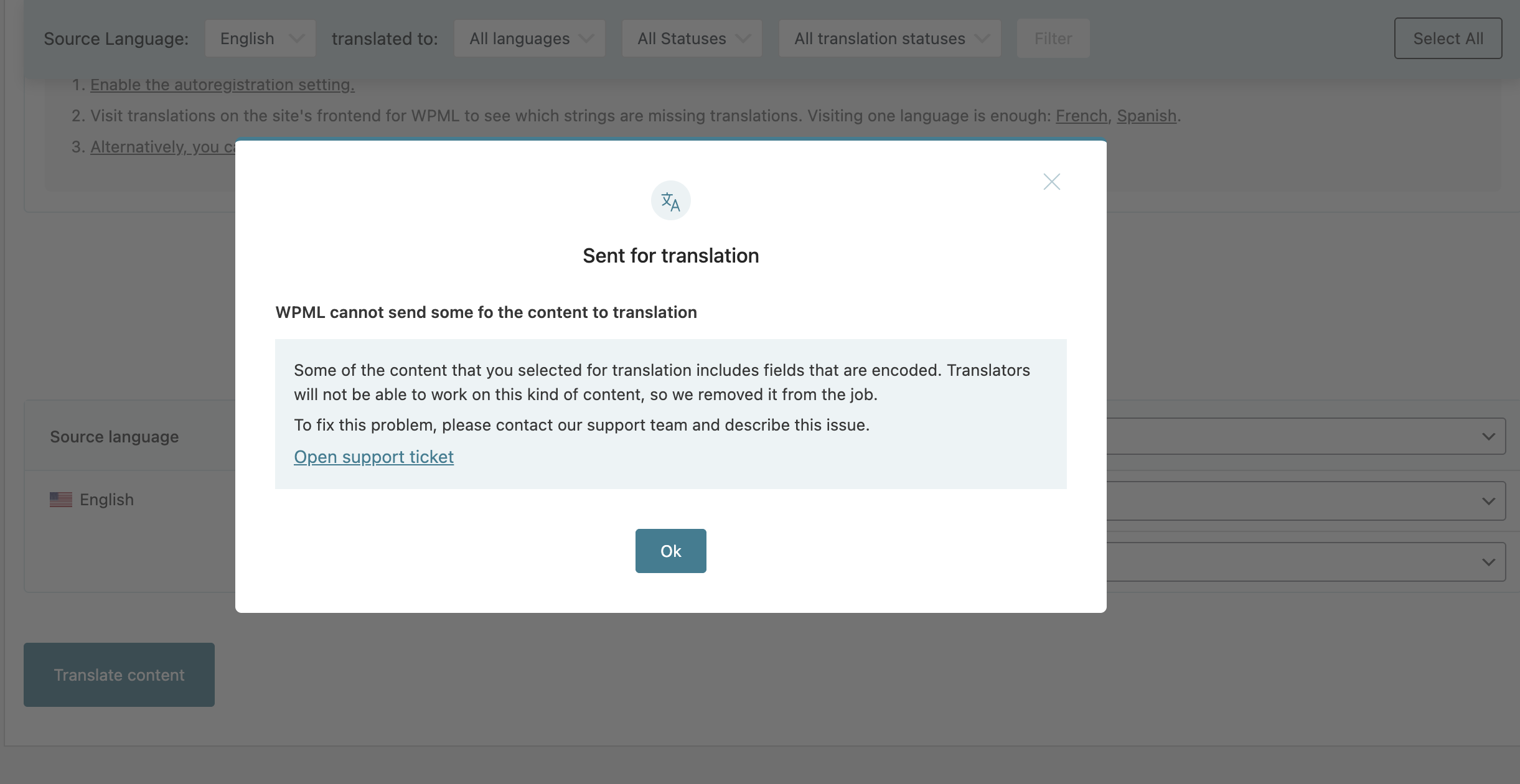
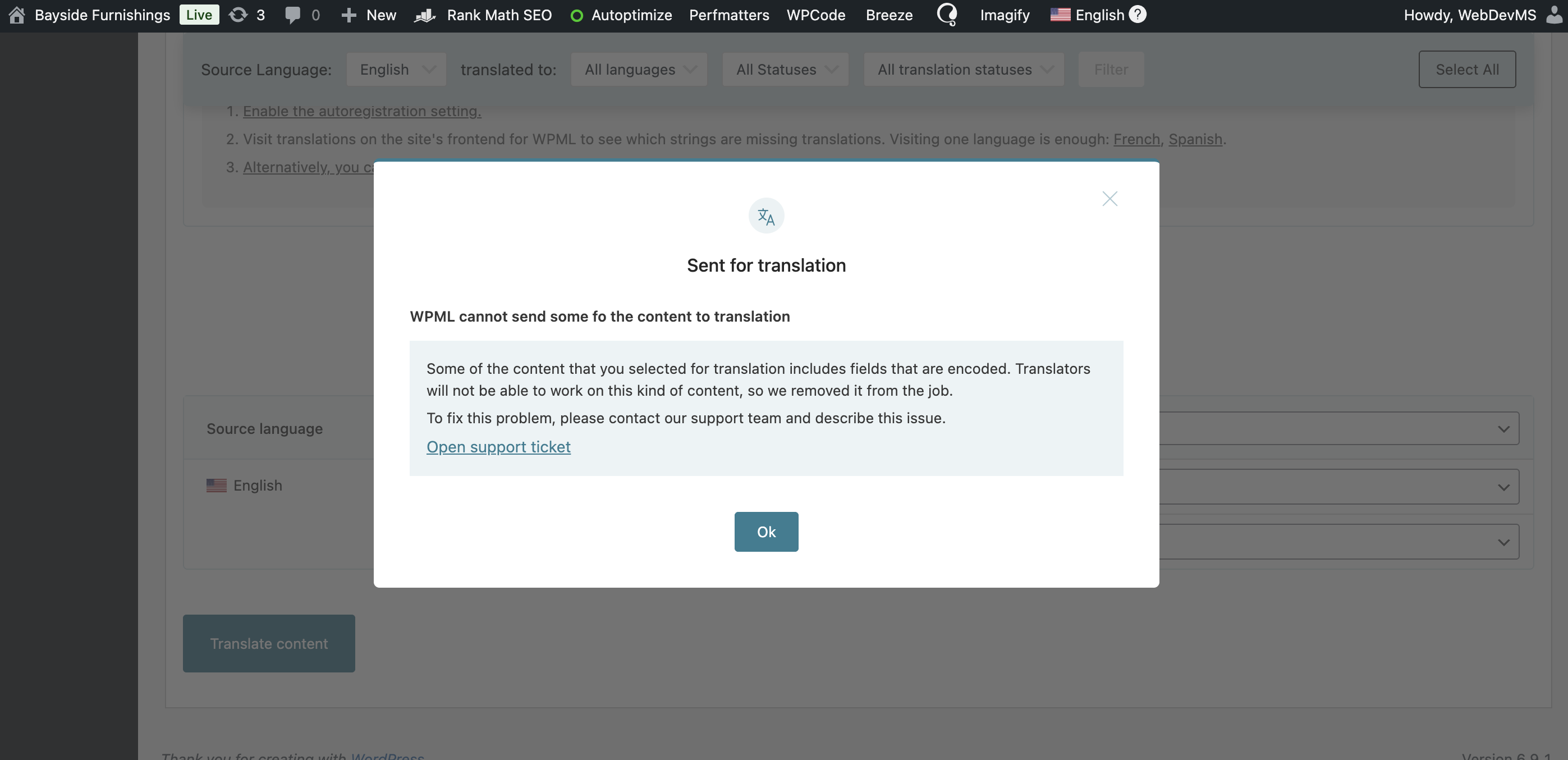
2. When I try to add a translation job from the translation dashboard for the Elementor Template I mentioned, I am getting an error message. I've included a Screenshot of the pop-up.
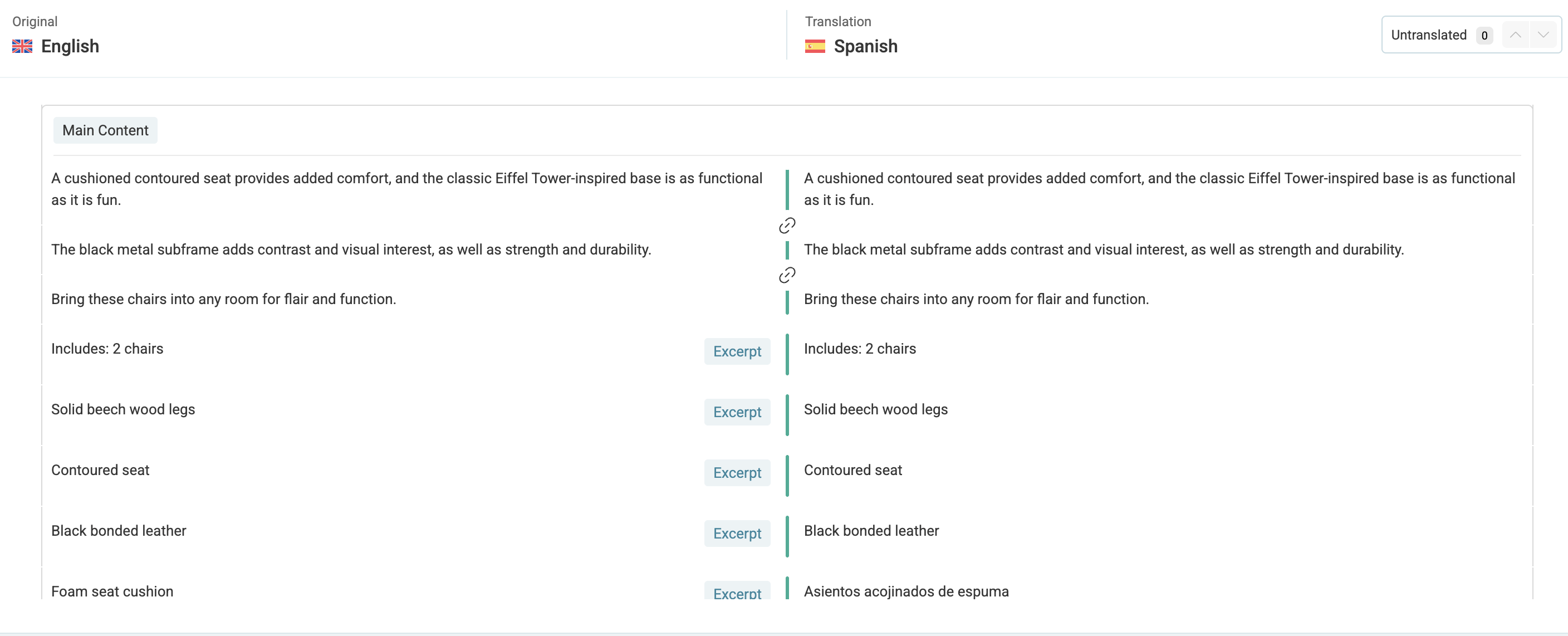
3. In my translation queue, I have multiple translations showing as "needs translation" and "In-Progress". When I click those jobs, it takes me to the translation page, and much of what I translated shows as the original English content (Screenshot). However, on the front end and in WP All Import CSVs, it shows the correct translated content.
Please let me know what you need from me, and if there is anything I need to clarify.
1. How was the “Related Products” text added?
Please share a few screenshots showing where and how this text is defined. Is it coming from an Elementor widget, or is it a string provided by your theme?
2. Content not appearing in the Translation Editor
This usually happens when content is stored in an encoded format (commonly base64), which prevents WPML’s translation editor from processing it. This is often seen with:
• Custom fields (for example, ACF)
• Page builders such as Avada, Divi, or Elementor
• Shortcodes or custom HTML blocks
To narrow this down, please let us know exactly where this content is coming from. Is it:
• A shortcode?
• A specific Elementor widget?
• A custom field on the page?
Here is an example (with the Avada theme) that shows a similar situation where encoded content cannot be sent to translation: https://wpml.org/forums/topic/wpml-cannot-send-some-of-the-content-to-translation-5/#post-16314368
3. Imported translations behavior
If the translated content was imported using WP All Import together with the WPML All Import add-on, this behavior is expected. Imported translations display correctly on the front-end, but they cannot be edited or updated using WPML’s translation editors.
To modify imported translations, you’ll need to:
• Switch to the native WordPress editor
• Edit the translated content manually
More details are available here: https://wpml.org/documentation/translating-your-contents/using-different-translation-editors-for-different-pages/#how-to-use-manual-translation
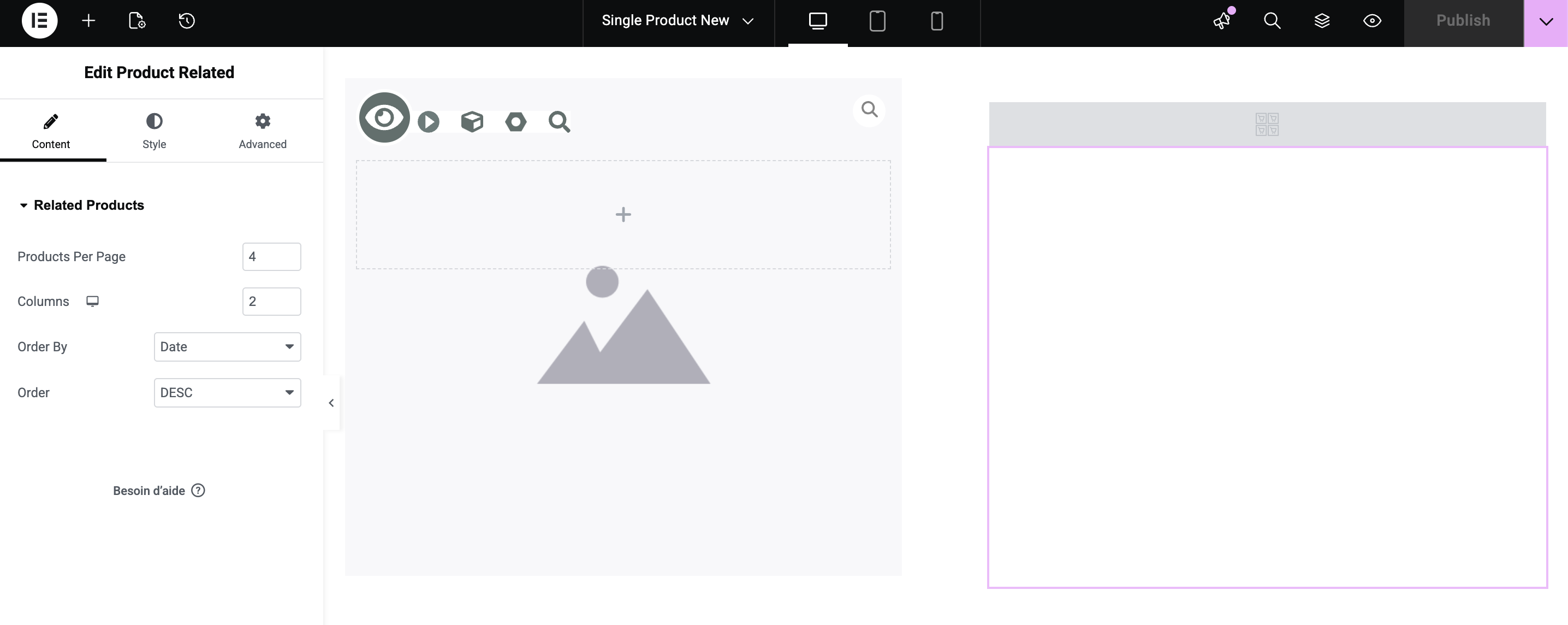
I’ve included a screenshot of the Elementor editor and widget where the “Related Products” is defined. The widget used is the “Product Related” Elementor widget.
2. Content not appearing in the Translation Editor
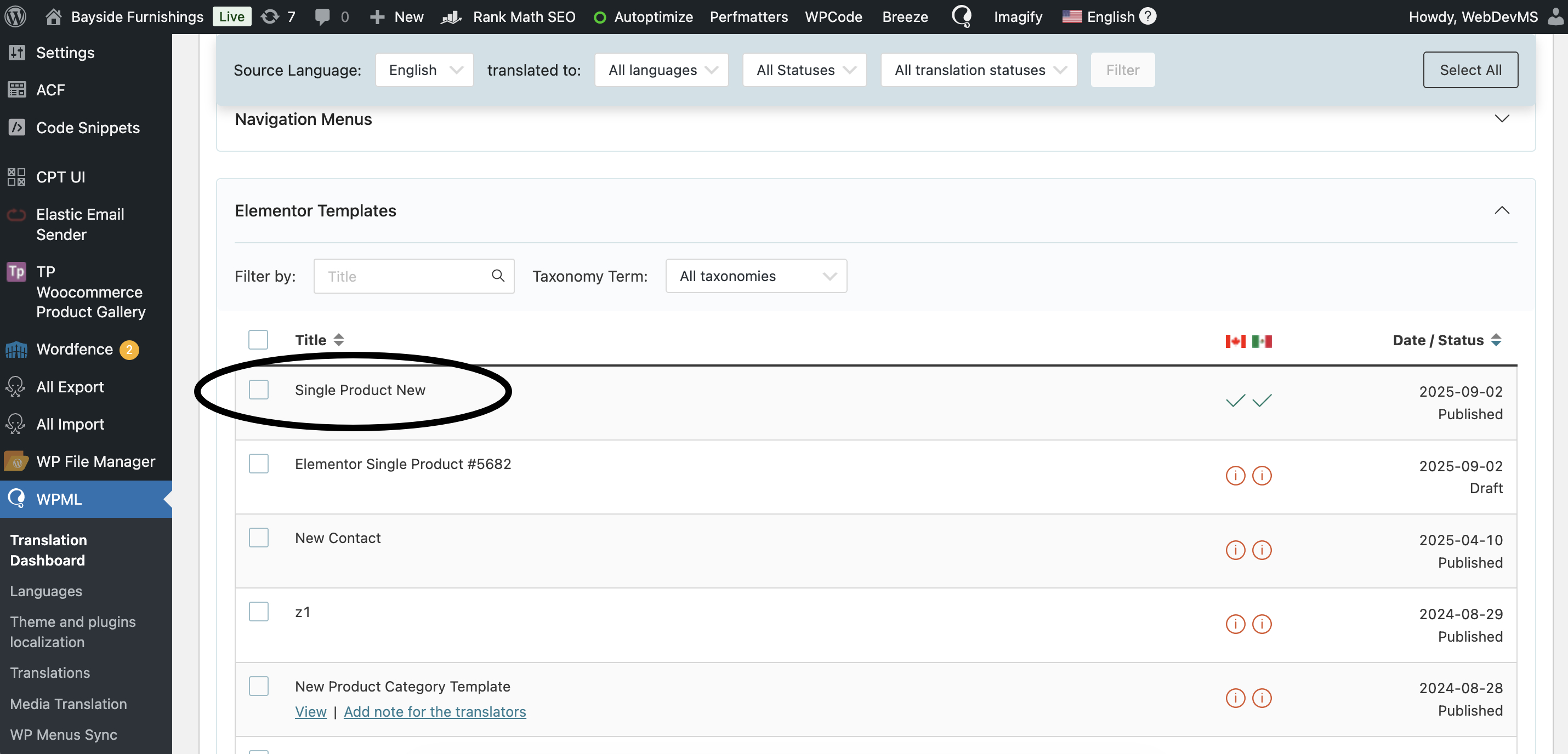
I’ve included a screenshot of the Elementor Template I was trying to edit when the pop-up error message showed. This is our Single Product Template.
3. Imported translations behavior
Ok, that makes sense. Most of the translations were uploaded through All Import.
I need to request temporary access (wp-admin and FTP) to your site—preferably to a test site where the problem has been replicated if possible—in order to be of better help. When you log in to leave your next reply, you will find the needed fields below the comment area. The information you will enter is private, meaning only you and I can see and access it.
I am still having issues updating the Single Product Elementor template. I made some design changes, but they aren't showing up in the French and Spanish versions. I read through your support, and it said I need to update through the translation editor. However, when I tried to access the French and Spanish versions, I got the pop-up shown in my attachment.
Thank you, and I look forward to your response.
New threads created by Andrey and linked to this one are listed below:
Since we were able to translate the text you were looking for, and this issue is different, let me create a separate ticket for this issue to ensure everything is organized.