Languages: English (English )German (Deutsch )French (Français )
Timezone: Europe/Zagreb (GMT+01:00)
Can you temporarily disable all security/firewall plugins (Wordfence, iThemes Security, AIOS, Sucuri, etc.) and try Elementor again?
Also, in your hosting panel, disable ModSecurity temporarily (if possible) and try then.
If none helped, can you please check if this issue appears when:
- only WPML plugins are activated (and Elementor), as it will tell us if there is an interaction issue with other plugin
- theme is set to a WordPress default like Twenty Twenty as it will tell us if there is an interaction issue with your theme
Languages: English (English )German (Deutsch )French (Français )
Timezone: Europe/Zagreb (GMT+01:00)
Can you also check if the domain is not using an old or broken redirect in .htaccess, hosting control panel redirects or maybe cloudflare Page Rules if you use them?
Languages: English (English )German (Deutsch )French (Français )
Timezone: Europe/Zagreb (GMT+01:00)
When I did try logging in directly on the second domain (so the Slovak one) everything worked again.
I also tested all combinations of:
* “Auto sign-in and sign-out users from all domains”
* “Pass session arguments between domains through the language switcher”
Unfortunately, none of these combinations resolved the issue. In theory, this should work when these options are enabled, but in practice, it’s not always that straightforward.
One important factor to consider is caching. Since WP Rocket is active, and if caching is enabled for logged-in users, it can interfere with cookies and active sessions, potentially causing users to be logged out unexpectedly. Security plugins can also contribute to this behavior.
Another possible cause is a hardcoded cookie configuration in wp-config.php (such as COOKIE_DOMAIN or related constants), which can interfere with how login cookies are handled across domains.
It’s also important to note that the WordPress login cookie is only set at the moment of login—it is not continuously refreshed on every request.
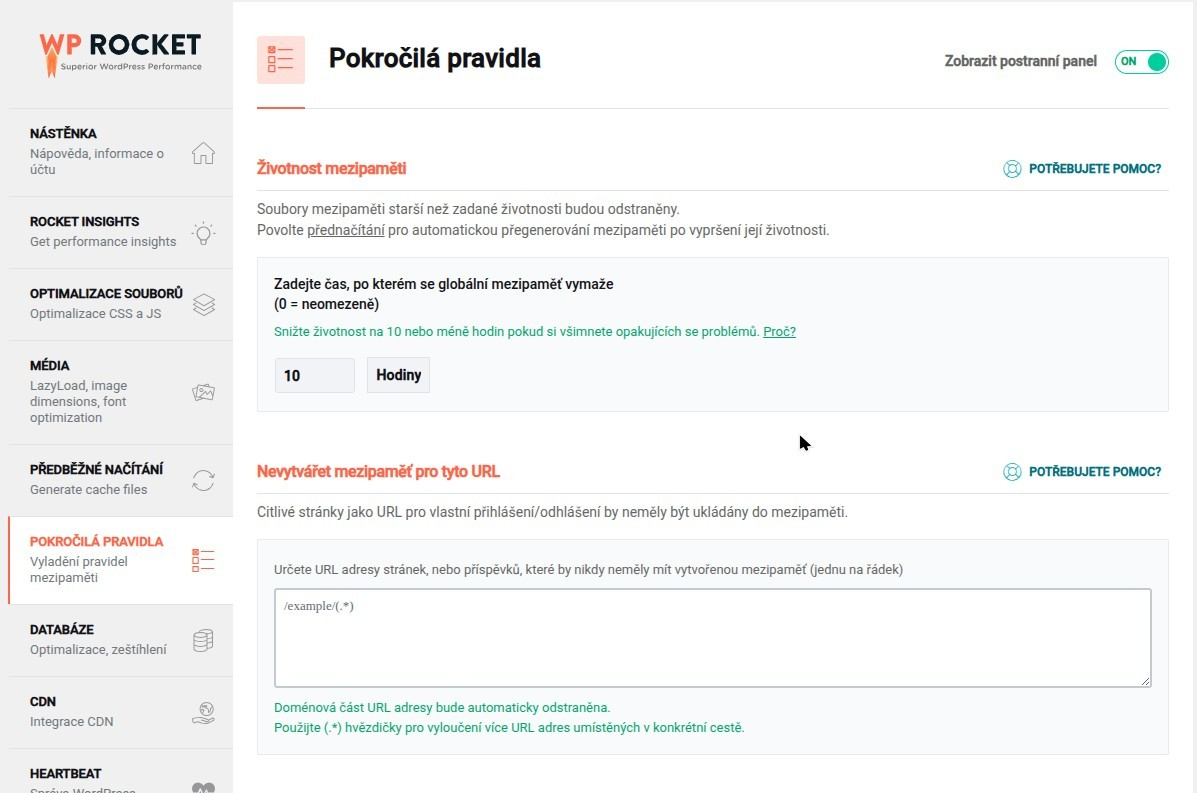
I also see that WP Rocket is currently configured to clear the global cache every 10 hours, which could also be related to these logouts. As a test, I would recommend temporarily disabling this setting.
As another possible solution, we could also try excluding the WordPress login cookies from caching, for example:
wordpress_logged_in_*
wordpress_sec_*
Could you please check these settings on your side and run a few tests to see if the behavior changes? That would help us narrow down the exact cause.