[Resolved] Translate WP TERMS POP UP and activate it in ENGLISH VERSION
This thread is resolved. Here is a description of the problem and solution.
Problem: The client is facing an issue where a pop-up translated into English is not displaying correctly on the English version of their site. Instead, it either disappears from the Spanish site or appears on both the Spanish and English versions, indicating that only one pop-up can be active at a time. Solution: Initially, we suggested ensuring that the WP Terms Popup is set to be translatable in WPML > Settings, translating the pop-up, and correctly setting the pop-up in the WP Terms Pop Settings for each language. However, further testing revealed that the WP Terms Popup plugin is incompatible with WPML as it lacks multilingual functionality. We recommend contacting the plugin author to inquire about future compatibility updates or opting for a different plugin that is already compatible with WPML. A list of compatible plugins can be found here: https://wpml.org/plugin/
If this solution does not apply to your case, or if it seems outdated, we encourage you to check for related known issues at https://wpml.org/known-issues/, verify the version of the permanent fix, and confirm that you have installed the latest versions of themes and plugins. Should you need further assistance, please open a new support ticket at WPML support forum.
This is the technical support forum for WPML - the multilingual WordPress plugin.
Everyone can read, but only WPML clients can post here. WPML team is replying on the forum 6 days per week, 22 hours per day.
I would like to look at this directly on your site. For this I would need temporary access (WP-Admin and FTP) to your site, preferably to a test/staging site where the problem has been replicated if possible.
The required fields can be found below the comments section. The information you enter is private, i.e. only you and I can see it and have access to it.
I may need to replicate your website locally. To do this, I need to temporarily install a plugin called "Duplicator" or "All in One WP Migration" on your website. This will allow me to create a copy of your website and content. Once the issue is resolved, I will delete the local website. Let me know if this works for you.
IMPORTANT
Please make a backup copy of the site files and database before giving us access.
- If you do not see the wp-admin/FTP fields, this means your post and site login details are being made PUBLIC. DO NOT post your website details if you do not see the required wp-admin/FTP fields. If you do not, ask me to enable the private box. The private box looks like this:
I checked your WPML settings, and the Pop Up element was se as not translatable.
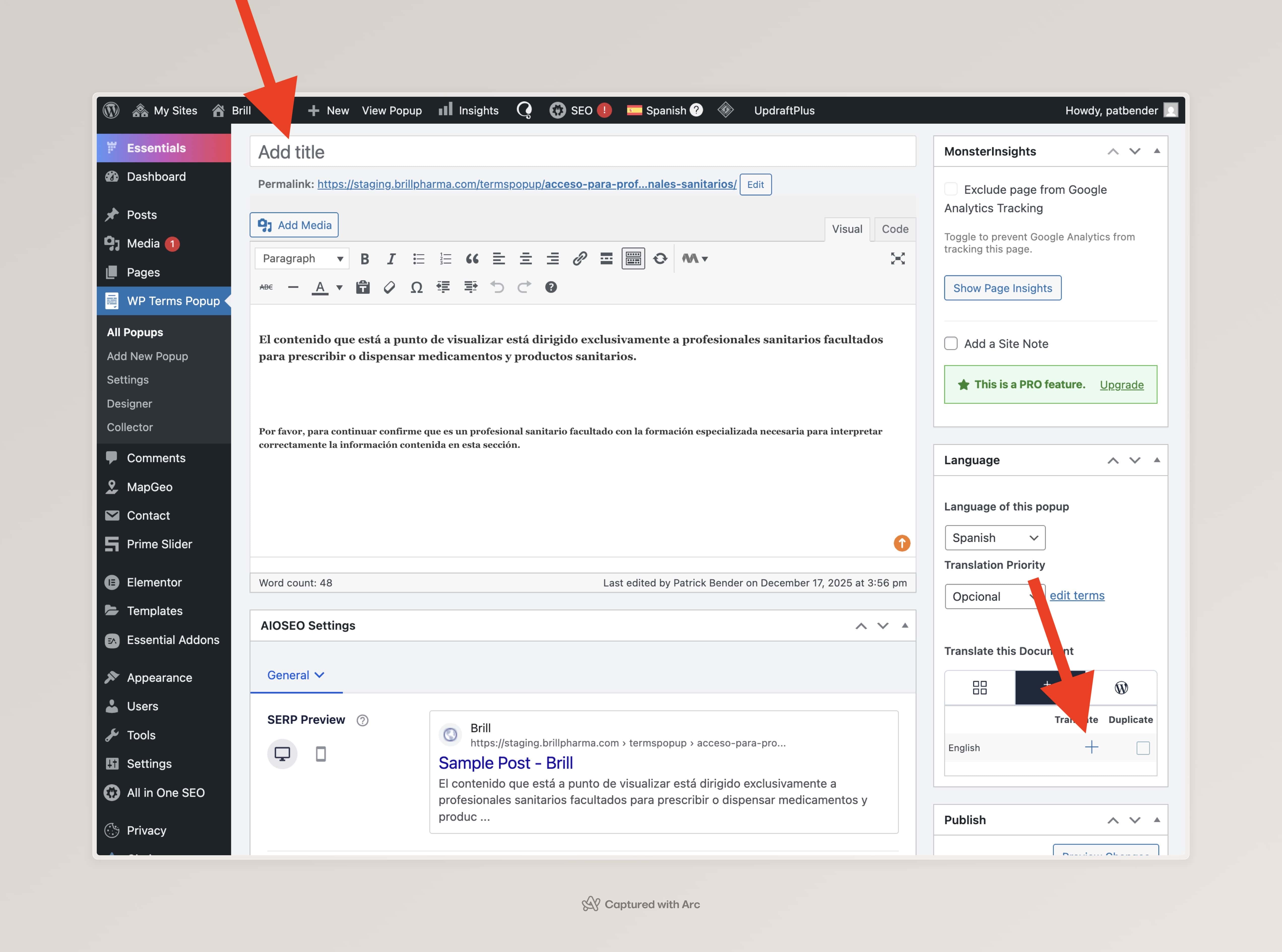
I've changed it setting to be translatable. To properly add a translation to it please visit its editor, add a title to the pop up, and click on the "+" sign to add a translation.
Thank you for sharing. I did more research, and found that there's an extra step needed to make it show in the proper language.
I've recorded the steps here: hidden link
Basically, all the steps are:
1. Ensure that the WP Terms Popup is set to be translatable in WPML > Settings;
2. Translate the pop up;
3. On the WP Terms Pop Settings, make sure that the pop up is properly set on each language;
There is still a problem, when I switch to the english version and choose the english pop up it automatically disappears from the spanish site and the english pop up shows in both versions, spanish (original site) and english.
I tested the plugin from scratch with WPML, on a testing website. The behavior there was the same. This unfortunately confirms that this plugin is incompatible with WPML.
Please note that this is not an issue caused by WPML. The plugin itself doesn’t support multilingual functionality. In order for it to work properly with WPML, the plugin author needs to implement compatibility features—such as using multilingual-safe functions, properly registering strings for translation, and respecting the current language context.
We recommend reaching out to the plugin author to report this limitation and ask if they plan to make it compatible with multilingual websites. We're happy to cooperate with the plugin developer if they wish to make their plugin WPML-compatible.
Another easier option, is for you to use a WPML compatible plugin that achieve the same or a similar result. You can find the complete list below: https://wpml.org/plugin/