Skip to content Skip to sidebar

This thread is resolved. Here is a description of the problem and solution.

Problem:
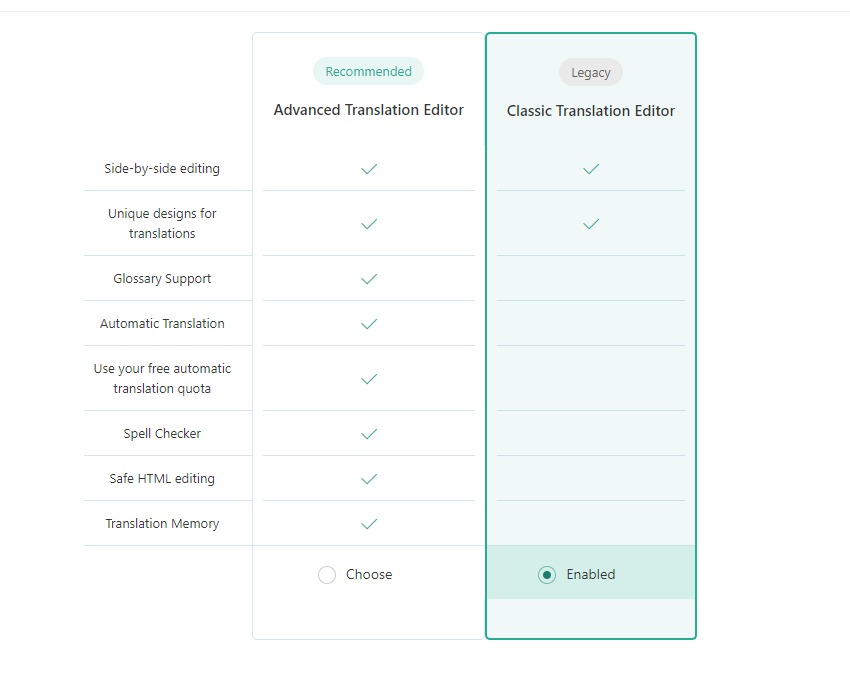
You are trying to disable the WPML Translation Editor on your site and have already switched to the WordPress Editor in the Translations section and applied it to the entire website. Despite this, you receive a warning that edits will be lost if the WPML Translation Editor is later used.
Solution:
We recommend waiting for the next release of WPML (v4.7.5), which is planned for this week, as this issue should be resolved in that update. Meanwhile, ensure you have a full site backup that you can restore if necessary.

If this solution becomes irrelevant due to updates or if it does not apply to your case, we highly recommend checking related known issues at https://wpml.org/known-issues/, verifying the version of the permanent fix, and confirming that you have installed the latest versions of themes and plugins. If the issue persists, please open a new support ticket at WPML support forum.

0% of people find this useful.

This is the technical support forum for WPML - the multilingual WordPress plugin.

Everyone can read, but only WPML clients can post here. WPML team is replying on the forum 6 days per week, 22 hours per day.

Tagged: 

This topic contains 3 replies, has 0 voices.

Last updated by Carlos Rojas 11 months, 1 week ago.

Assisted by: Carlos Rojas.

Author Posts
May 17, 2025 at 9:26 am #17044029

mohamadk-3

Background of the issue:
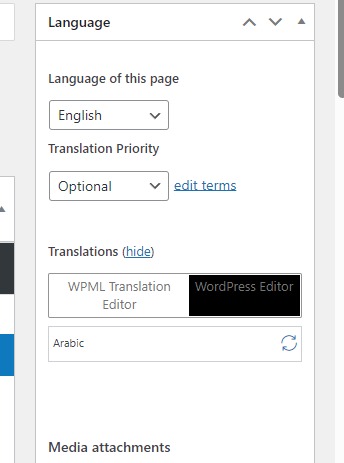
I'm trying to disable the WPML Translation Editor on my site hidden link. I have already changed to the WordPress Editor in the Translations section in Pages and applied it to the entire website. I also switched to the Classic editor, but nothing changed.

Symptoms:
Warning: You are about to edit your translation using the standard WordPress editor but your site is configured to use the WPML Translation Editor. Any edits you do here will be lost if you later open it in the WPML Translation Editor.

Questions:
How to disable WPML Translation Editor?

May 20, 2025 at 8:53 am #17051520

Carlos Rojas
WPML Supporter since 03/2017

Languages: English (English ) Spanish (Español )

Timezone: Europe/Madrid (GMT+02:00)

Hello,
Thank you for contacting us

This issue should be solved in the next release of WPML (v4.7.5) that is planned for this week. I recommend waiting -if possible- for the new release and then double-check if the issue has disappeared.

Thank you very much for your patience and understanding!
Regards,
Carlos

May 20, 2025 at 3:05 pm #17053471

mohamadk-3

Thanks for response.
But is there a fast soluation because it's a problem for us right now :/

May 21, 2025 at 8:30 am #17055783

Carlos Rojas
WPML Supporter since 03/2017

Languages: English (English ) Spanish (Español )

Timezone: Europe/Madrid (GMT+02:00)

I can take a look at the site and see if there is a missing configuration 🙂

Please share the access credentials to the site in your next message, which I have set private.

Confirm you have a full site backup that you can restore if necessary.