Skip to content Skip to sidebar

This thread is resolved. Here is a description of the problem and solution.

Problem:
You are experiencing an issue where your translated post is not displaying in English on a specific page, despite working correctly on other pages.
Solution:
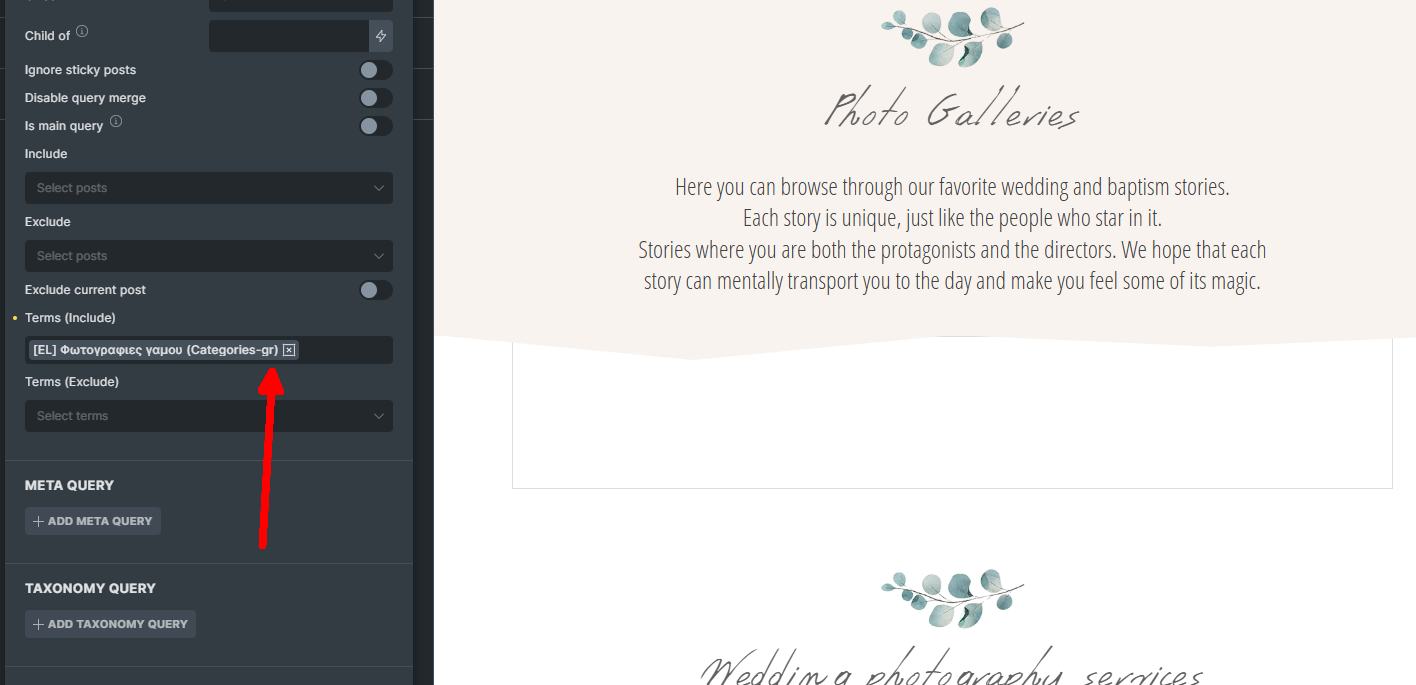
First, verify if the issue is related to the Terms by checking the page with the following URL parameter: https://www.photographic.gr/en/galleries/?bricks=run. This will help determine if the Greek category is incorrectly set to show in English.

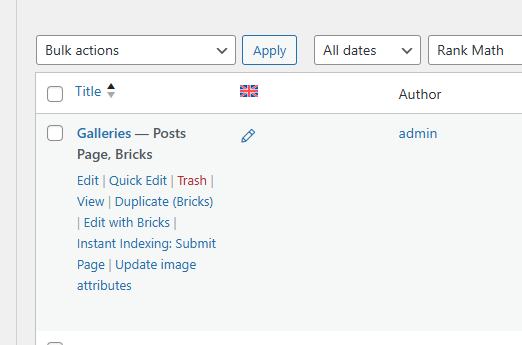
Next, ensure that the problematic page is not set as the Posts page. You can unset it by navigating to https://www.photographic.gr/wp-admin/options-reading.php and adjusting the settings accordingly. This adjustment might resolve the display issue of the translated posts.

If these steps do not resolve your issue, or if the solution seems outdated or irrelevant to your case, we highly recommend checking related known issues at https://wpml.org/known-issues/, verifying the version of the permanent fix, and confirming that you have installed the latest versions of themes and plugins. If the problem persists, please open a new support ticket at WPML support forum for further assistance.

This is the technical support forum for WPML - the multilingual WordPress plugin.

Everyone can read, but only WPML clients can post here. WPML team is replying on the forum 6 days per week, 22 hours per day.

This topic contains 4 replies, has 0 voices.

Last updated by dimitrisM-3 9 months, 1 week ago.

Assisted by: Bruno Kos.

Author Posts
May 14, 2025 at 4:17 pm #17033768

dimitrisM-3

Background of the issue:
I am trying to display my translated post in English from Greek on a specific page. On other pages, my translated posts are displaying correctly. I have already deleted and re-translated this specific page, but the translation still doesn't display. You can see that the translation works normally with the same posts on these pages: hidden link and hidden link. The issue can be seen on this page: hidden link. I expected to see: hidden link.

Symptoms:
Translated post not displaying in English on a specific page.

Questions:
Why is my translated post not displaying in English on the specific page?
What steps can I take to resolve the translation display issue on the specific page?

May 15, 2025 at 1:11 pm #17037034

Bruno Kos
WPML Supporter since 12/2018

Languages: English (English ) German (Deutsch ) French (Français )

Timezone: Europe/Zagreb (GMT+01:00)

Hi,

So the same listing as we see on hidden link should be visible on hidden link as well?

The way these are retrieved, is it the same on both pages (templates, possible custom loops, etc)?

May 15, 2025 at 1:19 pm #17037044

dimitrisM-3

Yes now it's the same. I copy exactly my post from with the same settings hidden link
to make it work, but again it doesn't work.
I want to saw all post at the end if works!

May 15, 2025 at 2:25 pm #17037422

Bruno Kos
WPML Supporter since 12/2018

Languages: English (English ) German (Deutsch ) French (Français )

Timezone: Europe/Zagreb (GMT+01:00)

Would you be willing to provide me with WordPress credentials so I could investigate the issue directly?

https://wpml.org/purchase/support-policy/privacy-and-security-when-providing-debug-information-for-support/

I marked your next reply as private so that you can safely add credentials.

May 16, 2025 at 8:57 am #17040336

Bruno Kos
WPML Supporter since 12/2018

Languages: English (English ) German (Deutsch ) French (Français )

Timezone: Europe/Zagreb (GMT+01:00)

Can you check on hidden link if this is about the Terms? Looks like that Greek category is set to show in English.

Another thing I noticed, looks like this page is set to be Posts page. What if you unset it on hidden link and check then, does it show these posts?

posts page.jpg
Clipboard_05-16-2025_01.jpg
May 16, 2025 at 1:52 pm #17042243

dimitrisM-3

I just remove it from to be the post page and now it works fine. Thanks!!!