This thread is resolved. Here is a description of the problem and solution.
Problem: When attempting to send a page for automatic translation, the process does not complete and instead continuously spins. Additionally, when checking the Jobs tab, an error message appears stating 'The Advanced Editor jobs synchronization has failed'. This issue occurs while working on a local machine. Solution: We have identified that the problem might be due to an extra language ('en-us') assigned to your profile but not configured on the site. To resolve this, you can either: 1. Execute the following SQL command to adjust the language settings:
UPDATE `wp_usermeta` SET `meta_value` = 'a:2:{s:2:"en";a:1:{s:5:"fr-ca";i:1;}s:5:"fr-ca";a:1:{s:2:"en";i:1;}}' WHERE `meta_key` = 'wp_3_language_pairs' AND `user_id` = '1'
2. Alternatively, you can re-add or create the language with the code 'en-us' in WPML under Languages -> Add/Edit Languages. Please try these solutions and let us know if the issue is resolved.
If these steps do not resolve your issue, or if the solution seems outdated or irrelevant to your case, we highly recommend checking related known issues at https://wpml.org/known-issues/, verifying the version of the permanent fix, and confirming that you have installed the latest versions of themes and plugins. If the problem persists, please open a new support ticket at WPML support forum for further assistance.
This is the technical support forum for WPML - the multilingual WordPress plugin.
Everyone can read, but only WPML clients can post here. WPML team is replying on the forum 6 days per week, 22 hours per day.
when i try to send a page for automatic translation, it's just spinning, and when i go to the Jobs tab, i get a message that says "The Advanced Editor jobs synchronization has failed".
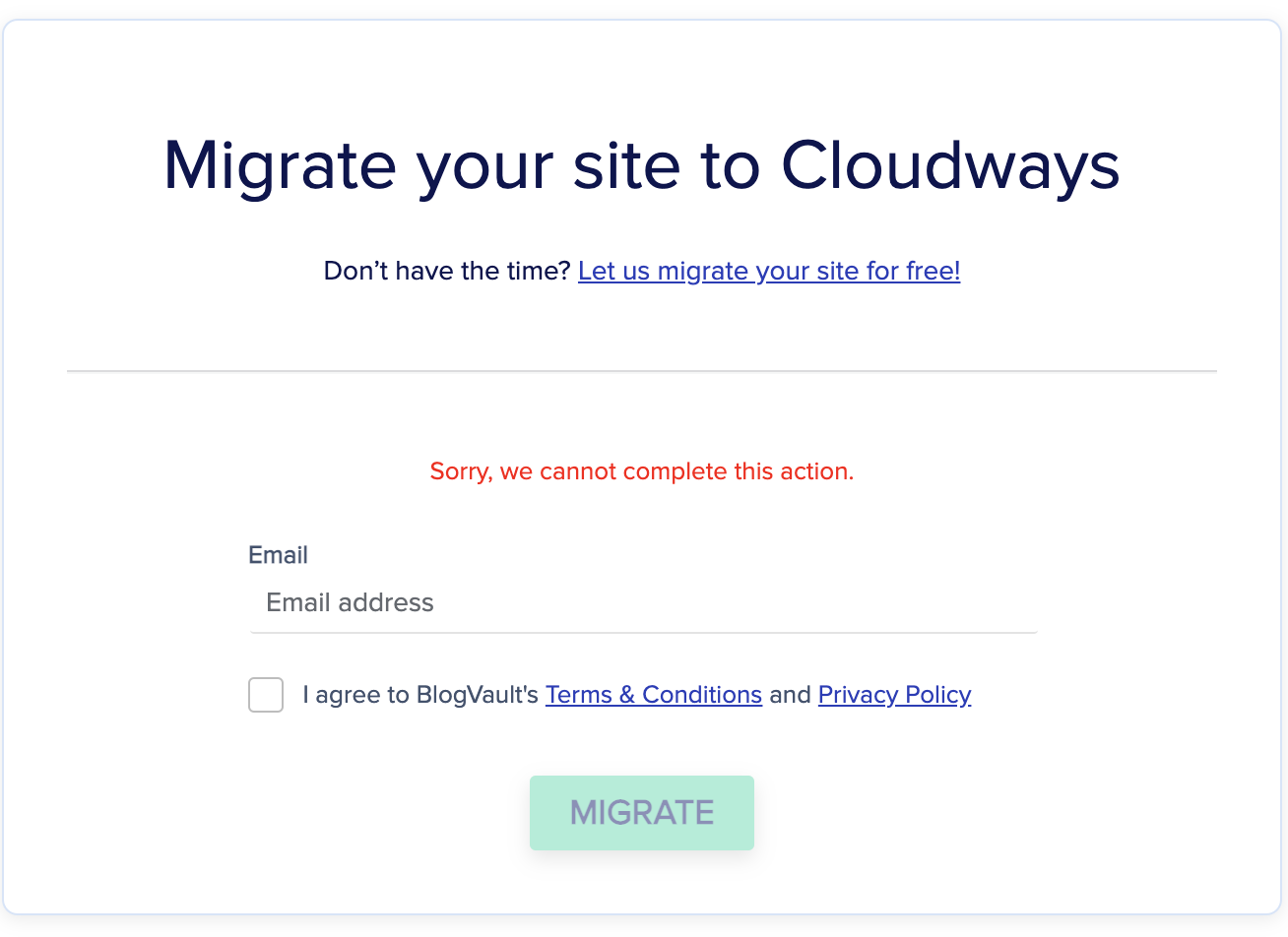
Unfortunately the cloudways migration tool didn't work. When I enter email, i get a message "Sorry, we cannot complete this action". See the attached image. I will try to work the problem from my end and see if there's another way to get the site to you.
Still didn't work. Same issue. The other migration plugins you listed require paid upgrades for migrating multisite.
I've created a vanilla installation of the site ( just WordPress, WPML, and WPML String Translation ). There's a zip of this at hidden link ( please redact that link on the public forum ). This contains a DB dump in the root directory and a src directory with WP and plugins.
This is a multisite, set up to live at hidden link. You'll need to update a couple of things to get it to work in the new environment:
Edit src/wp-config.php to have the proper DOMAIN_CURRENT_SITE to be "wordpress-278662-3498831.cloudwaysapps.com" and PATH_CURRENT_SITE to be "/", as well as the proper DB credentials.
Make following changes in DB:
UPDATE wp_site SET domain='wordpress-278662-3498831.cloudwaysapps.com', path='/' WHERE id = 1;
UPDATE wp_sitemeta SET meta_value = '<em><u>hidden link</u></em>' WHERE meta_key = 'siteurl';
UPDATE wp_blogs SET domain = 'wordpress-278662-3498831.cloudwaysapps.com', path = '/src/' WHERE blog_id = 1;
UPDATE wp_blogs SET domain = 'wordpress-278662-3498831.cloudwaysapps.com', path = '/src/careers/' WHERE blog_id = 3;
UPDATE wp_options SET option_value = '<em><u>hidden link</u></em>' WHERE option_name IN ( 'siteurl', 'home' );
UPDATE wp_3_options SET option_value = '<em><u>hidden link</u></em>' WHERE option_name IN ( 'siteurl', 'home' );
There is a single page on the Careers child site. That's the site I'm having troubles with. If you go to the Translation Management page, you should see the "1 translation waiting for review" link, which takes you to hidden link and that's the page that gives a 500 error because of a PHP error:
PHP Fatal error: Uncaught InvalidArgumentException: item should be a Collection or an array or an object in /path/to/src/wp-content/plugins/sitepress-multilingual-cms/vendor/wpml/fp/core/Obj.php:112
I'm getting errors when trying to run the database sql. Could you please try the migration one more time? We had an issue on the cloudways server that was preventing all migrations to complete, but it has since been resolved.
I was able to run the database import and I uploaded all the files you sent. I also changed the database name and password, updated the domain and path in wp-config but when I try to access the site I"m still getting a "Error establishing a database connection". Not sure what I missed, but please feel free to connect via FTP using the Cloudways credentials earlier provided.
I ran all the sql commands you sent as well to update the database.
Okay, the site is up now. With the site installed in the root `public_html` directory, the SQL queries needs to not have the `/src` subpath. Additionally, the `.htaccess` file needed to be updated with the `/` path.
But we're up and going.
I've confirmed that the error still happens on this server for my user ( username: tbkadmin, password: HEbImxkaj24qHj2UufVjkMw ). I've created a new user for you ( username: lauren, password: 4ZVHkDqJzRDYkTgnPIjsgPH ), and interestingly the error doesn't happen for your user.
The reproduce steps are:
* Login
* WPML > Translation Management
* Click the "1 translation waiting for review"
* hidden link
For `tbkadmin`, it causes a fatal PHP error. For `lauren`, it loads properly.
Thanks for assisting with the setup. I was able to see the same that you report about the fatal error with your username. I'm currently workign on this and will hopefully have an update by tomorrow.
I think that we have found the problem.
There was an extra language assigned to your profile but not assigned to the site.
The language was with code: "en-us"
Quick and dirty workaround: change the key:
UPDATE `wp_usermeta` SET
`meta_value` = 'a:2:{s:2:\"en\";a:1:{s:5:\"fr-ca\";i:1;}s:5:\"fr-ca\";a:1:{s:2:\"en\";i:1;}}'
WHERE `meta_key` = 'wp_3_language_pairs'  AND `user_id` = '1'
Or re-add or create the language with language code "en-us" in WPML -> Languages -> Add Edit Languages.
i did have a `en-us` language in the system at one point but deleted it. the above SQL query fixed it the fatal error.
i guess my request to WPML would be to make it so that if this situation arises ( as it may well naturally ), that it doesn't crash the translation queue page.