[Resolved] Translation stuck in queue and not showing on site
This thread is resolved. Here is a description of the problem and solution.
Problem: You've manually translated a new page on your website from Croatian to English, but the translations remain stuck in the queue and do not appear on the live site. Additionally, the English version of the main menu doesn't show up. Solution: First, ensure you are using the latest version of WPML. You can update WPML by visiting WPML update page.
If these steps do not resolve your issue, or if the solution seems outdated or irrelevant to your case, we highly recommend checking related known issues at WPML Known Issues, verifying the version of the permanent fix, and confirming that you have installed the latest versions of themes and plugins. If the problem persists, please open a new support ticket at WPML Support Forum.
This is the technical support forum for WPML - the multilingual WordPress plugin.
Everyone can read, but only WPML clients can post here. WPML team is replying on the forum 6 days per week, 22 hours per day.
Background of the issue:
I’ve recently created a new page on my website hidden link and translated it manually because I don’t have any translation credits left. My site’s default language is Croatian, and I’ve been translating it into English.
Symptoms:
All my translations remain stuck in the queue. Even when I take the task, complete the translation, and confirm it, the translations still stay in the queue and do not appear on the live site. Additionally, the English version of the main menu doesn’t show up on the site.
Questions:
Why are my translations stuck in the queue and not appearing on the live site?
Why is the English version of the main menu not showing up on the site?
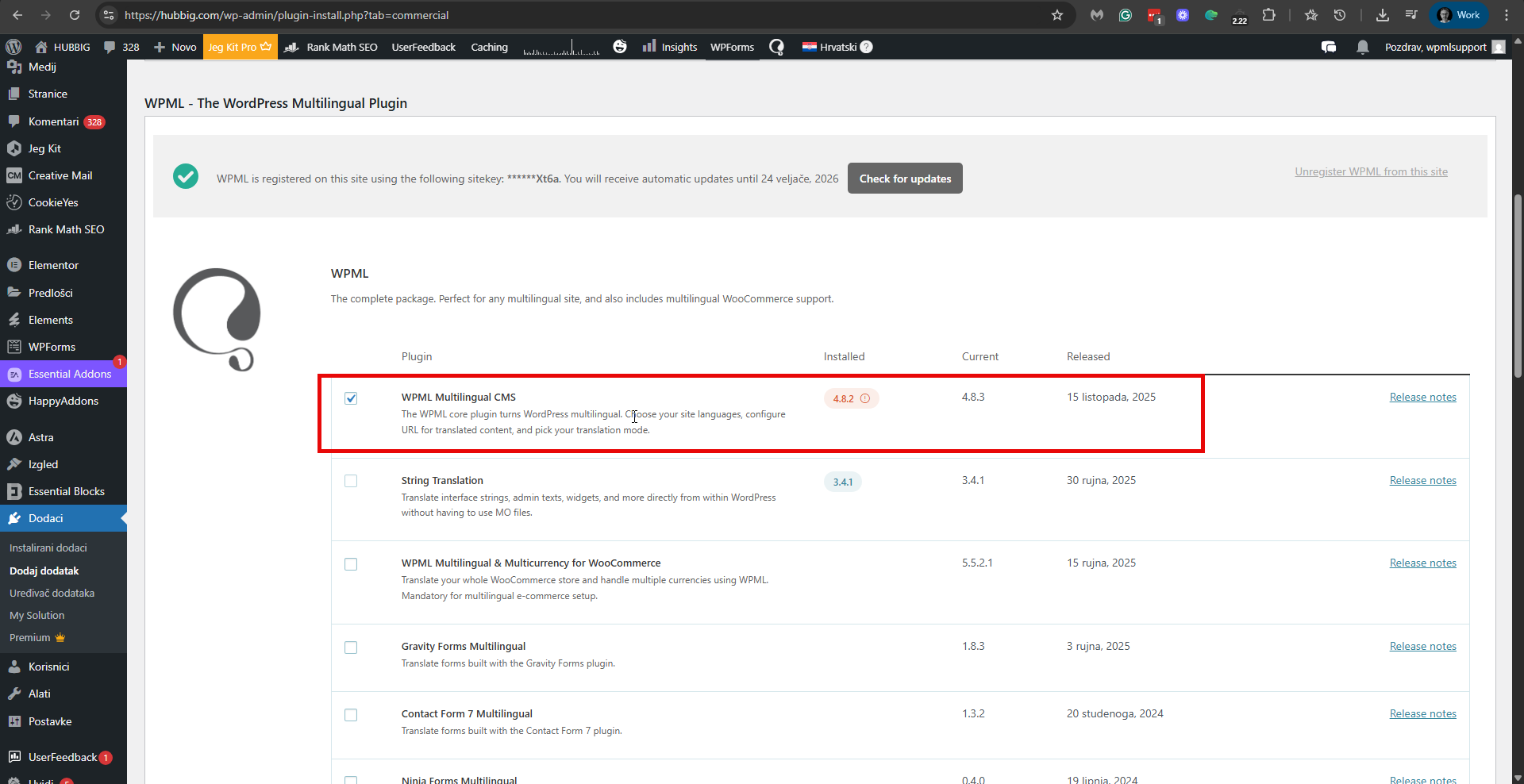
We have newer versions of our plugins than the ones currently on your site. If you don't see updates available for our plugins, please visit hidden link and click the 'Check for updates' button. Then please check if the problem persists.
If the issue persists and you require additional assistance, please share the access details to your site with me. I'm enabling a private message for the following reply. Privacy and Security Policy
We have strict policies regarding privacy and access to your information. Please see: https://wpml.org/purchase/support-policy/privacy-and-security-when-providing-debug-information-for-support/ **IMPORTANT**
- - Please back up the site files and database before providing us access. --
-- If you have a staging site where the problem can be reproduced, it is better to share access to the staging site.--
If you need further help with this, please share the access details to your site with me. I'm enabling a private message for the following reply.
Privacy and Security Policy
We have strict policies regarding privacy and access to your information. Please see: https://wpml.org/purchase/support-policy/privacy-and-security-when-providing-debug-information-for-support/ **IMPORTANT**
- - Please back up the site files and database before providing us access. --
-- If you have a staging site where the problem can be reproduced, it is better to share access to the staging site.--
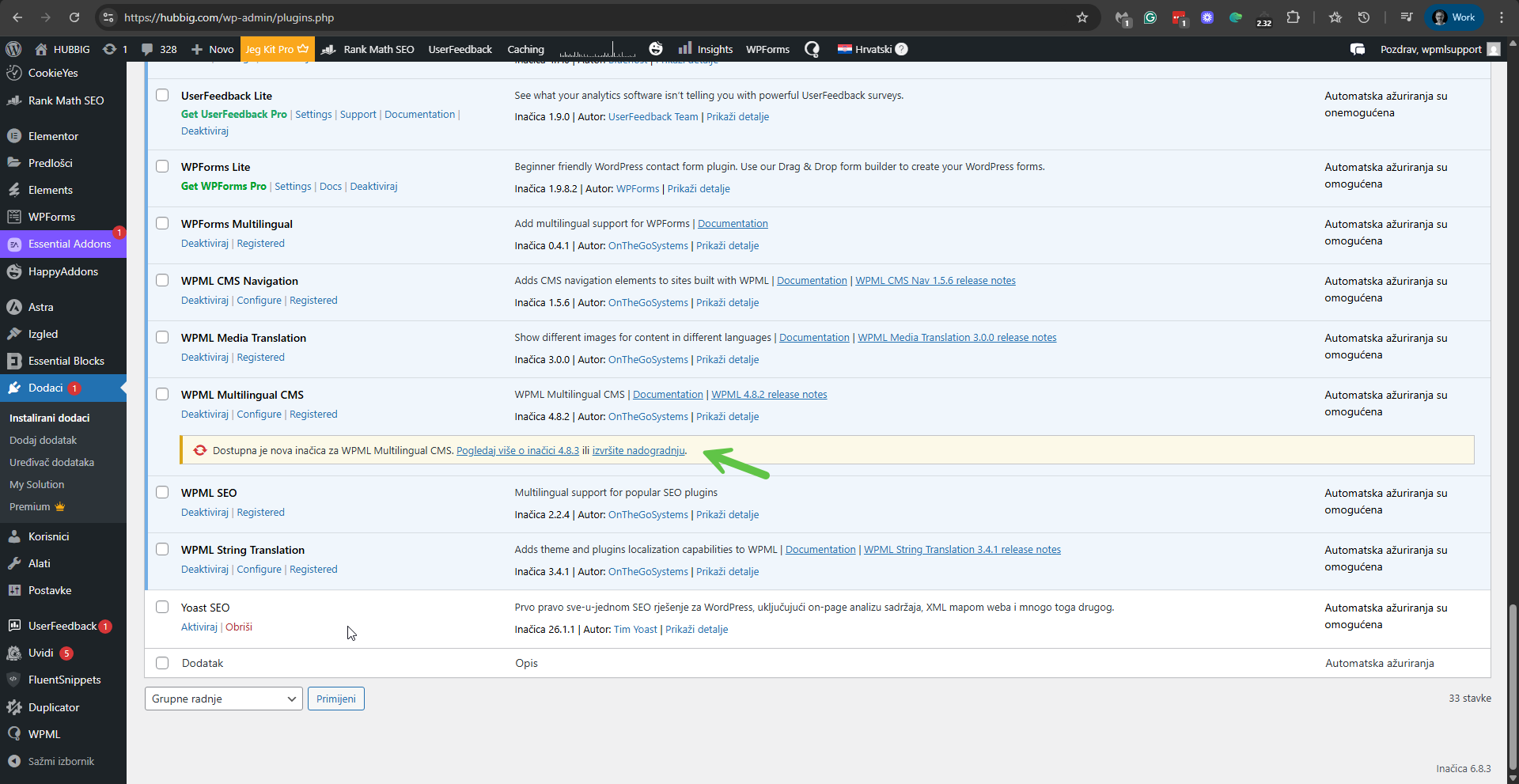
Please go to Plugins -> All Plugins, and see we have a newer version for WPML - version 4.8.3. Please see the attached screenshot. Please update WPML to this version and check if it resolves the problem. If the problem persits Please, try the troubleshooting section.
1. Take a backup of the DB of your site.
2. Go to WPML -> Support -> Troubleshooting (link)
3. Once on the troubleshooting screen, press the following buttons and check if it helps. Press each button at a time and wait for the process to complete.
- 'Synchronize posts taxonomies' for all the post types
- 'Clear the cache in WPML'
- 'Remove ghost entries from the translation tables'
- 'Fix element_type collation'
- 'Fix WPML tables collation'
- 'Synchronize local job ids with ATE jobs'
- 'Synchronize translators and translation managers with ATE'
- 'Set language information'
- 'Reset languages' Press this button only if you didn't add a custom language!
- 'Fix terms count'
- 'Fix post type assignment for translations'
- 'Cleanup and optimize string tables'
- 'Clear invalid strings'
*** Please make a backup of your database before using this.***