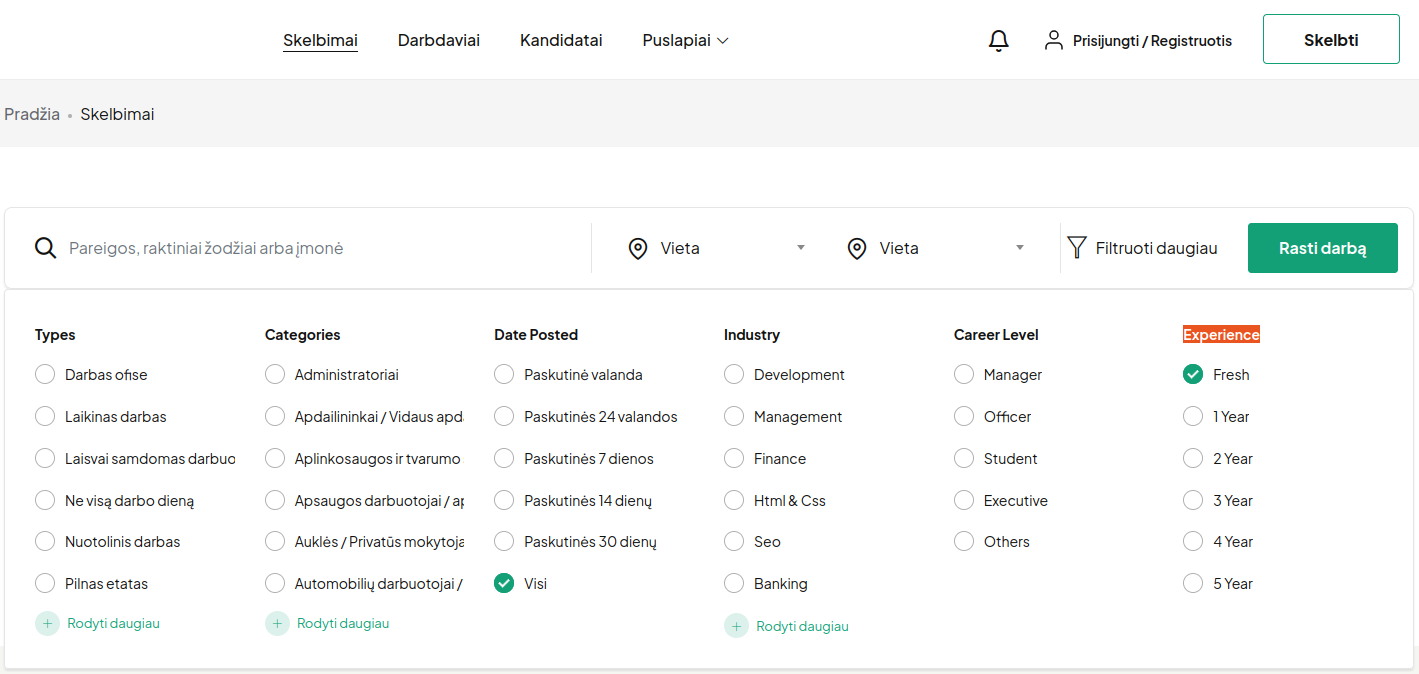
[Resolved] Unable to Translate “Country” and “City”
This thread is resolved. Here is a description of the problem and solution.
Problem: The client is unable to translate the words "Country" and "City" on their website, which is caused by custom JavaScript code added via the WPCode plugin. Solution: 1. Temporarily disable the custom code added via WPCode and verify that translations work correctly. 2. Contact the developer who created the custom script and ask them to make the JavaScript strings translatable using WordPress localization functions. For guidance on how to localize scripts, visit the WordPress documentation: https://developer.wordpress.org/reference/functions/wp_localize_script/ Since custom JavaScript implementation is outside our support scope, the developer of the code will be the best person to adjust it.
If this solution does not resolve your issue or seems outdated, we recommend checking related known issues at https://wpml.org/known-issues/, verifying the version of the permanent fix, and confirming that you have installed the latest versions of themes and plugins. Should you need further assistance, please open a new support ticket at WPML support forum.
This is the technical support forum for WPML - the multilingual WordPress plugin.
Everyone can read, but only WPML clients can post here. WPML team is replying on the forum 6 days per week, 22 hours per day.
I tried to check the URL you shared so I could better understand which strings are in question and where they might be coming from, in order to suggest how they can be translated. However, I receive a 403 Forbidden message when trying to access the page.
Could you please check and make sure the page is accessible so I can visit it?
1) To help us handle your request faster, could you please share the WPML debug information from your site?
- Log in to your site and go to WPML → Support
- Click the “Debug information” link at the bottom of the page
- On the Debug Information page, select all the content in the text box and copy it
- Then return to this support ticket and paste it into the debug information box
2) I’m not sure if these strings are being added through your site settings or a page builder. If not, they are most likely coming from the theme or a plugin used on that page.
Please try the following:
- Go to WPML → Theme and Plugin Localization
- Select your theme and any related plugins (for example a job plugin/addon if you are using one) and run the scan
- After that go to WPML → String Translation, search for the string (for example “City”) and translate it there.
- Please backup the site files and database before providing us access.
- If you have a staging site where the problem can be reproduced, it is better to share access to the staging site.
After checking your website, I can confirm that the issue is caused by your custom JavaScript code that is added via the WPCode plugin. When this custom code is disabled, the translation works correctly.
JavaScript strings need to be properly localized in the code in order to become translatable. For example, developers usually need to pass translatable strings from PHP to JavaScript using functions like wp_localize_script or other WordPress localization methods.
I recommend the following:
- Temporarily disable the custom code added via WPCode and verify that translations work correctly.
- Contact the developer who created the custom script and ask them to make the JavaScript strings translatable using WordPress localization functions.