Home›Support›English Support›[Resolved] When editing a page I do not have a WMPL panel in my right colum
[Resolved] When editing a page I do not have a WMPL panel in my right colum
This thread is resolved. Here is a description of the problem and solution.
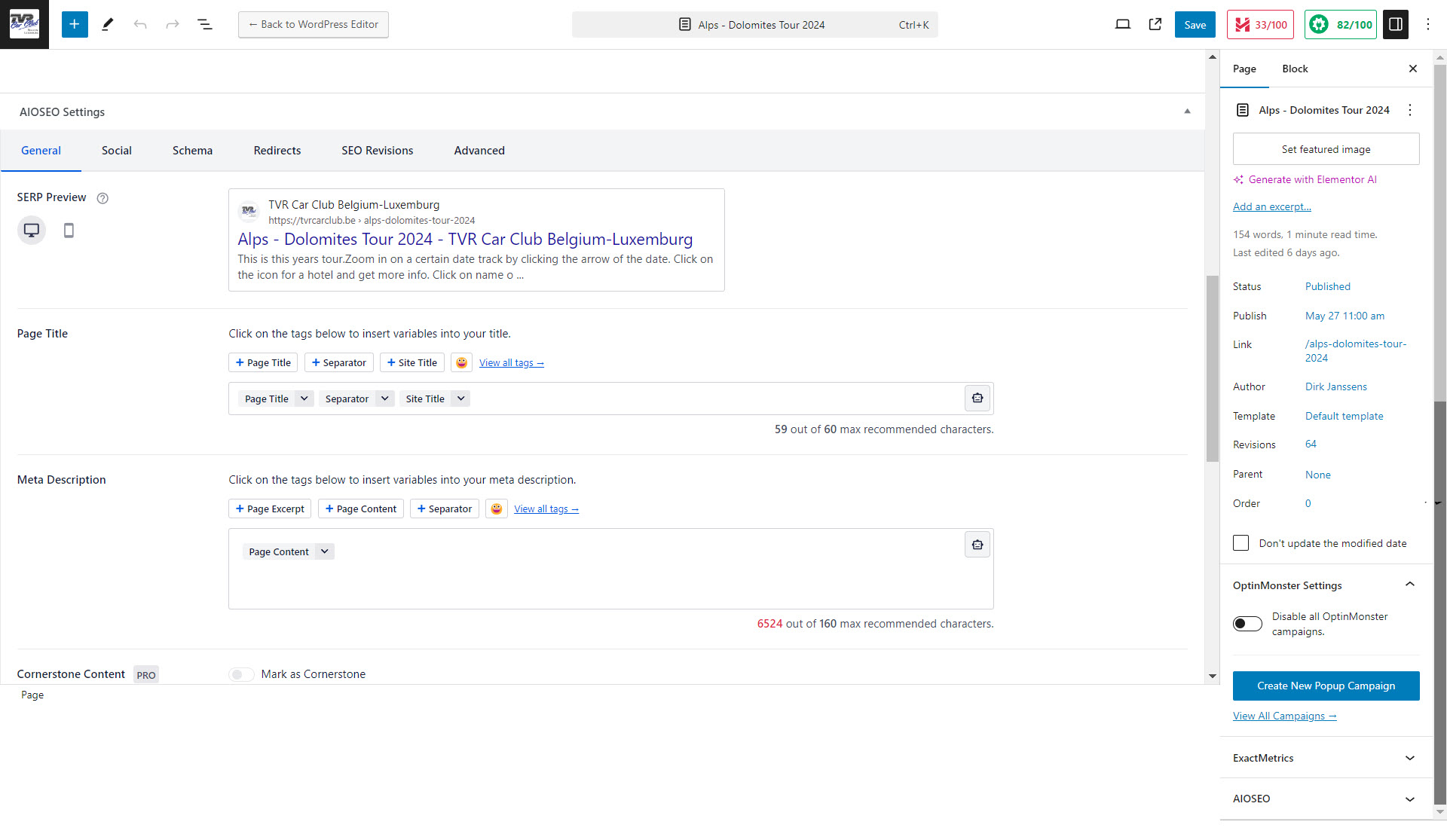
Problem: The client reported that the WPML reference was missing from the right-hand column when editing a page, which prevented them from managing translations. Additionally, they were experiencing issues with the feature that allows for full copies of pages in different languages not updating properly. Solution: We discovered that the language tab was still present but had moved to the bottom of the page. This issue is related to the WordPress interface rather than WPML itself. We recommend the client to either adapt to this new location or consult the WordPress support team on how to move the language tab back to its original position on the right-hand side. For the issue of the copied content not updating, we suggest checking if the synchronization settings under WPML are correctly configured to reflect changes across all languages.
If this solution does not resolve your issues or seems outdated, we highly recommend checking related known issues at https://wpml.org/known-issues/, verifying the version of the permanent fix, and confirming that you have installed the latest versions of themes and plugins. If problems persist, please open a new support ticket at WPML support forum.
This is the technical support forum for WPML - the multilingual WordPress plugin.
Everyone can read, but only WPML clients can post here. WPML team is replying on the forum 6 days per week, 22 hours per day.
<b>Background of the issue: </b>
I have been using WPML since my site was created by a website builder in 2017. Last year, I rebuilt the website myself after taking classes to learn WordPress. I use 3 languages: EN (English), NL (Dutch or Nederlands), and FR (French), with EN as the main language. I only use the WPML Multilingual CMS plugin and do the translations myself. I also use the feature to have copies of EN pages as identical pages in NL and FR, which sometimes works and sometimes doesn't. Recently, any reference to WPML is gone in the right-hand column when I want to edit a page. I received a reply to a closed ticket from Ilyes, who proposed to share access. You can access the back office of my site at --ACCESS DELETED FOR YOUR SECURITY--
<b>Symptoms: </b>
Any reference to WPML is gone in the right-hand column when editing a page, preventing me from providing translated pages.
<b>Questions: </b>
I would like to have the WPML reference in the right-hand column when editing a page again. If I did something wrong, what did I do wrong?
Why does the feature to have a full copy of a NL or FR page sometimes not keep copying the content of a changed EN page?
Languages: English (English )French (Français )Arabic (العربية )
Timezone: Pacific/Easter (GMT-05:00)
Hello,
Thank you for contacting WPML support team,
Please note that the access you shared was shared publicly, we have deleted it from your initial ticket for your security
For your issue, could you please ensure that the plugin WPML string translation is also installed? I can only see the Core WPML plugin intalled, you need both plugins for it to work correctly.
Also, is the concerned page a custom post type? if yes, you will need to make sure that this post type is set to "translatable" under WPML > Settings > Post type translation
If that didn't help, I would like to ask for temporary access to your site’s wp-admin .
Kindly provide me with the concerned page URL.
It is important to note that you should back up your site and database before proceeding, and you can use a plugin like Duplicator for this purpose. Here’s a link to the plugin: http://wordpress.org/plugins/duplicator/
If you do not see the form below, please do not enter your credentials as they will be publicly exposed:
hidden link
For your privacy and security, please ensure that you make your reply a private one.
Languages: English (English )French (Français )Arabic (العربية )
Timezone: Pacific/Easter (GMT-05:00)
Hello,
I did not notice that you had the Blog WPML version, which doesn't come with String translation,
So you could ignore my first suggestion, with that said, that doesn't explain why you do not have the WPML right tab.
After further testing, this could be caused by 2 possible scenarios :
1- The newest WPML update is conflicting or has a bug
2- A recent plugin installation/update is conflicting with WPML
Could you please check if installing an older WPML version changes anything, and then disable all your plugins except of Elementor and WPML.
We could test this for you if you allow me to install a backup plugin to download a copy of your site locally, this is to avoid affecting your live site.
My hoster hidden link has a full backup of my site every day (a full backup every so 7 days and an incremental every day. But the oldest on file is of 11 September. I took a full backup myself using Filezilla on Sunday 15 September and also a full database export. But I had the problem already at that time. My previous own full backup dates from 27 August. Since then I have made quite a few changes. Also putting back the backup from my hoster is not convenient because we have two new registration forms running with a deadline of next week Wednesday.
I did not understand why I would need the string translations. I do all the translations myself. But it is nice that visitors can change language and land on the same page in another language.
So please test what you suggest. There is nothing I have to be afraid of. You have access to the registration on all our forms. All the other information is available at the site or on pages that are not in the menu’s and that I sometimes still recycle. And so my live site doesn’t need to be affected.
Languages: English (English )French (Français )Arabic (العربية )
Timezone: Pacific/Easter (GMT-05:00)
Hello,
I have recorded a video explaining my findings after running your site locally : hidden link
So this doesn't seem to be a WPML issue perse, but rather a conflict issue,
You have a plugin or a server configuration that is blocking a couple of your plugins' tabs, this is why you need to further investigate this.
As a start, please check if the issue persists in a minimal environment by following these steps.
1- Deactivate all the plugins except WPML CMS.
2- Switch for a moment to a WordPress default theme like Twenty Twenty-one.
If the issue is gone, activate them one by one to see which one there is causing an interaction issue.
Please backup your database before performing the above test
Best regards,
Hi Ilyes
Today I had time to look look at what you have proposed. I have partially done what you asked. I have taken a full backup. I have deactivated all plugins exept WMPL, Elementor and Elementor Pro and I still don't see the WMPL box in de right hand column when I try to edit a page.
I'm affraid to install Twenty Twenty-one and switch to it. My site has been working well with the Hello theme and WMPL.
What other interference can there be?
I have left all the plugins deactivated which means my site is nog working properly. My forms are no longer active. My photo galeries are no longer available. Etc. So please respond quickly.
If you still have the info I have send you, you can still access the backoffice and the ftp server.
Looking forward to your reply.
Dirk
Hi Ilyes,
I found the missing translation box where you said it had been moved. I created a new English page and managed to produce also the translated pages. So things work fine again. For the time being I'm going to simply leave it there. Thank you for your help.
You can close this ticket.
Greetings from Belgium,
Dirk