We are currently optimizing several wordpress pages with wpml. It looks like, the DebugBackTrace function uses a huge amount of performance. Is uses abaout 25% (0,255s) from about 1s execution time.
Is there a option, to disable this check?
If we comment it out / disable with a direct return, we save up to 20% of performance on the page.
We recently identified a performance issue arising from the use of debug_backtrace in the context of the WPML SEO add-on, and I can see that you are using that.
I'm not sure when a fix will make it into production, but this is part of active work on performance and I expect it to appear in a plugin update before long.
I will connect this thread to the internal ticket, and I'll let you know when the update it due for release.
Updating to WPML SEO 2.2.x should make an appreciable difference to how often the debug backtrace function is called; it doesn't eliminate such calls, but calls originating from the WPML SEO plugin should be reduced to a minimum.
We haven't managed to substantially reduce such calls from other sources yet.
@adrianM-2 if you are experiencing significant performance issues arising from this could I ask you to open a new thread and share details and access to your site so that we could investigate the specifics of your case?
We are already on the latest version. Doing some analysis I've seen a lot of calls to debug_backtrace too... and came here via Google ...
But there is no significant difference in disabling Yoast SEO...
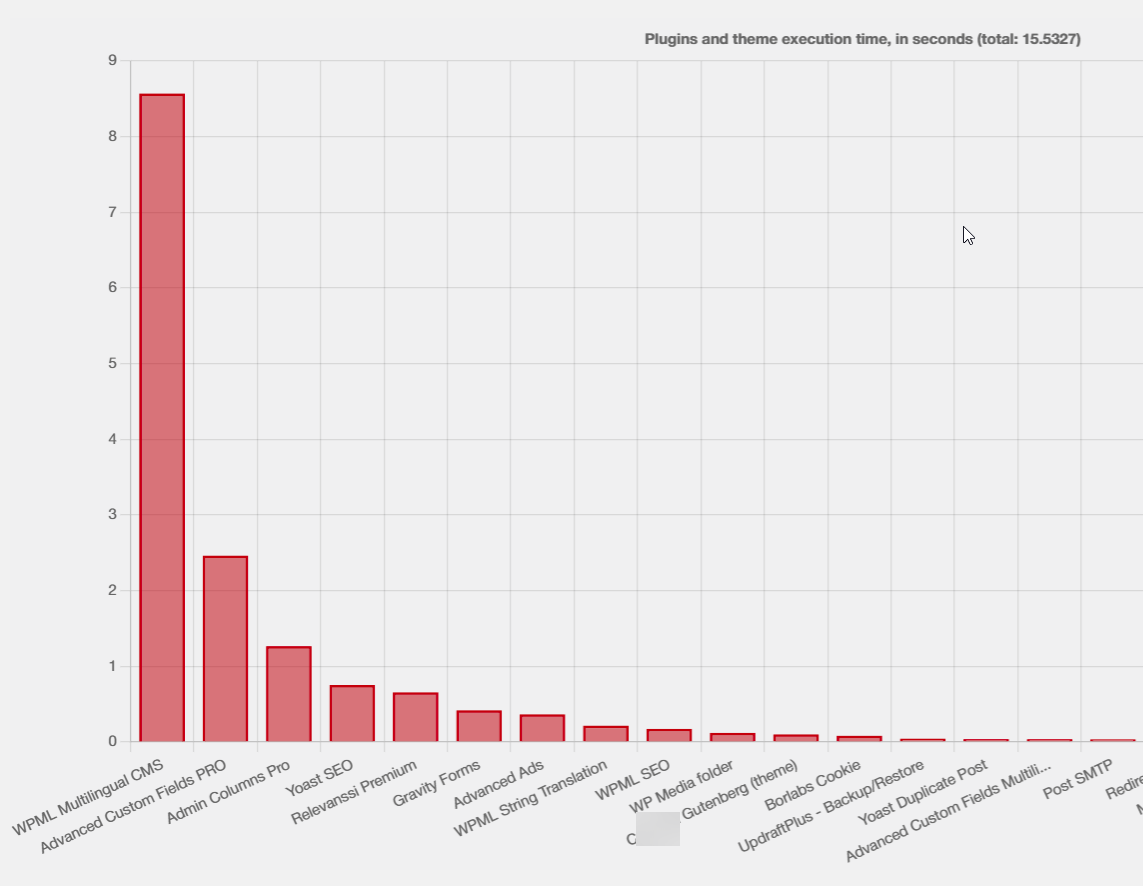
Generally WPML uses a lot of resources (seeing the same graphs, WPML always on top...)
But I think this is more an issues of WP's non-multilingual core architecture than WPML itself...
The screenshot is for an admin post list.
---
We've used Code Profiler Pro (same as original thread author). Unfortunately this is not perfect and won't or can't give deep insights in the full call hierarchy ...
If you can, you maybe should do some profiling with xdebug, at least it looks like there might be some core level improvements possible with WPML.