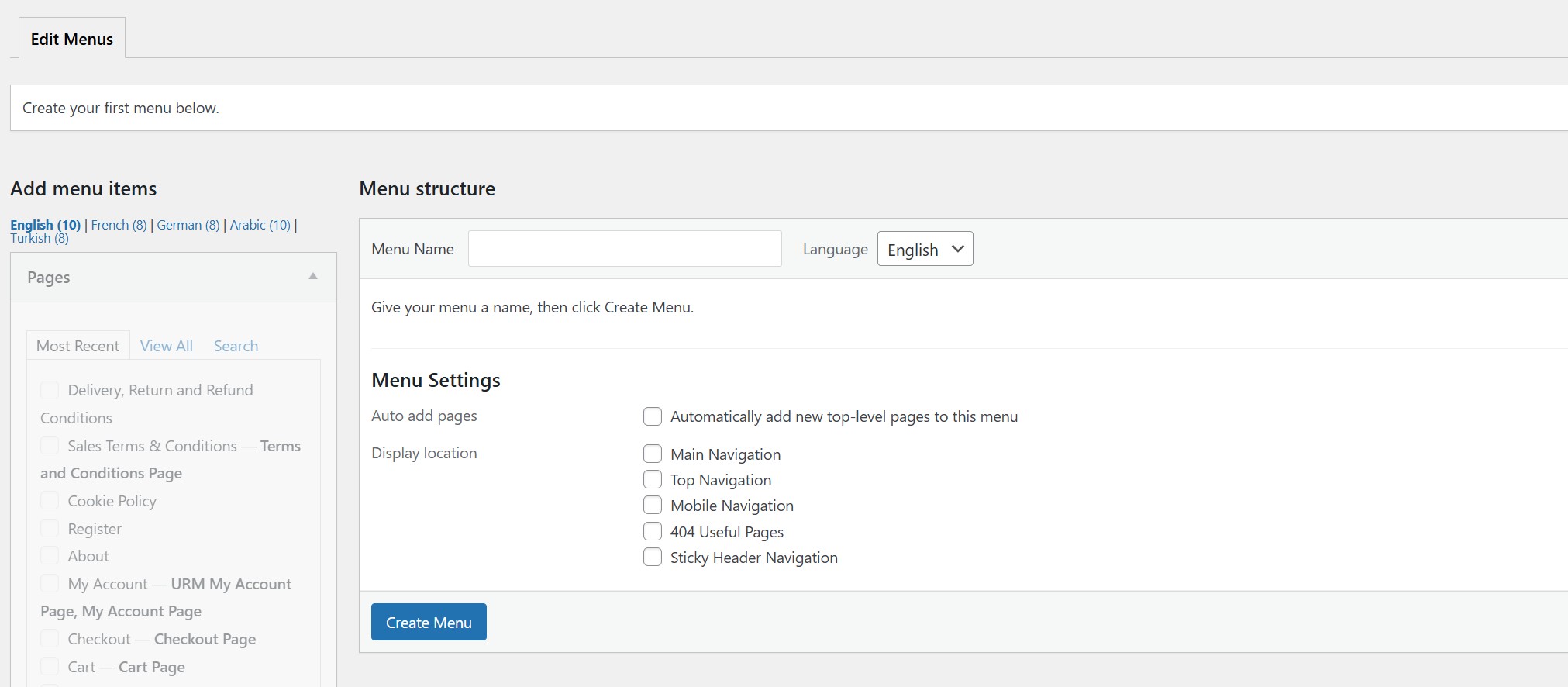
I am facing a strange issue regarding the visibility of WordPress Menus in the backend, which seems to be related to WPML.
The Issue: When I navigate to Appearance > Menus, I cannot see or select my existing menus to edit them. However, I noticed that the menu count is actually visible (it indicates that menus exist), but the dropdown list or the selection tabs are empty/missing.
Current Behavior:
Backend: Menus are invisible in the dashboard (cannot be edited).
Frontend: All menus are rendering and working perfectly on the live site in all languages.
It seems like the data exists in the database but is failing to load specifically in the WordPress Admin interface.
Troubleshooting:
I have cleared all caches (Server, Browser, and WPML cache).
I contacted AVADA support and they told me that the issue is with WPML
Could you please advise if there is a specific action required in the WPML Troubleshooting settings to fix this display issue?
I am writing to provide a crucial update regarding the missing menus issue.
I restored a backup from Nov 16, 2025, and performed updates one by one. I found that updating WPML to the latest version did not break the menus. Even updating the "User Registration" plugin did not break them.
The issue occurred only after I updated Avada from version 7.14 to 7.14.2.
It seems the latest Avada patch introduced a conflict that affects how WPML or User Registration handles menus in the backend. I have already contacted Avada support with these findings, but I wanted to keep you informed in case you have other users facing similar issues with the new Avada version.
Thank you so much for the updates. If possible, please check my last message, and follow the provided steps. Or, if you wish, we can wait for Avada's feedback on the issue.
This was Avada reply:
"I tried to sync menus in WPML > WP Menus Sync, but got 500 error in the browser console, screenshot: hidden link
When I enabled debug mode, I saw this error:
PHP Fatal error: Allowed memory size of 671088640 bytes exhausted (tried to allocate 53248 bytes) in Unknown on line 0
Also there was database error in the logs, screenshot:
hidden link
I recommend you to contact your hosting support and ask them to fix memory error and check the database."
I'm not sure where they are making these tests, or why - so I don't know what are the memory settings in this environment. If possible, tell them to create the menu translations manually instead of using the menu sync, so they can proceed. I can check the error for you later, if you wish. Tell them to check "Translating Menus with Custom Links", it explains how to add translations manually:
Also, I don't have access to the website hidden link anymore. Can you please share the credentials again, using the private fields?
IMPORTANT
Please make a backup copy of the site files and database before giving us access.
- If you do not see the wp-admin/FTP fields, this means your post and site login details are being made PUBLIC. DO NOT post your website details if you do not see the required wp-admin/FTP fields. If you do not, ask me to enable the private box. The private box looks like this:
I was able to sync the available menu items while Avada was inactive. There are many untranslated URLs that need translation before being synced. I'm not sure why they're tesing this on your website, though.
Again, I recommend that they usual manual translation for testing purposes.
I don't need to sync the menus. The main problem is that when activating Avada, the menus disappear, and the (Menu Switcher) disappears from the Arabic Header