Home›Support›English Support›[Resolved] Elementor backend not loading English language when WPML is installed
[Resolved] Elementor backend not loading English language when WPML is installed
This thread is resolved. Here is a description of the problem and solution.
Problem: The client reported that the WordPress UI is set to English, and all WordPress settings are in English, but Elementor still loads in Norwegian when WPML is installed. The client was concerned about WPML creating unnecessary translation files and using translation credits for UI elements. Solution: We clarified that the JSON/PHP files seen by the client are added by WordPress, not WPML. You may try to follow the steps from this thread to see if this resolves the issue: https://wpml.org/forums/topic/elementor-editor-interface-with-wpml/#post-9863547
Please note that this solution might be outdated or not applicable to your specific case. We highly recommend checking related known issues at https://wpml.org/known-issues/, verifying the version of the permanent fix, and confirming that you have installed the latest versions of themes and plugins. If the problem persists, please open a new support ticket.
This is the technical support forum for WPML - the multilingual WordPress plugin.
Everyone can read, but only WPML clients can post here. WPML team is replying on the forum 6 days per week, 22 hours per day.
Wordpress UI in English and all WP settings in English, but Elementor still loads in Norwegian when WPML is installed. If WPML is uninstalled, Elementor loads in English as it should
This is really a huge issue for me, both my developers speak english only and they can't really do their job, so WPML has been a huge let down in general, since it mixes up UI Language with Content language all over the place.
English language in backend, everything looks good: hidden link
When VIEWING or EDITING norwegian content Elementor AND WordPress UI turns norwegian too (sigh):
hidden link
This is really hopeless. After WPML being out for so many years, I can't almost believe it works like this? When I go to VIEW polish pages, EVERYTHING turns polish, including Elementor and WordPress UI.
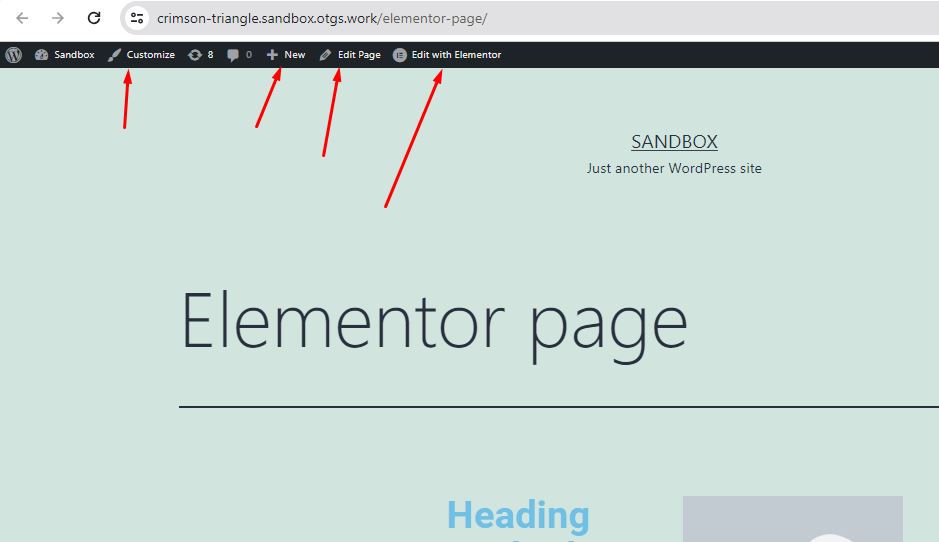
Thanks for the additional details and screenshots. Regarding the admin bar on the frontend: hidden link, this behavior is managed by WordPress, not WPML. WordPress always display the strings in active site language on the Frontend.
The WPML user language setting only affects the backend (wp-admin) strings. Your screenshots show the Frontend, where WordPress displays strings in the site's active language. For example, if you're viewing the site in Polish, the Admin Bar will appear in Polish. This is standard WordPress functionality.
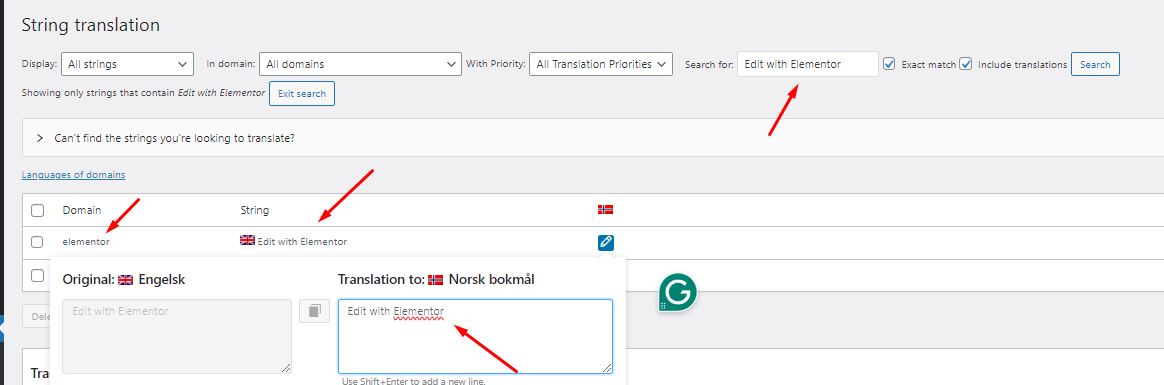
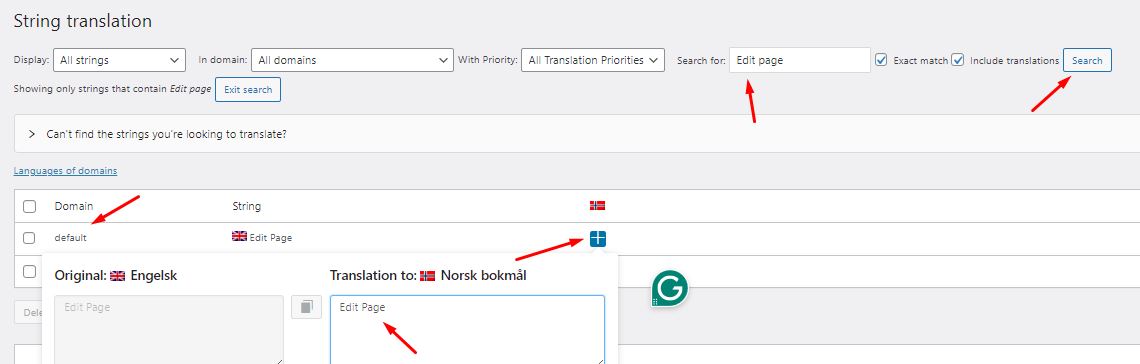
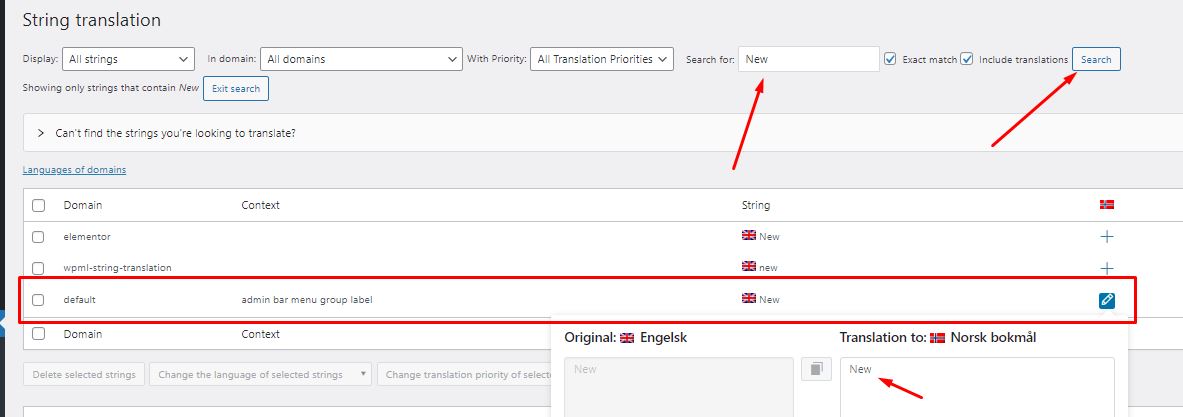
You may override that behavior by translating those strings from WPML >> String Translation page.
I’ve tried to replicate it at fresh WP site by following the below steps:
1. Installed/configured the Elementor and WPML plugins with Norwegian as default language and English as secondary language.
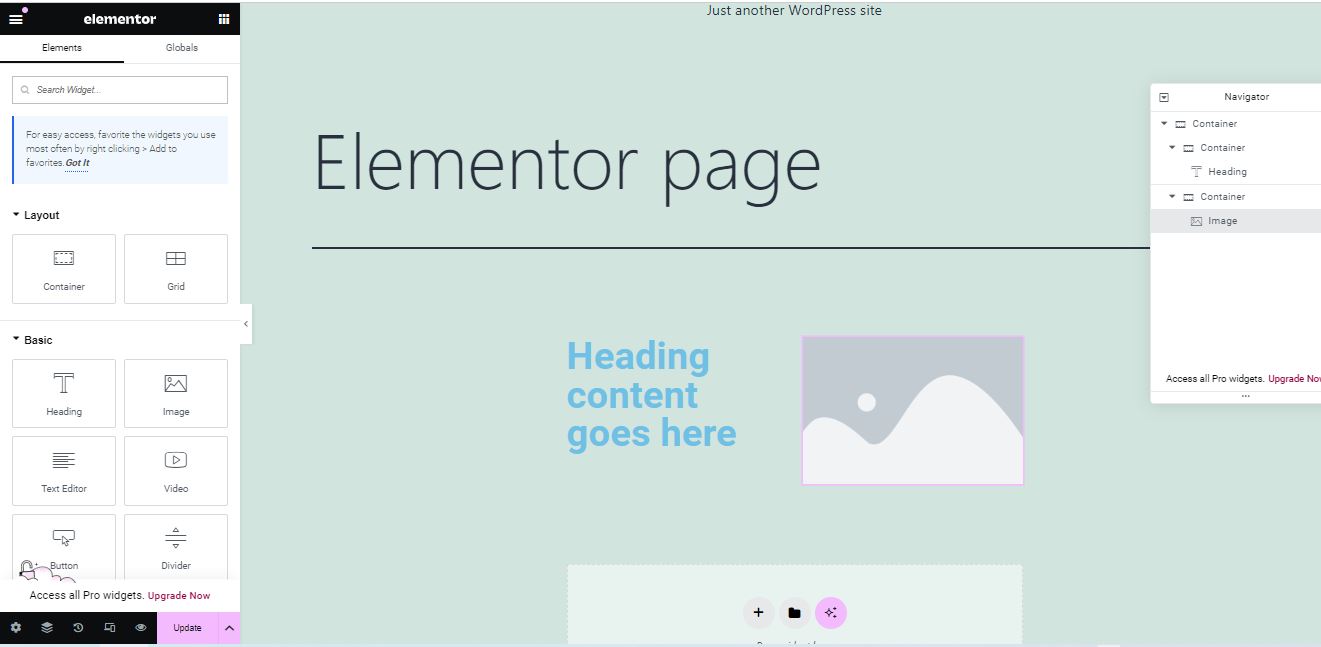
3. Created a page in the default Norwegian language using Elementor page builder and it shows the strings in English.
4. Translated the page into English using WPML Translation Editor.
5. Scan the Elementor plugin strings from WPML >> Theme and plugins localization page.
6. Searched for admin bar strings “Customize, Edit page, Edit with Elementor, New” from WPML >> String Translation page and copied the English language string as translation in Norwegian language
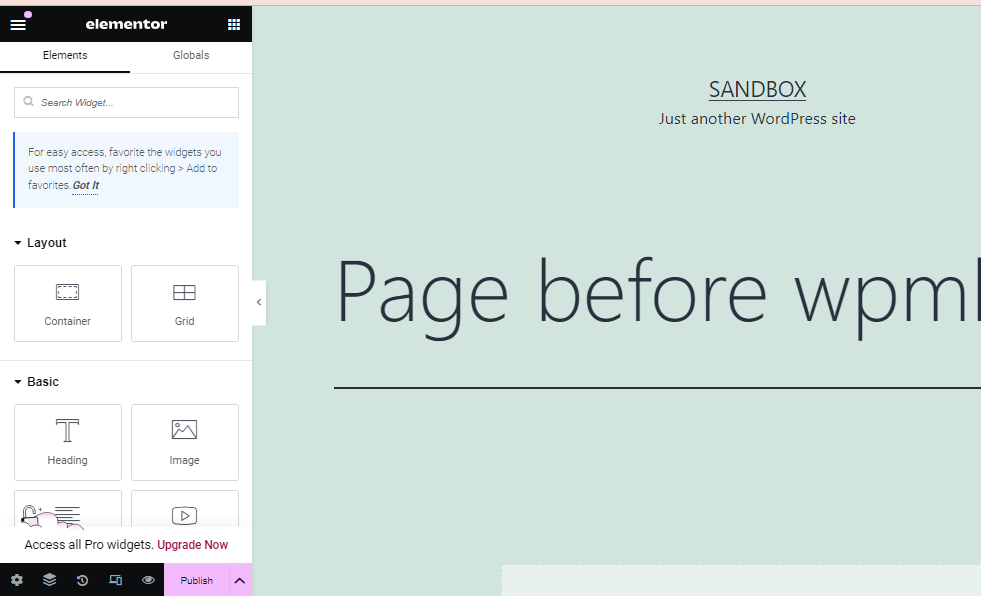
Now, it loads the translation in English language on admin bar as you can see in the attached screenshots.
Here are the page links: hidden link hidden link
Here is a fresh WP site auto login URL: hidden link
Please let me know if this resolves the issue or if you need further assistance with this issue.
I've tried reading your guide several times, but I am having a hard time understanding what it says I should do?
Regarding the WPAdmin Bar - that is my mistake, that is always displayed in the content-langauge.
Anyway, the important is Elementor. Is there a shorter guide on how to get Elementor to stay in English? Like i said, I couldn't really understand what you were trying to say, but i've been trying for an hour, but i just don't get it or understand what to do there.
Anyway, I can't really use WPML when it always displays Elementor in the content language, and I only have this issue one the WPML site.
Is there anything you can do to get ELementor to stick to english like it does on all my other sites?
I'm still not grasping/understanding why Elementor is loading the the content-language.
I disabled WPML Multilingual CMS and now languages works correctly as they should in Elementor..
So I'm fairly certain the issue is with WPML, but I am not so familiar with how it works, so I can't say anything about why - I really need help from you on this... And Soon.
Or else I can't use WPML. Both my developers are from the Phillipines, and having English UI is just impossible. And I am running out of time on the project...
Thank you for your patience and I apologize for any confusion.
1. I’ve tried to replicate this issue at fresh WP site: hidden link but it seems to be working correctly for me. Can you please help me to replicate this issue so that we can escalate it to our 2nd tier support.
3. If the issue persists after following the above thread, please provide temporary access (WP-Admin and FTP Login info) to your site (preferably staging site), so that I can look into your setup and debug the issue.
I’ve enabled a private input box for your next reply.
=== Please backup your database and website ===
✙ I would additionally need your permission to deactivate and reactivate Plugins and the Theme and to change configurations on the site. This is also a reason the backup is really important.
I guess this technically works now, after I deleted elementor-nb_NO.l10n.php, but I don't know why WPML (?) created this file. Is it string translation with automatic translation that made that file or what happened?
Also, I don't want to spend translation credits on such things as this, I only want to spend money on translating the content of the site, not the UI or site files themselves?
I guess i don't really understand how or why these extra Elementor PHP translation files are even there in the folder?
I'm glad to hear that you managed to fix the issue on your site. The JSON/PHP files you're seeing are added by WordPress. I tested this on a new WordPress site by following these steps:
1. Installed WordPress and set the default language to Polish from Settings >> General: hidden link
2. Installed and activated the Elementor plugin.
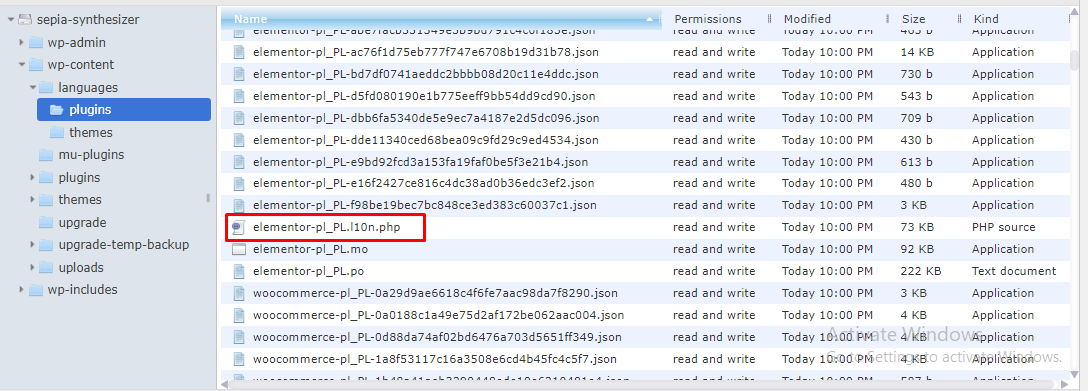
3. Checked the languages/plugins directory using a File Manager plugin and saw JSON/PHP files for each active plugin, as shown in the attached screenshot.
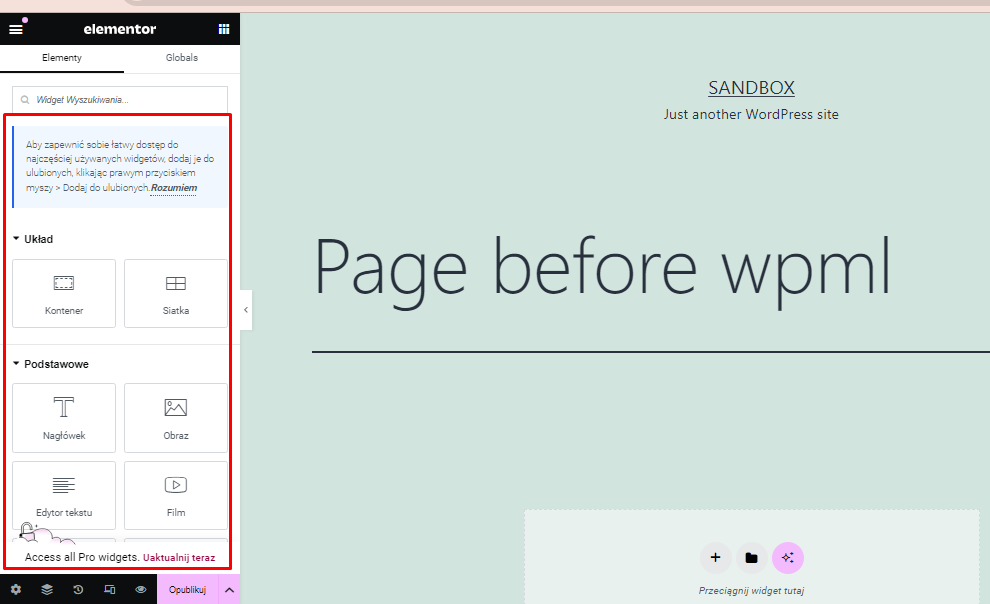
4. Edited a page in Elementor, and the editor content appeared in Polish, as shown in the screenshot.
5. Changed the admin language to English from Users >> Profile, and the Elementor editor switched to English correctly.
6. Installed, activated, and configured the WPML plugins, including string translation, and everything still worked correctly.
This might be a site-specific issue. If you'd like, I can escalate this to our 2nd tier support for further review. For this, I'll need a duplicator package of your site, which you can provide by following this guide: https://wpml.org/faq/provide-supporters-copy-site/
I guess it works so it's ok, but I still don't understand why this site would be different from other sites and why the UI loads in the wrong language when WPML is activated, but loads correctly when WPML is deactivated.
It would be nice to know, but (at least for me) not super important.