Skip to content Skip to sidebar

This is the technical support forum for WPML - the multilingual WordPress plugin.

Everyone can read, but only WPML clients can post here. WPML team is replying on the forum 6 days per week, 22 hours per day.

This topic contains 1 replies, has 0 voices.

Last updated by Andreas W. 2 weeks, 5 days ago.

Author Posts
December 10, 2025 at 5:26 pm #17653399

kaitlinG

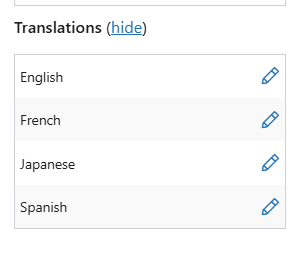
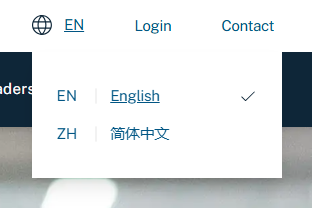
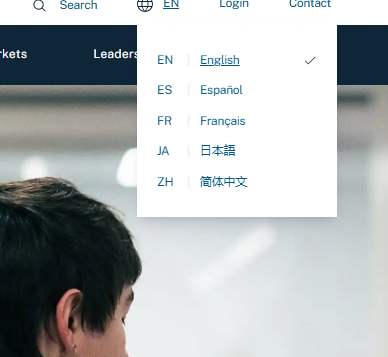
We created a drop down language selector on production. When we create a new translation page with + icon, we can see the languages in the drop down. When we assign to a translator and Connect with Translation to original English page, we do not see it in the drop down.
hidden link

December 10, 2025 at 11:39 pm #17654056

Andreas W.
WPML Supporter since 12/2018

Languages: English (English ) Spanish (Español ) German (Deutsch )

Timezone: America/Lima (GMT-05:00)

Hello,

Thank you for reaching out!

I can currently not confirm the issue on the site. See screenshot.

In case you still need assistance on this matter:

First, please take a backup of your website, including the database.

Then go to Plugins > Add new plugin and visit the tab "Commercial".

Here, click "Check for Updates" and then install the latest versions of our plugins.

Also, please verify that the translated pages are published by going to Pages > All Pages, using the language filter, and revising the status of the translated pages.

Verify also if you are hiding specific languages for visitors:
https://wpml.org/documentation/getting-started-guide/language-setup/hiding-languages-on-the-front-end/

In doubt, please also go to WPML > Status > Troubleshooting and use the option to "Clear the cache in WPML".

If this still does not solve the issue, please let us know.

Best regards
Andreas

language options.png

The topic ‘[Closed] Remapping not working in WPML’ is closed to new replies.