[Feature Request] _Compulsory_ translation of a shortcode attribute
This thread is resolved. Here is a description of the problem and solution.
Problem: The client needs a shortcode [sc name="echr"][/sc] to be automatically translatable in the Advanced Translation Editor (ATE) without having to search for it each time, especially when used in page titles. Solution: We explained that the Advanced Translation Editor by default does not display non-visual elements like HTML attributes or shortcodes directly. However, once these shortcode attributes are translated in ATE, they are saved in the translation memory. This means that they do not need to be translated again unless the original content changes. For more details on how ATE handles translations, you can visit the documentation on the main features of the Advanced Translation Editor at ATE Feature.
If this solution does not fully address your issue or seems outdated, we recommend opening a new support ticket. We also advise checking related known issues at https://wpml.org/known-issues/, verifying the version of the permanent fix, and confirming that you have installed the latest versions of themes and plugins. For further assistance, please visit our support forum at WPML Support Forum.
This is the technical support forum for WPML - the multilingual WordPress plugin.
Everyone can read, but only WPML clients can post here. WPML team is replying on the forum 6 days per week, 22 hours per day.
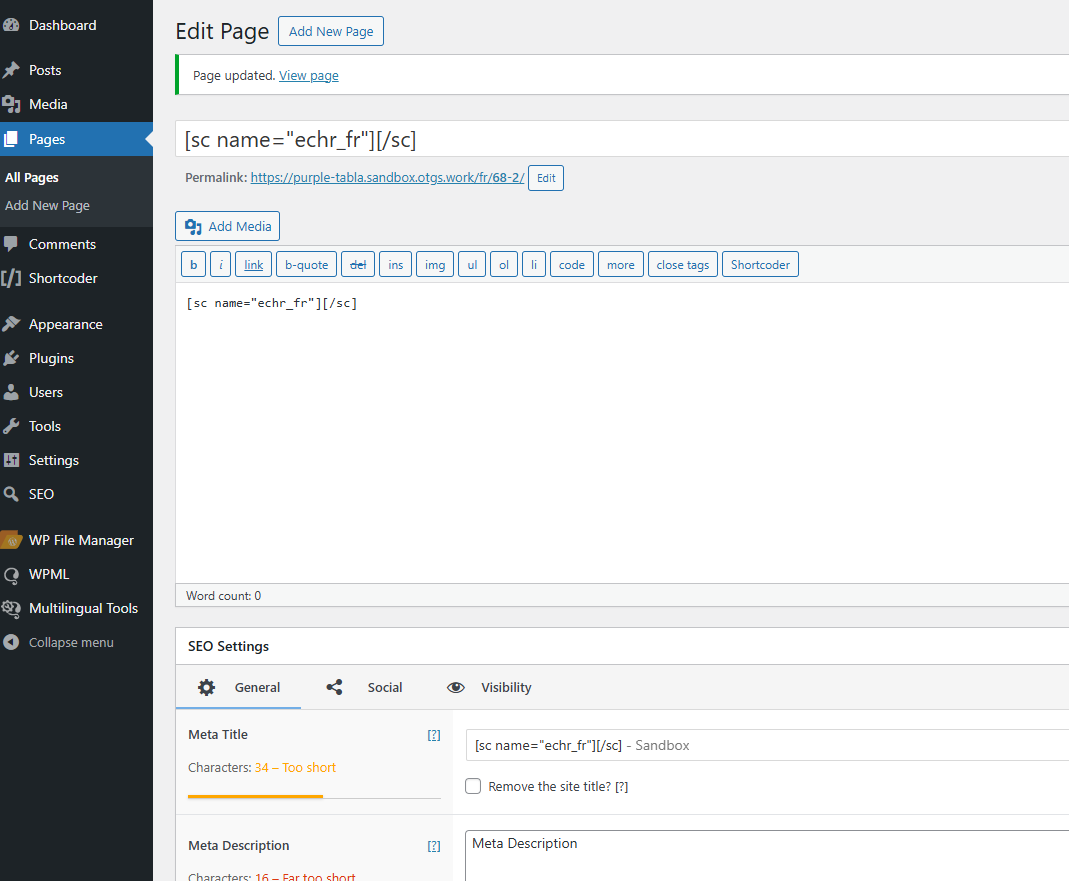
I have a shortcode on my page. It looks like this:: [sc name="echr"][/sc]. I added the following lines to wpml-config:
<wpml-config>
<shortcodes>
<shortcode>
<tag>sc</tag>
<attributes>
<attribute>name</attribute>
</attributes>
</shortcode>
</shortcodes>
</wpml-config>.
I can translate this shortcode in ATE via search-box. However, I want this shortcode to require mandatory translation without search-box. (So that I can translate it once, and on other pages the translation would be inserted automatically.) How to do this? I know that html-attributes seem not to be able to be translated that way, they have to be translated via search-box every time. However, in this case we are talking about plain Latin text (not even escaped characters here).
Languages: English (English )Spanish (Español )German (Deutsch )
Timezone: America/Lima (GMT-05:00)
Hello,
The config looks correct, which means there might be an issue inside the shortcode function.
Please recreate the issue on the following test site and I will have a look into the code.
One-Click-Login: hidden link
Take note that this sandbox does not come with server access. You can use the File Manager plugin to implement your Shortcode into the functions.php file of Twenty Twenty One Theme.
If you are using a custom plugin, please install it.
Then recreate a content on which I can see the issue.
Leave me a comment on this ticket once you are done with this task.
In the sandbox, everything works as I want if the shortcode is inserted into the page body. However, it doesn't work if the shortcode is placed in the title. Also, respectively, it doesn't work when the shortcode is placed in the title not directly, but through one of the WPML-compatible SEO plugins (for this plugin in the theme's functions the shortcode support is specified, and in the original page the shortcode is working, but it is not passed to the _compulsory_ translation; it can be translated only through search-box).
Languages: English (English )Spanish (Español )German (Deutsch )
Timezone: America/Lima (GMT-05:00)
The Advanced Translation Editor by default is designed to not display any non-visual elements like HTML attributes or shortcodes. When searching for the strings I can find them and the translation appears to work.
Would you anyway like me to consult a feature request for this with our product manager?
Take note, that such feature requests will only be considered according to the amount of people who would like to consider such a feature. Also, the feature request might get rejected if most of our customers actually expect that these shortcodes do not appear on ATE in such cases.
I want it to be translatable in ATE. Because only then I can make other changes to the translation (later), because only then I need to make the translation once, so that it can be used then automatically on many many pages. I'm not asking for this to be the default behaviour. I'm asking what and where to put in to make it work for people who want it to work for them. Like me. It absolutely can work - and is obviously very simple. This is confirmed by the fact that if I paste exactly this shortcode - [sc name="echr"][/sc] - into the body of the page and open ATE, I will see "echr" on the left side as belonging to this shortcode and _requiring_ translation. (I need to do absolutely nothing else for this behaviour.) I want exactly the same thing to happen when that same shortcode is inserted into the page title. That is, I'm asking what and where should be defined so that WPML treats this (such) shortcode in the page title exactly as it treats this shortcode in the page body.
I also thought it was rather strange for the default behaviour, considering that in order for WPML to basically "see" the content of a shortcode, the user needs to specify the shortcode - and its specific attributes - in the config file. Once the user has done this, it is obvious that he wants these attributes to be translated. And it would be logical if they were reflected as requiring translation. So it is strange that they are nevertheless "hidden" in ATE. And on every page where they occur, you have to find them manually and translate them again, instead of taking them from the translation memory, which does not function in this case (which is a separate inconvenience).
Languages: English (English )Spanish (Español )German (Deutsch )
Timezone: America/Lima (GMT-05:00)
You can call the shortcode and its attributes anytime by searching for it, but as you said, the issue with this is, that it is not saved inside translation memory.
Using a Custom XML Config in this case will only take effect for the content, but not for the title or any other custom fields that are using Shortcodes.
I can offer to consult this request with our product manager next week and then I will get back to you once I receive his feedback.
When a shortcode attribute is displayed in the left half in ATE as translatable (without search-box), the translation is of course saved in the translation memory and inserted the next time it is used. This is exactly what happens with this shortcode: [sc name="echr"][/sc]. I translated its name attribute as echr_fr. And if I use it again, this translation will be inserted automatically. Note that this shortcode doesn't require anything else (nothing between the middle square brackets). I need the name attribute to be translated (i.e. "echr" in this case).
Languages: English (English )Spanish (Español )German (Deutsch )
Timezone: America/Lima (GMT-05:00)
Hello,
Please take kindly note that many improvements will come with WPML 4.7 and the team is still looking into the possibility of saving shortcode attributes inside translation memory.
Until now I can not confirm if this will be a feature of WPML 4.7 but I will keep you updated.
Languages: English (English )Spanish (Español )German (Deutsch )
Timezone: America/Lima (GMT-05:00)
Take kindly note, that there will be changes to how ATE handles shortcodes in the upcoming version WPML Multilingual 4.7, only so far the changes appear not to cover the content title fields.
For now, your request remains open and we are waiting for more similar requests from other users so that our developers can consider this feature request.
This does not mean that the request has been rejected yet. It is only that the priority for new features depends on the amount of users who requested them.
Languages: English (English )Spanish (Español )German (Deutsch )
Timezone: America/Lima (GMT-05:00)
Hello,
Thank you for your patience regarding this feature request.
As you might have realized already, in the latest version of WPML and the Advanced Translation Editor, this issue appears to be partly solved.
You will still need to search for the shortcode attributes inside ATE, which is expected as those are non-visual elements, but once you translate those strings inside ATE, they will remain saved inside the translation memory and will not need to be translated again, unless you change the original content.
We hope that this behavior meets your expectations.