I did all the steps here, I have to say that all plugins and WP are in the latest version and I'm using pro version of ACF :
2) Clear all types of caches on your site.
3) Navigate to WPML>>Support page, and click on the Troubleshooting link.
4) On the Troubleshooting page, execute the following actions under the 'Clean up' section, waiting for confirmation after each:
- Clear the cache in WPML
- Remove ghost entries from the translation tables
- Fix element_type collation
- Set language information
- Fix WPML tables collation
- Assign translation status to duplicated content
- Fix terms count
- Fix post type assignment
- Cleanup and optimize string tables
The problem is not fixed and it's happening again. Can I ask Bigul some things about this issue, the fix is very important for me, I guess for others too.
Welcome to the WPML support forum. I will do my best to help you to resolve the issue. I have a couple of requests for tracking this.
1) Please fill the private details fields after a full site backup{mandatory}. I would like to access the admin area of your site for further checking. Refer to the following links for more details about our private information-sharing policies.
2) Please share a screencast (screen capture of the bug) for a better understanding of the issue. It will help us a lot in our internal discussions. You can share it via Google Drive or Dropbox
Thank you for the login information. Please try the following steps after a full site backup. Hope it will help us to resolve the issue. Refer to the attached images for more details.
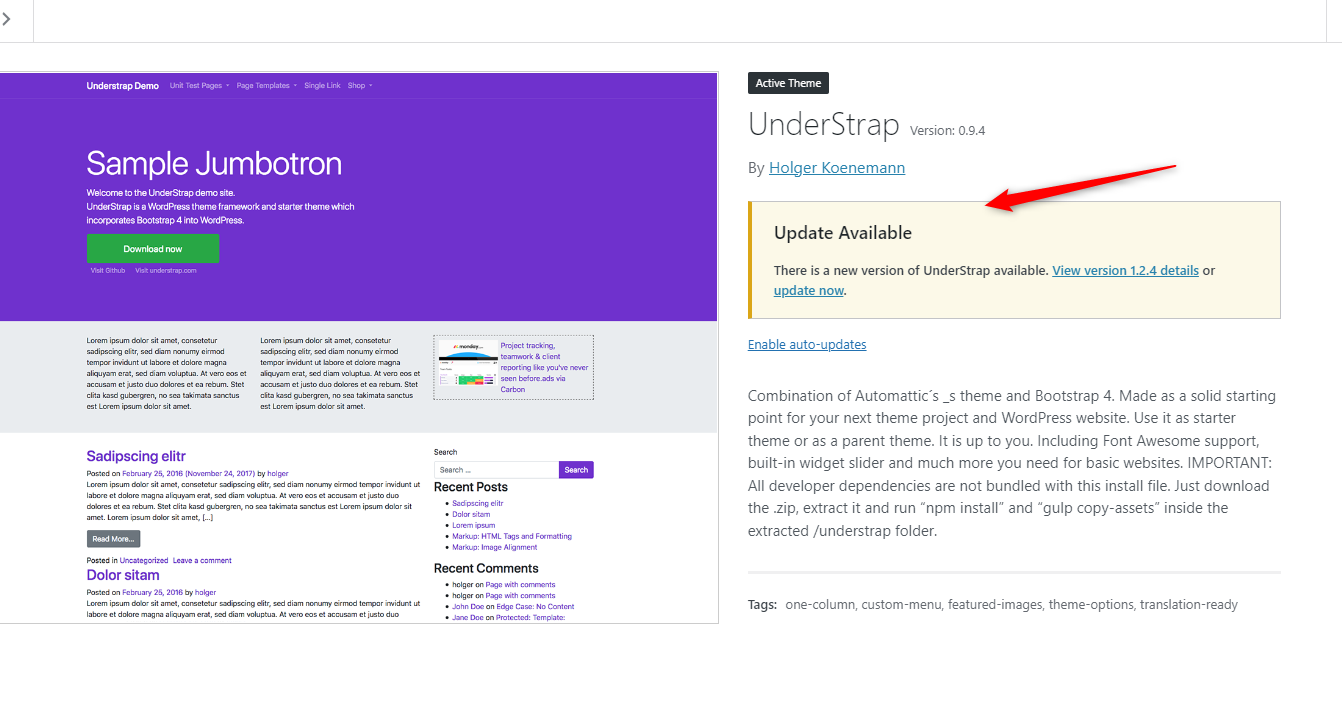
1) Upgrade to the latest version of the theme
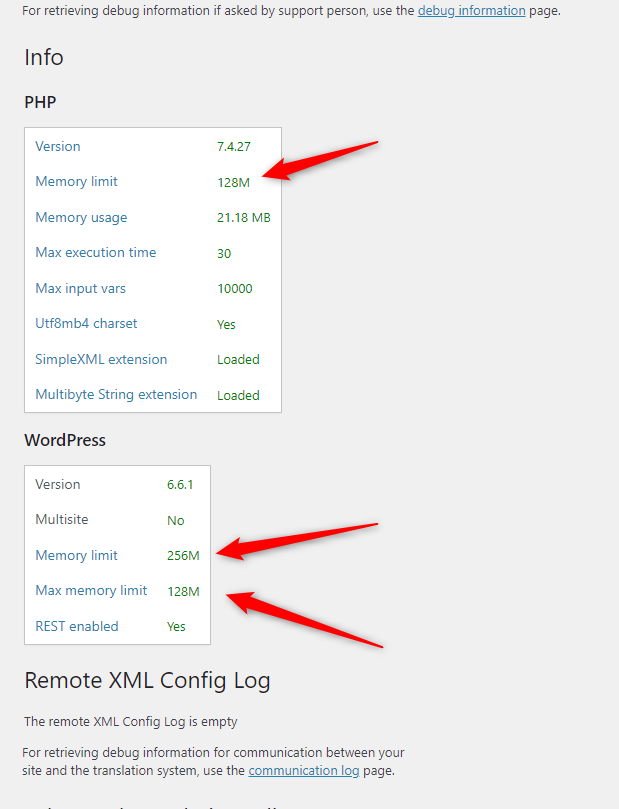
2) Increase the PHP memory limit and WordPress Max memory limit to 256M
Now the Reports page is fully translated to English in the Translation Editor screen - hidden link
Check this screencast for more details - hidden link
So please let us know the exact steps to replicate the bug. It would be great if you could share a screencast (screen capture of the bug) for a better understanding of the issue. It will help us a lot in our internal discussions. You can share it via Google Drive or Dropbox.
Thank you for your response. I have increased the PHP memory limit and WordPress Max memory limit to 256M.
I have only one problem, this is an old site , almost 5 years and there is no child theme and I have disabled theme updates, since the site is developed on the main theme. I know that it's wrong but I can do that soon with creating the child theme from the files I used in this one. But is that too important (crucial) for this issue now because it will take me some time to recreate this with a child theme as the site is live, I will have to do a staging site and do all this there.
I tried without updating the current theme and the problem is still there. I even tried translating using that switcher WPML Translation Editor / WordPress editor.
Just to help you I noticed two interesting issues :
1. There are 2 repeater fields on this page, one for annual reports which is smaller and one for monthly reports that is much bigger - has many rows. The issue is happening on the bigger repeater, but not on the smaller. Maybe the size matters.
2.If I add another row on the main Macedonian version and click to translate the translation is messed up. If I delete that row on the Macedonian version and try to translate everything seams ok, it shows that the page need translation but all the fields are translated (100%) and you will have to confirm it. It seams that with adding a new field everything gets messed up. If you delete it it takes you to the old version of the translation.
There is a problem for sure, it seams that it's not about the memory.
Thank you for the details. I am consulting about this with our team now. Does it work as expected after you have tried the workaround suggested in the following errata?
One help. Please share a screencast (screen capture of the bug, especially about the following) for a better understanding of the issue. It will help us a lot in our internal discussions. You can share it via Google Drive or Dropbox.
There are 2 repeater fields on this page, one for annual reports which is smaller, and one for monthly reports which is much bigger - and has many rows. The issue is happening on the bigger repeater, but not on the smaller. Maybe the size matters.
Sorry I was very busy these days. I finally recorded a screen share where I am explaining this bug. Just not to repeat myself everything is explained in the video share so here is the Google drive link, please take a look and I am waiting for further instructions about this : hidden link
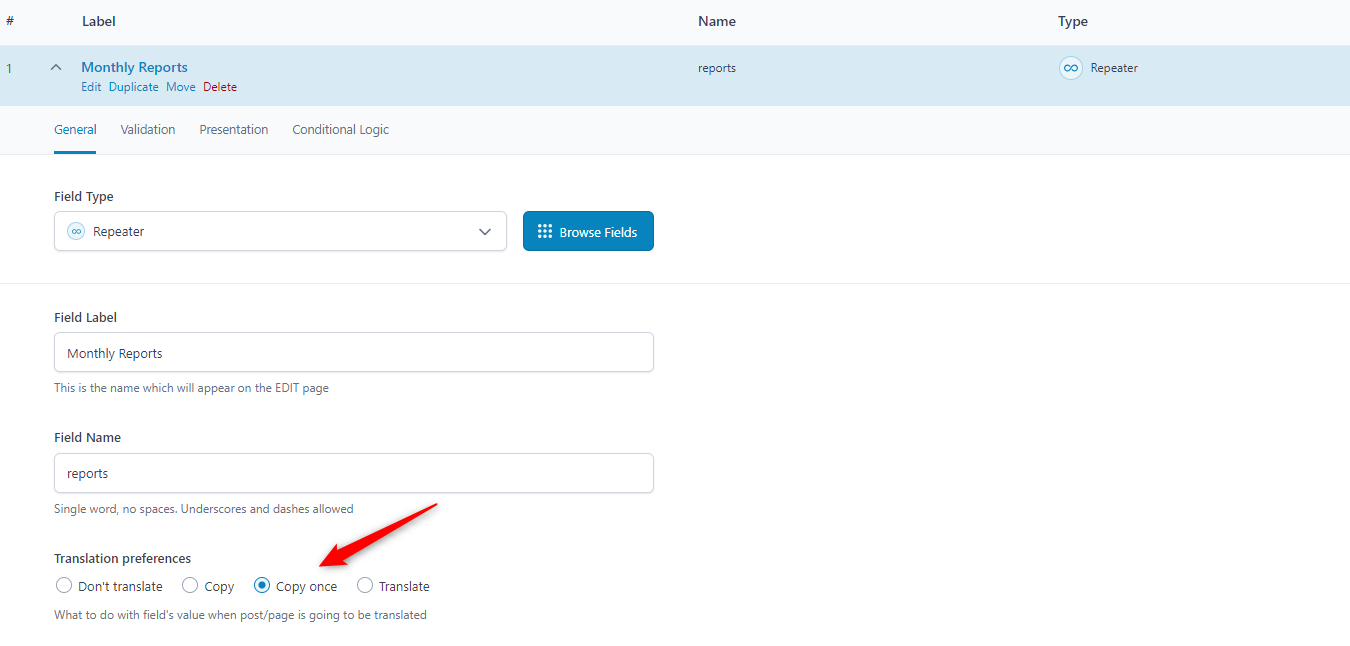
So one request. Please set *Copy* as the translation preference for the repeater fields of the *Monthly Reports* field group after a site backup and make sure the issue exists or not.
I backed up the database and set the monthly repeater to Copy. Then I added another row and tried to translate it I am getting the same situation. I didn't cleared the cache, maybe I should do that but please tell me if that could solve something.
I think that you still have the access to my site and maybe you can try something as an expert, maybe you will find some solution.
Sorry to bother you but I think that the solution could help many others and perhaps you can plan it for the new update?
The worse thing in this is that it's deselecting already translated fields, which is really frustrating, maybe you can talk with the rest of the team regarding this problem.
Thank you for the feedback. This requires further testing. Please allow me to make a copy of your site using the Duplicator plugin (https://wordpress.org/plugins/duplicator/) for debugging the issue on my local server. So we can troubleshoot the bug without affecting your live site.
--
Thanks!
Bigul
The topic ‘[Closed] A huge problem with the translating repeater field in classic editor (continued)’ is closed to new replies.