Skip to content Skip to sidebar

This thread is resolved. Here is a description of the problem and solution.

Problem:
When adding new modules to the English version of a post created with ACF's flexible content, translations are lost upon updating because the order of the flexible content changes between languages.
Solution:
First, ensure you are using the correct option for translating Field Groups. You can find more details here: Choosing how to translate Field Groups.
Additionally, consider using the "ACFML Synchronise Translations" option to maintain consistency across translations. More information can be found here: Translating Fields in WordPress Editor.
It is crucial not to switch between using the translation editor and the WordPress editor as this can lead to issues with your translations.

If this solution does not apply to your case, or if it seems outdated, we recommend opening a new support ticket. We also highly suggest checking related known issues at https://wpml.org/known-issues/, verifying the version of the permanent fix, and confirming that you have installed the latest versions of themes and plugins. For further assistance, please visit our support forum at WPML Support Forum.

This is the technical support forum for WPML - the multilingual WordPress plugin.

Everyone can read, but only WPML clients can post here. WPML team is replying on the forum 6 days per week, 22 hours per day.

This topic contains 2 replies, has 0 voices.

Last updated by jamesL-46 1 year, 1 month ago.

Assisted by: Bruno Kos.

Author Posts
November 13, 2024 at 9:47 pm #16399725

jamesL-46

Background of the issue:
My site's content is created using ACF's flexible content. I am trying to use WPML's translation editor to translate the content. Everything works for the most part -- WPML is recognizing the fields that need to be translated.

Issue can be seen in this screencast: https://wpml.org/documentation/related-projects/translate-sites-built-with-acf/

Symptoms:
If I publish a post in English (the site's native language), then publish a translated version of the page, THEN go back to the English version and add a new module, the translations are lost because the order of the flexible content changes between languages. The system doesn't seem to know where the translations are in the database.

Questions:
How can I prevent translations from being lost when adding new modules to the English version?
Is there a way to maintain the order of flexible content between languages?

November 14, 2024 at 9:56 am #16401487

Bruno Kos
WPML Supporter since 12/2018

Languages: English (English ) German (Deutsch ) French (Français )

Timezone: Europe/Zagreb (GMT+01:00)

Hi,

Thank you for contacting WPML support!

When you say:

the translations are lost

Are you referring to them being removed from the translation editor?

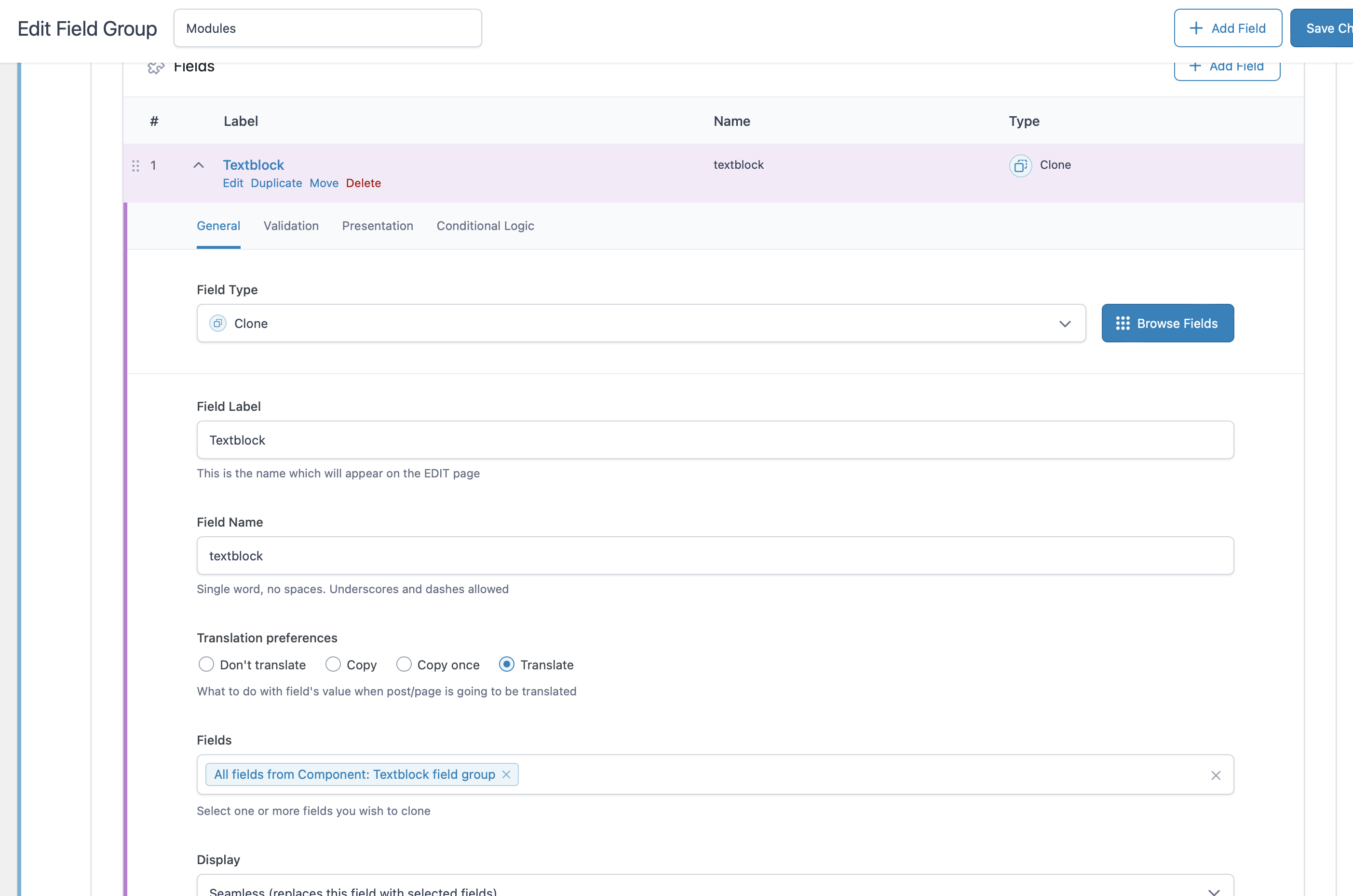
Also, could you confirm which option you're using for the Field Group? You can find more details here:
[Choosing how to translate Field Groups](https://wpml.org/documentation/related-projects/translate-sites-built-with-acf/#choosing-how-to-translate-field-groups).

Please keep in mind that there's also an option for **"ACFML Synchronise Translations"**:
[Translating Fields in WordPress Editor](https://wpml.org/documentation/related-projects/translate-sites-built-with-acf/expert-translation-option/#translating-fields-in-wordpress-editor).

However, it's important not to mix translation methods—avoid using the translation editor first and then switching to the WordPress editor.

Regards,
Bruno Kos

November 14, 2024 at 4:16 pm #16404011

jamesL-46

Thanks Bruno,

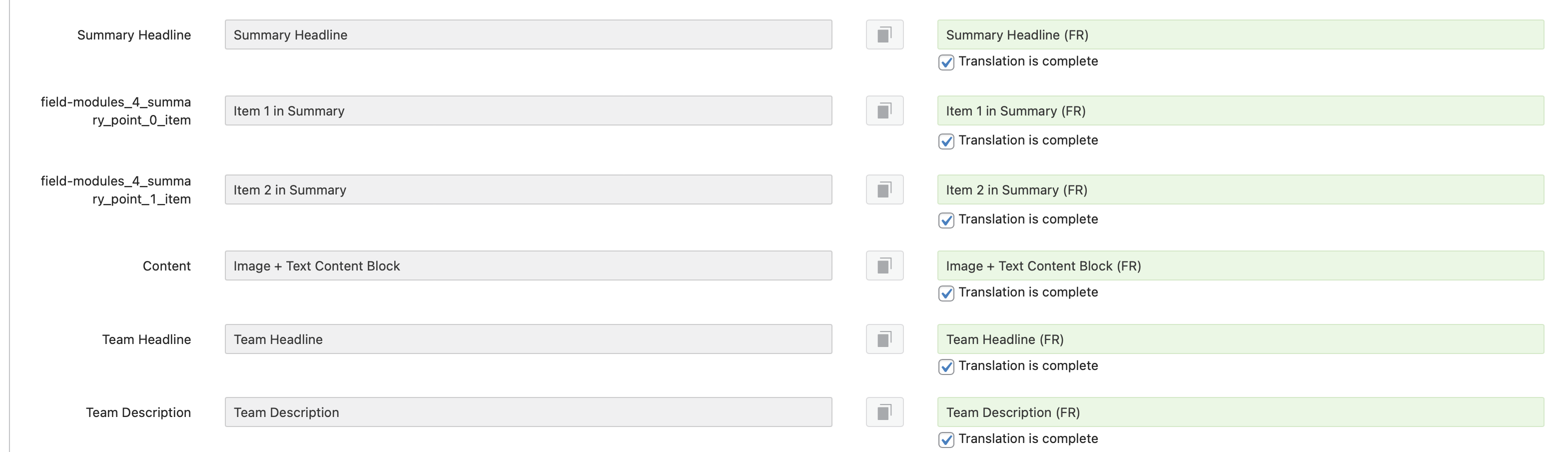
Correct, when I say "lost" I mean they are being removed from the translation editor (all the fields that have previously been translated are empty once I add a new piece of flexible content to the original page).

The flexible content is set to "Copy", and the modules inside of them are all set to "Translate". The issue is when the order of the flex modules in the original language changes (e.g. I add a new module in the 3rd position), then all the subsequent modules's translated fields show up empty in the translation editor (e.g. 4th, 5th, 6th modules are empty).

I am trying to only use the translation editor.

Screenshot 2024-11-14 at 11.15.49 AM.png
Screenshot 2024-11-14 at 10.30.04 AM.png
Screenshot 2024-11-14 at 11.15.02 AM.png
Screenshot 2024-11-14 at 10.27.54 AM.png