Osama Mersal
WPML Supporter since 02/2020
Languages:
English (English )
Arabic (العربية )
Timezone:
Africa/Cairo (GMT+02:00)
|
Hi,
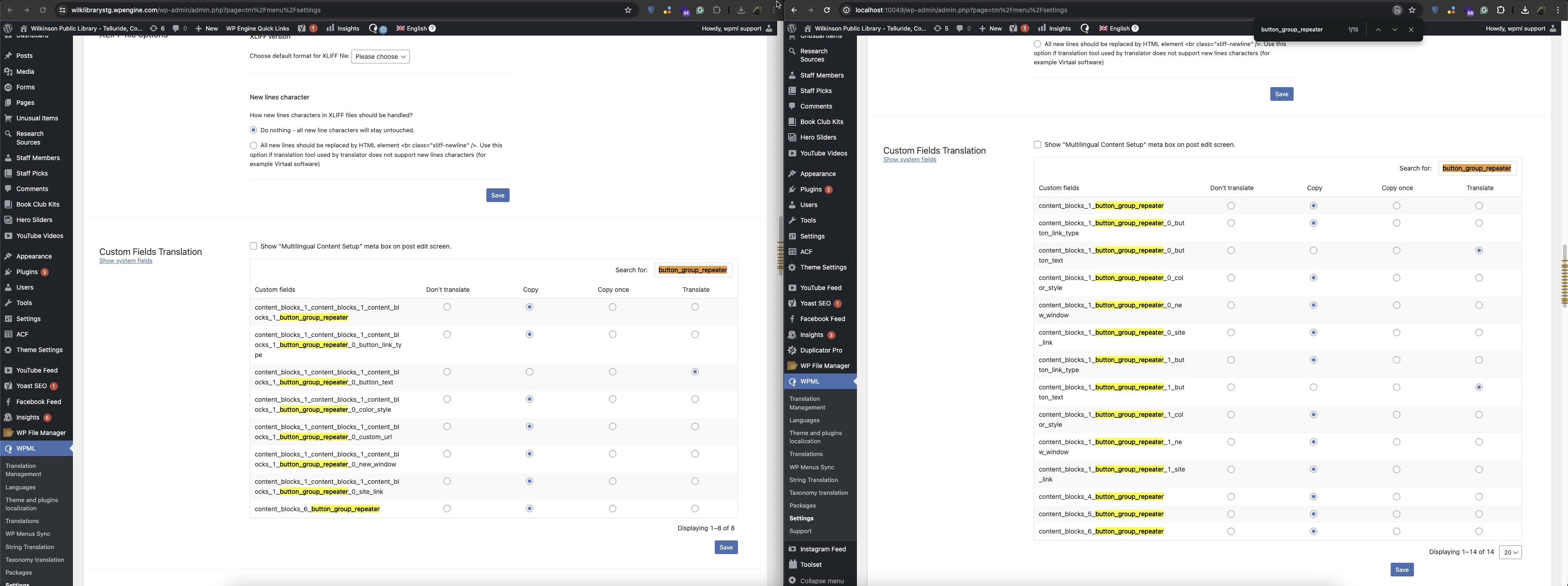
Our 2nd tier support team noticed that not all the fields appear on your site. (Kindly check the attached screenshot)
The screenshot shows the custom fields section in my local server, which is the same as our 2nd tier support team's local installation.
Please deactivate all of your server cache and check if you can see the same fields. Also, please check if you have something on the server that kills database queries.
Best regards,
Osama
|

amyS-4
|
Thanks or the reply. Object cache is disabled on this server so no DB queries are being cached. Nothing should be affecting queries as far as I know.
Have you done a search replace on the database to replace _button_group_ with _button_group_repeater_ on your local server but not on the staging server?
|
Osama Mersal
WPML Supporter since 02/2020
Languages:
English (English )
Arabic (العربية )
Timezone:
Africa/Cairo (GMT+02:00)
|
Hi,
No, I didn't use the search and replace function on the local installation. I just changed the field name.
If you wish, I can create a duplicator package of my local installation and share it with you so you can check it.
Best regards,
Osama
|
amyS-4
|
I have a local install on my computer already. If I goto "Content Type: Button Group — To Clone" and change button_group to button_group_repeater and search for that field on the WPML > Settings page I get no results. Did you do anything else besides change that field name?
|
Osama Mersal
WPML Supporter since 02/2020
Languages:
English (English )
Arabic (العربية )
Timezone:
Africa/Cairo (GMT+02:00)
|
Hi,
I updated all the related field groups and added a test button to the home page.
Best regards.
Osama
|
amyS-4
|
I'm not sure why you're seeing different results locally vs the staging server. seems like there's some difference in the databases.
|
Osama Mersal
WPML Supporter since 02/2020
Languages:
English (English )
Arabic (العربية )
Timezone:
Africa/Cairo (GMT+02:00)
|
Hi,
It's strange that on the local installation, we don't see the same result as your site. Here is a copy of my local installation for you to check. (hidden link)
Please check it and let me know if you can see the fields and if the buttons work correctly.
Best regards,
Osama
|
amyS-4
|
Thanks. Where do you want me to test this. Locally or on a wpengibe dev server?
What exact steps were taken on this local install?? Can you outline them. Thanks.
|
Osama Mersal
WPML Supporter since 02/2020
Languages:
English (English )
Arabic (العربية )
Timezone:
Africa/Cairo (GMT+02:00)
|
Hi,
1) Please test it locally first and check if it works correctly, then check it on the WP Engine server.
2) I just renamed the fields and updated all related field groups.
Best regards,
Osama
|
amyS-4
|
I'll need some instructions on the files you've provided. What do I do with them? Thanks.
|
Osama Mersal
WPML Supporter since 02/2020
Languages:
English (English )
Arabic (العربية )
Timezone:
Africa/Cairo (GMT+02:00)
|
Hi,
Please create a folder in your local server folder, add these files, and type the following URL. (localhost/your folder name/installer.php)
Please check this guide. (hidden link)
Best regards,
Osama
|
amyS-4
|
I installed that locally and I see the same as what you have locally. However I have my local install that I pulled down from staging and I am still seeing the blank "button group" on the homepage with no buttons to interact with.
I'd like to clone the live site to staging again and also pull down staging to my local server and then ask that you recreate the steps you performed and see if the results are the same across all instances. Can we do that?
My client has grown a bit impatient and they are pushing for us to switch to GTranslate. Hopefully we can resolve this before that gets decided.
Thanks
|
Osama Mersal
WPML Supporter since 02/2020
Languages:
English (English )
Arabic (العربية )
Timezone:
Africa/Cairo (GMT+02:00)
|
Hi,
Sure, please clone the live site to the staging site, and I'll do the same steps to check if it will work correctly this time.
I'll also record the steps so we can apply them to the live site if they work correctly.
Best regards,
Osama
|
amyS-4
|
thank you. I've cloned the live site to staging. And pulled it locally down to my computer.
hidden link
|
Osama Mersal
WPML Supporter since 02/2020
Languages:
English (English )
Arabic (العربية )
Timezone:
Africa/Cairo (GMT+02:00)
|
Hi,
Thanks for your cooperation. I think I found the fix; please check the following steps:
1- Edit the following field groups:
1- Global Content Blocks: hidden link
You need to use "Group" in the button group clone field display option.
2- Block: Button Group — To Clone: hidden link
You need to use "Group" in the button group and Admin clone fields display option. Also, you need to set it as "Same Fields Across Languages"
3- Component: Button — To Clone: hidden link
You need to set it as "Same Fields Across Languages"
4- Content Type: Button Group — To Clone: hidden link
You need to change the Button Group field name to "button_group_repeater". Also, you need to set it as "Same Fields Across Languages"
After that, the button group on the home page should work correctly, and you will be able to add buttons. (hidden link)
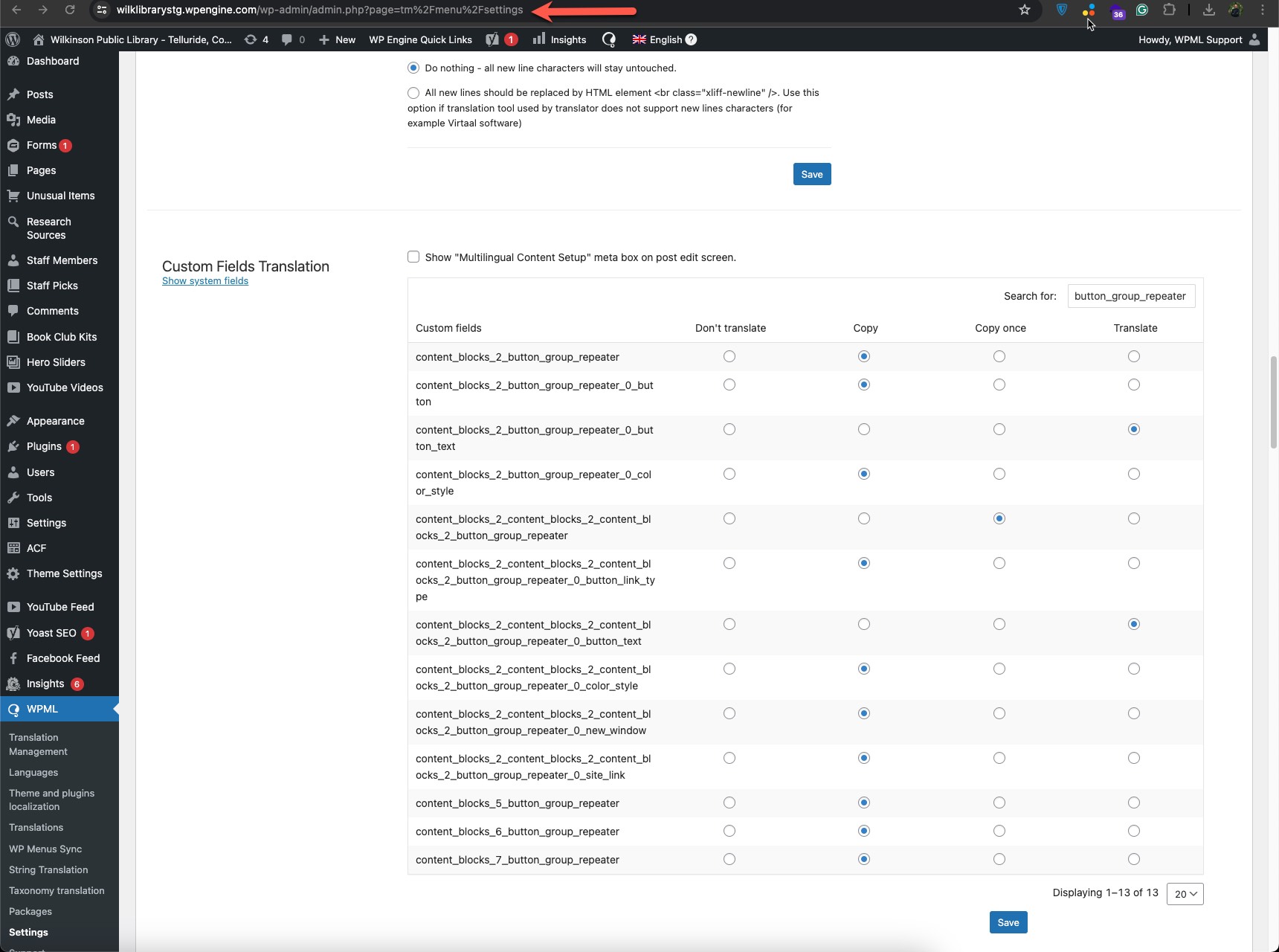
Also, when you search in WPML-> Settings, you will be able to see the fields. (Kindly check the attached screenshot)
Please let me know if everything works correctly for you.
Best regards,
Osama
|