
This is the technical support forum for WPML - the multilingual WordPress plugin.
Everyone can read, but only WPML clients can post here. WPML team is replying on the forum 6 days per week, 22 hours per day.
This topic contains 7 replies, has 0 voices.
Last updated by agnetaC 5 days, 5 hours ago.
Assisted by: Bobby.
| Author | Posts |
|---|---|
| April 14, 2026 at 11:25 am #17968425 | |
 agnetaC |
I translated the whole site with automatic translation. Since there were some things that didn't translate and I didn't understand why, I didn't switch to "automatic translation without asking me" at once and requested translation via Translation Panel after adding new content. But then I decided to switch to automatic. After adding new content - nothing happened! I turned automatic translation off and tried to request translation via panel instead, but it get stuck calculating number of words to translate. 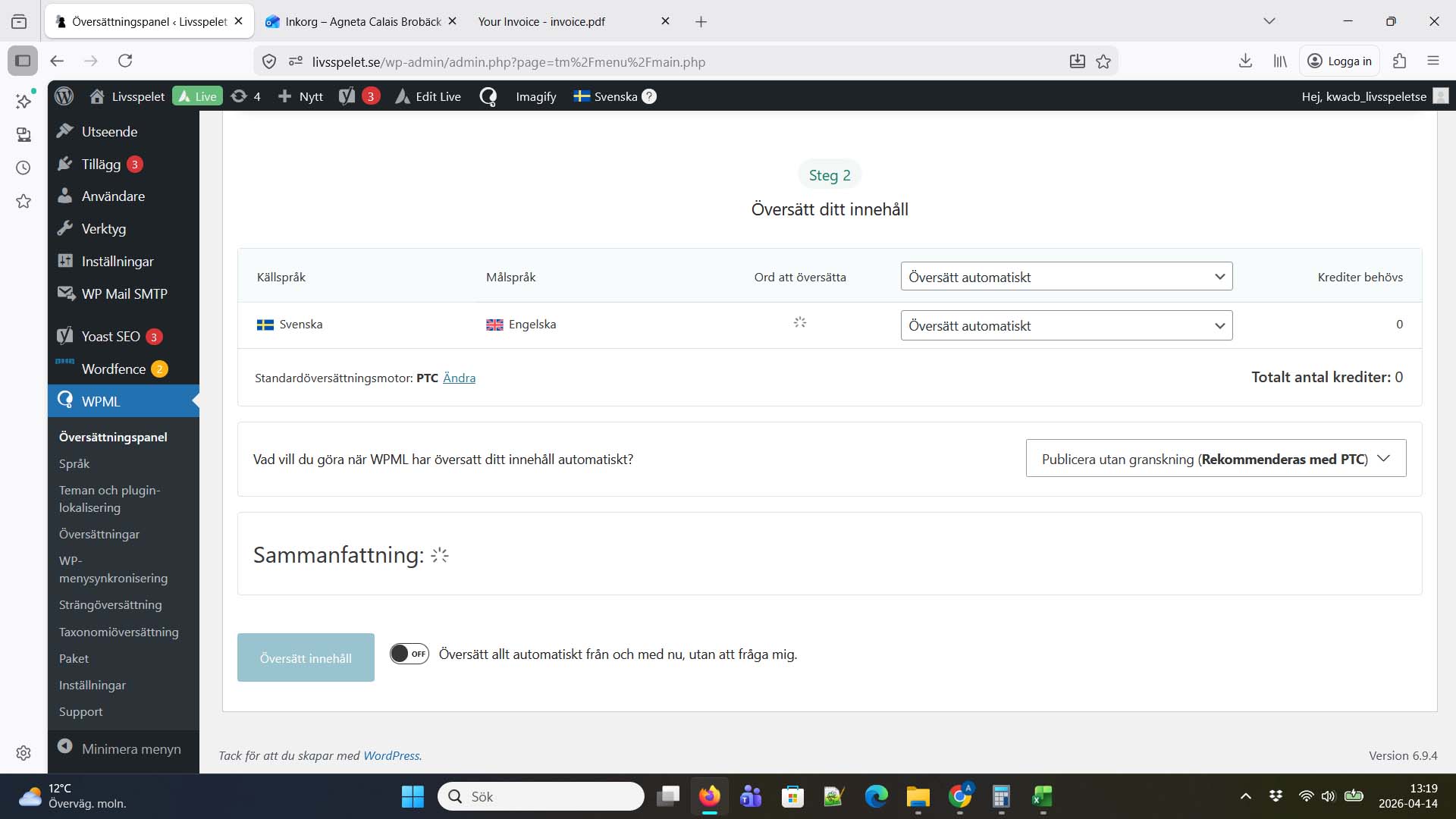 |
| April 14, 2026 at 6:26 pm #17969802 | |
 Bobby WPML Supporter since 04/2015 Languages: English (English ) Timezone: America/Los_Angeles (GMT-07:00) |
Hi there, Please go to WPML->Support->ATE error Logs and share with me the top 5 errors you see in the dashboard. This will allow me to see if there are any errors stopping the translation. Is this happening with just this one page or more? |
| April 17, 2026 at 12:23 pm #17976816 | |
|
agnetaC |
I assume when you say ATE - you are referring to "Avancerad översättningsredigerare" (Swedish) which would translate to Advanced Translation Editor? It's when I try to translate new content (a new part of a novel) that nothing happens when I choose the page and click translate content. It just spins and doesn't give me an estimated value of credits. As I said in my ticket - this has worked fine until I changed to option to translate all new content automatically. That didn't work so then I turned that option off and now I can't request translation as I could before. |
| April 17, 2026 at 5:27 pm #17977340 | |
|
Bobby WPML Supporter since 04/2015 Languages: English (English ) Timezone: America/Los_Angeles (GMT-07:00) |
I see, it most likely started trying to translate automatically and then an error triggers. If it's not listed in that ATE Error log, then it most likely is an err 500. Can you please try again, right click -> inspect and review the console tab for any errors logged? Also, go in your wp-config.php file and look for define(‘WP_DEBUG’, false);. Change it to: Edit your wp-config.php file and add these lines, just before it says 'stop editing here': ini_set('log_errors',TRUE); This will create an error_log.txt file in your site's root directory. Please send me its contents. |
| April 18, 2026 at 2:51 pm #17978203 | |
|
agnetaC |
I attach screen shot from console. No error_log.txt file was created.  |
| April 21, 2026 at 7:24 am #17982762 | |
|
Bobby WPML Supporter since 04/2015 Languages: English (English ) Timezone: America/Los_Angeles (GMT-07:00) |
Looks like an error 500 which would explain the issue you are experiencing. I would like to request temporary access (wp-admin and FTP) to your site to test the issue. **Before we proceed It is necessary to take FULL BACKUP of your database and your website. Providing us with access, you agree that a backup has been taken ** I often use the Duplicator plugin for this purpose: http://wordpress.org/plugins/duplicator/ NOTE: If access to the live site is not possible and the staging site does not exist please provide me with a duplicator package created with the duplicator plugin. Thank you, |
| April 21, 2026 at 9:57 pm #17985438 | |
|
agnetaC |
This seems to complicated and uncertain if we will reach a solution, so we have decided that we will handle translation ourselves going forward. |
| April 22, 2026 at 5:26 am #17985803 | |
|
Bobby WPML Supporter since 04/2015 Languages: English (English ) Timezone: America/Los_Angeles (GMT-07:00) |
An error 500 is an easy fix for our team as long as we have the proper access to troubleshoot. If access to a live environment is not possible, we can also provide you with a staging environment where we can take a copy of the site to work on without affecting the live site. let me know if you wish to proceed that way |
| April 22, 2026 at 8:26 am #17986418 | |
|
agnetaC |
We are satisfied with the translation already made but as we add some content now and then we have come to the conclusion that it's not an big effort to translate ourselves. |






