[Resolved] Bulk translations are not using glossary term
This thread is resolved. Here is a description of the problem and solution.
Problem: You have a term in your glossary translating "WA HARDFACE" from English to Portuguese as "WA HARDFACE". However, when translating WooCommerce products in bulk, the term "HARDFACE" sometimes incorrectly translates to "REVESTIMENTO" instead of remaining "HARDFACE", despite being correctly translated when done individually. Solution: Our 2nd Tier Support has identified this issue and a fix will be applied server-side. Currently, there isn't anything you can do on your end to resolve this issue. We recommend waiting for the server-side update to take effect.
Please note that this solution might be outdated or not applicable to your specific case. If the problem persists, we highly recommend checking related known issues at https://wpml.org/known-issues/, verifying the version of the permanent fix, and confirming that you have installed the latest versions of themes and plugins. If needed, please open a new support ticket at WPML support forum for further assistance.
This is the technical support forum for WPML - the multilingual WordPress plugin.
Everyone can read, but only WPML clients can post here. WPML team is replying on the forum 6 days per week, 22 hours per day.
It might be quite a challenge to switch from the WordPress Editor to the WPML Translation Editor at this stage of the project, as there is quite a lot of content on the site and additionally, "older" languages on the site have been translated manually, so we will have to be careful about breaking things on the site.
Or is there a way to test this in bulk. i.e is there a way to switch from the WordPress Editor to the WPML Translation Editor in multiple content at a time? Otherwise, even if this is a good solution, it will take so long having to convert each page before even retranslating.
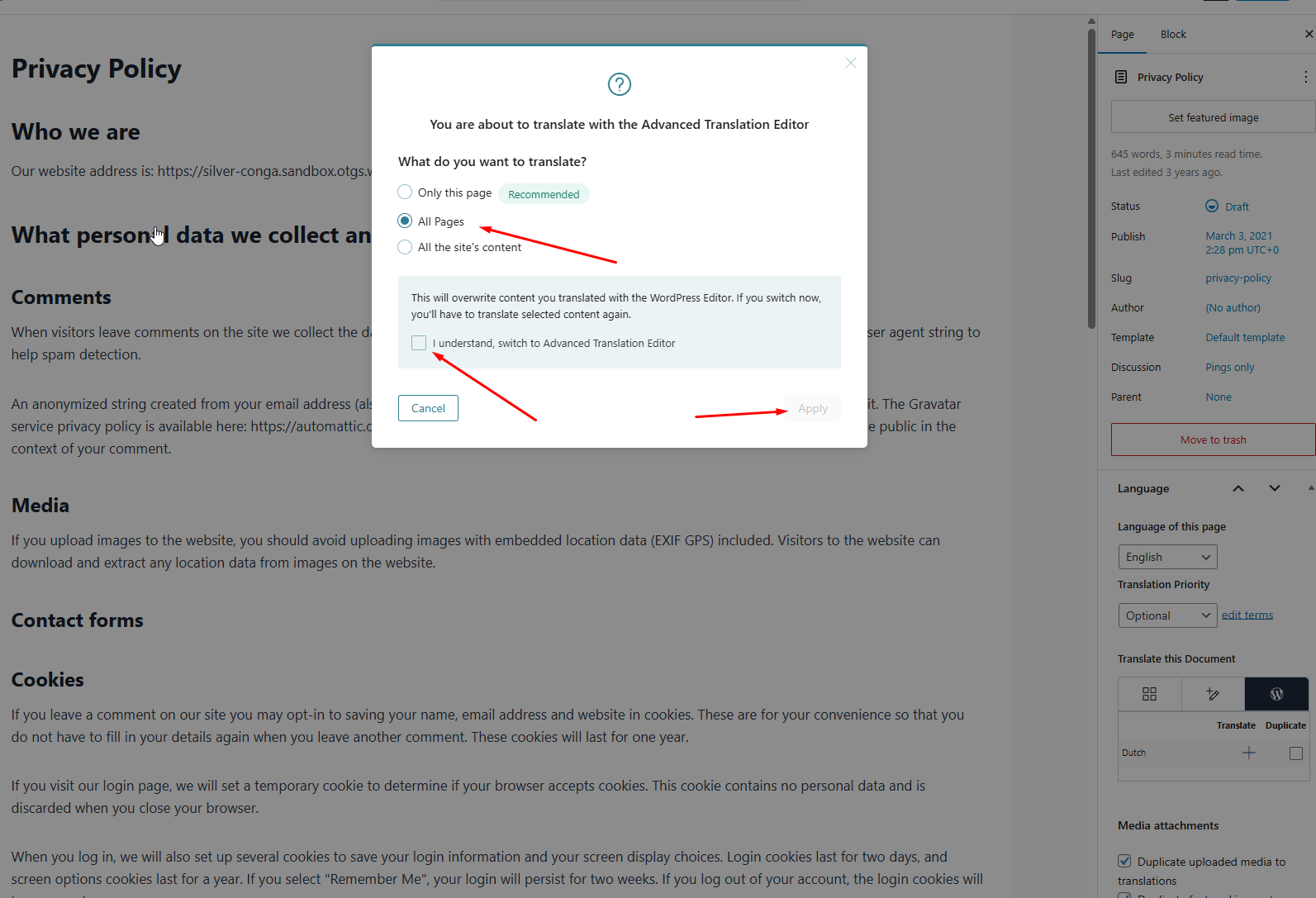
Thanks for your reply. You can switch all your pages and posts to the WPML Translation Editor by selecting “WPML Translation Editor” in the editor. A prompt will then appear asking you to confirm the switch, as shown in the attached screenshot.
Please note that once you switch, you’ll need to either update the translations manually using the WPML Translation Editor or use automatic translation, which will consume credits. Unfortunately, there’s no alternative if you want to use the WPML Translation Editor and take advantage of the translation memory feature.
Thanks for your patience. I’ve rechecked everything before escalating this to our 2nd Tier Support, and it appears the issue is only affecting this specific product in Portuguese: hidden link
I only initiated automatic translation for this product, and the title is displayed as “revestimento.” You can see this in the following screen recording: hidden link
Could you please confirm whether you’re seeing the same issue on your production site, and whether it’s only affecting this product?
The issue here is definitely NOT with one product as we have seen in previous tests even in the Sandbox.
On my development site, I have retranslated HARDFACE P-S which was previously REVESTIMENTO P-S, after translating this one product alone, as per my video recording, you can see it corrects itself to HARDFACE P-S in Portuguese as well.
hidden link
Kindly review and let me know if this makes sense now.
*The issue is NOT with one product or a group of products. The issue is Translating ALL products in bulk Vs. Translating one or a few products at a time.
A. Bulk products translated to Portuguese- It does not work (does not respect the term in the glossary) at random on some products.
B. If we translate singular products, one product at a time - It works, respecting the term in the glossary.
Thanks for your patience. I can see that you resolved the translation issue on your end by manually translating the product titled “HARDFACE P-S.” However, I’m not sure how this is working without having “HARDFACE” defined in the glossary.
At the moment, the “HARDFACE” glossary entry appears to be missing. This glossary term is required for both English and Portuguese if you want the same title to be used in both languages.
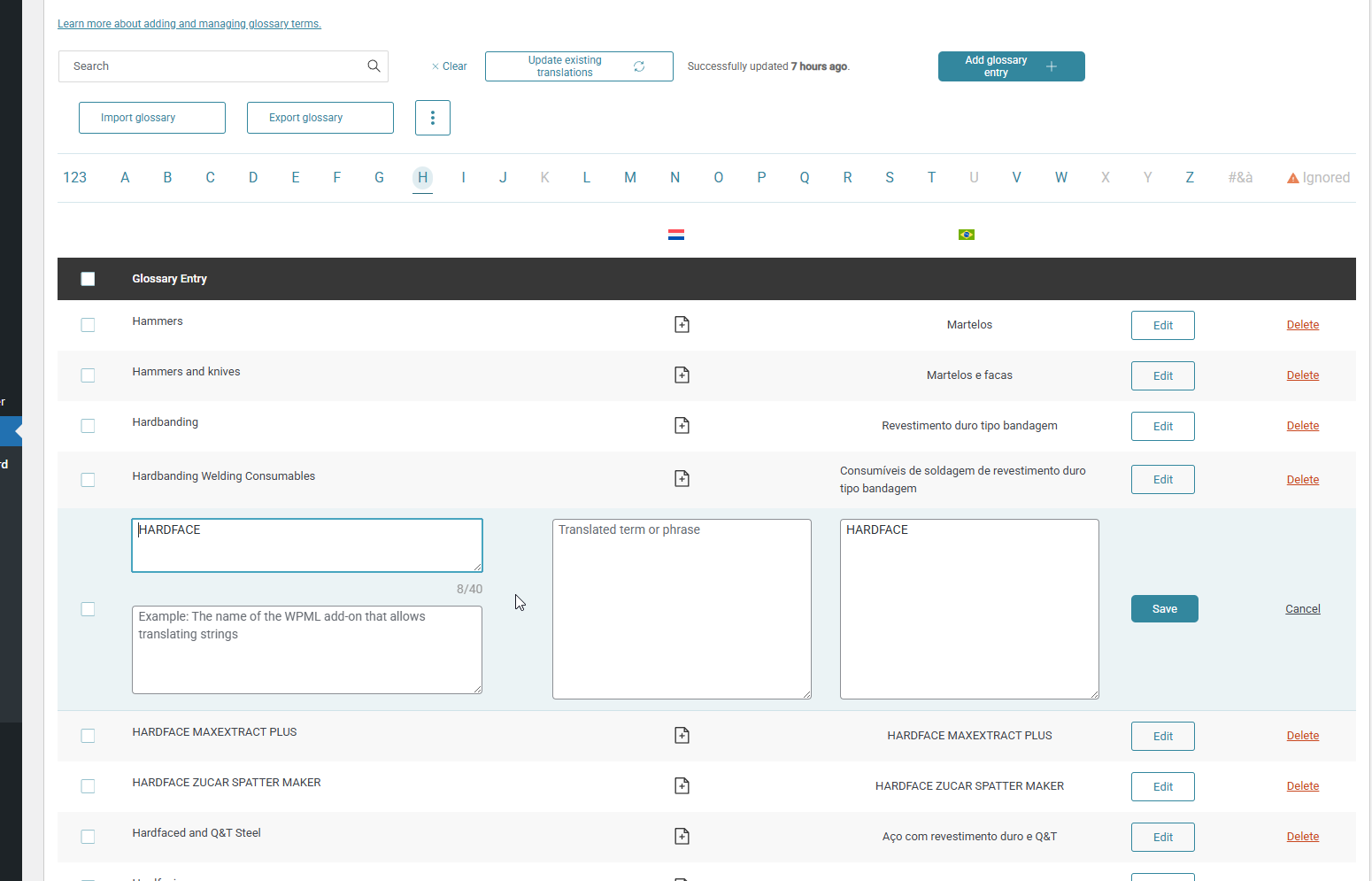
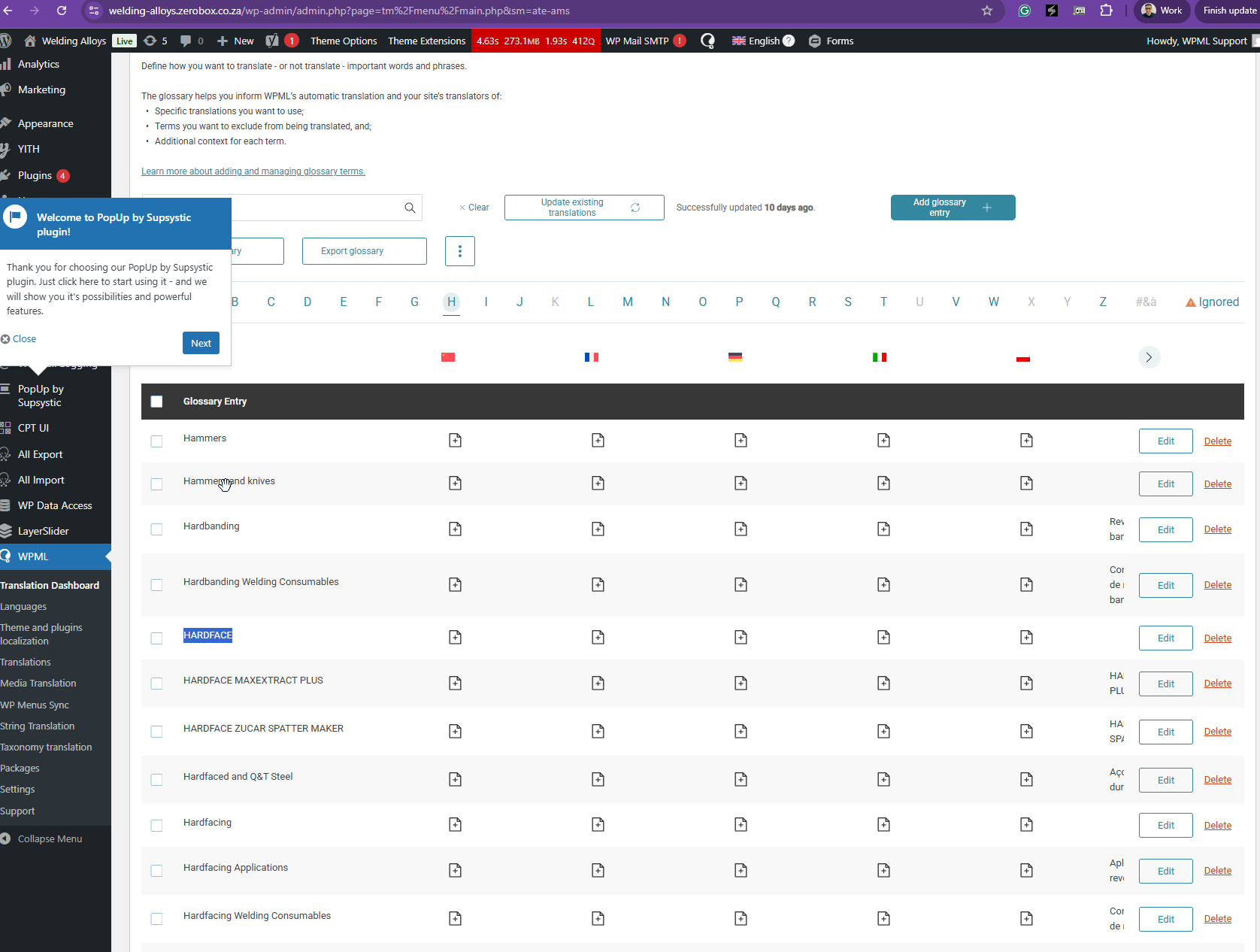
To resolve this, please add “HARDFACE” to your website’s glossary as shown in the attached screenshot, and set the Portuguese translation to “HARDFACE.”
Once this is done, bulk translating your products should display the correct title. I've tested this on our sandbox site, and it works well now. Check out this screen recording hidden link .
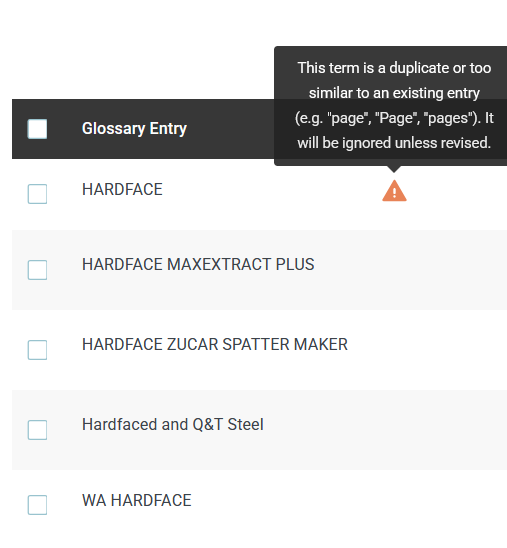
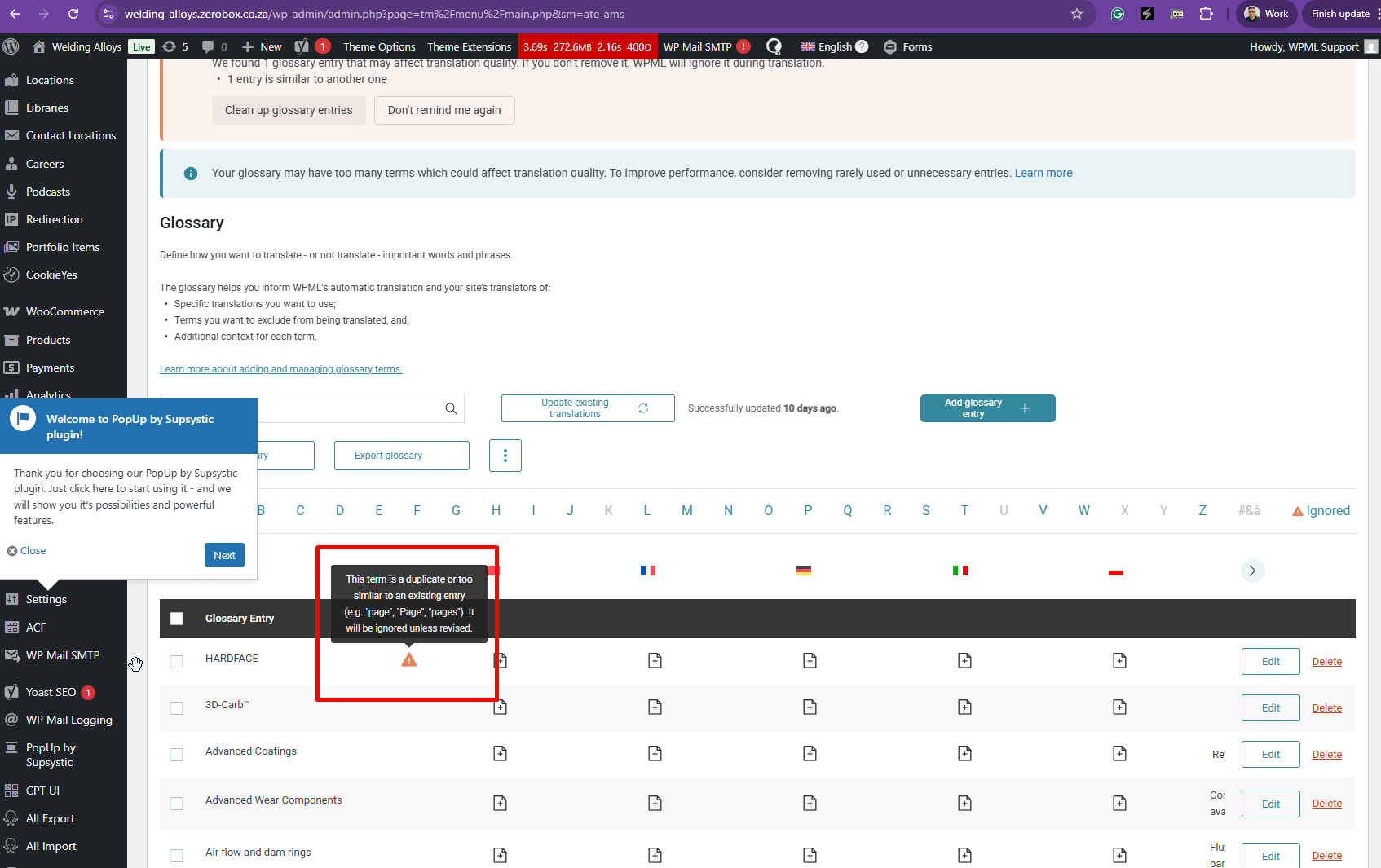
Please see screenshot again from my message within this same thread. *I have added HARDFACE as per your notes, but I get the error "We found 1 glossary entry that may affect translation quality. If you don’t remove it, WPML will ignore it during translation.
•1 entry is similar to another one"
The glossaries on my site and your sandbox are now EXACTLY the same (180 terms) . *The glossary on your sandbox has both WA HARDFACE and HARDFACE in the glossary, but in my glossary, I get the above error. Kindly review and advise.
Thanks for your reply. I'm not sure why you're getting that error as it works fine when I imported your glossaries to my sandbox site. Please allow me to check with our 2nd Tier Support, and I will come back to you as quickly as possible.
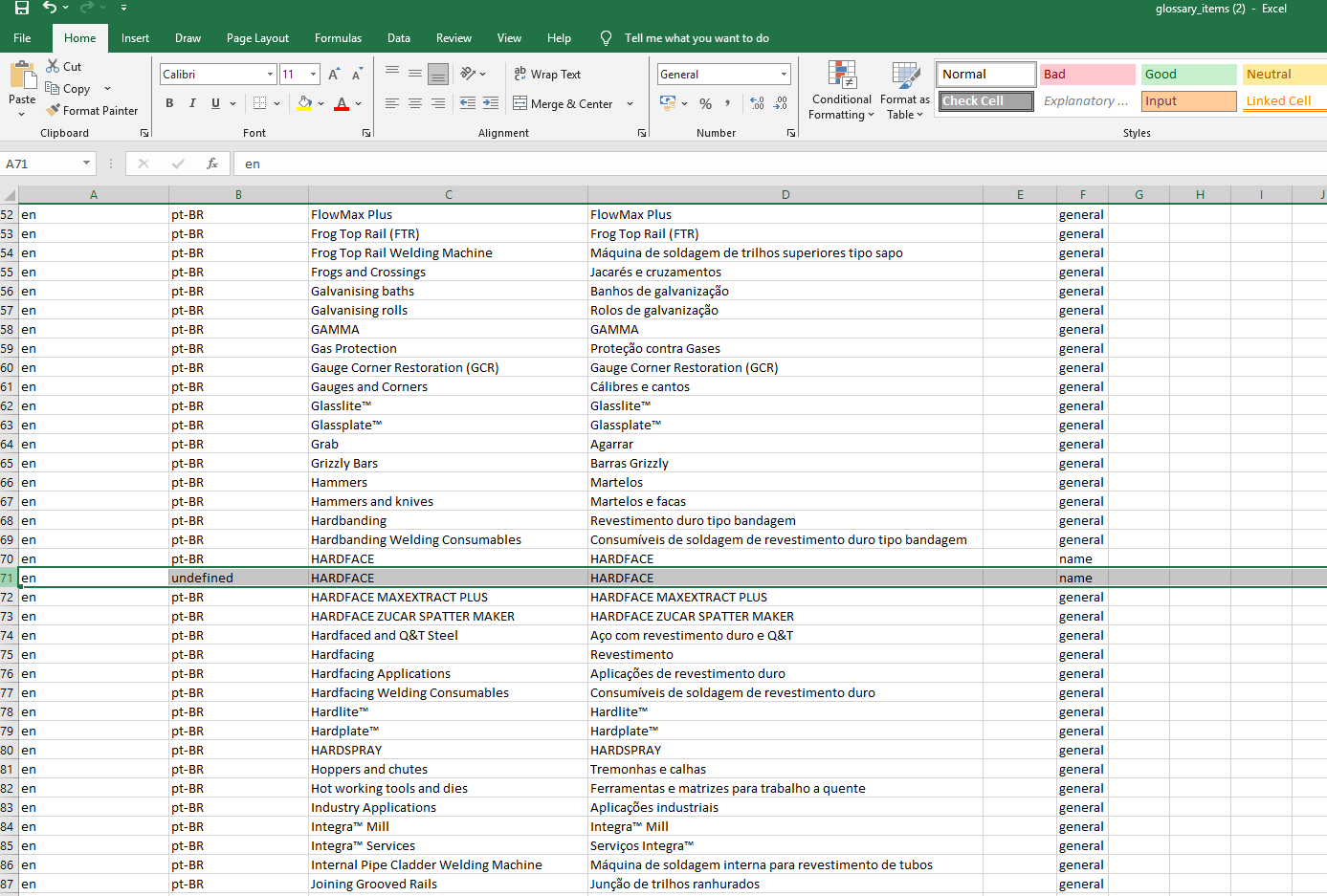
Thanks for your patience. I’ve received feedback from our 2nd Tier Support, and they suggested exporting the glossary CSV from the site and editing it to remove the corrupted entry, as shown in the attached screenshot.
After that, please delete the existing site glossary and import the edited CSV to recreate it without the problematic term.
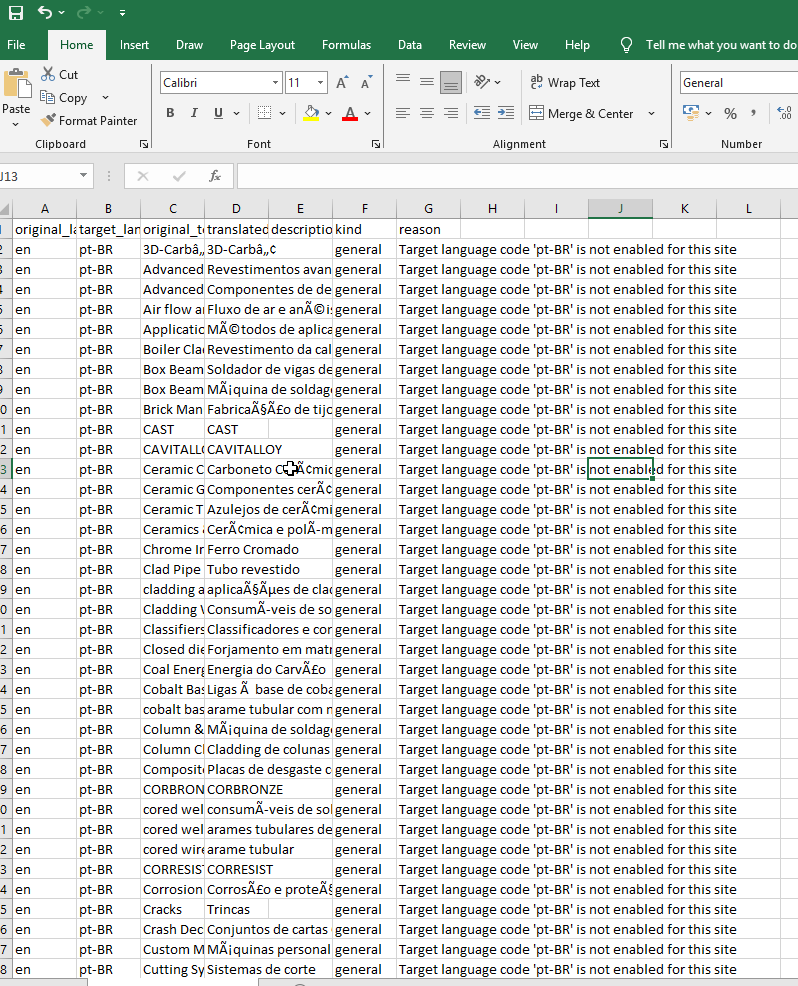
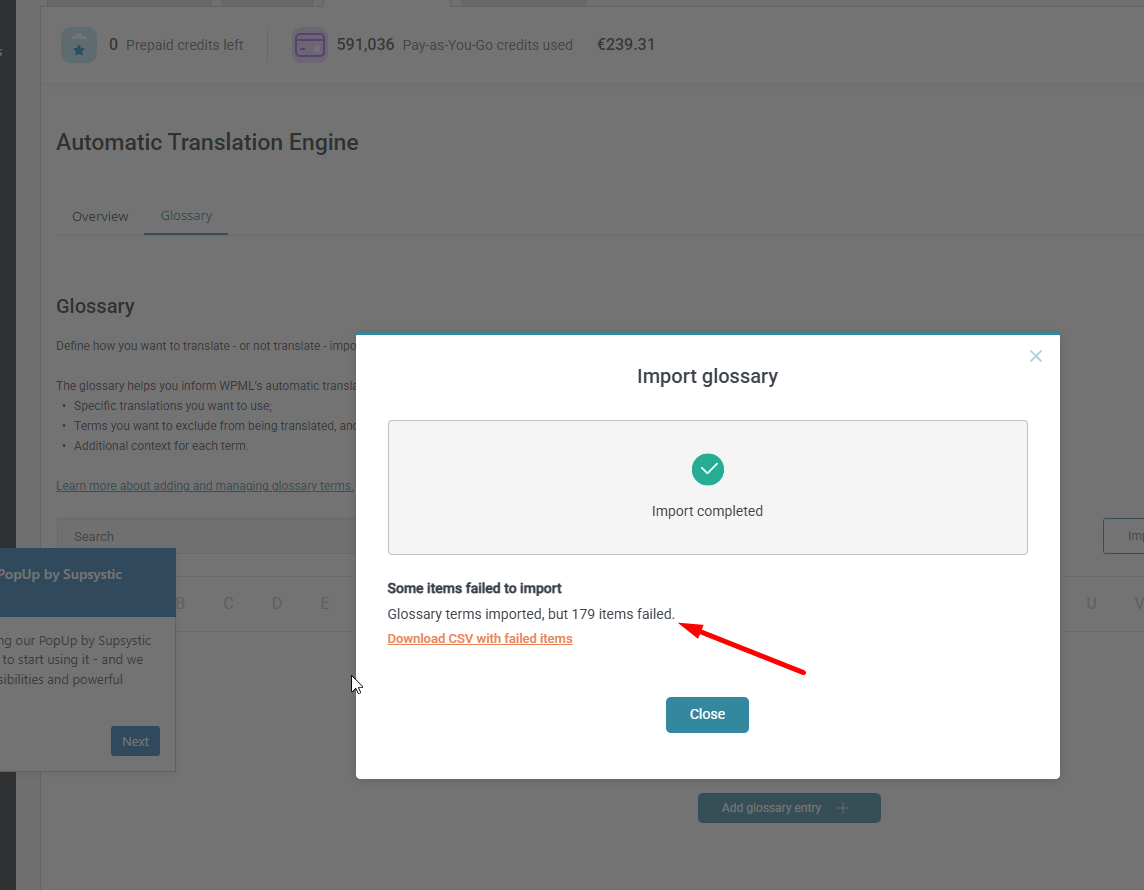
However, I’m currently encountering errors when trying to import the glossary, as shown in the attached screenshot. I will recheck this with our 2nd Tier Support. For now, please refrain from using Automatic Translation until we confirm the next steps.
1. I see the Glossary has already been deleted (There are no glossary terms to export).
2. Please see link to the glossary to be reimported which includes all "problematic" terms as well: hidden link. *I have added all the problematic terms at the botttom of of the glossary CSV to be easily idenitified: From "WA HARDFACE" to "PLATE" .
3. Once you import this glossary on my development site, you should be able to see the issues.
4. You are likely experiencing issues importing the glossary because the language code is pt-br
and not pt-BR ? > Please let me know if the glossary as per the link above is able to import on your side now.
Thanks for your reply. We're having issues with our translation server, and I will update you with the status shortly once it's back to normal. No worries, I have the copy of the glossaries. The server went down while I'm checking on it.
Got it. Thanks for the update.
*Please just remember to use this latest glossary: hidden link , which has all the *additional "problematic" terms...as listed below:
WA HARDFACE |VS| HARDFACE
Joining Grooved |VS| Rails Grooved Rails
WA CHROMECORE |VS| CHROMECORE
WA ROBOTOOL |VS| ROBOTOOL
WA GROOVALLOY |VS|GROOVALLOY
PLATE
Thanks for your patience. I’ve followed the steps suggested by our 2nd Tier Support by removing and reimporting the glossary, however the issue still persists. It seems that this “corrupted” glossary term is still being stored on our translation server and needs to be manually removed. I’ll double-check this with our 2nd Tier Support and update you as soon as I have more information.
The one issue with the term "HARDFACE" vs "WA HARDFACE" has now been resolved. Both terms are in the glossary now with no issues.
Howvever, you have completely ignored my last message to please use the latest glossary I sent you via the link which has other similar terms with issues. *Please let me know how the term HARDFACE was fixed and we would need to do the same for the below as per attached screenshot: