[Resolved] Click on translation without dropdown menu
This thread is resolved. Here is a description of the problem and solution.
Problem: You are trying to translate your website but cannot find the dropdown menu to select the language in the top right corner. Solution: 1) Ensure that the translated homepage is correctly translated and published. To verify this, navigate to Pages-> All Pages, switch the language using the top admin bar, and check the translated homepage. 2) Although not directly related to your dropdown issue, it's important to increase the WordPress memory limit as it's currently below the minimum requirement for WPML. You can do this by adding the following lines in your wp-config.php file right before the /* That's all, stop editing! Happy publishing. */ line:
If this solution does not resolve your issue or seems irrelevant due to being outdated or not applicable to your case, we recommend opening a new support ticket. We also highly recommend checking related known issues at https://wpml.org/known-issues/, verifying the version of the permanent fix, and confirming that you have installed the latest versions of themes and plugins. For further assistance, please contact us at WPML Support Forum.
This is the technical support forum for WPML - the multilingual WordPress plugin.
Everyone can read, but only WPML clients can post here. WPML team is replying on the forum 6 days per week, 22 hours per day.
Background of the issue:
I am trying to translate my website by clicking or moving the mouse to the top right corner, but there is no dropdown menu to select the language. The issue can be seen on this page: hidden link
Symptoms:
There is no dropdown menu to select the language when attempting to translate.
Questions:
Why is there no dropdown menu to select the language when I try to translate?
How can I fix the issue with the missing language selection dropdown?
Thanks for contacting WPML forums support. I'll be glad to help you today.
1) Please make sure that the translated homepage is translated and published correctly. In order to check that, please go to Pages-> All Pages, switch the language using the top admin bar, and check the translated homepage.
2) It's not related to the issue, but according to your Debug.info, the WP memory limit needs to be increased. PHP memory is fine, but WordPress uses 40MB as default. The minimum requirement for WPML is 128 MB. (Kindly check this page https://wpml.org/home/minimum-requirements/)
You can increase it by adding the following code in your wp-config.php file right before the /* That's all, stop editing! Happy publishing. */ line:
WordPress has a built-in feature that detects when a plugin or theme causes a fatal error on your site, and notifies you with this automated email.
In this case, WordPress caught an error with one of your plugins, WPML Multilingual CMS.
First, visit your website (hidden link) and check for any visible issues. Next, visit the page where the error was caught (hidden link) and check for any visible issues.
Please contact your host for assistance with investigating this issue further.
If your site appears broken and you can't access your dashboard normally, WordPress now has a special "recovery mode". This lets you safely login to your dashboard and investigate further.
hidden link
To keep your site safe, this link will expire in 1 day. Don't worry about that, though: a new link will be emailed to you if the error occurs again after it expires.
When seeking help with this issue, you may be asked for some of the following information:
WordPress version 6.7.2
Active theme: Woodmart (version 7.6.0)
Current plugin: WPML Multilingual CMS (version 4.7.1)
PHP version 8.0.30
I would need to look closely at your site, so I would need to request temporary access (WP-Admin and FTP) Preferably to a test site where the problem has been replicated.
Your answer will be private, meaning only you and I can access it.
❌ Please back up your database and website ❌
✙ I need your permission to deactivate and reactivate the plugins and themes and change site configurations. This is also why the backup is critical.
✙ I also need your permission to take a local copy of your site to debug the issue without affecting your live site.
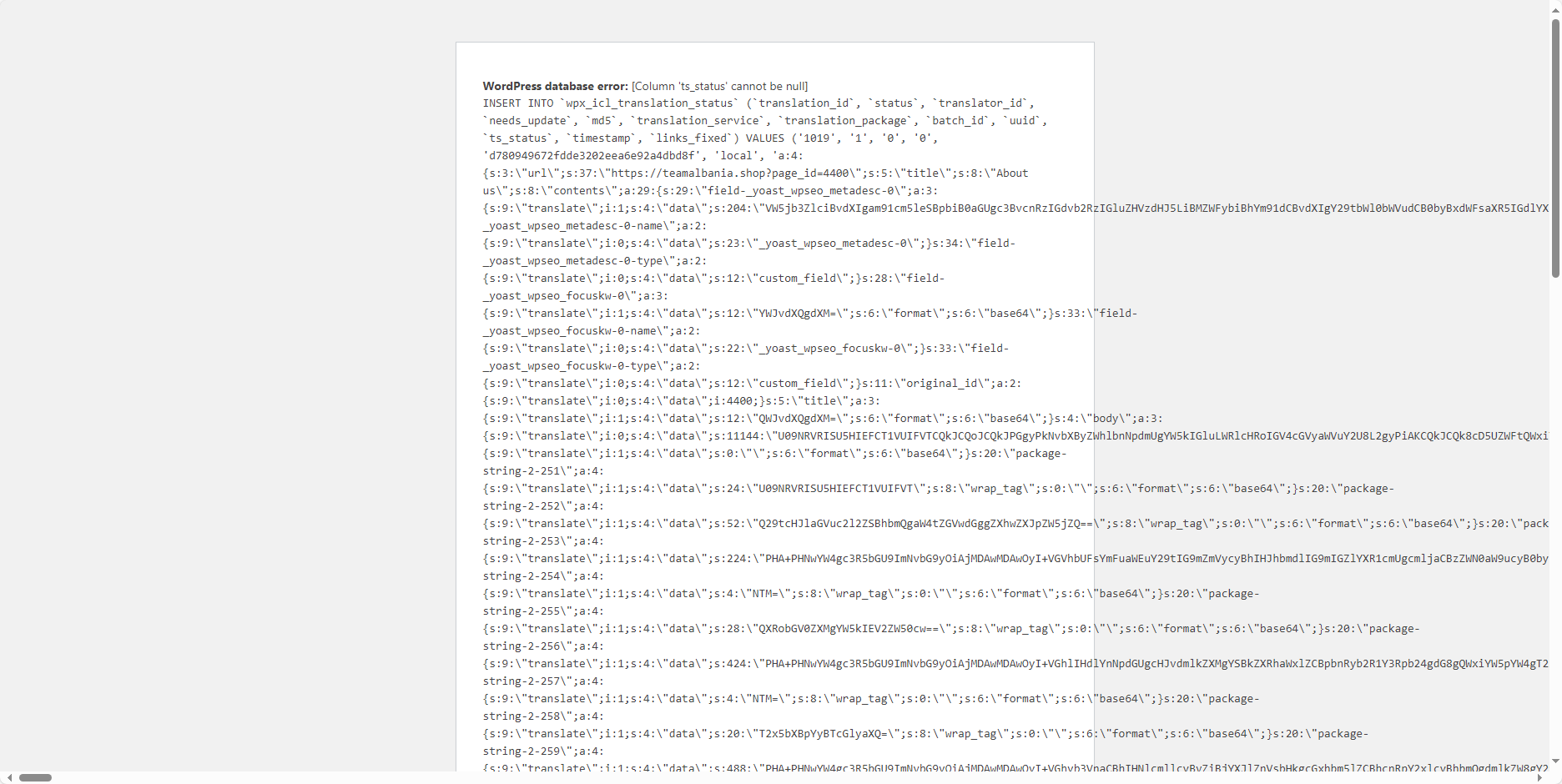
Thanks for the access details. I checked the issue, and it seems that some of the WPML database tables are not created correctly. Since you don't have any translated content yet, I suggest resetting WPML and reinstalling it to fix this issue.
Kindly check this guide to know more about resetting WPML.
After I uninstalled the plugin according to your instructions, I found a prompt There is a problem with the String Translation table in your site. This problem is not causing a problem running the site right now, but can become a critical issue in the future. WPML support team knows how to fix it. Please add a message in the relevant support thread and we'll fix it for you.
And now there is a series of error reports Warning: Trying to access array offset on value of type null in /home7/teamalb2/public_html/wp-content/plugins/sitepress-multilingual-cms/menu/wpml-admin-lang-switcher.class.php on line 179
Warning: Trying to access array offset on value of type null in /home7/teamalb2/public_html/wp-content/plugins/sitepress-multilingual-cms/menu/wpml-admin-lang-switcher.class.php on line 183
Warning: Trying to access array offset on value of type null in /home7/teamalb2/public_html/wp-content/plugins/sitepress-multilingual-cms/menu/wpml-admin-lang-switcher.class.php on line 196
Warning: Trying to access array offset on value of type null in /home7/teamalb2/public_html/wp-content/plugins/sitepress-multilingual-cms/menu/wpml-admin-lang-switcher.class.php on line 198
Warning: Trying to access array offset on value of type null in /home7/teamalb2/public_html/wp-content/plugins/sitepress-multilingual-cms/menu/wpml-admin-lang-switcher.class.php on line 199
Warning: Trying to access array offset on value of type null in /home7/teamalb2/public_html/wp-content/plugins/sitepress-multilingual-cms/menu/wpml-admin-lang-switcher.class.php on line 200
Warning: Trying to access array offset on value of type null in /home7/teamalb2/public_html/wp-content/plugins/sitepress-multilingual-cms/menu/wpml-admin-lang-switcher.class.php on line 251
Warning: Trying to access array offset on value of type null in /home7/teamalb2/public_html/wp-content/plugins/sitepress-multilingual-cms/menu/wpml-admin-lang-switcher.class.php on line 252
Warning: Trying to access array offset on value of type null in /home7/teamalb2/public_html/wp-content/plugins/sitepress-multilingual-cms/menu/wpml-admin-lang-switcher.class.php on line 252