[Resolved] Completed translation not appearing on live site (Elementor)
This thread is resolved. Here is a description of the problem and solution.
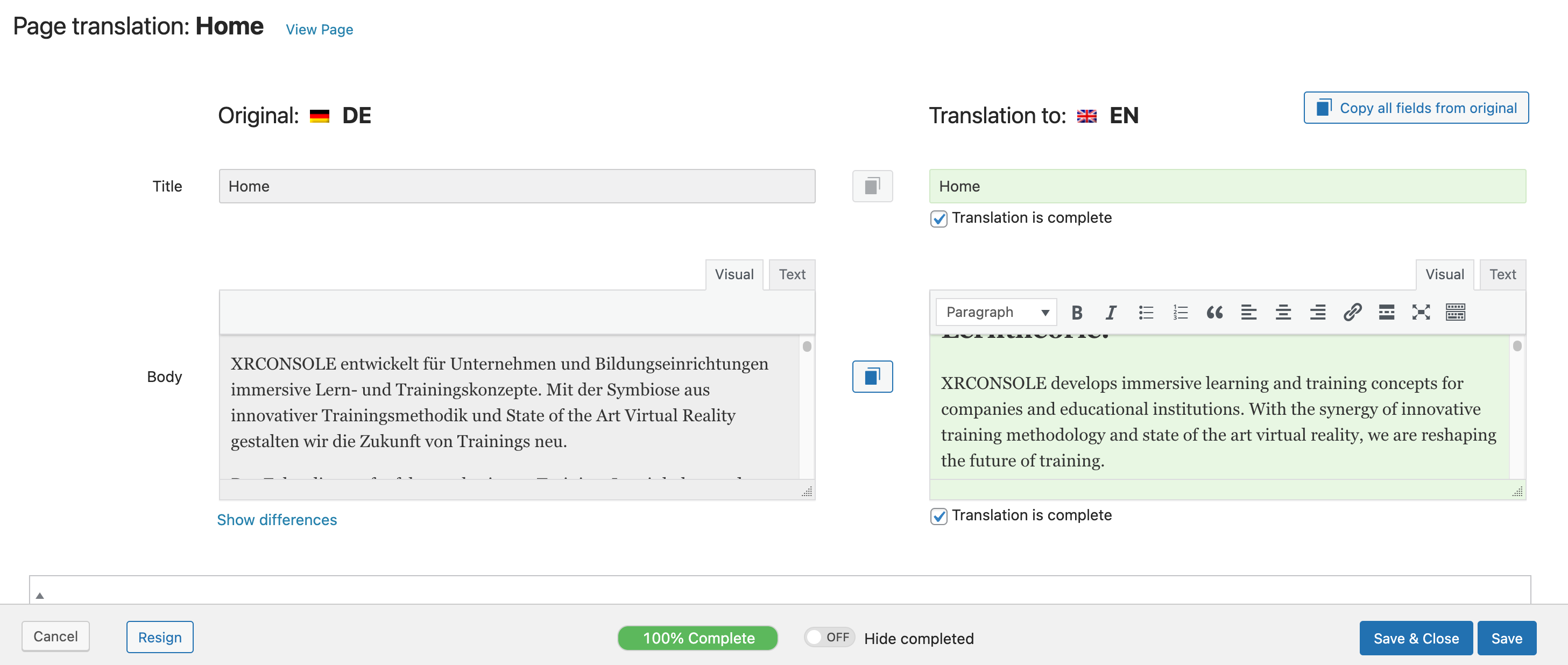
Problem: The client's homepage is in German, and the English version of the page should be in English. Despite the English translation being completed and marked as 'complete' in the WPML backend, the page still displays in German on the English version of the live website. Solution: We checked the issue and found that all the text was joined together in a single field. We navigated to WPML -> Translation Management and sent the homepage for translation again. After this action, the fields were separated, allowing us to mark all of them as complete and save the translation. This action resolved the issue.
If you're experiencing this issue, we recommend trying the steps we took: navigate to WPML -> Translation Management and resend your homepage for translation. Ensure that all fields are marked as complete before saving the translation.
Please note that this solution might be irrelevant if it's outdated or not applicable to your case. We highly recommend checking related known issues at https://wpml.org/known-issues/, verifying the version of the permanent fix, and confirming that you have installed the latest versions of themes and plugins. If the problem persists, please open a new support ticket at WPML support forum.
This is the technical support forum for WPML - the multilingual WordPress plugin.
Everyone can read, but only WPML clients can post here. WPML team is replying on the forum 6 days per week, 22 hours per day.
Background of the issue:
The homepage of my site hidden link is in German, and the English version of the page - hidden link - should be in English. The English translation of this page has been completed and marked as 'complete' in the WPML backend. All other pages are fine and work as they should.
Symptoms:
The page still only shows in German on the English version of the live website (all other pages are fine!).
Questions:
Why is the English translation not appearing on the live site despite being marked as complete in the WPML backend?
Languages: English (English )Spanish (Español )German (Deutsch )
Timezone: Europe/Vienna (GMT+02:00)
Hi,
before your ticket is assigned to one of my colleagues, please allow me to walk you through some initial debugging steps. This will help speed up the support process.
If you look at the translation icon on the right sidebar, do you see a "pencil" icon for English? If you see another icon, the translation is not yet published yet.
Languages: English (English )Portuguese (Brazil) (Português )
Timezone: America/Sao_Paulo (GMT-03:00)
Hello,
I would like to request temporary access (wp-admin and FTP) to your site to take better look at the issue. You will find the needed fields for this below the comment area when you log in to leave your next reply. The information you will enter is private which means only you and I can see and have access to it.
Our Debugging Procedures
I will be checking various settings in the backend to see if the issue can be resolved. Although I won't be making changes that affect the live site, it is still good practice to backup the site before providing us access. In the event that we do need to debug the site further, I will duplicate the site and work in a separate, local development environment to avoid affecting the live site.
- Please make a backup of site files and database before providing us access.
- If you do not see the wp-admin/FTP fields this means your post & website login details will be made PUBLIC. DO NOT post your website details unless you see the required wp-admin/FTP fields. If you do not, please ask me to enable the private box. The private box looks like this: hidden link
Please, let me know if you need any additional details. Have a nice day.