
This is the technical support forum for WPML - the multilingual WordPress plugin.
Everyone can read, but only WPML clients can post here. WPML team is replying on the forum 6 days per week, 22 hours per day.
Tagged: ATE
This topic contains 3 replies, has 0 voices.
Last updated by Itamar 2 months, 3 weeks ago.
Assisted by: Itamar.
| Author | Posts |
|---|---|
| January 20, 2026 at 11:29 am | |
 jacobT-13 |
About 4 months ago, I already reported this issue and at that time I was asked to provide WPML Support with access to a staging environment. Background of the issue: Symptoms: Questions: |
| January 20, 2026 at 12:11 pm #17746127 | |
 Itamar WPML Supporter since 02/2016 Languages: Hebrew (עברית ) Timezone: Asia/Jerusalem (GMT+03:00) |
Hi, I switched to the default WordPress theme, but a fatal error occurred. Please see the attached screenshot. If you got the exact details/error message of this fatal error, please share them with me. In any case, please restore your site so I can investigate this issue further. Or, follow the steps below to try to solve this problem. 1. Deactivate all plugins except WPML and String Translation. 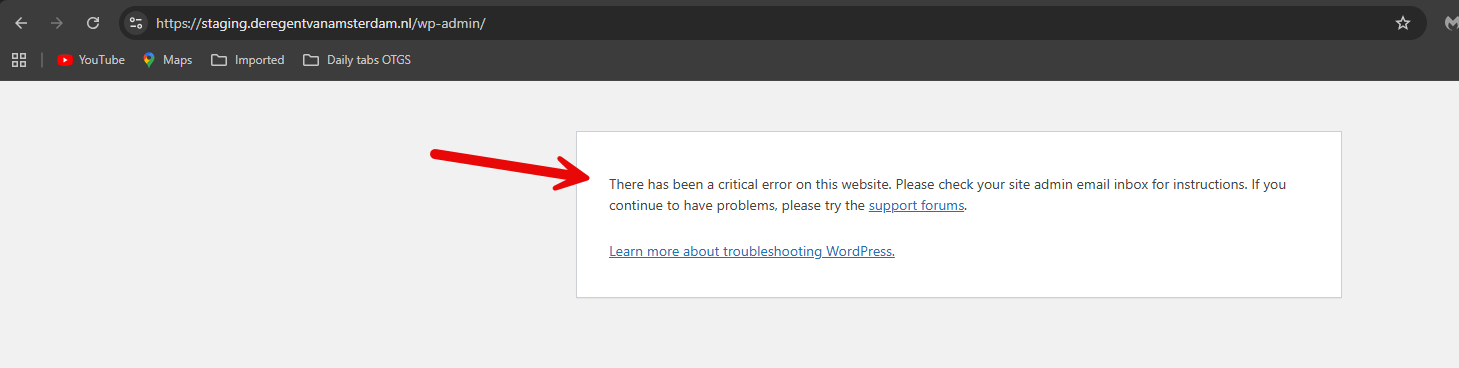 |
| January 20, 2026 at 12:18 pm #17746150 | |
|
jacobT-13 |
Done! Website back up! |
| January 22, 2026 at 7:02 pm #17755204 | |
|
Itamar WPML Supporter since 02/2016 Languages: Hebrew (עברית ) Timezone: Asia/Jerusalem (GMT+03:00) |
Hi, and thanks for the access details. I could solve this problem on your site. The problem occurred because in WPML -> Settings -> Automatic Translation, the option 'Different Engine was selected, but in practice, none of the engines was active. Please see the attached screenshot no-active-engine.jpg. I selected the Microsoft engine and clicked the Save button. This fixed the problem. Please see the attached screenshot languages-mapped.jpg. Please confirm that the problem has been resolved and mark this ticket as resolved. Thanks, 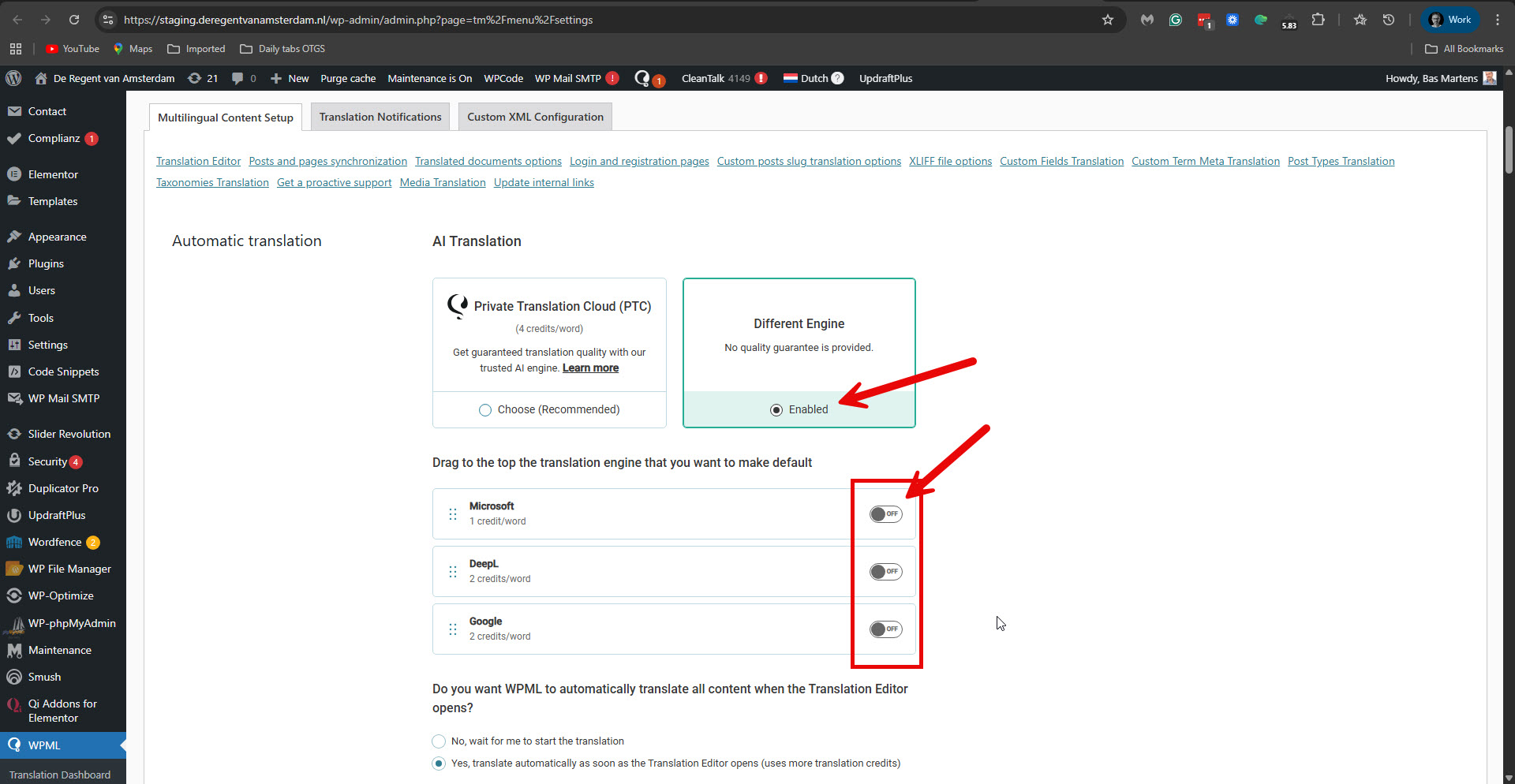 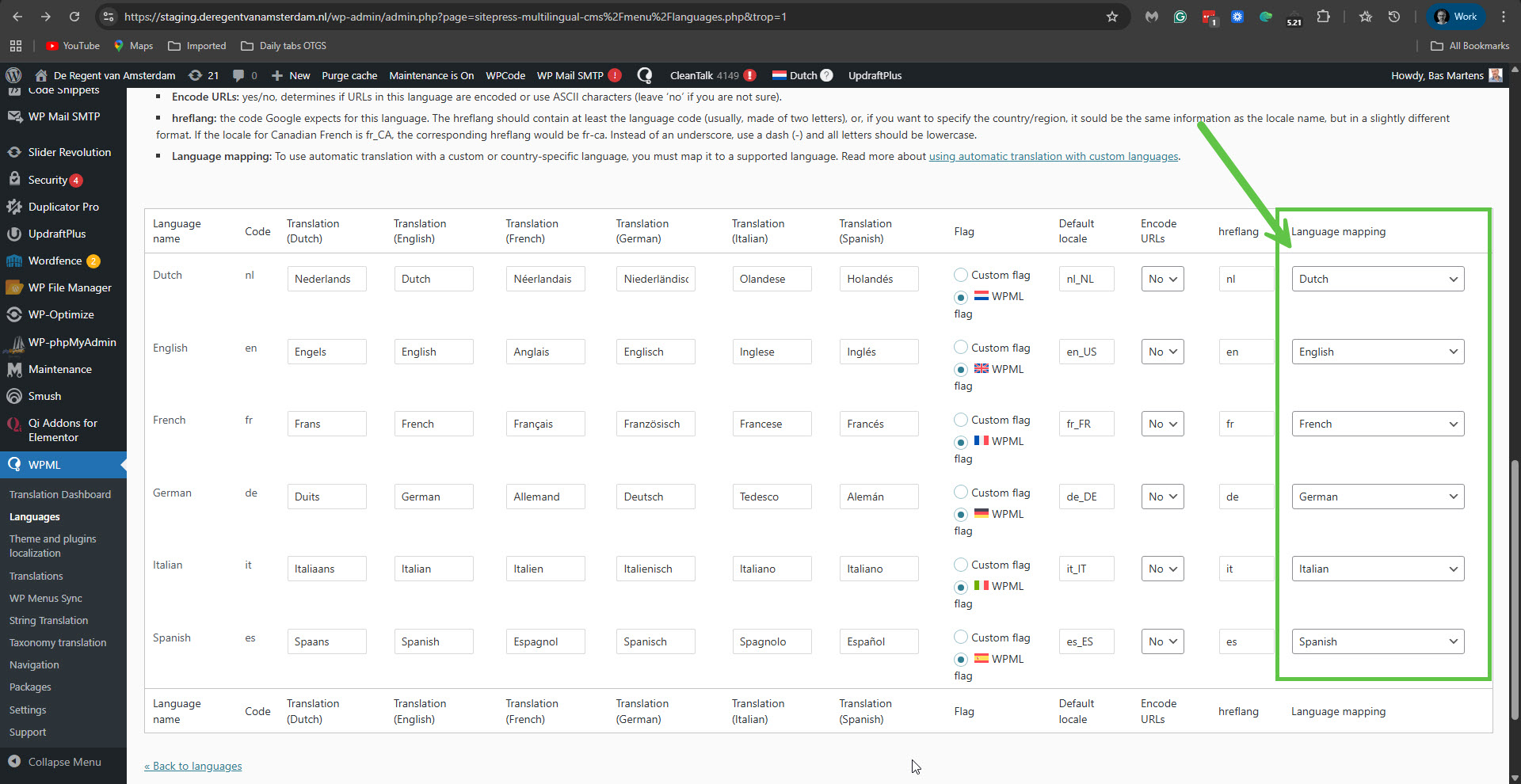 |






