Skip to content Skip to sidebar

This thread is resolved. Here is a description of the problem and solution.

Problem:
The client needs to remove German and Greek languages and their content from their WordPress site, while keeping the site operational in English. They also need to delete duplicate photos from the removed languages.
Solution:
1. Temporarily enable the German and Greek languages on your site.
2. Go to Posts, switch to the desired language (for example, German), select all posts, and delete them.
3. Empty the Trash to permanently remove them.
4. Repeat the same process for other post types and media files: go to Media → Library, switch to the relevant language, and bulk delete the items.
For more detailed guidance on deleting translations, please refer to: https://wpml.org/faq/how-to-delete-the-translation-of-a-page/
To completely remove a language from your site, follow this guide: https://wpml.org/faq/how-to-completely-remove-a-language-from-your-site/
Before making any changes, we recommend creating a full backup of your site.

If this solution does not apply to your case, or if it seems outdated, please check related known issues at https://wpml.org/known-issues/, verify the version of the permanent fix, and confirm that you have installed the latest versions of themes and plugins. We highly recommend opening a new support ticket if further assistance is needed.

This is the technical support forum for WPML - the multilingual WordPress plugin.

Everyone can read, but only WPML clients can post here. WPML team is replying on the forum 6 days per week, 22 hours per day.

This topic contains 3 replies, has 1 voice.

Last updated by Andrey 1 month, 3 weeks ago.

Assisted by: Andrey.

Author Posts
February 20, 2026 at 2:33 pm #17838783

iliasK-9

Hello,
I have copied hidden link from hidden link and I want to keep only the default language which is English. They are in the same account and I am afraid of deleting something from hidden link which I want to keep as is.

For hidden link I want to remove German and Greek

Also remove Greek and German from Settings -> General -> Site Language (Screenshot 2026-02-20 at 4.23.56PM)

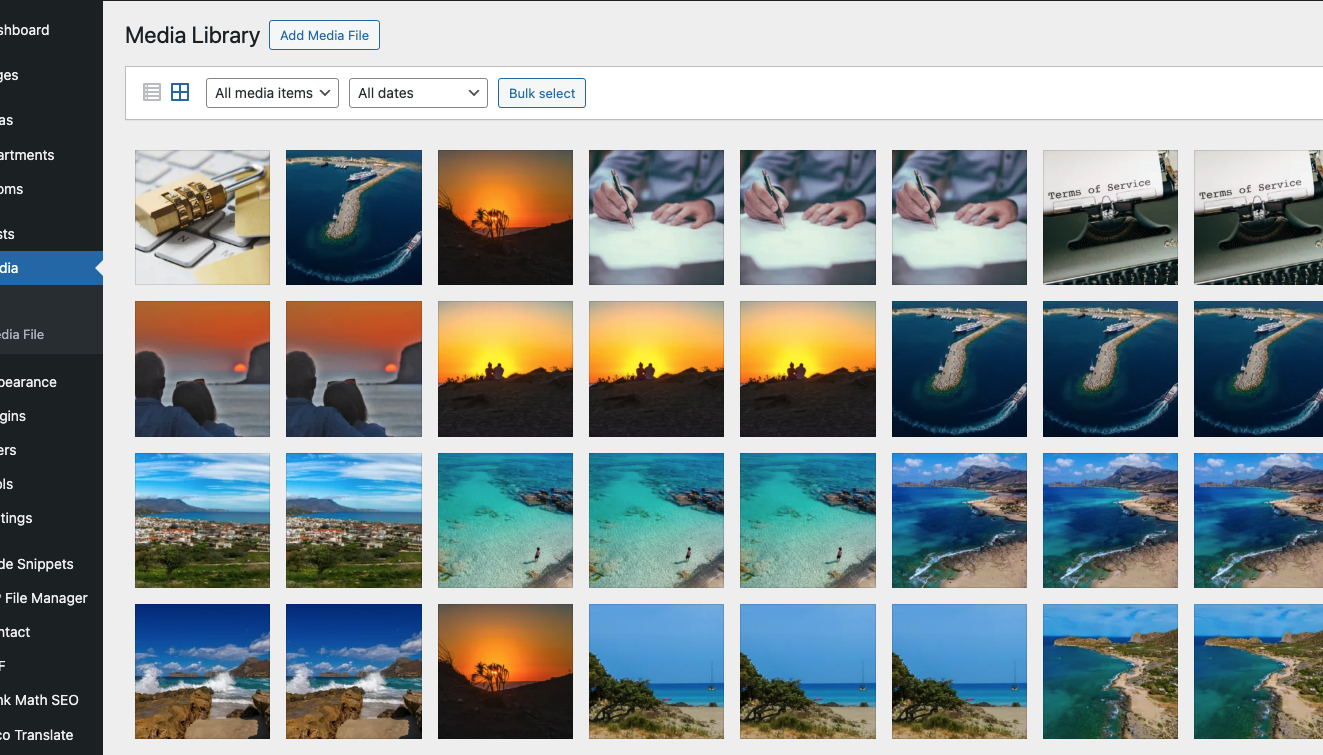
And finally how can I delete the duplicate photos from the other languages ​​while keeping only the English ones which is the default language (Screenshot 2026-02-20 at 4.26.47PM)

Thank you

February 20, 2026 at 2:37 pm #17838805

iliasK-9

Screenshots

Screenshot 2026-02-20 at 4.29.45 PM.png
Screenshot 2026-02-20 at 4.23.56 PM.png
February 20, 2026 at 2:39 pm #17838834

iliasK-9

Screenshot

Screenshot 2026-02-20 at 4.38.43 PM.png
February 20, 2026 at 4:56 pm #17839095

Andrey
WPML Supporter since 06/2013

Languages: English (English ) Russian (Русский )

Timezone: Europe/Kyiv (GMT+03:00)

Thank you for contacting WPML support.

You can try the following steps to remove content for specific languages:
1. Temporarily enable the German and Greek languages on your site.
2. Go to Posts, switch to the desired language (for example, German), select all posts, and delete them.
3. Empty the Trash to permanently remove them.
4. Repeat the same process for other post types if needed, such as Pages and Templates, if necessary.
5. Do the same for media files: go to Media → Library, switch to the relevant language, and bulk delete the items.

For more detailed guidance, please refer to:
https://wpml.org/faq/how-to-delete-the-translation-of-a-page/

As a final step, if you want to completely remove a language from the site, follow this guide:
https://wpml.org/faq/how-to-completely-remove-a-language-from-your-site/

Before making any changes, please ensure you create a full backup of your site.