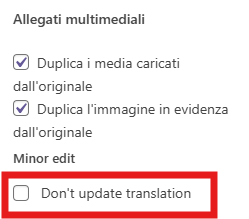
Thanks for your reply. I've edited the German language page here hidden link and made some changes to the title and content. Then, I checked both French and Italian and it looks fine. Nothing is being copied over. Here is a screen recording for your reference.
Thanks for your reply. Could you share a recording from your end? I need to be sure that I'm getting the same issue that you encounter. Because when I edited your translated page in French and Italian, it was not configured as "Duplicate".
If it's configured as "Duplicate", your translated pages in French and Italian will copy the contents from the primary language German page when you make changes.
Thanks for your reply. Usually, that option is not required if you're using the WordPress Editor(manual translation). But you can give it a try and let me know how it goes.
Ohh, i really need it as soon as possible.
i hope this will be your first task for tomorrow morning.
Meantime , i will copy the content of the article and create a new blog and paste it there and link with the different languages of the same content. If you can advice me that i should take care please let me know,
I ran some troubleshooting options here hidden link
1. Clear the cache in WPML.
2. Remove ghost entries from the translation tables.
3. Fix element_type collation.
4. Fix WPML tables collation.
5. Set language information.
6. Fix terms count.
7. Fix post type assignment for translations.
Now, it seems to work fine when I tested it as shown in the attached screen recording. could you confirm? hidden link