
This is the technical support forum for WPML - the multilingual WordPress plugin.
Everyone can read, but only WPML clients can post here. WPML team is replying on the forum 6 days per week, 22 hours per day.
| Sun | Mon | Tue | Wed | Thu | Fri | Sat |
|---|---|---|---|---|---|---|
| - | 9:00 – 13:00 | 9:00 – 13:00 | 9:00 – 13:00 | 9:00 – 13:00 | 9:00 – 13:00 | - |
| - | 14:00 – 18:00 | 14:00 – 18:00 | 14:00 – 18:00 | 14:00 – 18:00 | 14:00 – 18:00 | - |
Supporter timezone: America/Los_Angeles (GMT-07:00)
This topic contains 24 replies, has 0 voices.
Last updated by Bobby 1 month, 2 weeks ago.
Assisted by: Bobby.
| Author | Posts |
|---|---|
| February 3, 2026 at 4:35 pm #17788966 | |
 leeR-7 |
I get this error message when attempting to update translations: 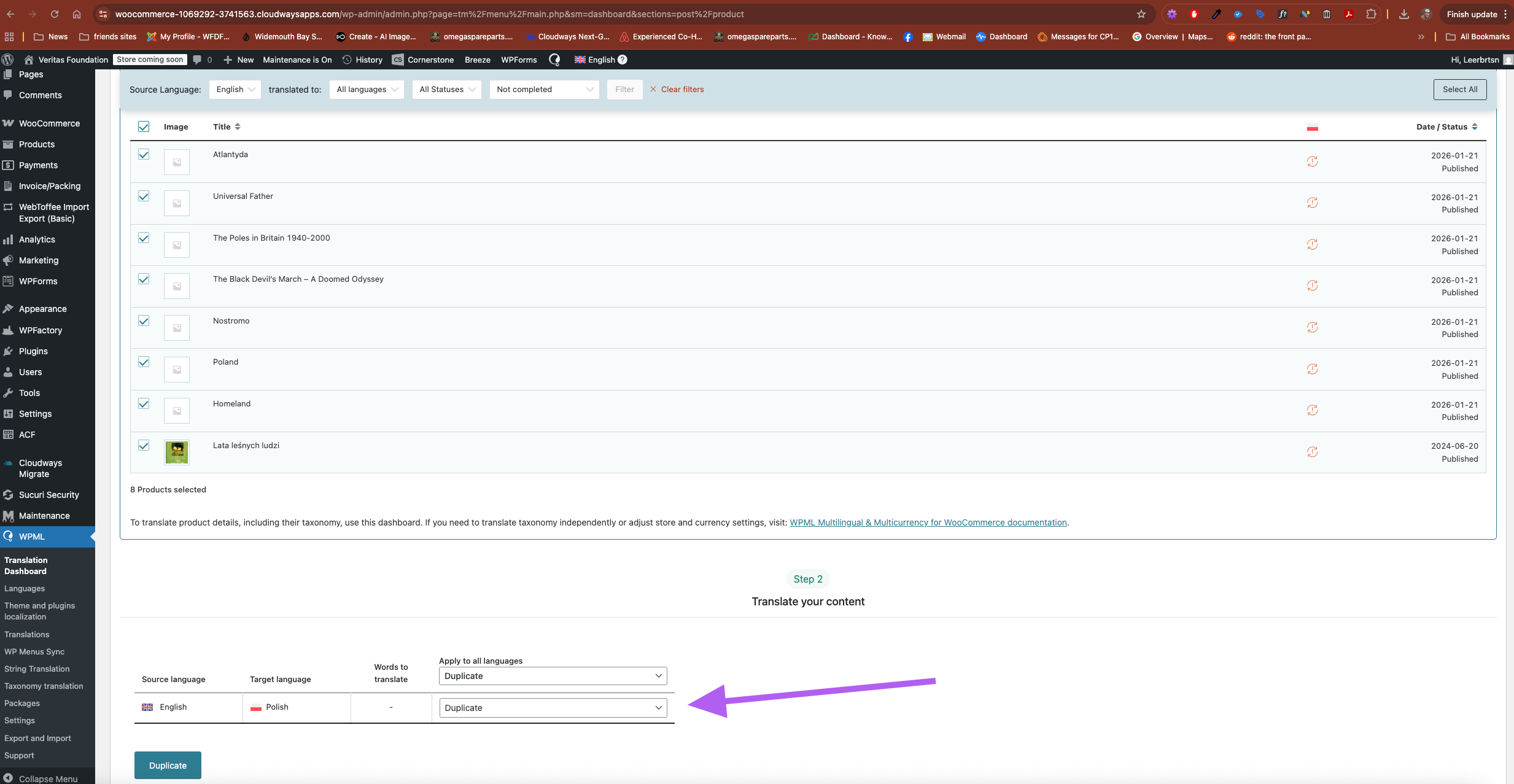 |
| February 4, 2026 at 7:09 am #17790015 | |
 Bobby WPML Supporter since 04/2015 Languages: English (English ) Timezone: America/Los_Angeles (GMT-07:00) |
Hi there, This is most likely happening because the source language is not being pulled during the action. Please go to WPML → Support → Troubleshooting and run these actions: - Clear the cache in WPML - Remove ghost entries from the translation tables - Fix element_type collation - Fix WPML tables collation - Set language information - Fix post type assignment for translations Once finished, try again and let me know your results, please. |
| February 5, 2026 at 12:46 pm #17796083 | |
|
leeR-7 |
I had already done this, but have repeated and problem remains |
| February 5, 2026 at 9:37 pm #17797746 | |
|
Bobby WPML Supporter since 04/2015 Languages: English (English ) Timezone: America/Los_Angeles (GMT-07:00) |
I would like to request temporary access (wp-admin and FTP) to your site to test the issue. **Before we proceed It is necessary to take FULL BACKUP of your database and your website. Providing us with access, you agree that a backup has been taken ** I often use the Duplicator plugin for this purpose: http://wordpress.org/plugins/duplicator/ NOTE: If access to the live site is not possible and the staging site does not exist please provide me with a duplicator package created with the duplicator plugin. Thank you, |
| February 12, 2026 at 5:19 pm #17818136 | |
|
leeR-7 |
did ythe above reply get missed? |
| February 12, 2026 at 5:50 pm #17818222 | |
|
Bobby WPML Supporter since 04/2015 Languages: English (English ) Timezone: America/Los_Angeles (GMT-07:00) |
Hi there, I received the private reply and was able to login and run some troubleshooting actions. Those took quite a long time as there are a lot of products. Checking in on the current status I can see that the majority of the products are in "uncategorized" which is expected if no category was assigned. and some are still with no category. (good ammount) ex. hidden link note: for the above product I selected "uncategorized" and updated which worked OK and now the product has a category. overall this issue is affecting the default language and it's not something that would necessarily be caused by WPML (typically we see WPML affecting translations and not default language items) Is it possible to use a plugin that will allow you to bulk edit the products with no category and assign it in bulk such as Advanced Bulk Edit for WooCommerce WooCommerce Bulk Editor WP All Import / Export This would be the cleanest way of assigning categories to a bulk of products without having to do it one by one. NOTE: It looks like the products were first created in English and then duplicated into Polish, is there a reason this was done in this order? We recommend creating products in the default language and translating from default to translation. Let me know your results, please. |
| February 23, 2026 at 5:31 pm #17844031 | |
|
leeR-7 |
Sorry to take time to reply. I took some time off for vacation. To reply to your question I have lost categories due to using csv in export import, perhaps on server timeout. I need to go back to a previous save where all categories were in place and edit the categories. I tried to import just the categories but I get errors.  |
| February 23, 2026 at 9:55 pm #17844587 | |
|
Bobby WPML Supporter since 04/2015 Languages: English (English ) Timezone: America/Los_Angeles (GMT-07:00) |
Thank you for the update, and I completely understand the hesitation, and let me know if you decide to test one of the other methods mentioned above. Also, since all products are 100% duplicates, would it make sense to instead use the method : Translatable This would showcase all products in both languages, but you would only have the default language items. Not sure if that would be applicable in your case. |
| February 24, 2026 at 11:55 am #17846325 | |
|
leeR-7 |
This is a great help but I'm still seeing a difference between amount of products in English and Polish, as in screenshot, can you help me get these back to being equal? They were before I updated wordpress and cant work out why it has changed |
| February 24, 2026 at 12:15 pm #17846452 | |
|
leeR-7 |
Also its now showing lots of duplicated items  |
| February 27, 2026 at 5:15 pm #17860809 | |
|
leeR-7 |
'Also, since all products are 100% duplicates, would it make sense to instead use the method : Translatable This would showcase all products in both languages, but you would only have the default language items. Not sure if that would be applicable in your case.' If I do this the images dont show |
| March 2, 2026 at 12:15 pm #17864386 | |
|
leeR-7 |
I've changed media attachment to translatable. I've set media translation to on.  |
| March 2, 2026 at 6:47 pm #17866103 | |
|
Bobby WPML Supporter since 04/2015 Languages: English (English ) Timezone: America/Los_Angeles (GMT-07:00) |
Hi there, Please review the screencast I have created below: if the default language is missing media, the duplicate will also miss the media as well. |
| March 3, 2026 at 8:15 pm #17870049 | |
|
leeR-7 |
Great thanks so much Bobby, thats clearer on this point. Your help is much appreciated |
| March 4, 2026 at 11:48 pm #17873417 | |
|
Bobby WPML Supporter since 04/2015 Languages: English (English ) Timezone: America/Los_Angeles (GMT-07:00) |
Glad to hear that! Yes, that should be achievable and is typically expected. If you could point out to me what is not the same between the original and translations it would greatly help, because at the moment when I compare them I dont notice a styling difference right away. |







The topic ‘[Closed] error on duplicating’ is closed to new replies.