Skip to content Skip to sidebar

This thread is resolved. Here is a description of the problem and solution.

Problem:
The client is experiencing an issue where the FAQ section on a specific page is not translating into German, despite other sections translating correctly. The page is built with Elementor and uses the Phlox Pro theme.
Solution:
1. Increase WordPress Memory Limit: We recommend increasing the WordPress memory limit to at least 256MB. This can be done by modifying the

wp-config.php

file:

define('WP_MEMORY_LIMIT', '256M');

If unsure how to proceed, contact your hosting provider for assistance.
2. Resend the Page for Translation:
* Go to WPML → Translation Dashboard.
* Locate the specific page by filtering by 'Pages' and 'German'.
* Select the page and choose your preferred translation method in Step 2: Choose translation options.
* Click Add to translation basket and proceed to the Translation Basket tab to send it for translation.
3. Check in the Advanced Translation Editor: After the translation job is processed, review the translation fields in the Advanced Translation Editor to ensure the FAQ section appears.
If these steps do not resolve the issue, it may be necessary to translate FAQ categories directly in WPML > Taxonomy Translation as this could be affecting the display of the correct language on the filter.

Please note that this solution might be outdated or not applicable to your specific case. We highly recommend checking related known issues at https://wpml.org/known-issues/, verifying the version of the permanent fix, and confirming that you have installed the latest versions of themes and plugins. If the problem persists, please open a new support ticket.

This is the technical support forum for WPML - the multilingual WordPress plugin.

Everyone can read, but only WPML clients can post here. WPML team is replying on the forum 6 days per week, 22 hours per day.

This topic contains 12 replies, has 0 voices.

Last updated by Kor 1 month, 3 weeks ago.

Assisted by: Kor.

Author Posts
January 9, 2026 at 7:16 am #17714887

Quick Easy

On a specific page, we are translating the content into German. All sections are translated except the FAQ section. Please help us find a solution.
Url: hidden link

January 9, 2026 at 7:33 am #17714990

Kor

Thanks for your reply. Here is the ticket and I will require temporary access (WP-Admin and FTP) to a test site where the problem has been replicated, if possible. This will enable me to provide better assistance and determine if any configurations need to be modified.

Please note that it is important to have a backup for security purposes and to prevent any potential data loss. You can use the UpdraftPlus plugin (https://wordpress.org/plugins/updraftplus/) to fulfill your backup requirements.

Your upcoming reply will be treated with confidentiality and will only be visible to you and me.

✙ To resolve the issue, I may need your consent to deactivate and reactivate plugins and the theme, as well as make configuration changes on the site if necessary. This emphasizes the significance of having a backup.

January 9, 2026 at 8:36 am #17715158

Kor

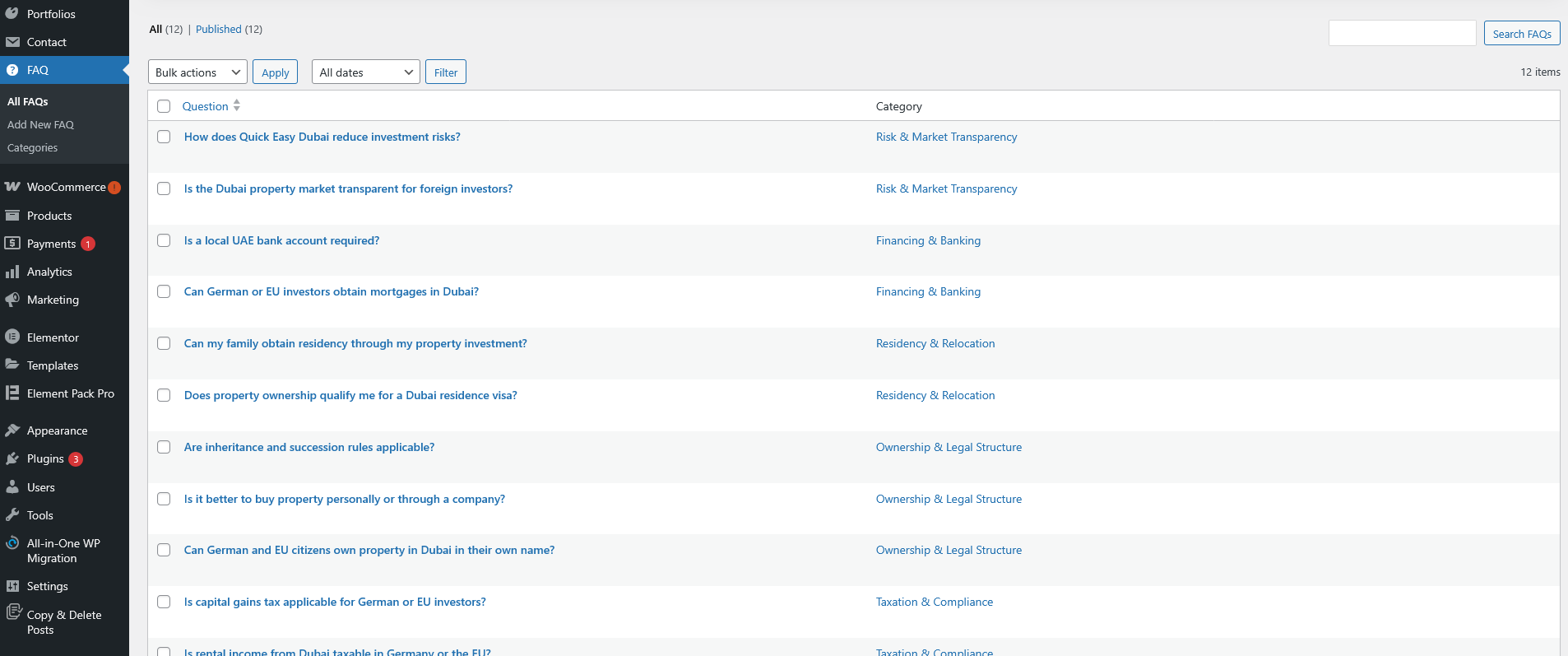
Thank you for your reply. I can see the issue now—it appears that the FAQ posts and FAQ categories were not set up for translation.

I’ve enabled translation for both the FAQ post type and its categories under WPML → Settings → Post Types Translation and Taxonomies Translation, as shown in the attached screenshot.

Please proceed by sending the FAQ content for translation via the Translation Dashboard. Once the translations are completed, the FAQs should display correctly on the frontend.

Screenshot 2026-01-09 at 4.33.55 PM.png
Screenshot 2026-01-09 at 4.32.16 PM.png
January 9, 2026 at 9:09 am #17715266
Quick Easy

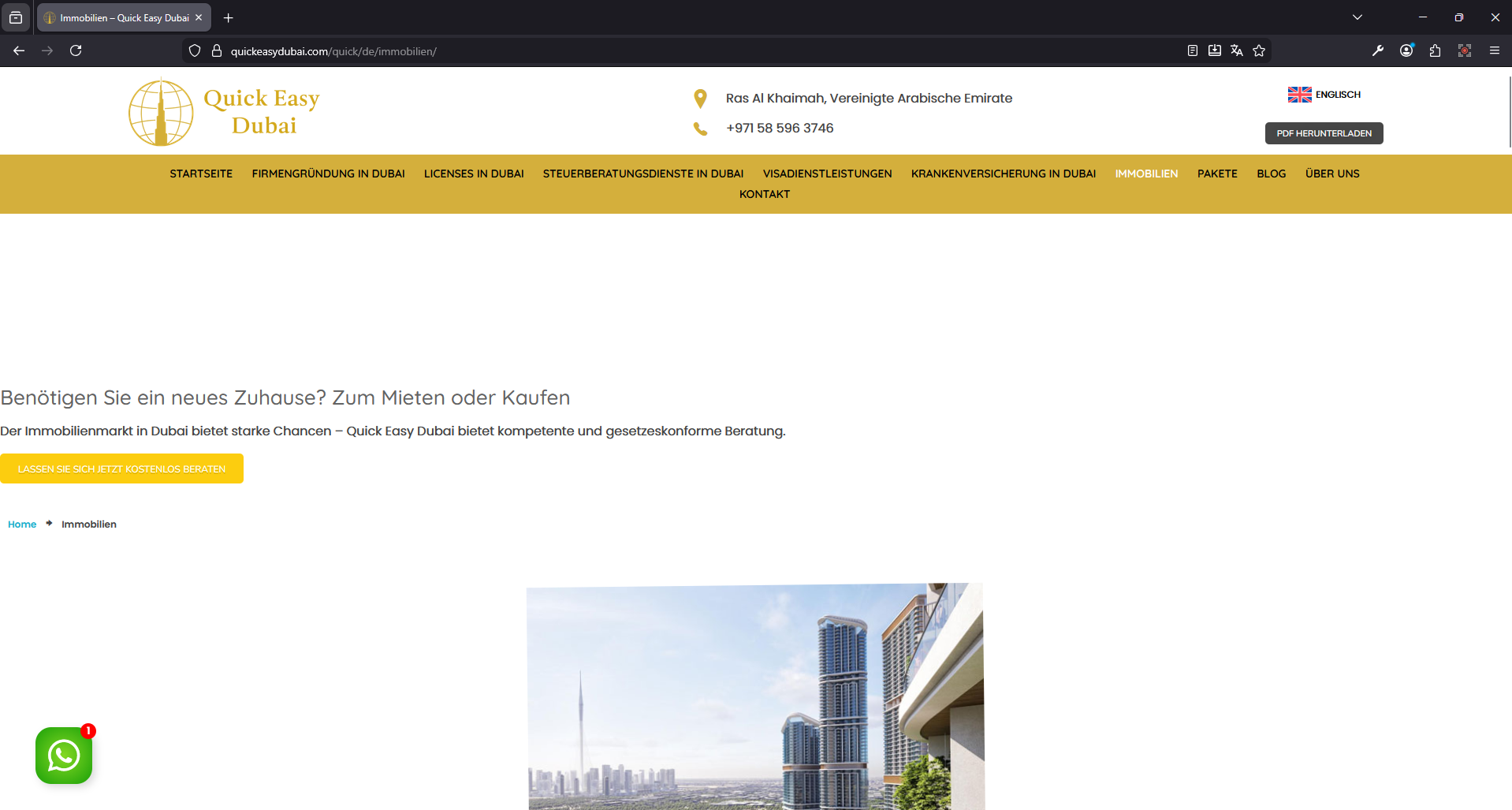
I believe there is an issue on this page: hidden link
Page not displaying properly

New threads created by Kor and linked to this one are listed below:

https://wpml.org/forums/topic/translated-page-not-working-correctly/

Screenshot.png
January 9, 2026 at 9:19 am #17715292

Kor

Thanks for your reply. I've split the ticket here https://wpml.org/forums/topic/translated-page-not-working-correctly/ so that we can follow up.

Regarding the FAQ translation issue, is it resolved?

January 9, 2026 at 9:23 am #17715314

Quick Easy

I updated the FAQ to German, and the website is now displaying correctly. One small issue is still pending—the FAQ filter tab is not translated.

1.png
January 9, 2026 at 9:25 am #17715331

Quick Easy

May I ask one more question that is not related to this issue, or should I raise a new ticket?

January 9, 2026 at 9:26 am #17715332

Kor

Thanks for your reply. I will check on the filter issue. As for your new issue, feel free to ask here and I will split the ticket for you.

January 9, 2026 at 9:33 am #17715362
Quick Easy

We're planning to have an introductory page where the site visitor can choose either English or German and will be redirected to the said language site.

Does this WPML have that option? or we have to purchase any suitable plugin for this. If yes which plugin best suited for this

Also, this shouldn't affect SEO

New threads created by Kor and linked to this one are listed below:

https://wpml.org/forums/topic/introductory-page-with-languages-to-redirect-users/

January 9, 2026 at 9:38 am #17715377

Kor

Thanks for your reply. I've split the ticket here https://wpml.org/forums/topic/introductory-page-with-languages-to-redirect-users/ for your new question. As for this ticket, I will continue to check the filter translation issue for your FAQ page.

January 9, 2026 at 10:43 am #17715559

Kor

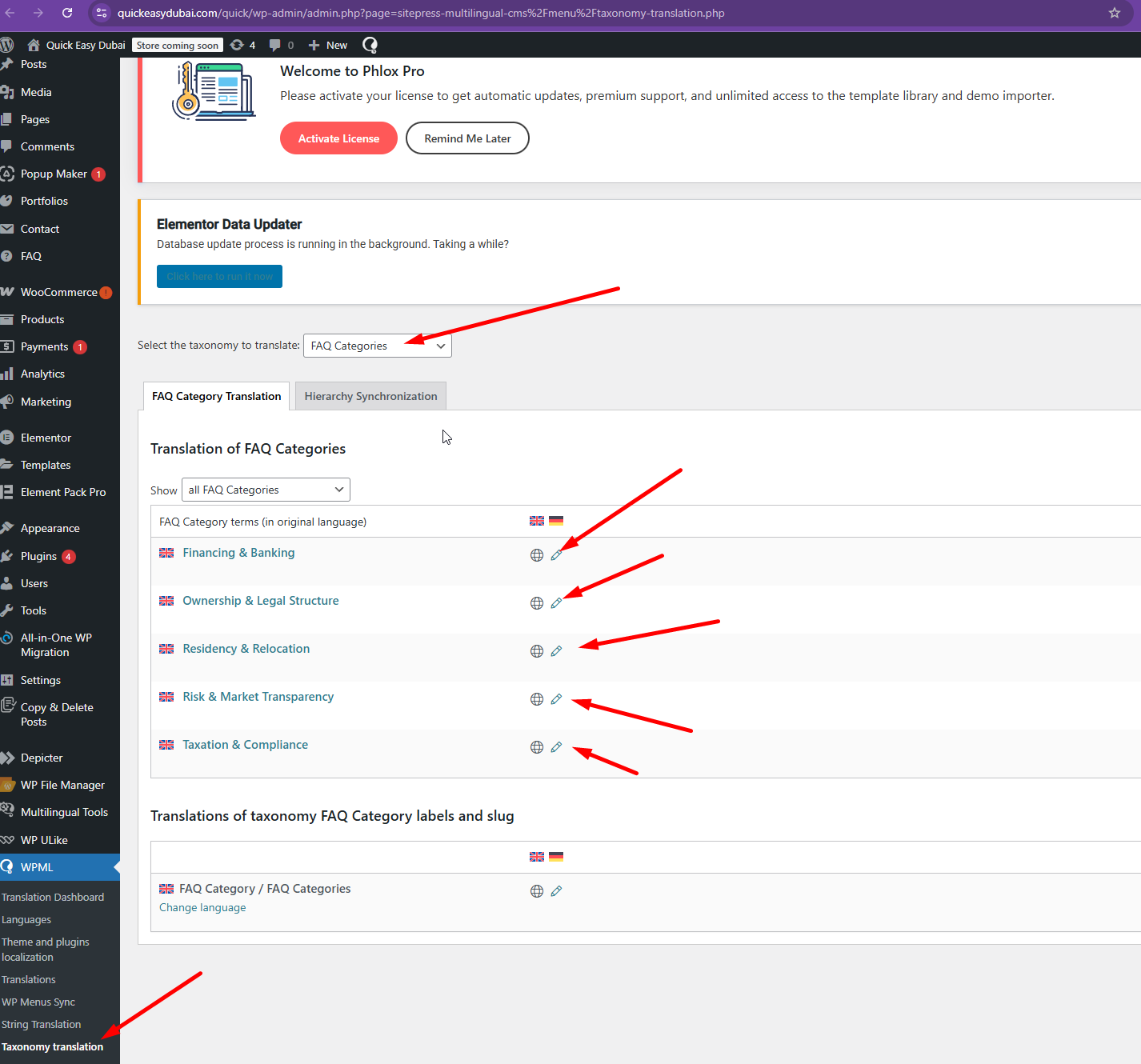
Thanks for your patience. Please complete the FAQ categories translation in WPML > Taxonomy Translation as shown in the attached screenshot. Then, it should display the correct language on the filter.

Screenshot_230.png
January 9, 2026 at 10:58 am #17715649

Quick Easy

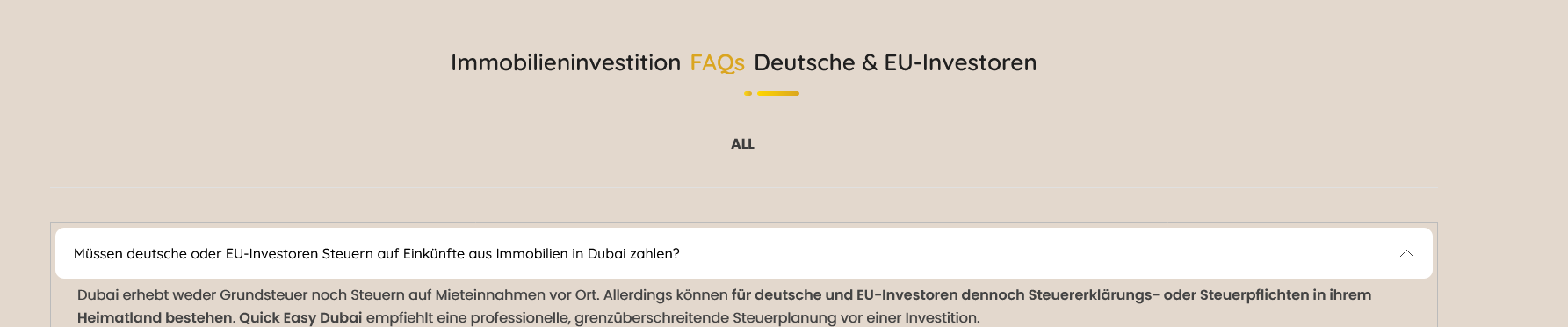
The website is showing only the “All” filter; the other filter categories are not displaying.

2.png
January 9, 2026 at 11:26 am #17715801

Kor

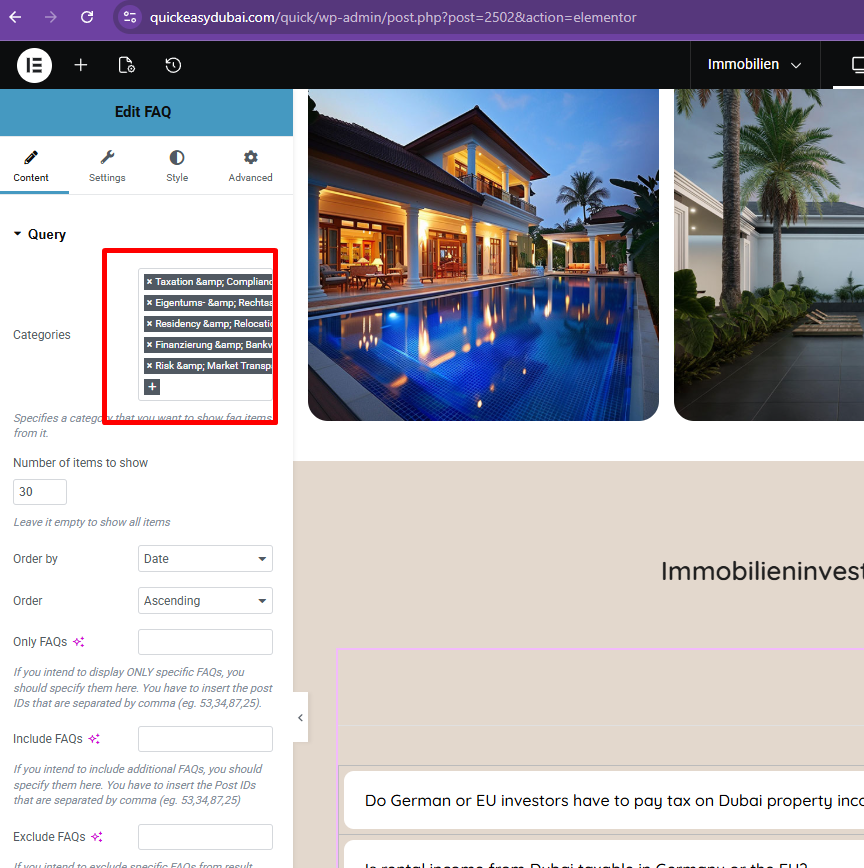
Thanks for your reply. It looks like the categories were not selected in the query section, as shown in the attached screenshot. Could you please check now?

Screenshot_231.png