Home›Support›English Support›[Resolved] Featured image duplicated via WPML Media Translation is not assigned to translated posts in Avada th...
[Resolved] Featured image duplicated via WPML Media Translation is not assigned to translated posts in Avada th...
This thread is resolved. Here is a description of the problem and solution.
Problem: You are using WPML with the Avada theme and encountering an issue where the featured image is not assigned in the Featured Image field for translated posts, despite the media being translated and available. This results in no thumbnail for blog archives/grids and no featured image on single post pages in secondary languages. Solution: We have identified that the issue arises because the 'Media (attachment)' post type was set to 'Not translatable' in WPML -> Settings -> Post Types Translation. To resolve this, please follow these steps: 1. Navigate to WPML -> Settings -> Post Types Translation. 2. Set 'Media (attachment)' to 'Translatable - only show translated items' and click the Save button. 3. Edit the original post that had this issue and click the Update button. 4. This action will trigger an update for the translated post, indicated by a circled arrow. 5. Update the translated post using the Advanced Translation Editor. 6. Check the frontend to see that the featured image now displays. Important! Please make a full site backup (files and DB) before proceeding with these steps.
If this solution does not apply to your case, or if it seems outdated, we highly recommend checking related known issues at https://wpml.org/known-issues/, verifying the version of the permanent fix, and confirming that you have installed the latest versions of themes and plugins. If the issue persists, please open a new support ticket at WPML support forum.
This is the technical support forum for WPML - the multilingual WordPress plugin.
Everyone can read, but only WPML clients can post here. WPML team is replying on the forum 6 days per week, 22 hours per day.
I am using WPML (latest) with the Avada theme (latest), but the problem was there even in the previous versions.
WPML Media Translation correctly duplicates and translates the featured image (media item itself).
However, in secondary languages, the translated post does not have the featured image assigned in the Featured Image field (and Avada-specific featured image fields), even though the media is translated and available.
As a result:
- Blog archive/grid shows no thumbnail for translated posts
- Single post pages show no featured image
- The issue is resolved only after manually saving the translated post via WordPress editor, not via WPML translations
Important details:
- _thumbnail_id is set to “Copy”
- avada_media is set to “Copy”
- WPML Media Translation is enabled and working
- I do NOT want different featured images per language
- The Featured Images DID get translated via WPML translation, they DO exist in my Media library, they are just not assigned properly
- No manual assignment should be required in secondary languages
This suggests that WPML copies the relevant post meta, but Avada’s featured image meta is not fully initialized for translated posts unless a manual post save occurs in the secondary language. Also, this issue is somewhat similar to problems with Google for WooCommerce plugin generating featured image errors, so not sure if it is the same mechanism/root-cause or not.
Could you please advise whether:
- this is a known Avada–WPML integration issue,
- there is a recommended workaround (e.g. hook/snippet),
- or if this requires escalation to the compatibility team?
We need to replicate this issue on a fresh WordPress installation. Then I'll be able to escalate it to our compatibility team. For this, I created a test website with a clean WordPress install. You can access it through this link:
hidden link
With this link, you'll be directly logged in.
On this site, I've installed the Avada theme and its Fusion core and builder plugins. I've also configured WPML to have English as the default language and two other secondary languages.
Please let me know if you can replicate the same problem on this sandbox site.
Important! Do not import your site to the test site. We must replicate the problem on a fresh, clean WordPress installation.
Regards,
Itamar.
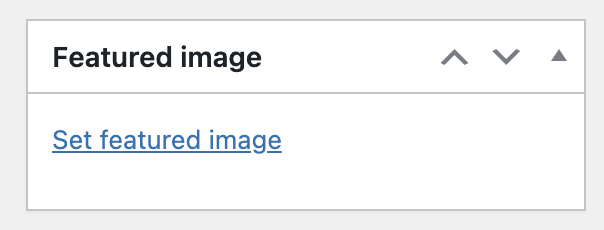
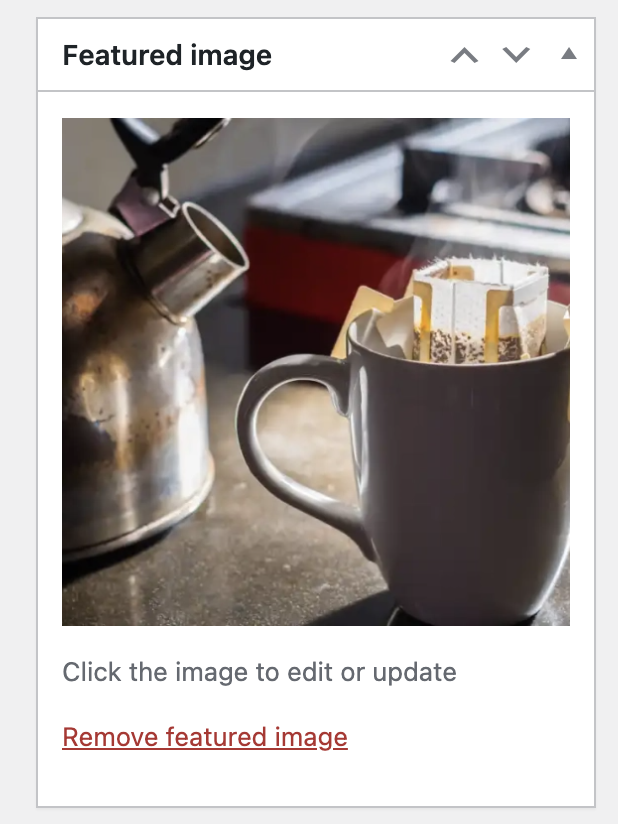
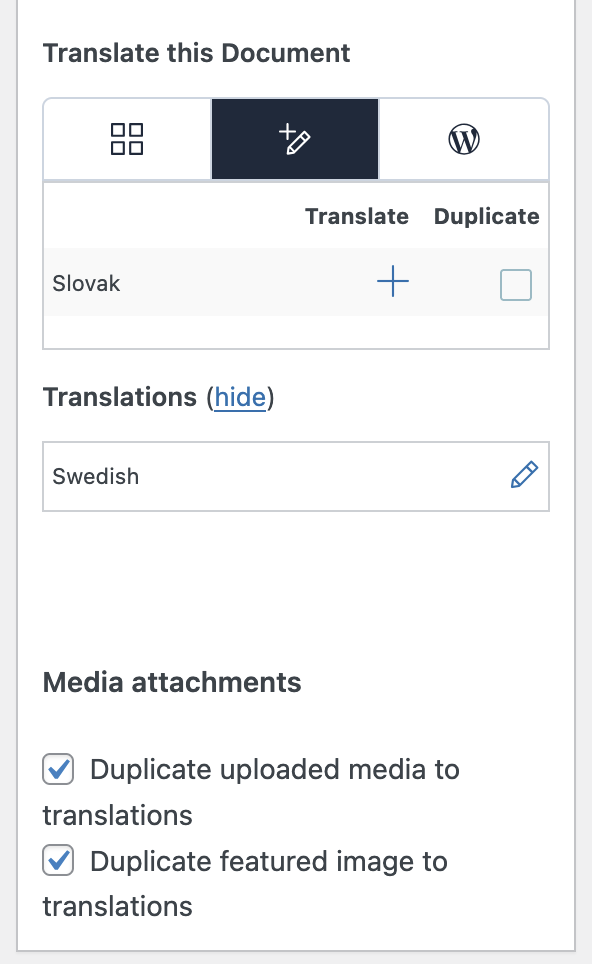
Hi Itamar, I noticed on the demo site that WPML has additional 2 tickboxes there for the media. On my site those options don't appear. I also attached a screenshot of my site and the demo site, where the section of Media translations disappeared. However, my issue was the same before and after enabling the media translations. I also attached a screenshot of the featured image present in the English version, one showing it had been translated, and one that it is lacking from the secondary language.
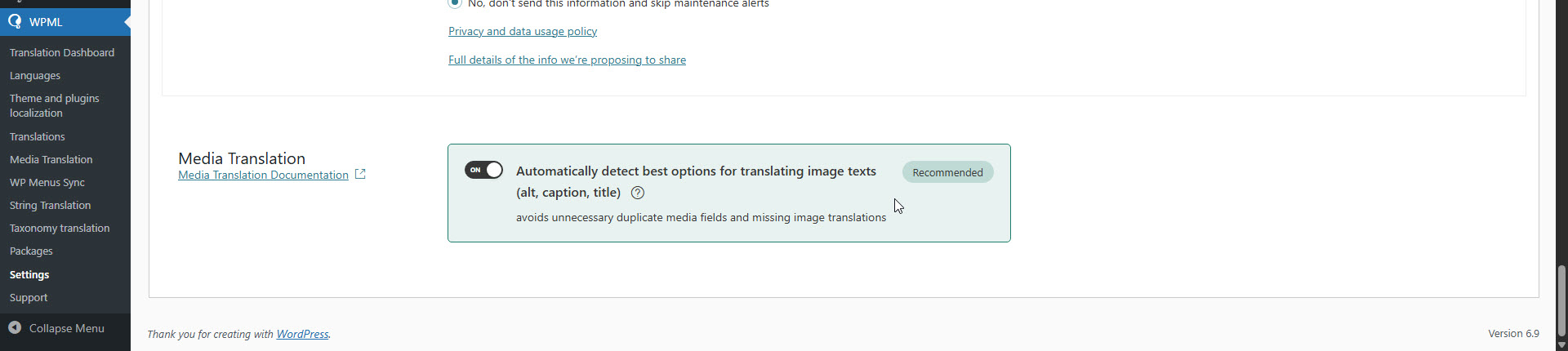
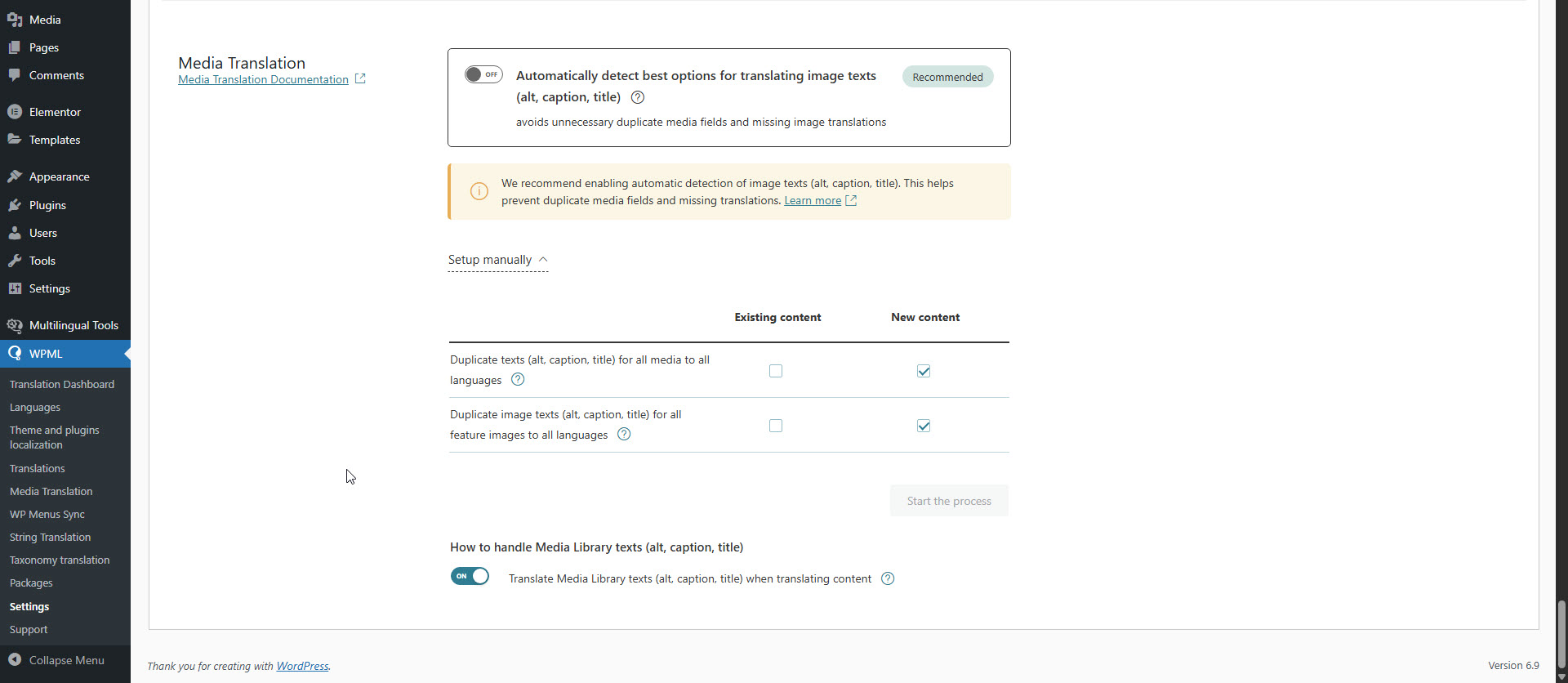
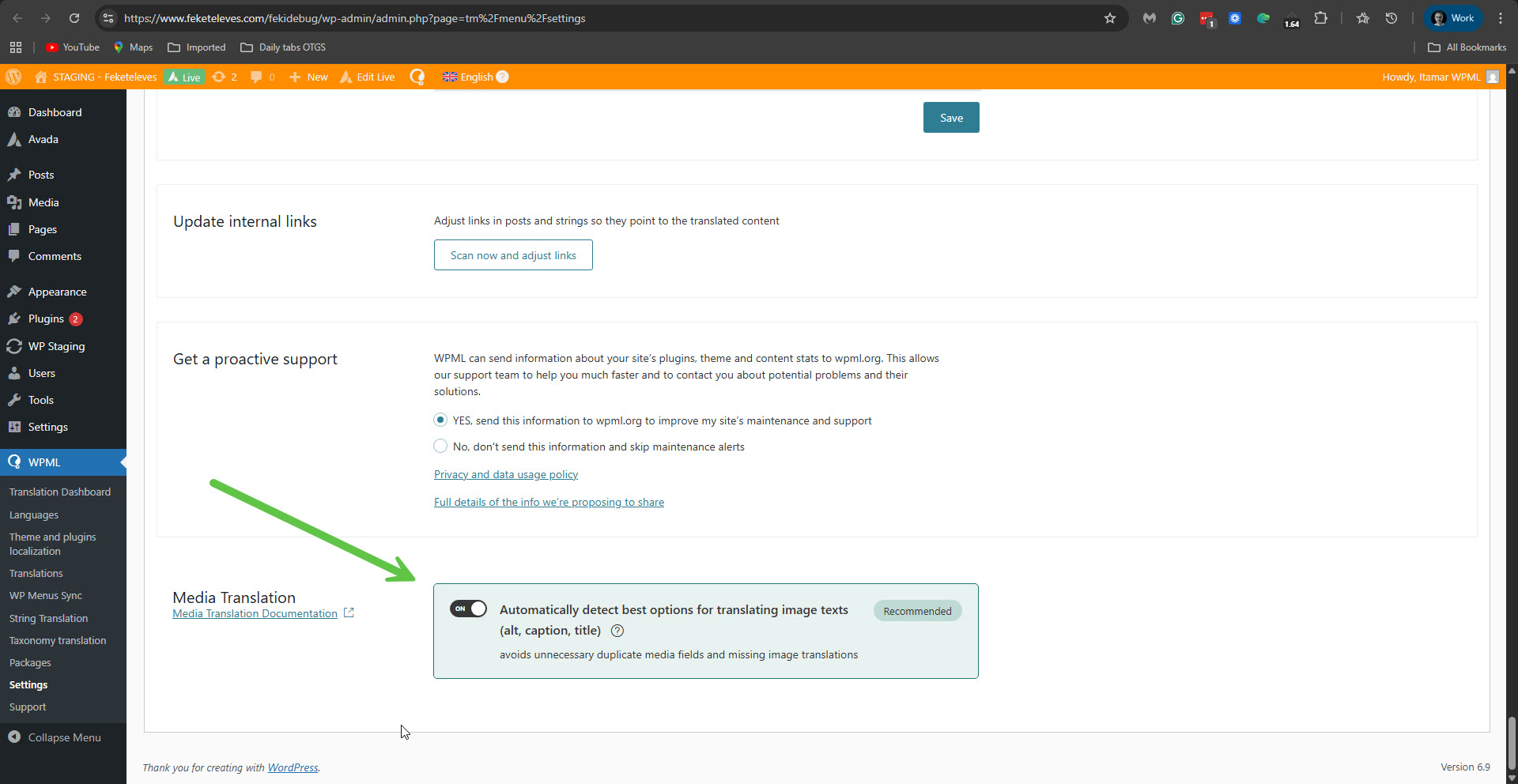
The Media translation section at the bottom of the WPML -> Settings screen should always appear. It can be in automatic or manual mode. Please see the attached screenshots. But it should be there. Here is what I suggest you try next.
We suspect a collision with the theme or another plugin might cause this problem. If possible, get your site into a minimum environment, switching to a default WordPress theme like TwentyTwenty-Four and activating only WPML.
First, check whether the problem persists when only the theme is switched to TwentyTwenty-Four (for example). If it persists, deactivate all plugins except WPML and its add-ons. Then, please check if the problem persists. If it does not continue, start by activating the plugins individually and checking when the issue comes back, then report to me which plugin was the culprit.
**** Important! Please make a full site backup (files and DB) before you proceed with those steps****
*** If your site is live, you might want to try those procedures in a staging environment or a snapshot of your site on your local server or another server. ***
Alternatively, you can grant me access to your site so I can download a copy and continue investigating the issue on my local server. Another option is to create a staging site to investigate this issue without risking your live site. For this, I'm enabling a private message for the following reply. Privacy and Security Policy
We have strict policies regarding privacy and access to your information. Please see: https://wpml.org/purchase/support-policy/privacy-and-security-when-providing-debug-information-for-support/ **IMPORTANT**
- - Please back up the site files and database before providing us access. --
-- If you have a staging site where the problem can be reproduced, it is better to share access to the staging site.--
I agree that these checks should be done in a safe environment. I will set up a staging site and use it to reproduce the issue there, including testing with a minimal setup as suggested (default theme / only WPML active).
Once the staging site is ready and the issue is reproducible there, I will share staging access with you via a private message so you can investigate without any risk to the live site.
As I don't have experience with it, it takes time, but I am on it. I’ll get back to you shortly once this is prepared to discuss how to proceed further.
I put your site into a minimal environment, and unfortunately, the problem persisted. I also created a test post, and the problem pesists there. hidden link
Addtionaly I removed WPML and Strings Translation, and installed fresh copies. But it didn't help, and the Media translation section is still missing in WPML -> Settings. I tried to replicate this problem on a fresh WordPress site with WPML and Avada, but couldn't. It only occurs on your site. I need to esclate this issue to our second-tier supporters. For this, please allow me to take a copy of your site. For this, I must install a plugin like Duplicator or All-in-One Migration. Please let me know if you agree.
Thank you very much for your efforts! As long as the plugin and copy affect only the staging site and not my main site, I agree. Please let me know if you need further info.
Thank you again and looking forward for the results.
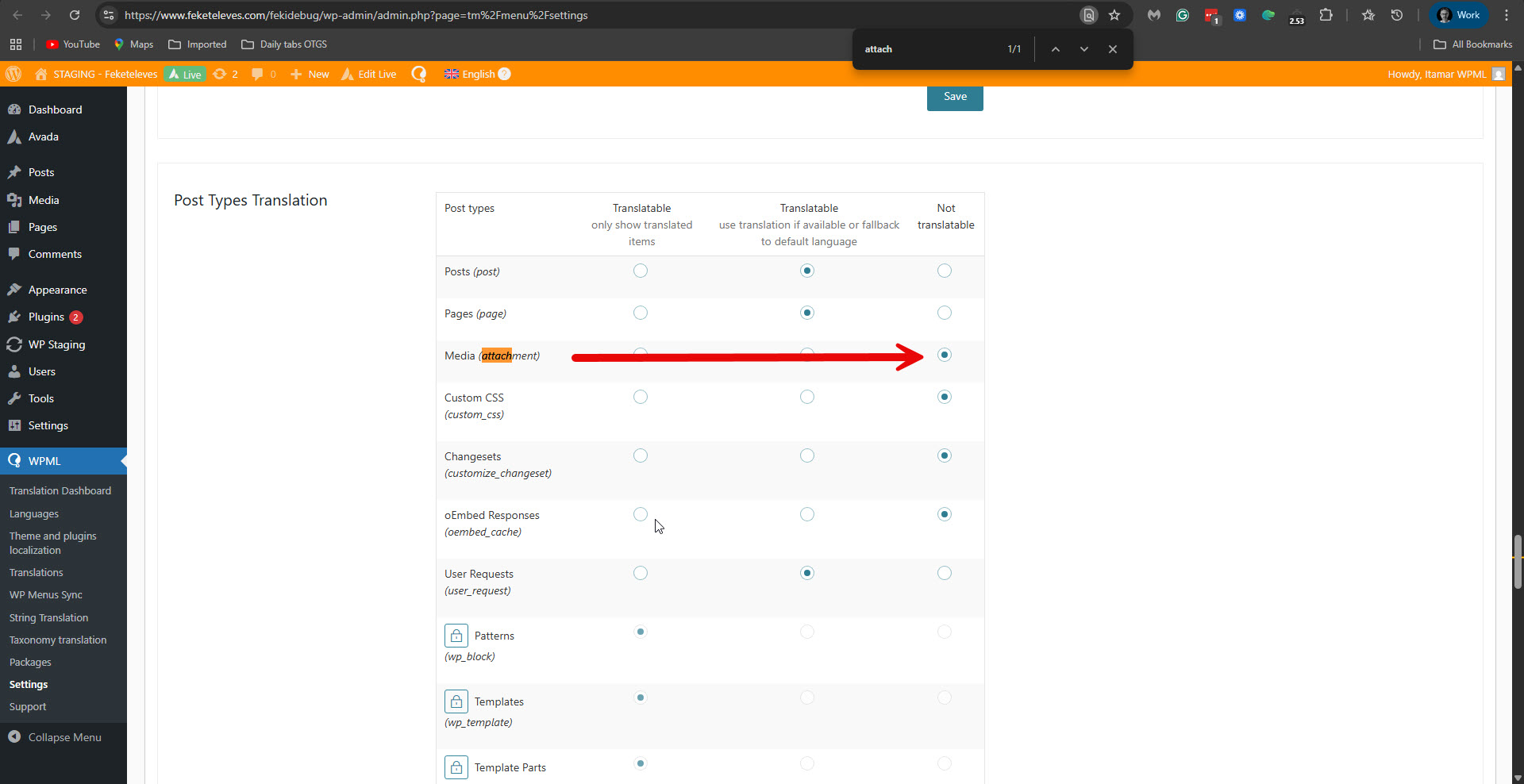
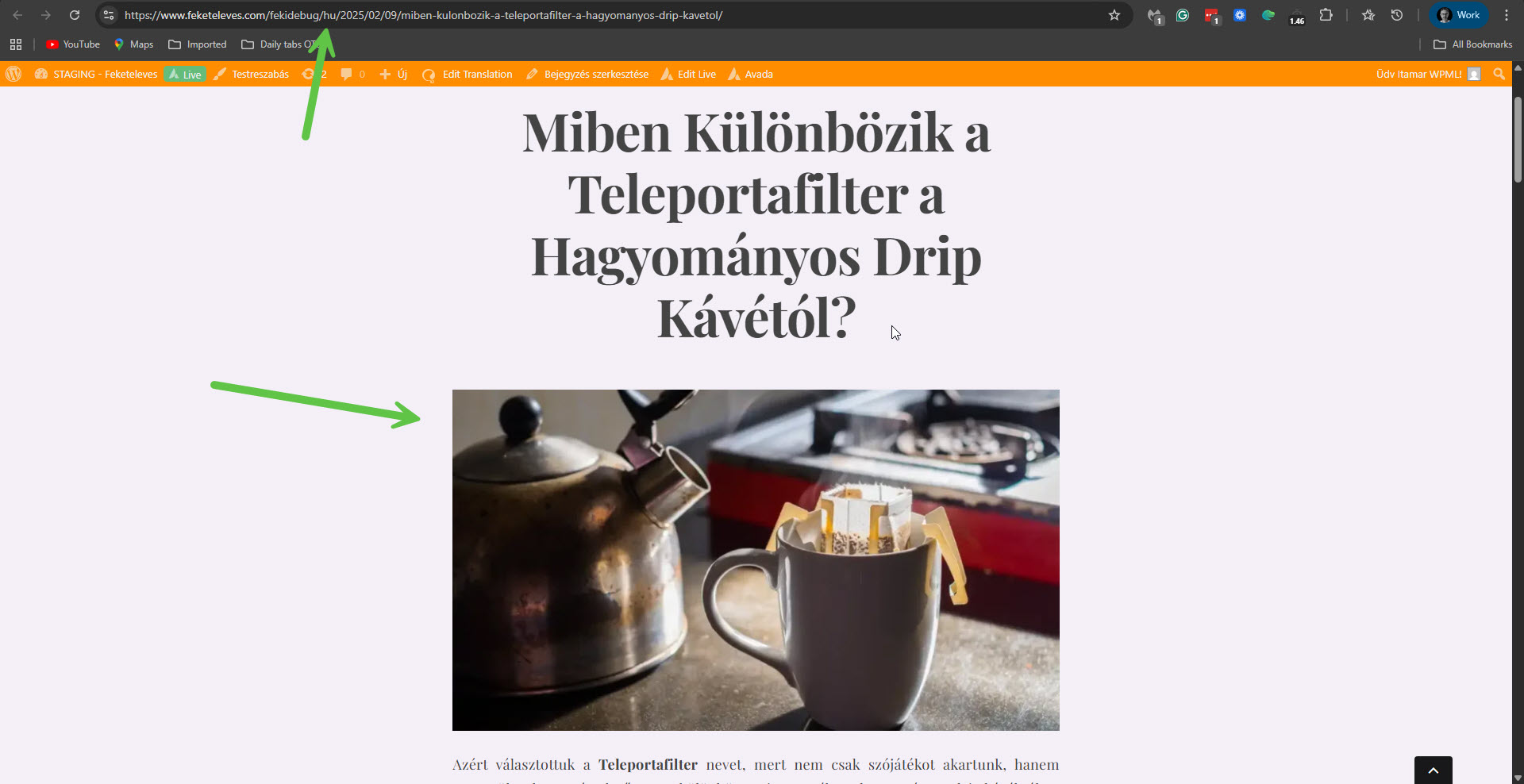
OK, we have found the source of the problem. The problem occurred because in WPML -> Settings -> Post Types Translation, the post type 'Media (attachment)' was set to 'Not translatable'. Please see the attached screenshot media-not-trans.jpg. On your staging site, once we set it to 'Translatable - only show translated items', the problem is solved by updating the original posts and their translations. For example, here: hidden link. Please see the attached screenshot featured-image-ok.jpg. It also made the media options in WPML -> Settings show. Please see the attached screenshot media-options.jpg. To correct this problem, follow these steps.
1. Go to WPML -> Settings -> Post Types Translation, and look for 'Media (attachment)'.
2. Set it to: 'Translatable - only show translated items' and click the Save button.
3. Edit the original post that had this problem, and click the Update button.
4. This will result in an update for the translated post. A circled arrow will show.
5. Update the translated post with the Advanced Translation Editor.
6. On the frontend, see that the featured image shows.
**** Important! Please make a full site backup (files and DB) before you proceed with those steps****
Can you please confirm that this resolves the problem with the featured image?
I set it it to Translatable (with the fallback, as I've never used the "only show translated" version, but it worked, and even the Media Translations setting is back. I can delete the staging site now, right?
Thank you very much for helping me and spending such amount of time on my issue, I really appreciate it!