Thanks for your patience. I do have some feedback, and this is what our 2nd Tier Support mentioned.
If you have a page with slug "sample-page" and you assign a template to that page - it will be a template with a slug page-sample-page slug.
So you translate "sample-page" and it becomes "translated-page" so you need to translate the template and make sure its slug is "page-translated-page" in order to work.
However, I've tested, and it's not working, and I'm rechecking this with our 2nd Tier Support and will come back to you as quickly as possible.
Thanks for your patience. Our 2nd Tier Support has identified the issue and provided a workaround. Please create a full backup first, then add the custom PHP code below to your theme’s functions.php file. After that, make a small change to the primary language page and try retranslating it.
I confirm that the above PHP code resolved the issue, and now translated pages/posts are assigned to the correct templates 🙂 A few notes:
1. After implementing this code, re-translating the page/post didn't help. I had to remove the template translation and translate it again. This makes sense, as this PHP code removes the filter that ensures the uniqueness of the template slug. Now, in both languages, the template has the same slug, e.g., "page", "single-project" (previously in EN, it was "page-2", "single-project-2").
2. Do you plan to fix this issue in a future version of the plugin? I understand this problem is likely to occur to anyone building a template using "Full Site Editing."
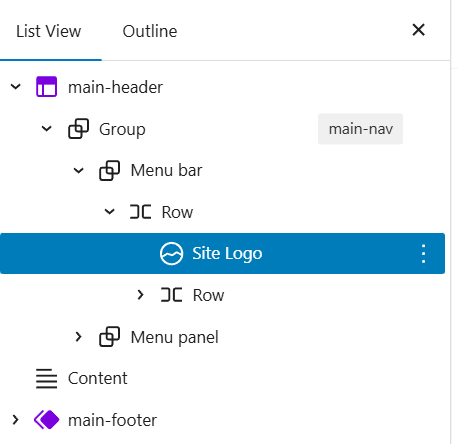
3. The logo still didn't appear in the top menu on translated pages. I built it using the standard "Site Logo" block (see screenshot). I discovered that the image used in the logo needs to be translated using "WPML -> Media Translation." I'll leave it to you to decide whether this is a WPML bug. The same image inserted in the footer using the "Image" block doesn't require such a translation.
4. Could we please extend our plugin license by one month? We waited exactly that long for the bug to be fixed, which prevented us from launching the site.
New threads created by Kor and linked to this one are listed below:
Thanks for your reply. I’ll address your questions below.
1. Did you apply the fix on your staging site? When I checked here hidden link I didn’t see any duplicated templates. Could you please share a few screenshots showing the (template with the same slug) issue on your end?
2. I’ll check with our 2nd Tier Support regarding this and get back to you once I have more information.
Thanks for your reply. I’ve consulted with our 2nd Tier Support team and will get back to you regarding your question. As for the one-month extension, I’m still waiting for approval from my manager and will update you as soon as I receive feedback.
Thanks for your reply. I have an update from our 2nd Tier Support team.
They confirmed that this can be resolved by making a small adjustment directly in the database using a tool such as Adminer or phpMyAdmin. We would locate the relevant template entries in the wp_posts table and identify the translated templates that have a -2 suffix in their name. By removing this suffix so the translated template matches the original name, the templates should be correctly recognized.
After this change, the templates should work as expected, and it should no longer be necessary to re-translate them.
As for the one-month extension, I will come back to you once I've feedback.
The topic ‘[Closed] FSE template not applied to tanslated pages/posts’ is closed to new replies.