This thread is resolved. Here is a description of the problem and solution.
Problem:
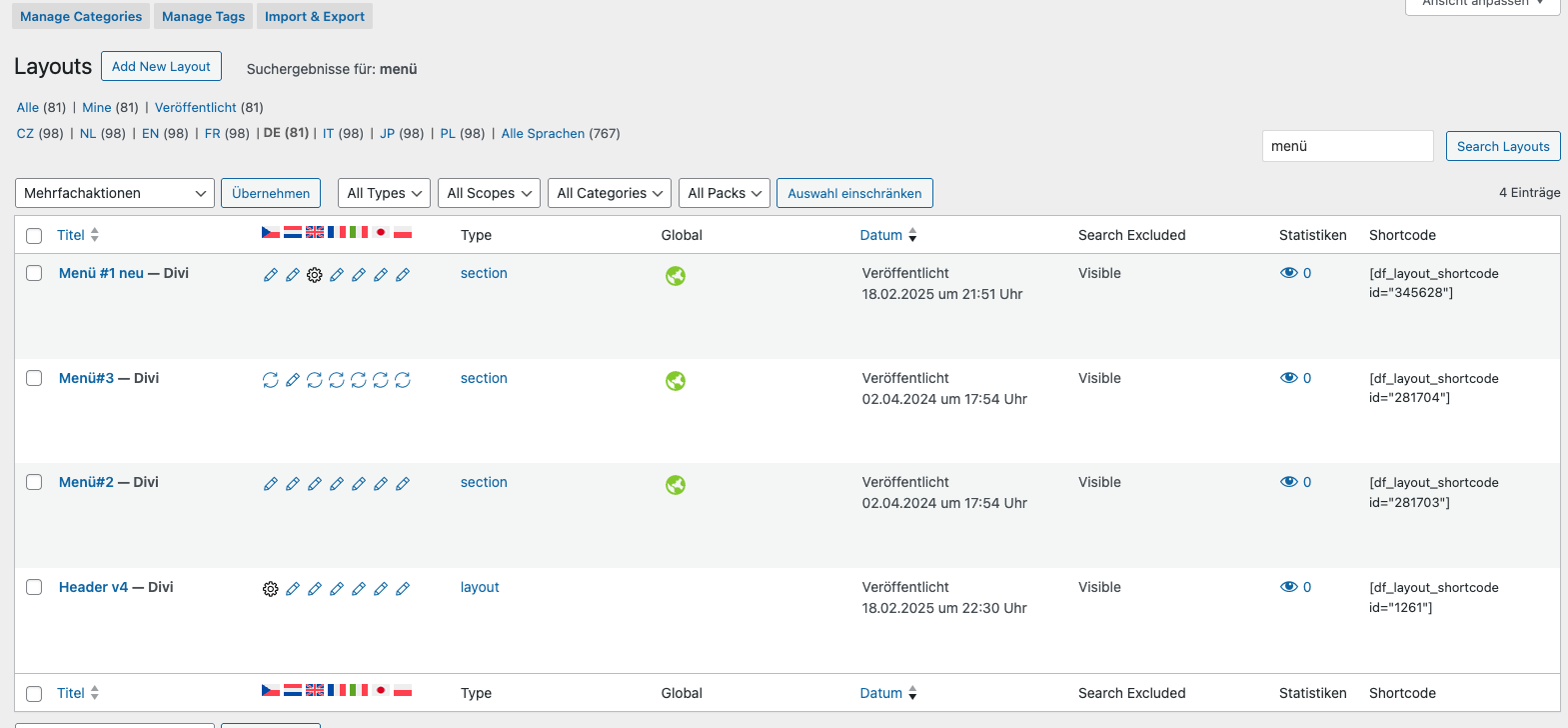
The client was experiencing an issue where the phone number in the DIVI Global Header was displaying in German across all languages, despite previous correct settings. The section to edit this header was also not visible.
Solution:
We advised the client to check under DIVI Layouts where multiple Global Sections (Menü 1, Menü 2, and Menü 3) might be overwriting the header settings. By opening these sections and searching for the phone number, the client was able to locate and correct the numbers. Additionally, to allow translating numerical values such as phone numbers, we provided a code snippet to be added to the theme's functions.php file:
function wpmlsupp_7499_allow_translating_numbers( $is_translatable, $job_translate ) {
    $data = $job_translate['field_data'];
    if ( 'base64' === $job_translate['field_format'] ) {
        $data = base64_decode( $data );
    }
    if ( is_numeric( $data ) ) {
        return true;
    }
    return $is_translatable;
}
add_filter( 'wpml_tm_job_field_is_translatable', 'wpmlsupp_7499_allow_translating_numbers', 10, 2 );
After adding this code, the client should resave the primary language page so the Advanced Translation Editor can rescan and show the numbers for translation.
If this solution does not resolve your issue, or if it seems outdated or irrelevant to your case, we highly recommend checking related known issues at https://wpml.org/known-issues/, verifying the version of the permanent fix, and confirming that you have installed the latest versions of themes and plugins. If issues persist, please open a new support ticket.
This is the technical support forum for WPML - the multilingual WordPress plugin.
Everyone can read, but only WPML clients can post here. WPML team is replying on the forum 6 days per week, 22 hours per day.