This thread is resolved. Here is a description of the problem and solution.
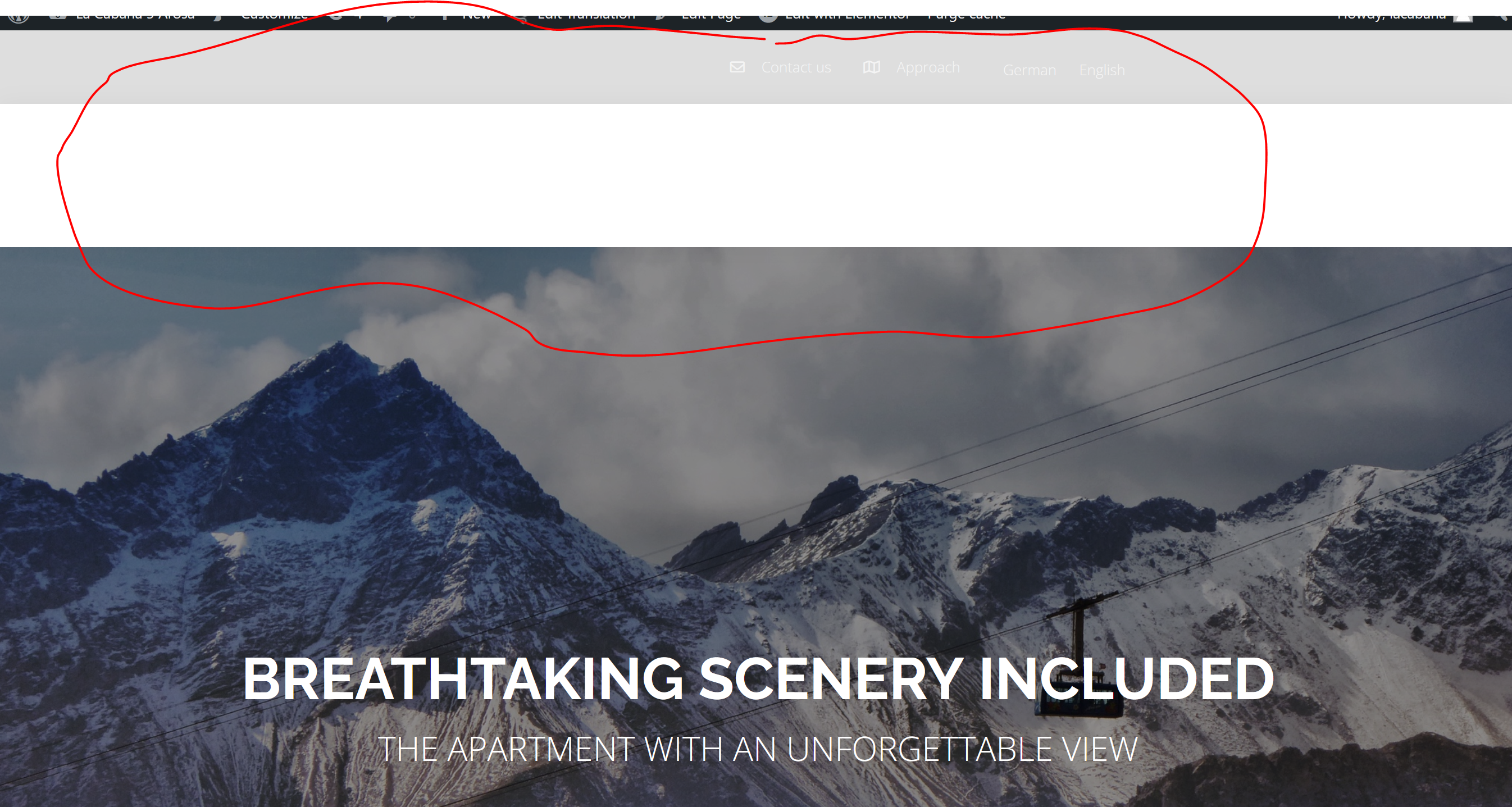
Problem: You are using WPML to translate your website from German to English and encountering two issues: 1. The header with the menu appears white on the English version of the site. 2. A 510 server error occurs when trying to update the English version of a specific page. Additionally, you are looking to translate the 'site reviews' plugin from English to German. Solution: For the issue with the white header on the English version, it appears to be related to the translation settings in WPML. Ensure that the translation options for the header elements are correctly configured in WPML. For the 510 server error on the specific page, our team found that deleting the 'Room 2' and 'Room 3' sections from the English page allows Elementor to function correctly. We recommend recreating these sections in English to see if this resolves the issue. Regarding translating the 'site reviews' plugin, check if the plugin is compatible with WPML and use the WPML String Translation add-on to translate the plugin elements.
Please note that this solution might be outdated or not applicable to your specific case. We highly recommend checking related known issues at https://wpml.org/known-issues/, verifying the version of the permanent fix, and confirming that you have installed the latest versions of themes and plugins. If the issue persists, please open a new support ticket.
This is the technical support forum for WPML - the multilingual WordPress plugin.
Everyone can read, but only WPML clients can post here. WPML team is replying on the forum 6 days per week, 22 hours per day.
Background of the issue:
I am using WPML to translate my website from German to English. I am experiencing issues with the header and a specific page after translation. Additionally, I want to translate the 'site reviews' plugin from English to German.
Symptoms:
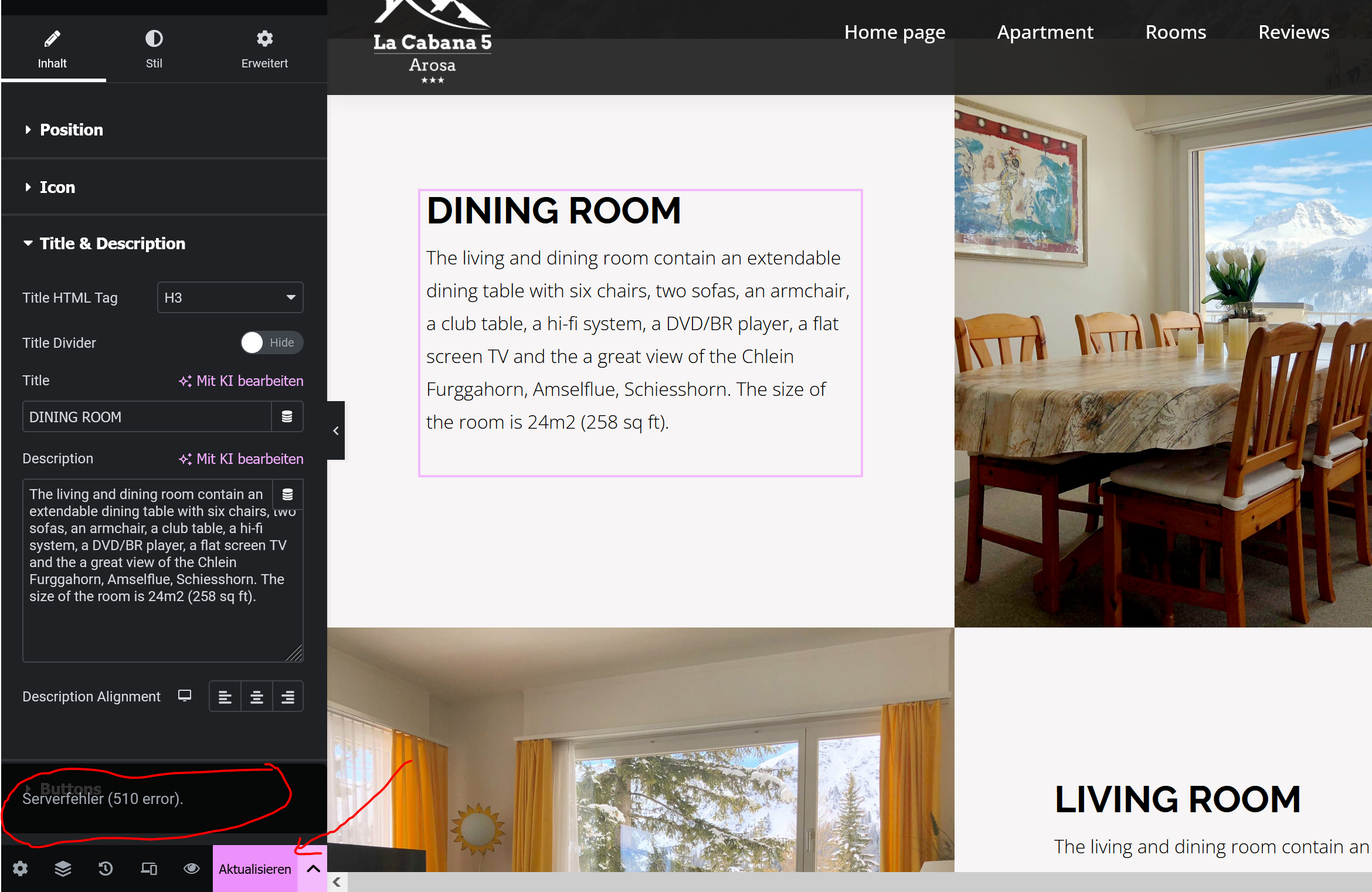
1. The header with the menu is just white on the English version of the site. 2. A 510 server error occurs when trying to update the English version of the page hidden link.
Questions:
Why is the header with the menu white on the English version after translation with WPML?
Why does the page hidden link show a 510 server error after translation with WPML?
Is there a way to translate the 'site reviews' plugin from English to German?
Thanks for contacting WPML forums support. I'll be glad to help you today.
Let us focus on the header issue first. I would need to look closely at your site, so I would need to request temporary access (WP-Admin and FTP) Preferably to a test site where the problem has been replicated.
Your answer will be private, meaning only you and I can access it.
❌ Please backup your database and website ❌
✙ I need your permission to deactivate and reactivate the plugins and themes and change site configurations. This is also why the backup is critical.
✙ I also need your permission to take a local copy of your site to debug the issue without affecting your live site.
thank you for your help. Regarding issue 1, I found the problem:
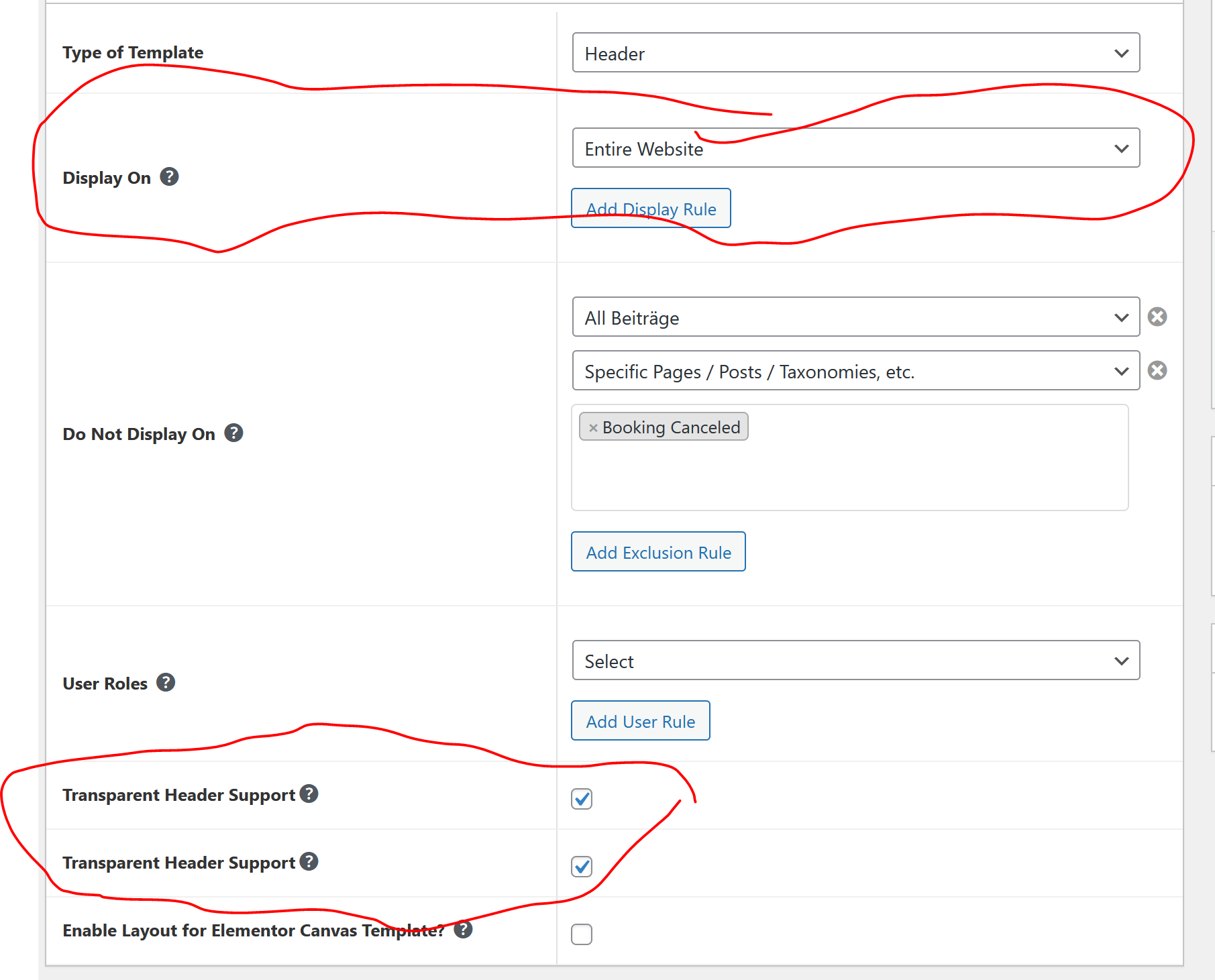
I had to check boxes to make the header transparent (this was not done automatically by WPML - see picture in attachment).
However, I still struggle with issue 2 and the 510 server error. Do you have any idea why this happens and what I can do about it?
Following these steps, please check if the issue persists in a minimal environment.
1- Deactivate all the plugins except WPML CMS, String Translation, and Elementor.
2- Switch to a WordPress default theme like Twenty Twenty-one.
3- Edit the English page using Elementor.
If the issue is gone, activate them one by one to see which one is causing an interaction issue.
❌ Please backup your database before performing the above test ❌
thank you. I can do this. However, it is only one page that shows the 510 server error. All other pages are working properly. The interesting thing is that the problematic page (hidden link) uses the same layout, plugins etc like all other pages. This is why I do not understand what the problem is.
I will proceed and disable the plugins and backup everything. In the meantime, do you any other ideas what could cause the problem based on the things I mentioned in this message?
Thanks for the access details. I checked the issue and found that when deleting the Room 2 and Room 3 sections from the English page, Elementor works correctly.
Please recreate these sections in English and check if that will fix the issue.
Hi thank you. I recreated the sections and I was further able to isolate the issue.
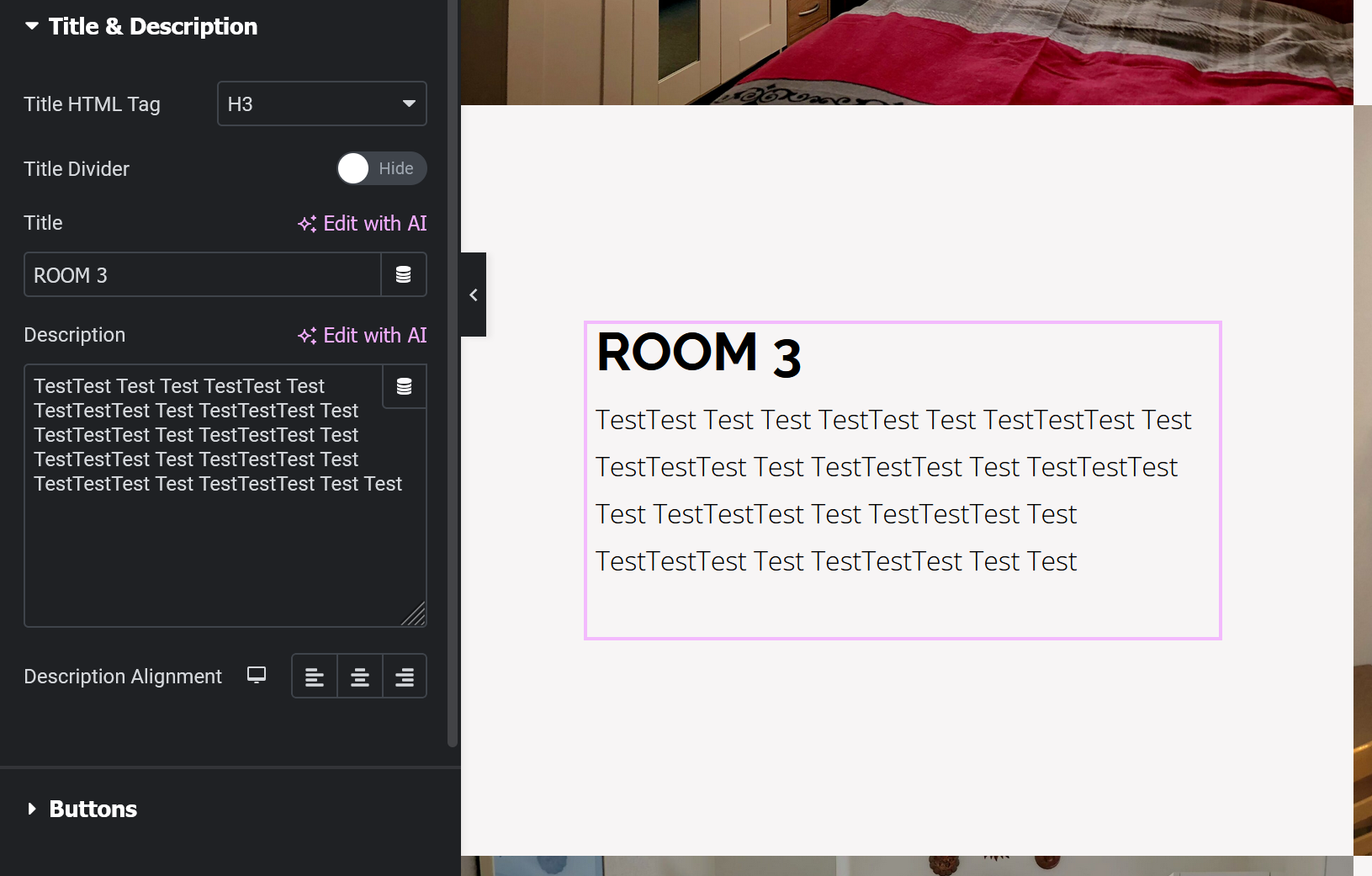
The issue seems to be related to the "description" for both ROOM 2 and ROOM 3 (see picture). If I insert a random text, the 510 server error does not appear.
However if I insert the actual text, then the problem appears:
---
ROOM 2 description:
Room 2 has two single beds (90 x 200cm) and is suitable for 2 adults or 2 children. The room has a bedside table with a lamp, a closet, a mirror and a table with a chair. The room faces Valbellahorn, Schafrügg, Älpliseehorn and is 10m2 (108 sq ft) in size.
ROOM 3 description:
Room 3 has a bunk bed with two mattresses (90 x 200cm) and is suitable for 2 children (or 2 adults). The room has a bedside table with a bedside lamp, a closet with a mirror and a table with a chair. There is also a crib under the bunk bed. The room is facing Valbellahorn and has a size of 7.5m2 (81 sq ft).
----
Is there something in the text that could cause the problem?
That is a very strange issue because the numbers should work correctly. I created a test page on a sandbox site with text that included numbers and translated it, which worked as expected.
One problem could be connected to the theme I am using - but this is only an assumption:
the theme is for booking a hotel or apartment. Hence, a number followed by children or adults could have a specific meaning in the theme and this might cause the error. But I am not sure. However, I solved it now by using "two" instead of 2.
Regarding the sandbox: the page you created has no implications on the actual website right?
I have a plugin called "site reviews". This plugin and the functionality that you can implement via Elementor (basically a form to sumbit reviews), is only in English. Is there a way to use WPML to translate the form also to German so that I have a German and an English version of the form?
New threads created by Osama Mersal and linked to this one are listed below: