This thread is resolved. Here is a description of the problem and solution.
Problem:
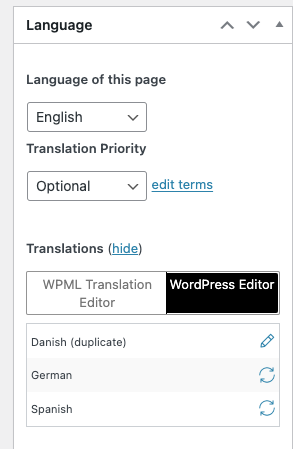
The client needed to delete the Spanish and Danish translations of a page originally created in English.
Solution:
We recommended the following steps to delete the translations:
1. Make a backup of the site as a precaution.
2. Navigate to the pages listing screen and switch to either Spanish or Danish using the admin top bar.
3. Locate the translated page and send it to the trash.
4. Ensure to permanently delete the page from the trash to completely remove the translation.
Alternatively, you can edit the page in the main language and switch to the secondary language directly on that screen to send it to the trash. Remember, it is crucial to delete the page from the trash as well.
If this solution does not resolve your issue, or if it seems outdated or irrelevant to your case, we highly recommend checking related known issues at https://wpml.org/known-issues/, verifying the version of the permanent fix, and confirming that you have installed the latest versions of themes and plugins. If further assistance is needed, please open a new support ticket at WPML support forum.
This is the technical support forum for WPML - the multilingual WordPress plugin.
Everyone can read, but only WPML clients can post here. WPML team is replying on the forum 6 days per week, 22 hours per day.
This topic contains 1 reply, has 2 voices.
Last updated by 1 year, 8 months ago.
Assisted by: Mateus Getulio.