Skip to content Skip to sidebar

This thread is resolved. Here is a description of the problem and solution.

Problem:
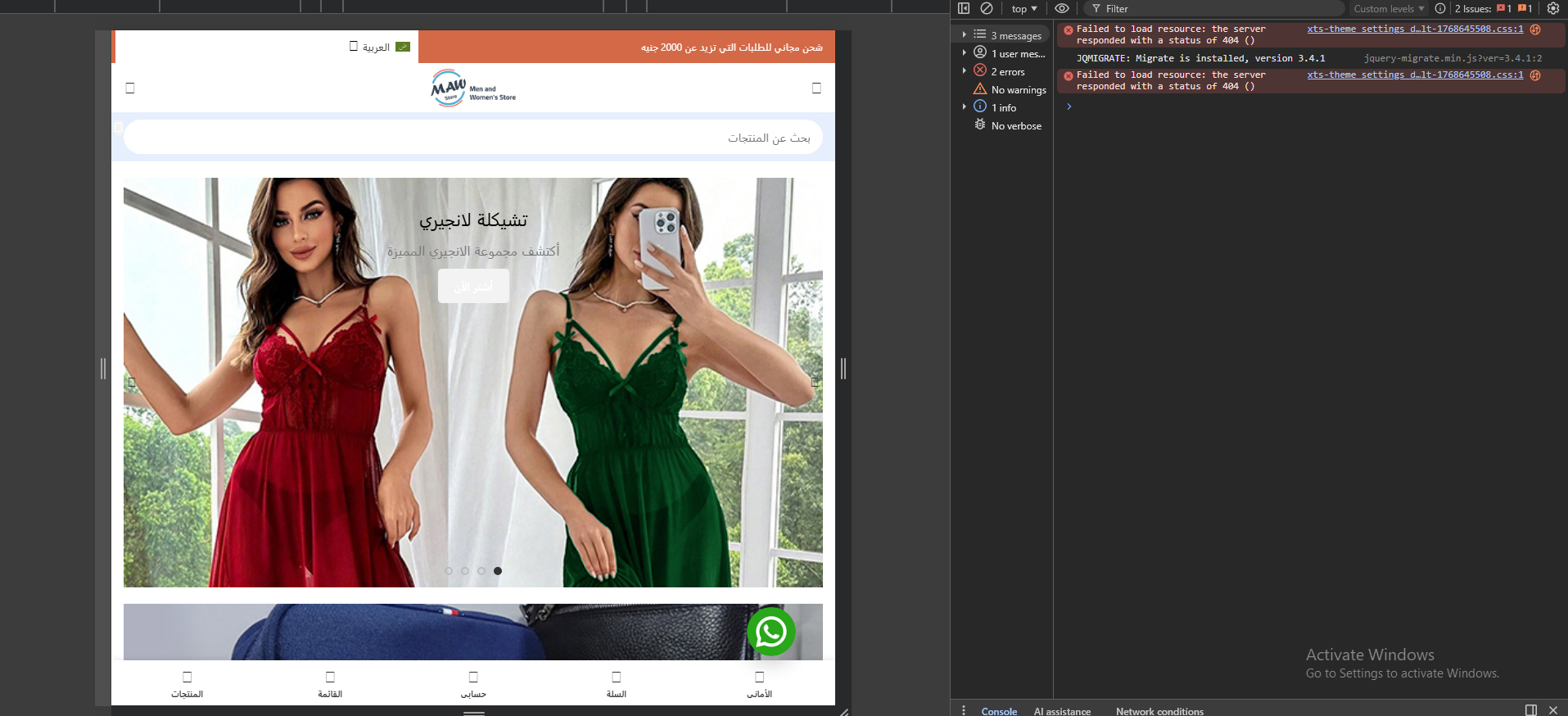
When opening the website in Arabic, some dynamically generated CSS files are not loading, resulting in 404 errors. These files load correctly in English. The issue affects the frontend layout and styles specifically in the Arabic pages.
Solution:
First, try the workaround suggested here: https://wpml.org/faq/why-is-htaccess-getting-overwritten-with-the-language-folder-on-my-wpml-website/.
If the issue persists, perform the following steps:
1. Update the PHP and MySQL versions on your server to supported, stable versions.
2. Temporarily deactivate all plugins except for WPML to check for possible conflicts.
Ensure you back up your site before making these changes.

If these steps do not resolve the issue, or if the solution seems outdated or irrelevant to your case, we highly recommend checking related known issues at https://wpml.org/known-issues/, verifying the version of the permanent fix, and confirming that you have installed the latest versions of themes and plugins. If problems continue, please open a new support ticket with us for further assistance.

This is the technical support forum for WPML - the multilingual WordPress plugin.

Everyone can read, but only WPML clients can post here. WPML team is replying on the forum 6 days per week, 22 hours per day.

Tagged: 

This topic contains 1 replies, has 0 voices.

Last updated by Andrey 2 months, 4 weeks ago.

Assisted by: Andrey.

Author Posts
January 17, 2026 at 3:11 pm #17739149

moustafaK

A lot of times When opening the website in the second language (Arabic), some generated CSS files are not loading and return 404 errors, please chech attached image
These CSS files load correctly in the default language (English), but fail intermittently or consistently in Arabic only.
As a result, frontend layout and styles break in Arabic pages.
What I already tried:
Cleared server cache multiple times
Cleared WPML cache
All plugins and theme are fully updated, it's already auto update
Checked theme performance and optimization settings
Issue still persists only in Arabic

Important notes:

This issue does NOT happen in the default language
The CSS files appear to be dynamically generated and language-dependent
The problem seems related to how WPML handles generated CSS files for secondary languages

The Results: Bad User interface, such as no icons loaded or buttons

Request:
Please investigate why WPML-generated or language-specific CSS files are not being properly generated or loaded for the Arabic language, and advise on the correct fix or recommended configuration.

January 17, 2026 at 5:03 pm #17739298

Andrey
WPML Supporter since 06/2013

Languages: English (English ) Russian (Русский )

Timezone: Europe/Kyiv (GMT+03:00)

Thank you for contacting WPML support.

As a first step, please try the following workaround and check whether it improves the issue:
https://wpml.org/faq/why-is-htaccess-getting-overwritten-with-the-language-folder-on-my-wpml-website/

If the problem persists, I recommend the following additional checks:
• Update the PHP and MySQL versions on your server to supported, stable versions.
• Test the site with only WPML plugins activated, temporarily disabling all other plugins to rule out conflicts.

Before making any changes, please ensure that you create a full backup of your site.