Skip to content Skip to sidebar

This thread is resolved. Here is a description of the problem and solution.

Problem:
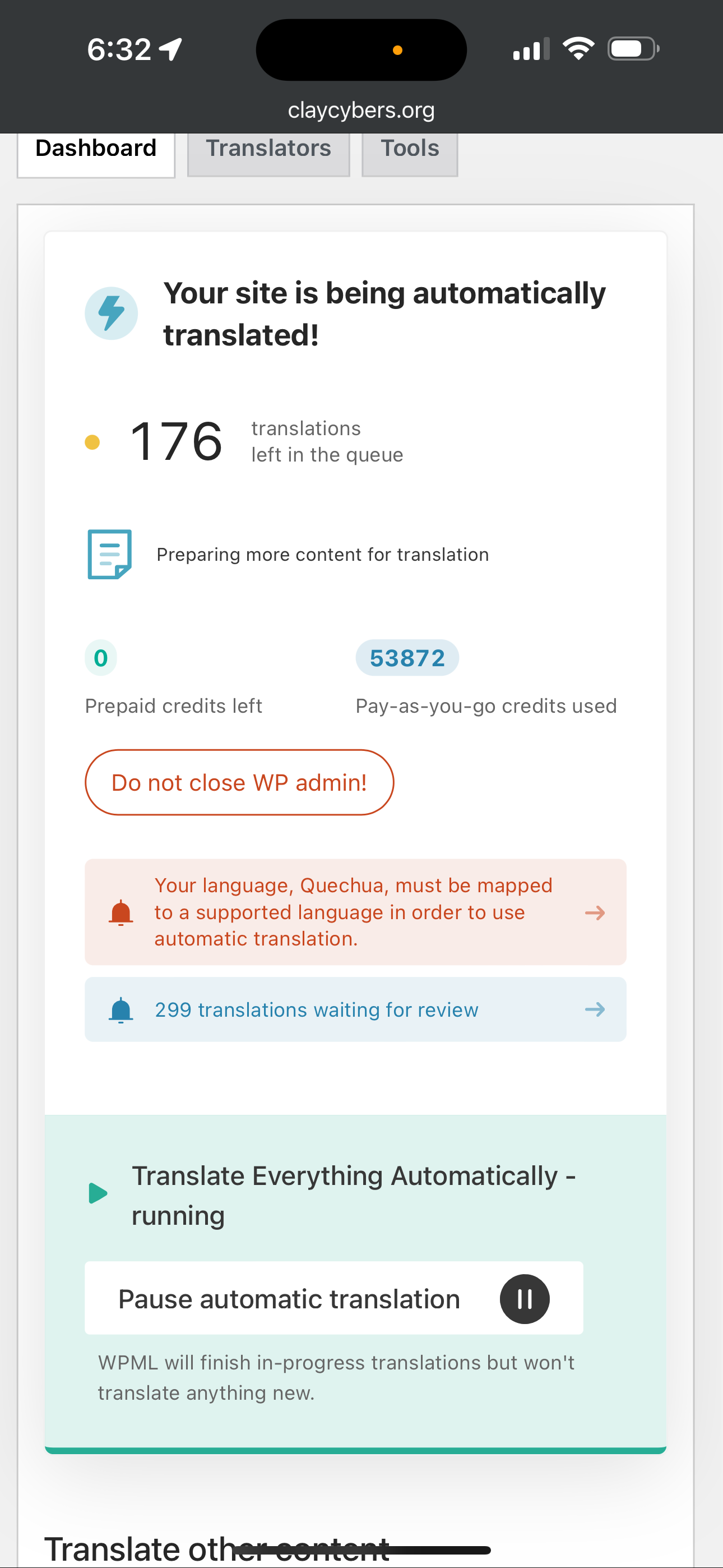
The client is experiencing an issue where they receive an error stating 'qEUCHUA is not supported' which prevents automatic translation on their website. Additionally, when clicking on the error, it shows a list of languages without any options to delete or edit.

Solution:
If you're encountering the 'qEUCHUA is not supported' error, we recommend mapping Quechua to a supported language in the Automatic Translation Engine. You can find the list of languages supported by the translation engines at https://ate.wpml.org/mt_langs.
For more detailed guidance on editing WPML's languages table and using automatic translation with custom languages, please refer to the following documents:

If this solution does not resolve your issue or seems irrelevant due to being outdated or not applicable to your case, we highly recommend checking related known issues at https://wpml.org/known-issues/, verifying the version of the permanent fix, and confirming that you have installed the latest versions of themes and plugins. If further assistance is needed, please open a new support ticket at WPML support forum.

This is the technical support forum for WPML - the multilingual WordPress plugin.

Everyone can read, but only WPML clients can post here. WPML team is replying on the forum 6 days per week, 22 hours per day.

This topic contains 2 replies, has 2 voices.

Last updated by Waqas Bin Hasan 1 year, 10 months ago.

Assisted by: Waqas Bin Hasan.

Author Posts
June 20, 2024 at 10:42 am #15762886

omranA

Background of the issue:
I have enabled WPML and pay-as-you-go. My website hidden link has been fully translated automatically, but I am encountering an issue.

Symptoms:
I receive an error stating that 'qEUCHUA is not supported' and it prevents automatic translation. When I click on the error, it shows a list of languages without any options to delete or edit.

Questions:
How can I resolve the 'qEUCHUA is not supported' error?
Why does the error link show a list of languages without any actionable buttons?
What steps should I take to ensure my website is translated correctly for all languages?

June 20, 2024 at 10:44 am #15762912

omranA

Here is the issue that I am facing right now on my website I tried to translate my website to all languages and I am facing. I enable the automatic translation and everything, but it still giving me error and I don’t know how to fix this error. please help me out.

IMG_0497.png
June 20, 2024 at 11:40 am #15763341

Waqas Bin Hasan
WPML Supporter since 05/2014

Languages: English (English )

Timezone: Asia/Karachi (GMT+05:00)

Hi,

Thank you for contacting the support.

Quechua is preconfigured with WPML but for automatic translation, it needs to be mapped to a supported language (i.e. the language supported by the Automatic Translation Engine). You can find at hidden link about the languages supported by the translation engines.

Please also see following documents for more details:

- https://wpml.org/documentation/getting-started-guide/language-setup/editing-wpmls-languages-table/
- https://wpml.org/documentation/automatic-translation/using-automatic-translation-with-custom-languages/#in-the-languages-settings
- https://wpml.org/documentation/getting-started-guide/language-setup/pre-configured-languages/

Regards.