Skip to content Skip to sidebar

This thread is resolved. Here is a description of the problem and solution.

Problem:
The client is experiencing an issue where footer translations in a multilingual WordPress site using WPML revert to the source language in the admin area after updates, despite displaying correctly on the front-end.
Solution:
1. **Scan your theme for strings**: Ensure WPML has scanned the 'Bootstrap Basic New' theme for all translatable strings.
* Go to WPML → Theme and plugins localization.
* Under the Strings in the themes section, select your Bootstrap Basic New theme.
* Click the Scan selected components for strings button.

2. **Check for your footer text in String Translation**: After scanning, search for your footer text.
* Go to WPML → String Translation.
* Search for a unique part of your footer text.
* If found, ensure the translation is correctly entered and marked as Translation complete.

3. **If not found, check Admin Texts Translation**: Footer content might be in theme options, considered 'admin texts'.
* On the WPML → String Translation page, scroll down and click the Admin Texts Translation link.
* Look for your footer text under theme or customizer settings, select it, and click Add to String Translation.
* Search again in String Translation, enter the translation, and mark it as Translation complete.

4. **Clear Caches**: Clear any caching plugins or server-level caching.

If these steps do not resolve the issue, or if the solution seems outdated or not applicable to your case, we highly recommend checking related known issues at https://wpml.org/known-issues/, verifying the version of the permanent fix, and confirming that you have installed the latest versions of themes and plugins. If the problem persists, please open a new support ticket for personalized assistance at WPML support forum.

This is the technical support forum for WPML - the multilingual WordPress plugin.

Everyone can read, but only WPML clients can post here. WPML team is replying on the forum 6 days per week, 22 hours per day.

This topic contains 12 replies, has 0 voices.

Last updated by Kor 3 months, 1 week ago.

Assisted by: Kor.

Author Posts
January 19, 2026 at 10:37 am

rolfv

I use the WPML plugin in WordPress. The website consists of multiple languages. When I change the footer of another language to the correct language and press update, the page is displayed correctly. The translation in the admin is immediately rewritten to the source language.

January 19, 2026 at 11:04 am #17742009

Kor

Thanks for your patience. We were disconnected, so I've converted the chat into a ticket. Could you please share some screenshots highlighting the footer issue on your Website?

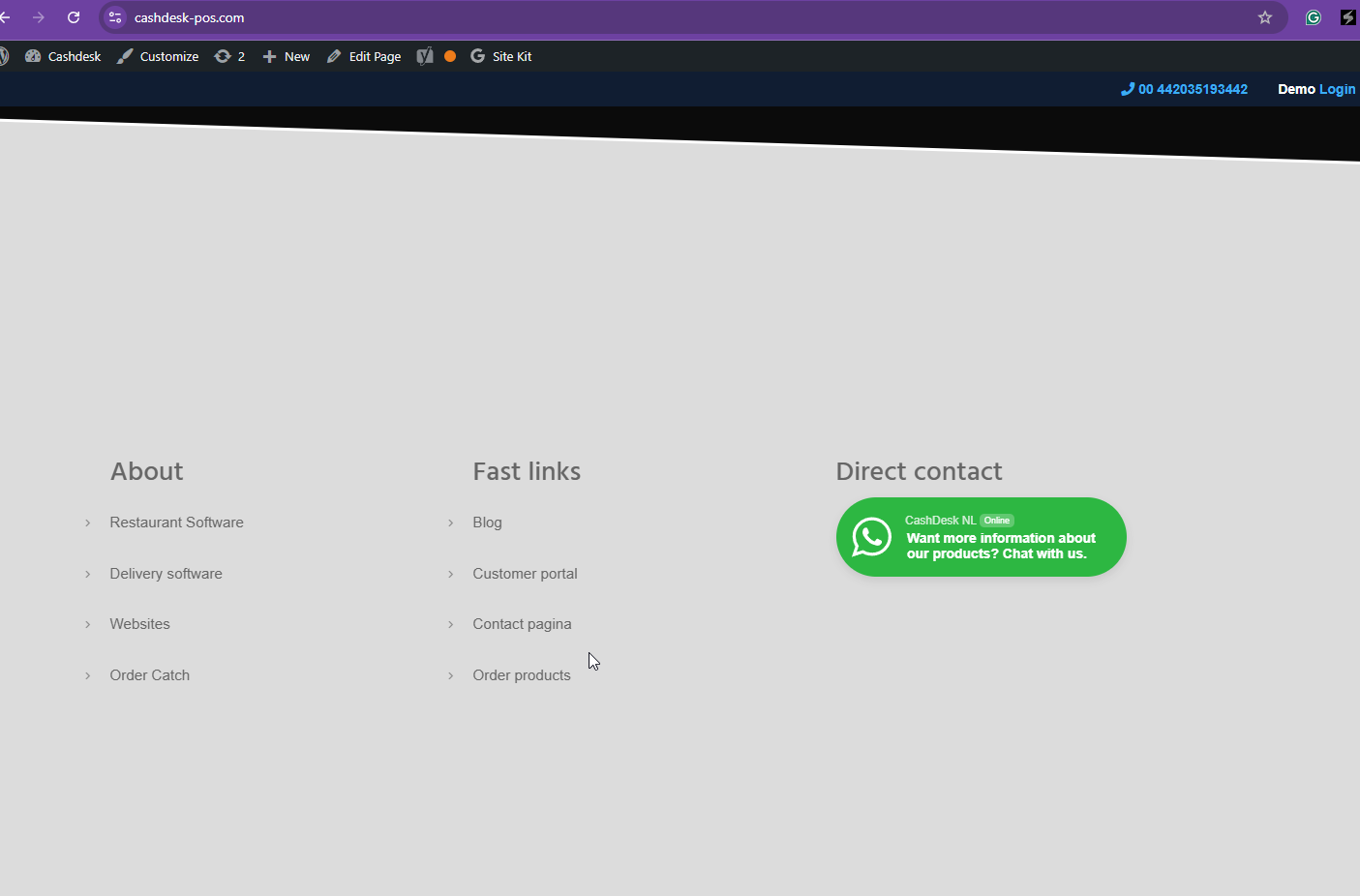
I've compared two languages below, and I can see that it's displaying the footer in different languages.

hidden link
hidden link

January 19, 2026 at 11:41 am #17742418

rolfv

Hi, after checking your screenshot the caht suddenly dispaered,
To answer your last question: no.
Its about this block in the footer of the website

2026-01-19 12_41_00-Clipboard.png
January 19, 2026 at 7:41 pm #17744004

Kor

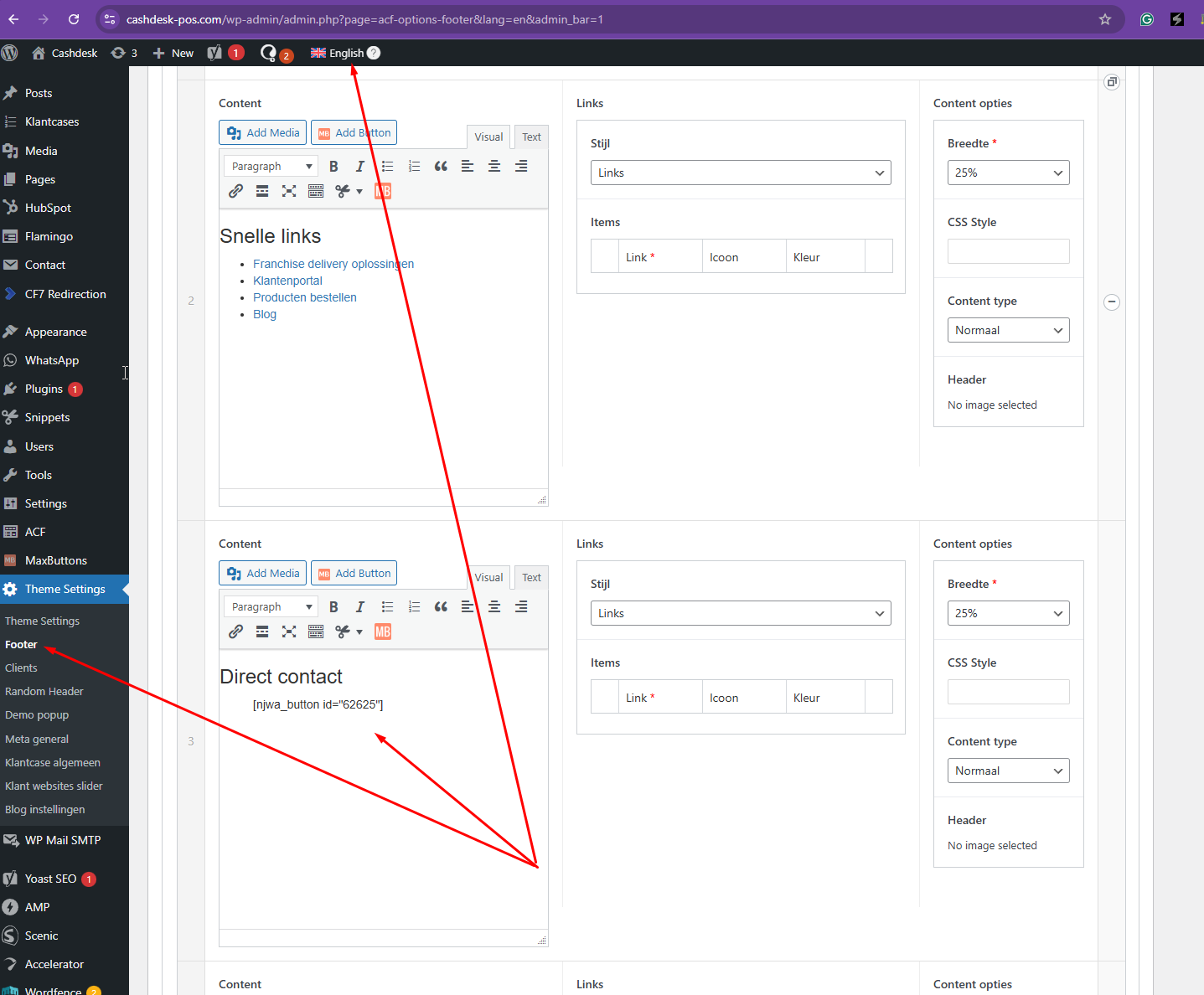
Thanks for your reply. I can see the issue now when I inspected the theme settings > Footer in the English language, as shown in the attached screenshot. It looks like there are some misconfigurations in the ACF field groups.

Do you have a staging site that I can use to troubleshoot this further? If you prefer that I work on the production site directly, please backup and let me know.

Screenshot_299.png
January 20, 2026 at 12:38 pm #17746401

rolfv

Hi, no we dont have one. Can you let me know what you or me can change and where?
(Note: unfortunatlty i dont get a mail when your reply on this ticket)

January 20, 2026 at 2:03 pm #17746681

Kor

Thanks for your reply. I will change the language option for this ACF field group hidden link to Expert Mode and then adjust the custom field translation settings accordingly.

Since you do not have a test site available, could you please share a site snapshot with me? Alternatively, with your permission, I can create a copy of your site as explained here https://wpml.org/de/faq/provide-supporters-copy-site/

This will allow me to test the changes locally before applying them to your production site. Please let me know how you like to proceed.

As for the email notification, there is an option at the top of this ticket that allows you to adjust the options as shown in the attached screenshot. Could you check?

Screenshot_301.png
January 20, 2026 at 8:15 pm #17748320

rolfv

Yes sure you can go on with copy the website like you suggested.
Thanks for the mail functionality it saved me time

January 21, 2026 at 11:38 am #17750117

Kor

Thanks for your reply. I'm able to create a package here hidden link but it's taking a long time for me to download (11+ hours). Could you upload both files to Google Drive or Dropbox and share me the link?

January 21, 2026 at 1:18 pm #17750400

Kor

Thanks for your reply. I have the copy of the site now and I will check and get back to you as quickly as possible.

January 21, 2026 at 2:42 pm #17750898

rolfv

Great, thanks

January 22, 2026 at 2:27 pm #17754250

Kor

Thanks for your patience. I have a solution for you and below is what I've done.

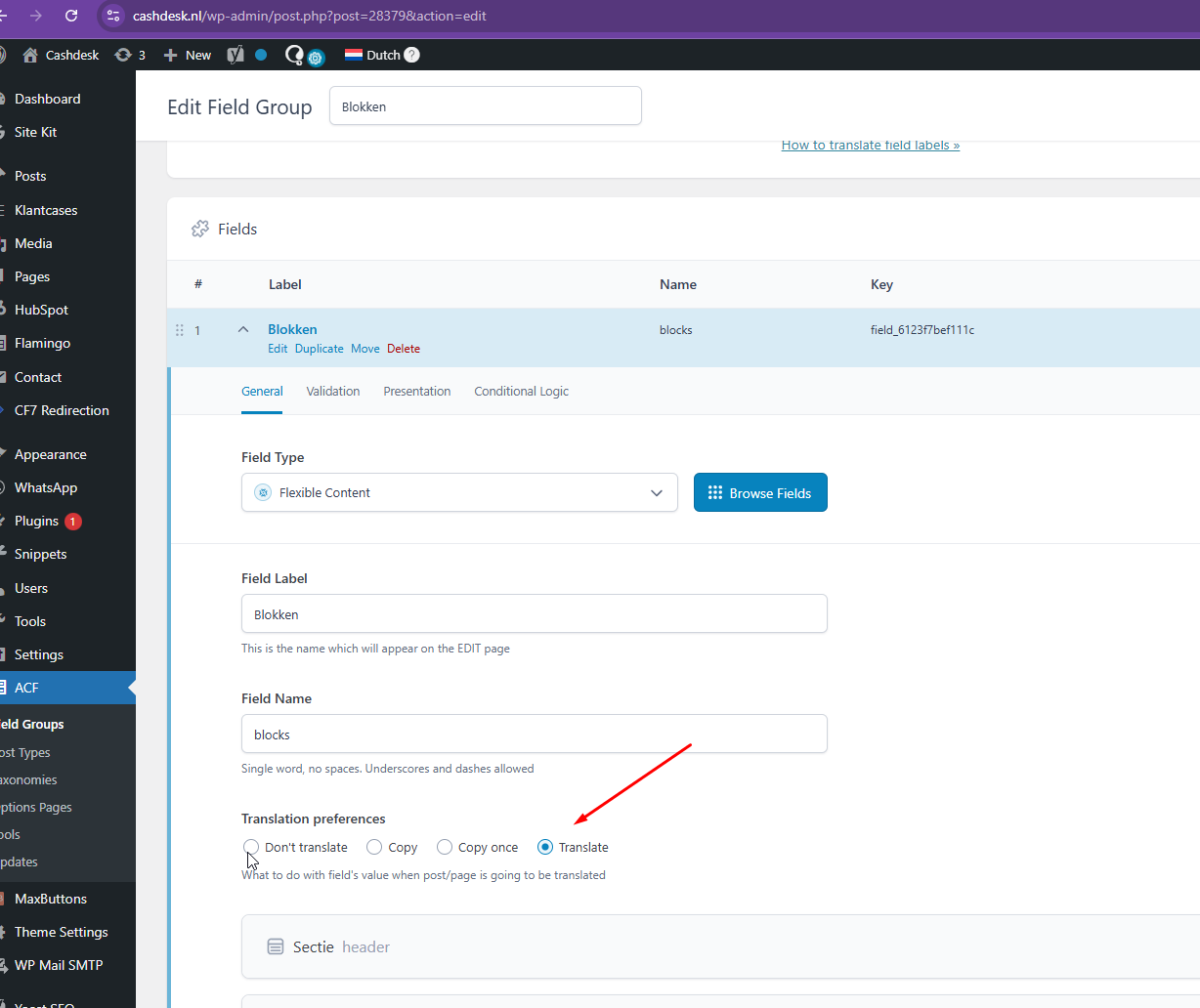
1. Navigate to ACF > Field Groups > Blokken > Change the translation to Expert Mode.

2. Then, edit the Blokken field hidden link and set it to translate as shown in the attached screenshot.

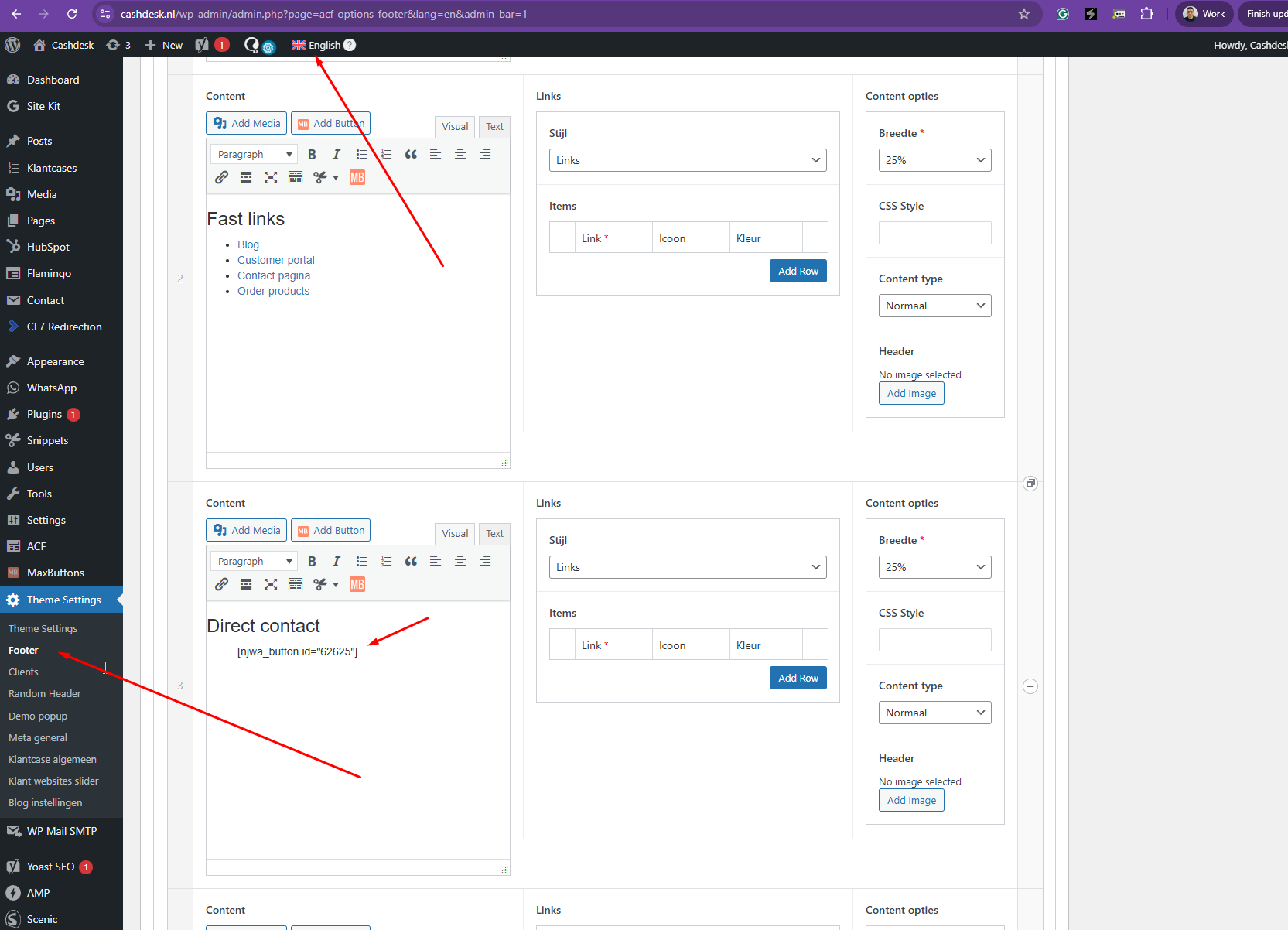
3. Then, edit the footer in English language and insert your Whatsapp button here hidden link .

4. You need to generate a new shortcode for English it seems and could you please check?

5. You can switch to another language and edit your footer here hidden link

Screenshot_323.png
Screenshot_321.png
Screenshot_322.png
January 23, 2026 at 11:41 am #17756837
rolfv

Seems working now! Thanks.
One other question. We have more languages at our website.
One of them is Felmisch.
This is not auto translated.
What can we do to let it work?

New threads created by Kor and linked to this one are listed below:

https://wpml.org/forums/topic/secondary-language-felmisch-is-not-auto-translated/

January 23, 2026 at 11:44 am #17756844

Kor

Thanks for your reply. I'm glad that worked. As for your new question, I've split the ticket here https://wpml.org/forums/topic/secondary-language-felmisch-is-not-auto-translated/ so that we can follow up. As for this ticket, please mark it as resolved.