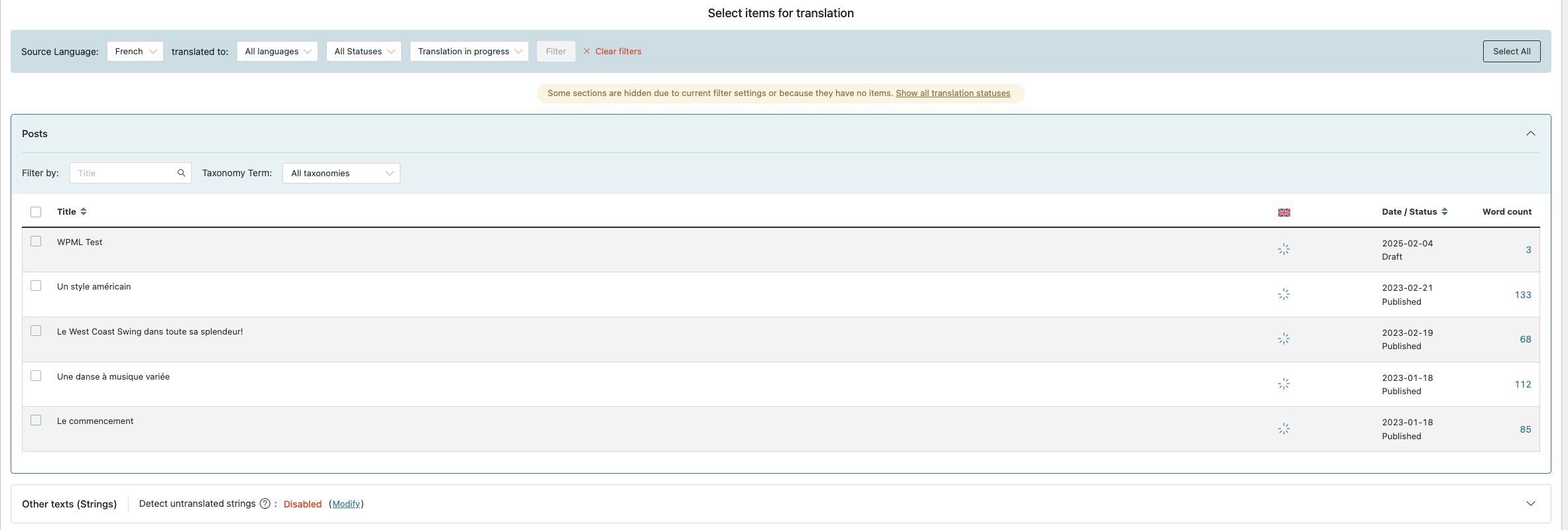
[Resolved] I've got 3 translations that take a lot of time.
This thread is resolved. Here is a description of the problem and solution.
Problem: You are experiencing unusually long delays when translating pages using WPML. The translations appear to be stuck and do not complete as expected. Solution: We discovered an issue related to the CMS Masters Importer plugin that was causing the translation process to stall. Here are the steps we recommend: 1. Disable the CMS Masters Importer plugin. 2. Test the translation process again to see if the issue is resolved. If disabling the plugin resolves the problem, you may continue using WPML without this plugin or seek an alternative solution. If the issue persists or if you need further assistance, we recommend visiting the WPML support forum. Additionally, it's a good practice to check for related known issues, verify the version of the permanent fix, and confirm that you have installed the latest versions of themes and plugins.
This is the technical support forum for WPML - the multilingual WordPress plugin.
Everyone can read, but only WPML clients can post here. WPML team is replying on the forum 6 days per week, 22 hours per day.
Ok so I did clear the lines with a status of 9 in the wp_icl_translation_status table but the translations are still not completing (and they are still visible).
When trying to migrate a copy of your site onto a local virtual server I receive the following error:
DB INSTALL ERROR: DB install chunk process integrity check has been just failed.
I would need to take a closer look at the DB of your live site to investigate.
As GoDaddy does not allow access by plugin and I am not able to access your hosting platform due to 2FA validation, I would suggest for now, that you please contact GoDaddy, and ask them to revise/adjust/repair your database.
Also, you could send me a SQL dump file of your database and I will take a look into it. I have enabled the private reply form including a special field for such dump files.
Please take note:
While migrating the site I was informed by Duplicator that the current database is using the collation utf8mb3 on some tables.
This can cause unexpected issues, as this type of collation is outdated and does not support Asian characters.
You can change the collation for such tables from utf8mb3 to utf8mb4 which is the new standard.
Trying to import the dump file into a new WordPress Install I get the same error:
Fehler in der SQL-Abfrage (1064): Syntax error near 'PK' at line 1
---
After reviewing the site again I see the following error on the ATE Error Log:
count(): Argument #1 ($value) must be of type Countable|array, string given /var/www/wp-content/plugins/cmsmasters-importer/inc/cmsmasters-theme-importer.php:127
This error points to the CMS Masters Importer plugin and I have disabled this plugin now.
This seems to have solved the issue. Please test for yourself now.
If you would like us to investigate this issue further I can offer to provide a test site including WPML on which you can install theme and its plugin in their latest available version.
According to my theme's documentation this specific plugin isn't critical for running the website so I think I will leave it at that for now. But I will definitely reach to Godaddy regarding the DB issues. I also will try to fix the other things you mentionned.
In all cases, thank you very much for your help! Much appreciated.